


Wrench
-
Posts
28,327 -
Joined
-
Last visited
-
Days Won
188
Content Type
Profiles
Forums
Gallery
Downloads
Store
Everything posted by Wrench
-
sweeeeeeeeeeeeeeeeeeetttt!!! now, we just need the helos to operate from it ...
-
Getting sqd,unit and name to show
Wrench replied to russouk2004's topic in Mods & Skinning Discussion
cool!! -
Lloyd, I moved this from the KB to where people might actually see it... ----------- to the best of my knowledge, based on some tweeks Crusader provided for the Bf-109s, it does NOT change the rate of fire or anything else.
-
yeah, that's just over a mile west of me. was hearing the choppers for about an half hour before I checked the local tv news to see what was going on (was actually on the phone with fubar at the time!). Good job in getting it down, and not getting too badly hurt, or smashing into houses. Pity about the plane, though Pen Mar golf course is also prominentely featured in the move "2010" during the destruction of LA sequence (and my house is just east of the airport, and so falls into a vast fissure that opens up, along with the airport itself!)
-
oooooooooooooooohhhhh... that's gotta hurt!
-
Getting sqd,unit and name to show
Wrench replied to russouk2004's topic in Mods & Skinning Discussion
I'm not quite tracking, Russ. below is a screenie of the P-40 I posted above, using the sqtail decal, with the statements also as above. You can see the 7th TFS is active (yeah, I know, I should edit the squadron list inis 'displayed name' to reflect the 7th WW2 name) again, is there a Level=1 decal entry in all the skins decals inis? Reading the last post, you say the COUNTRY is grayed out as well??? That means you have no Level=0 (which are the national insignias) in you decals ini. that's also easily fixed, pretty much the same way the squadron. Pick a mesh (another aileron or elevator and do this: I call THAT one my "fake insignia", although it calls for a stock insignia decal, pulled from the object cat, just so reduced in size no one can see it. I even wrote a tutorial for the KB on this very subject!! :) -
Getting sqd,unit and name to show
Wrench replied to russouk2004's topic in Mods & Skinning Discussion
greyed out means that while listed, there's nothing to activate it (the Level 1 decals) -
you might have to ask Capun. I'd double check their readme, first though
-
we FINALLY got one!! thanks to all involved!!
-
Just tested A-Teams ETO -do they even test their stuff before releases?
Wrench replied to Stary's topic in World War II Forum
now! -
Getting sqd,unit and name to show
Wrench replied to russouk2004's topic in Mods & Skinning Discussion
do you have a Level 1 decal listed in the decals ini??? Level 1 designates the squadron I'd recommend using my "fake" SqTail decal. I've used this a LOT on skins (particularly for WW2) when a squadron exists in the stock squadronlist, and I want the name to show. entry would be something like this (example from PTO P-40E) Adjust X/Y coordinates as necessary. Of course, you'll lhave to change the decal's number and so forth. Leave the Scale= statement as is The rudder or an aileron are equally good meshes you don't even have to have it IN a particular skin folder, but can be placed in the root of the /Decals main folder. Of course, you'll have to rewrite the pathway... I've attached the SqTail tga in the zip -
fues roundels/star (well, at least mine) for the Wildcat are decal. so, you're saying, stretch the decal in the vertical plane? or just make the tga "unsquare' (as shown above)?
-
Just tested A-Teams ETO -do they even test their stuff before releases?
Wrench replied to Stary's topic in World War II Forum
got an email from capon tonight. I have NOT been banned! His ISP is having some "issues". ============= Daniel has had some computer issues of late, and lost the bubbletop Jug files. He been trying to rebuild it from the razorback. And we still have several beaufighters to do as well. But, unfortunately Real Life keeps rearing it's ugly head for him. I've got max 2009, but just haven't had time to learn it!! -
Just tested A-Teams ETO -do they even test their stuff before releases?
Wrench replied to Stary's topic in World War II Forum
Apparently, so have I. And I was just there around noon time (pst) today -
indeed, NOTHING is required to be extracted for GH 3.5. Just follow the read me enclosed with it
-
Done! enjoy!
-
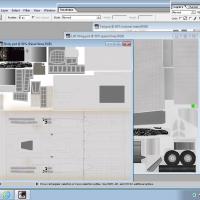
View File MD-450 Ouragon template set MD-450 Ouragon template set This is my "Home Grown" Template set for Pasko's French Jet Fighter. They are 1024 x 1024. Multi-layered PDS format templates. There is only one template for the wings (Left Wing), as the right and left wings are mapped identically. Be adivised, that if NOT in natural metal finish (say, a camo of some kind), the right lower aileron is NOT mapped correctly. There are several skins now available that show how to correct this (ie: via a decal). The right aileron psd is also provided. I've also supplied a blank, generic NM skin, in bmp format. Please feel free to make any correction, modification, etc. I only ask they said improvements be made available to the entire community. Happy Sinning!!!! Wrench Kevin Stein Submitter Wrench Submitted 03/03/2015 Category Skin Templates
-
26 downloads
MD-450 Ouragon template set This is my "Home Grown" Template set for Pasko's French Jet Fighter. They are 1024 x 1024. Multi-layered PDS format templates. There is only one template for the wings (Left Wing), as the right and left wings are mapped identically. Be adivised, that if NOT in natural metal finish (say, a camo of some kind), the right lower aileron is NOT mapped correctly. There are several skins now available that show how to correct this (ie: via a decal). The right aileron psd is also provided. I've also supplied a blank, generic NM skin, in bmp format. Please feel free to make any correction, modification, etc. I only ask they said improvements be made available to the entire community. Happy Sinning!!!! Wrench Kevin Stein -
Alfie, I've had the tempates for Pasko's Ouragon since 2009. You want I should upload them?? mind you, there's a major mapping issue on one of the ailerons (like, it isn't!)
-
somewhere, buried deep in the Area 51 of our download section, might reside the Avro Aerocar ... it was made for 1stGens, and was never really "right" that's the closest we got to a flying saucer
-
My Bitchin Betty sounds like a chipmunk...?
Wrench replied to Viper63a's topic in General Discussion
bet they sound like this ONLY in SF2NA, right? -
which, unfortunately can ONLY be seen in MAX, if one has the MAX file. Far too many of our birds lack accurate extents and correct hit boxes. having something of that ability in Mue's Tool would be godsend for the ini gurus.
-
the planning maps are a 1:1 match in scale of the terrain itself
-
pilot legs sticking out for the F-86F-40
Wrench replied to slick cowboy's topic in General Discussion
change the entries to just plane "fakepilot'. bet that fixes it right up (make sure you actually DO have the generic fake pilot in your /Pilots folder) it should read like this cause there ain't no such thing as fakepilot2 -
question on installing FE aircraft into FE2
Wrench replied to xeroluck's topic in General Discussion
weapons, guns, pilots and even decals set up EXACTLY the same in FE2 as in SF2. That is to say, separate, individual folders for each item, within their respective "main category" ( /Objects/Guns/*nameofgun*) There should be more info hiding (literally!!) somewhere in the SF2 knowledge base. but in essence, for a gun, the folder only needs the "main ini", and the data ini, as there Is no physical objects. The bullets are, in truth, just a 'special effects'. weapons, oth, while following the basic format (main ini, data ini), also need the lods residing in the folder. as to editors, the same ones for sF2 work for FE2
