


Wrench
-
Posts
28,327 -
Joined
-
Last visited
-
Days Won
188
Content Type
Profiles
Forums
Gallery
Downloads
Store
Everything posted by Wrench
-
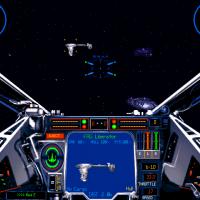
24 downloads
XvT-BoP Mission Set "Patrol of the Liberator" -Rebel Alliance Missions - for either original XvT/Bop CD or GoG versions - You are a recent graduate of the Alliance flight officer's school. Upon graduation, you are assigned to the Nebulon B-class Frigate LIBERATOR. The Liberator is an independent operations frigate. It's new tour is a nearly year convoy raiding mission into the Outer Rim Territories. These missions are in BoP format, so that's required. No other ship patch or mods are needed (At least for the new GoG versions). Original mission set for XWCD by M.J. Grover, 1993 Converted for XvT/Bop Use by me (circa 2000, but updated 2/2015). As always, PLEASE read the enclosed readme for full install instructions, as well as the expected "Notes" section. Good Luck, and Good Hunting! Wrench edit: fixed updated date to correct year Kevin Stein -
Virtual flat tire after landing on the carrier
Wrench replied to Dillon's topic in Mods & Skinning Discussion
that's one of 2 things: landing gear rolling radius or "height" of the carrier's deck mesh. neither one is truly worth messing around with. Adjusting either or both will cause other visual "oddities" elsewhere. -
so, Ant, what you saying (or showing?) could be considered just the tip of the Iceland??? (pun intended ...ducking and running now!!)
-
aren't those not used anymore (per se) in SF2? What with the individual, folderized weapons, with their own _data.ini inside?
-
I don't think that's possible perhaps only with a "year specific" loadout something like this: [strike_LGB_85] Nation=FrenchNavy StartDefaultDate=1985 DefaultFor=Strike Loadout[01].WeaponType=AtlisII Loadout[01].Quantity=1 Loadout[02].WeaponType=Tank_SUE_Gray Loadout[02].Quantity=1 Loadout[03].WeaponType=Tank_SUE_Gray Loadout[03].Quantity=1 Loadout[04].WeaponType=BGL400 Loadout[04].Quantity=1 Loadout[05].WeaponType=BGL400 Loadout[05].Quantity=1
-
image links aren't working wouldn't it have been easier to just rename the folder to fit the pathways??? Hell of a lot less work (and yes, that was my fault for forgetting to put the actual "htod" folder with the missions inside, in that main folder) and it should be "xwhist" but, whatever. Again, even after 15 years from the original work, I didn't have an issue with getting them to run (excepting one time where I had two number 134s -- that broke the list!) just a reminder to everyone ... all mission sets I'll be uploading are folderized. This is done to NOT create conflicts with existing missions, and to keep the installs 'clean' of loose files. However, I WILL be (re)checking all the pathways and folder names are correct. Hopefully, 2 more Rebel sets will go up in the next few days. Imperial sets are problematic ... many require ship sets that don't exist in the 'stock' game, and as we have no Draconis Ship Patch for the GoG versions.... Some of the Imp sets are just plain crap, too. I'm trying to find those that are 'the better ones'. Including the original TF CD mission sets (all converted around 2000, but, now need more fine tuning)
-
The Spoils of War...
-
example: Loadout[01].WeaponType=bigbomb Loadout[01].Quantity=6 Loadout[01].Racktype= <------defined here in loadout ini
-
I doubt there'll be a response from TK, given his boards have been shut down for nearly 4 months. But still, that's in seriously BAD form to post those. I just hope FB has a pair, and stomps this monkey flat. But still, there's no real way to stop piracy. It happens all the time; even stuff that's ONLY supposed to be posted here, has shown up -without permissions for use, or even having been asked- at "other sites" edit: somebody should also inform Autodesk, makers of 3ds Max about the pirated content
-
the skins are very old ... all for 1stGens, which means they really don't quite work in SF2. several of them have already been done by others, updating to SF2. They're in the d/l section
-
just to be sure, check the internal numbering of the added missions themselves (the sequence) this is my mission.lst from the /Train folder this is my rebel.lst from the /Train folder I don't know what else it could be!
-
by default, the VNSEA terrain does NOT have NA style "CV Zones" defined on the _water.bmp. but it still shouldn't crash. that's got to be another problem (like USMC NOT having carriers) I would just add "CarrierBased=TRUE to the data ini of the helos, along with the required "parking span", and test on a terrain WITH the proper CV coding. CarrierBased=TRUE CarrierParkSpan= (should be rotor span, but use ???) CarrierParkAnimationID= (since no folding wings, use -1 for anim ID
-
They're in the C:\GOG Games\Star Wars - XvT\BalanceOfPower folder, right? not the "up one level" for just plain jane XvT? They have to be in the Combat or Train folders of BalenceOfPower
-
http://combatace.com/topic/44621-adding-objects-to-your-target-areas/
-
Since I am Camo Deficient, I need a Camo Skin Expert
Wrench replied to Dave's topic in Mods & Skinning Discussion
they have pills these days to help out with that "specific" deficiency ya know. (would be nice to see the Snakes in that garb, too!) -
The first thing to figure out is the type of missions being installed. In the example(s) I'll be using are Combat mission. However, those that are Training are the same. The only thing I'm not fully clear on, is how to add them for Campaign or Battle (which are different, as the stock ones are playable from BOTH Rebel and Imperial sides) So, lets assume you've got a "single player" Combat mission set for the Rebel Alliance. We'll use the Headhunter TOD as the example. (and more Combat sets ARE coming!). As I use a 'folderized' mods add on, we'll skip the addition of the new mission folders (a simple copy/paste operation) to the main /Combat folder. I'm using the new, recently released GoG versions, but the Original CD versions file structure is 100% identical, so these would apply there as well. All mission set that I'll be uploading are for use in the BoP environment, as it added many 'new' ships to game. Go to your Star Wars - XvT / BalenceOfPower/Combat folder. Inside, you'll find 3 lst (or list) files. These are the controlers, so to speak, as they contain -in numerical, sequential order- the location(s) and names of the missions, both stock and add-on. In each of the mission type folders (Train, Combat, Battle, Campaign) are these 3 files. They are: Imperial.lst (contains listing for Imperial players) MIssion.lst (contains listing of ALL mission, for both sides) Rebel.lst (contains listing for Rebel Alliance players) Below is an example, from the stock, mission.lst You'll notice, that for some reason, the Balance of Power missions are out of sequence. They work just fine, but I believe that's because the other 2 are from XvT, and are stored "elsewhere". Don't worry about that for now. The original missions all work, so lets leave that alone. You'll also notice the "page breaks" , indicated by the double back-slash (//). That's also very important, as it tells the game engine where things start and stop Speaking of numbering sequences ... the mission.lst will ALWAYS have them in order (so to speak). Every mission set, Rebel (including New Republic), Imperial (including Imperial Remanent), or "Independent" , will follow the numerical sequence. It's ok to have breaks; you may have a set that runs 300-349, and the next set of numbers is 451-474. That's ok! The only thing that matters is that they remain in sequence. The converted sets I'll be uploading will contain the missions list, with the instructions to "copy/paste into the *** and mission.lst (*** for either Rebel or Imperial) So, now you've got a mission set, and you want to install it. Still using the htod set, after unzipping it, move, copy/paste, ship by various Freighters (FRT, MTRNS, CARG, etc) the /htod folder INTO the .../BalanceOfPower/Combat folder If the image is showing, you can see that I've already done the most important thing first -- BACKED UP THE ORIGINAL IMPERIAL.LST, MISSION.LST AND REBEL.LST !!!!! (If the image is not showing, look down below) You MUST do that first, before beginning to edit !!any!! of the lst files. I can't stress that enough!. They are the only copies available, and if you mess up, can easily restore to stock and start over. So, now we're ready to add the new mission's listings... Supplied with ALL addon mission sets (if the author is polite!) is an ***.lst file with the listings Again, for example, we'll use the htod set. This listing will be found in the readme for that mission set (do NOT use the htod.lst; that's for Campaigns!! A whole different can of Sarlaccs) It should be noted at this time, all the numbering sequences for the mission sets I'll be uploading are arbitrary; simply chosen as a convenient way, by me, too keep track of things. Now that we've got the new set's list, you copy the text, incuding the 2 sets of backslashes (//), and paste it into BOTH the mission.lst and (in this case) Rebel.lst. If a set of backslashes already exists at the end of the previous listing, just paste over them. As long as those separators remain intact. So, it should look like this (rebel.lst, with htod missions) You'll note that I'm showing the last and next sets of missions header statements. You can see how the slashes separate them. Now you can "save" and close the Rebel.lst. Do the same procedure for the Mission.lst, and save it as well. (don't forget to have backed up the original lsts first!!!!) I hope I've made this understandable enough for New Players. If not, feel free to post in the main Star Wars forum below (the "Does everyone know how to add missions" thread), or drop me a PM. Fly High and Shoot Straight!! wrench Kevin Stein
-
- 1
-

-

From the album: Wrench's Stuff
-
That means they've installed incorrectly. If the mission is showing on the drop down, but no briefing, it's usually a numbering problem first off, make sure the numbering sequence stays intact. Make sure you add to the BOTTOM of each of the lsts. I'll write up a turorial as soon as I can.
-
I, personally, would leave them all the "Real World " size. like Stephan said, it's the TOD objects (the trees and buildings placed on the tiles via the terrain editor) that are off scale. Like him, I wouldn't worry about those
-
one of the greatest fliers ever
-
terrain objects are 1:1 which is why some things look off scale.
-
View File XvT-BoP Alliance Historical Training Missions Alliance Historical Training Missions = For XvT, with BoP add on (REQUIRED!!) = (Works with original XvT/BoP CD and GoG versions) This is a set of 28 Rebel Alliance Historical training missions. You may recognize them from XW CD or the recently released GoG Win7 XW versions. They have been converted to run in XvT with the BoP add on, as several things have been modified from their original 1990s release, and several ships required ARE only in the BoP add on (the B-Wing being the most important!). These are to be used/placed into your Balence of Power/Train folder. These ARE training missions, and not (really!) full combat. Many of these missions have additional goals, messages (which are sometimes used as in-game hints), and "eye candy" added. As there are many items now available in XvT/BoP that were NOT in the original XW CD, I feel this will add to the experience. As always, PLEASE read this enclosed readme for full, detailed install instructions. Give the "Notes" section a read too, for well, notes! Good luck and good flying! Wrench Kevin Stein Submitter Wrench Submitted 01/30/2015 Category Star Wars Games
-
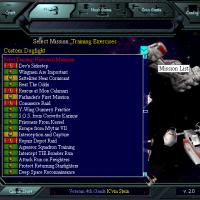
29 downloads
Alliance Historical Training Missions = For XvT, with BoP add on (REQUIRED!!) = (Works with original XvT/BoP CD and GoG versions) This is a set of 28 Rebel Alliance Historical training missions. You may recognize them from XW CD or the recently released GoG Win7 XW versions. They have been converted to run in XvT with the BoP add on, as several things have been modified from their original 1990s release, and several ships required ARE only in the BoP add on (the B-Wing being the most important!). These are to be used/placed into your Balence of Power/Train folder. These ARE training missions, and not (really!) full combat. Many of these missions have additional goals, messages (which are sometimes used as in-game hints), and "eye candy" added. As there are many items now available in XvT/BoP that were NOT in the original XW CD, I feel this will add to the experience. As always, PLEASE read this enclosed readme for full, detailed install instructions. Give the "Notes" section a read too, for well, notes! Good luck and good flying! Wrench Kevin Stein -
looks a lot like the ARC-170s from Ep.3!! I like it!!
-
Guess you haven't downloaded my AD-3. The only thing I didn't do was remove the dorsal antenna. It already has the 2 cannon removed