Wrench
-
Posts
27,731 -
Joined
-
Last visited
-
Days Won
156
Content Type
Profiles
Forums
Gallery
Downloads
Store
Everything posted by Wrench
-
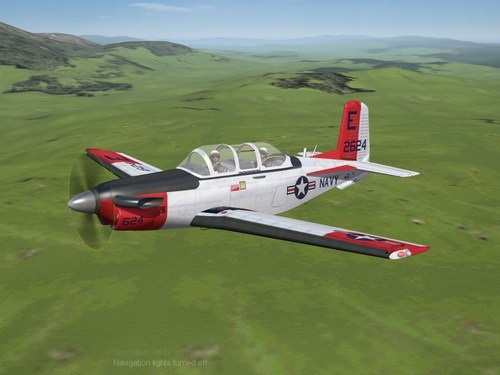
View File SF2 T-34C Turbo Mentor Pack by Various SF2 T-34C Turbo Mentor Pack by Various 1/20/2023 -For SF2, Any and All- As seen in the "Found on my HD" thread on CombatAce, I present the Beechcraft T-34C Turbo Mentor for your edification and enjoyment. Brought to you by a combination of luck and the work of our good friends in Latin America. With a little help by me (grin). There are 3 skins/decal sets supplied in this package, Argentine Navy: Armada (a dark blue overall; 1978-1980) Malvinas (2-tone camo, as seen during the Falklands War; < 1980) US Navy: VT-2 "Wildcats", TAW-5 NAS Whiting Field, Florida Skins are in jpg format. Many markings are decals, many are painted on. All skins have accurate serial/modex decals. The USN skin has 18, the Argentine skins 29, and 16 respectively. The Argentine skins use the SF2 date switch to active themselves at the proper time. Both canopies are manually operated; the Standard Animation Keystroke(s) are used; shift/0 (zero) for the pilot's window, and shift/9 for the backseat driver. When in game you see: T-34C TurboMentor (OJ) The "OJ" is for the modeler, and will differentiate this T-34C from any others that may or may not be available. Be advised, that while tagged as a "T-34C" this is actually a "T-34C-1" which has 4 underwing hardpoints for various ordnance. The C-1 was an export only version, but will work nicely for USN customers/users/flyer/game players over The Range terrain for weapons practice. Or flying for fun. As is always recommended, unzip to a temp folder or your desktop to give easy access to the rest of this readme for it's install instructions. PLEASE read them!! Happy Landings! Wrench Kevin Stein Submitter Wrench Submitted 01/27/2023 Category Other
-
- 2
-

-
Version 1.0.0
161 downloads
SF2 T-34C Turbo Mentor Pack by Various 1/20/2023 -For SF2, Any and All- As seen in the "Found on my HD" thread on CombatAce, I present the Beechcraft T-34C Turbo Mentor for your edification and enjoyment. Brought to you by a combination of luck and the work of our good friends in Latin America. With a little help by me (grin). There are 3 skins/decal sets supplied in this package, Argentine Navy: Armada (a dark blue overall; 1978-1980) Malvinas (2-tone camo, as seen during the Falklands War; < 1980) US Navy: VT-2 "Wildcats", TAW-5 NAS Whiting Field, Florida Skins are in jpg format. Many markings are decals, many are painted on. All skins have accurate serial/modex decals. The USN skin has 18, the Argentine skins 29, and 16 respectively. The Argentine skins use the SF2 date switch to active themselves at the proper time. Both canopies are manually operated; the Standard Animation Keystroke(s) are used; shift/0 (zero) for the pilot's window, and shift/9 for the backseat driver. When in game you see: T-34C TurboMentor (OJ) The "OJ" is for the modeler, and will differentiate this T-34C from any others that may or may not be available. Be advised, that while tagged as a "T-34C" this is actually a "T-34C-1" which has 4 underwing hardpoints for various ordnance. The C-1 was an export only version, but will work nicely for USN customers/users/flyer/game players over The Range terrain for weapons practice. Or flying for fun. As is always recommended, unzip to a temp folder or your desktop to give easy access to the rest of this readme for it's install instructions. PLEASE read them!! Happy Landings! Wrench Kevin Stein -
unfortunately, no. Veltro has retired from modeling. I wish we could get the MAX files for all his work but that's probably not going to happen. I even asked for them
-
Not the first time we've seen someone complain about issue with the Steam version. There's some belief that it's NOT quite the same as WoE from the 3rd wire site. I'd dump that, and get SF2. THAT, at least runs fine on 7,10 & 11.
- 3 replies
-
- 2
-
-

-
- flickering
- help
- (and 4 more)
-
Moving carrier decks after takeoff from said carrier
Wrench replied to Flanker562's topic in General Discussion
Does the boat have enough sea room??? I know some terrains don't -
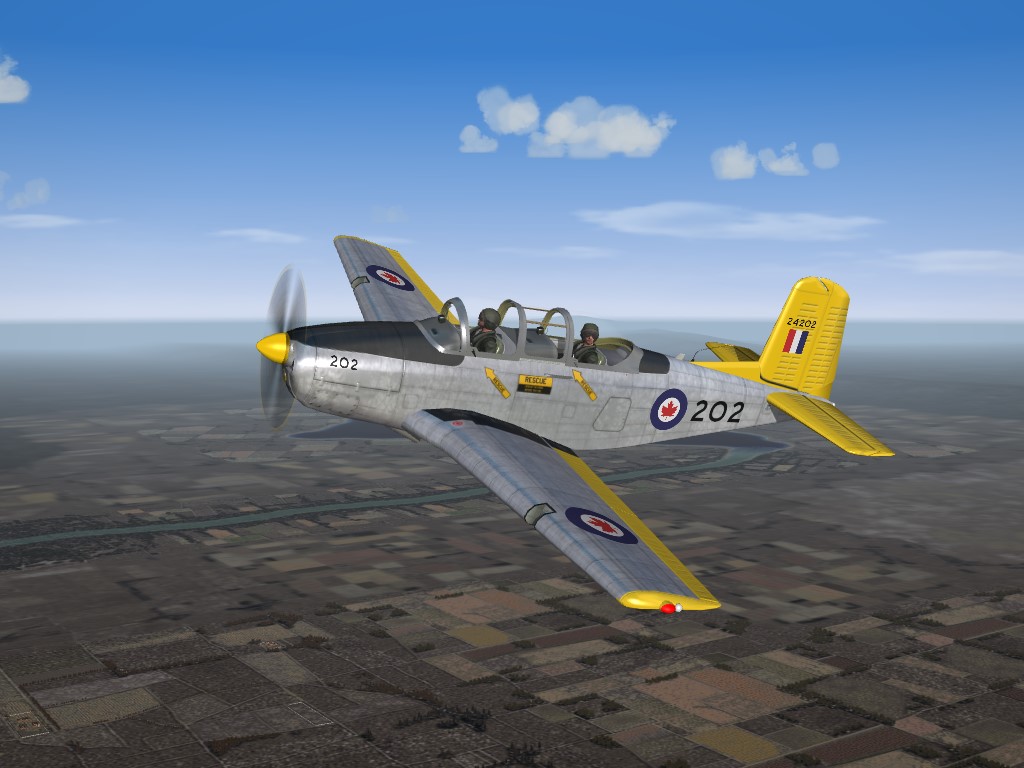
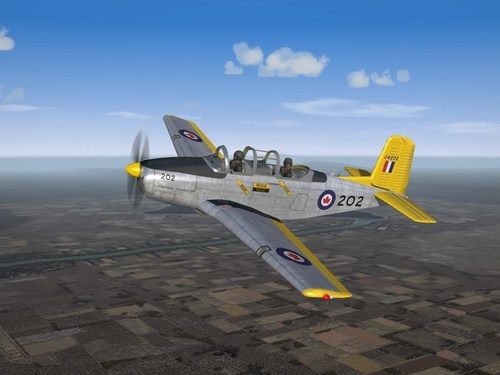
View File SF2 T-34A Mentor (RCAF) Skin Pack by Wrench SF2 T-34A Mentor (RCAF) Skin Pack by Wrench 1/20/2023 -For SF2, Any and All- A new skin for RUssoUK's fun little T-34A Mentor recreate the 25 as used by the RCAF from 1954 - 1956. These had a very short service life in Canada, and were passed on to other NATO/MADSC allies. The aircraft itself can be fond at the following URL: https://combatace.com/files/file/17995-sf2-t-34a-mentor-usaf-upgrade-pack-by-russoukwrench / ALL markings are decals and Decal Randomization is TRUE. There are 25 serial/Buzz numbers for the aircraft. These are 100% historically correct. The skin itself is in jpg format. As is always reccomended, unzip to a temp folder or your desktop to give easy access to the rest of this readme for it's install instructions. Happy Landings! Wrench Kevin Stein Submitter Wrench Submitted 01/23/2023 Category Other
-
- 2
-
-

-
Version 1.0.0
41 downloads
SF2 T-34A Mentor (RCAF) Skin Pack by Wrench 1/20/2023 -For SF2, Any and All- A new skin for RUssoUK's fun little T-34A Mentor recreate the 25 as used by the RCAF from 1954 - 1956. These had a very short service life in Canada, and were passed on to other NATO/MADSC allies. The aircraft itself can be fond at the following URL: https://combatace.com/files/file/17995-sf2-t-34a-mentor-usaf-upgrade-pack-by-russoukwrench / ALL markings are decals and Decal Randomization is TRUE. There are 25 serial/Buzz numbers for the aircraft. These are 100% historically correct. The skin itself is in jpg format. As is always reccomended, unzip to a temp folder or your desktop to give easy access to the rest of this readme for it's install instructions. Happy Landings! Wrench Kevin Stein -
I bought it a couple of years ago from GoG; just haven't started playing it. Sad, huh?
-
Now ready for boarding at gate 6
-
depending on the aircraft, the ExportedToEnemy= line in the data ini should say TRUE.
-
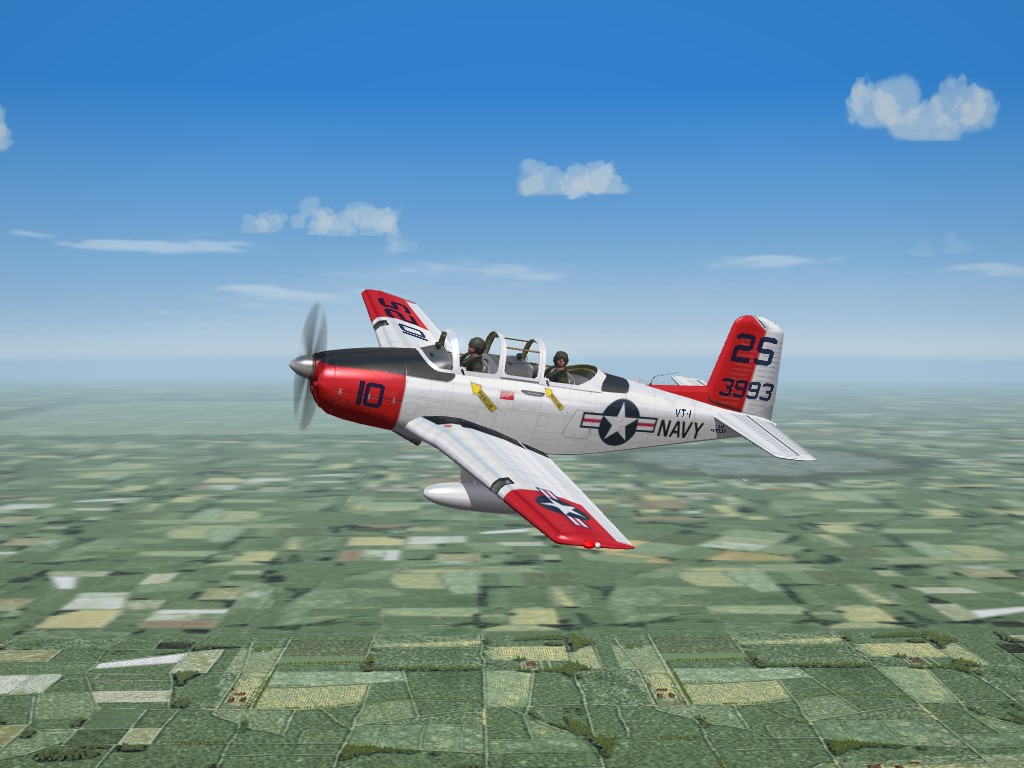
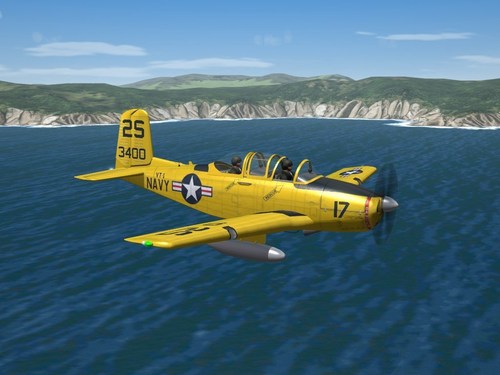
View File SF2 T-34B Mentor (USN) Upgrade Pack by RussoUK/Wrench SF2 T-34B Mentor (USN) Upgrade Pack by RussoUK/Wrench 1/12/2023 -For SF2, Any and All (Full 4/5 Merged plus Expansion 1 Recommended) Modifications to RussoUK's fun little T-34B Mentor (USN) make some major and minor adjustments in skins, decals, data ini and other misc stuff. This is the full aircraft, with all the bits as issued by Russ in the original release. Just in case you don't have said original release, you won't have to go scrambling around trying to find the "weapons" (ok, drop tank) pilots and sounds. Also, because I was/am too lazy to pick out and remove stuff. Easier this way :) All new historically correct decals have been created. It should be stated that the serial numbers (BuNums) and Modex numbers, while historically correct, are generic in nature representing no particular base unit or squadron. The SF2 Date SWtich (tm) is active, and will cause the skins to change on particular dates. The skins are: Navy1 -- VT-1 "Eaglets"(>1965) Aircraft is painted in standard "Trainer Yellow" Navy2 -- VT-1 "Eaglets" (<1965). Aircraft is painted white/orange ID panels the < and > indicate "before 1965" and "after 1965". As you can see, they represent Mentors from VT-1 "Eaglets" based at NAS Saufley Field, Florida. Most markings are decals; exceptions would be wing insignia/nation names on fuselage and/or wings. Other markings are decals, and Decal Randomization is TRUE. There are 18 serial/BuNum numbers for each aircraft; both skins share the same 'pool' of decals. The aircraft keeps all it's original designations, so will appear the same in-game as the original download. When in game, on the Aircraft Selection Dropdown menu, you'll see: Beech T-34B Mentor USN (R) Hopefully, this will differentiate it from any other T-34B Mentors that may (or may not) be available. The "R" stands for RussoUK, the model maker. As is always recommended, unzip to a temp folder or your desktop to give easy access to the rest of this readme for it's install instructions. Happy Landings! Wrench Kevin Stein Submitter Wrench Submitted 01/19/2023 Category Other
-
Version 1.0.0
91 downloads
SF2 T-34B Mentor (USN) Upgrade Pack by RussoUK/Wrench 1/12/2023 -For SF2, Any and All (Full 4/5 Merged plus Expansion 1 Recommended) Modifications to RussoUK's fun little T-34B Mentor (USN) make some major and minor adjustments in skins, decals, data ini and other misc stuff. This is the full aircraft, with all the bits as issued by Russ in the original release. Just in case you don't have said original release, you won't have to go scrambling around trying to find the "weapons" (ok, drop tank) pilots and sounds. Also, because I was/am too lazy to pick out and remove stuff. Easier this way :) All new historically correct decals have been created. It should be stated that the serial numbers (BuNums) and Modex numbers, while historically correct, are generic in nature representing no particular base unit or squadron. The SF2 Date SWtich (tm) is active, and will cause the skins to change on particular dates. The skins are: Navy1 -- VT-1 "Eaglets"(>1965) Aircraft is painted in standard "Trainer Yellow" Navy2 -- VT-1 "Eaglets" (<1965). Aircraft is painted white/orange ID panels the < and > indicate "before 1965" and "after 1965". As you can see, they represent Mentors from VT-1 "Eaglets" based at NAS Saufley Field, Florida. Most markings are decals; exceptions would be wing insignia/nation names on fuselage and/or wings. Other markings are decals, and Decal Randomization is TRUE. There are 18 serial/BuNum numbers for each aircraft; both skins share the same 'pool' of decals. The aircraft keeps all it's original designations, so will appear the same in-game as the original download. When in game, on the Aircraft Selection Dropdown menu, you'll see: Beech T-34B Mentor USN (R) Hopefully, this will differentiate it from any other T-34B Mentors that may (or may not) be available. The "R" stands for RussoUK, the model maker. As is always recommended, unzip to a temp folder or your desktop to give easy access to the rest of this readme for it's install instructions. Happy Landings! Wrench Kevin Stein -
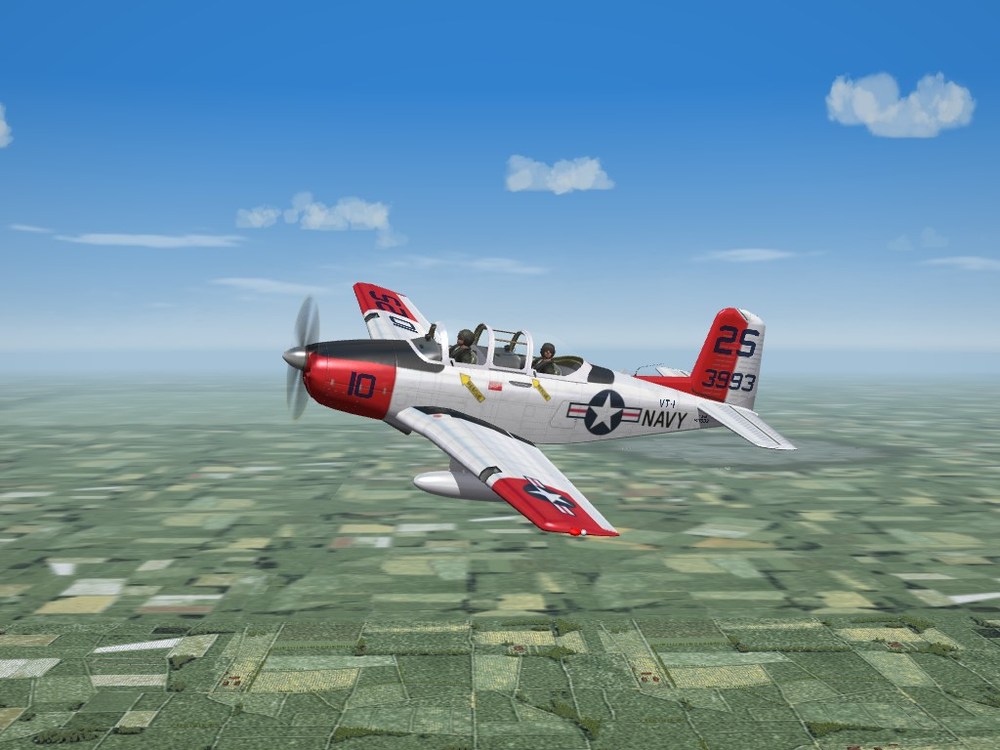
almost done with the USN T-34B, too (same photo from the screenshots thread -- I'm lazy!)
-
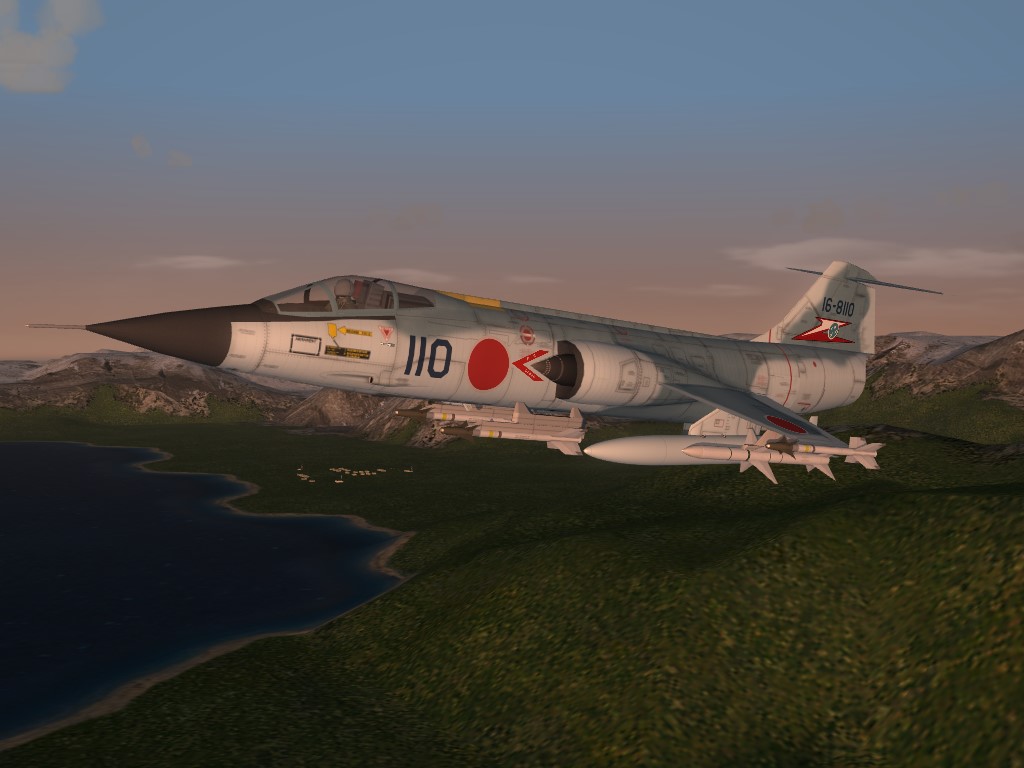
thanks wilches!!!! I actually found the paint kit, for the C model. But as it has MANY meshes in common, it can be used for the A & B. Now, research for the JASDF version ...:)
-
That's an understatement, if I ever saw one!!!! LOL!!!
-
I believe it was the Alphasim, converted to SF2. I went looking for the paint kits, but never found anything. Any help would be appriciated!!! (or just point the way!)
-
Saves me a boatload of work, anyway (and I suck at drawing the corrugated paneling on the tail too!!)
-
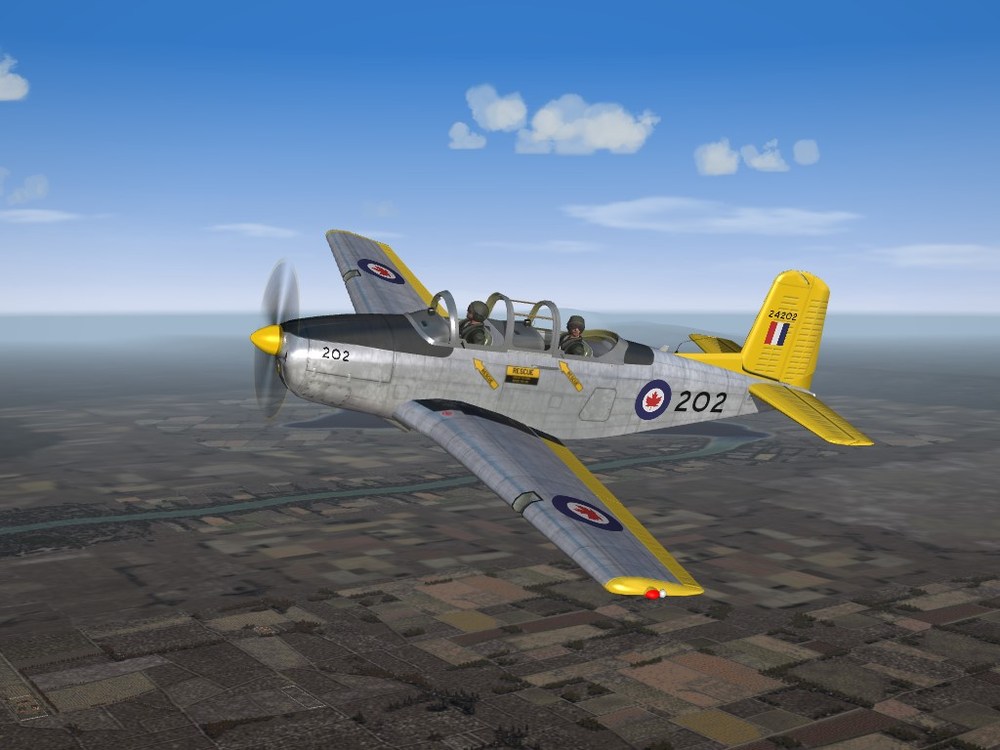
Another teacher, this time from the Great White North (and it's 2 year service life!!!)
-
Dosen't Wilches have those already???
-
another spammer about to be perma-banned everybody say Bye-bye!
-
hmmm......maybe paint the sonobouy tubes to match the lower fuselage? And just tell people not to look there??? I didn't realize those export models didn't have them1!
-
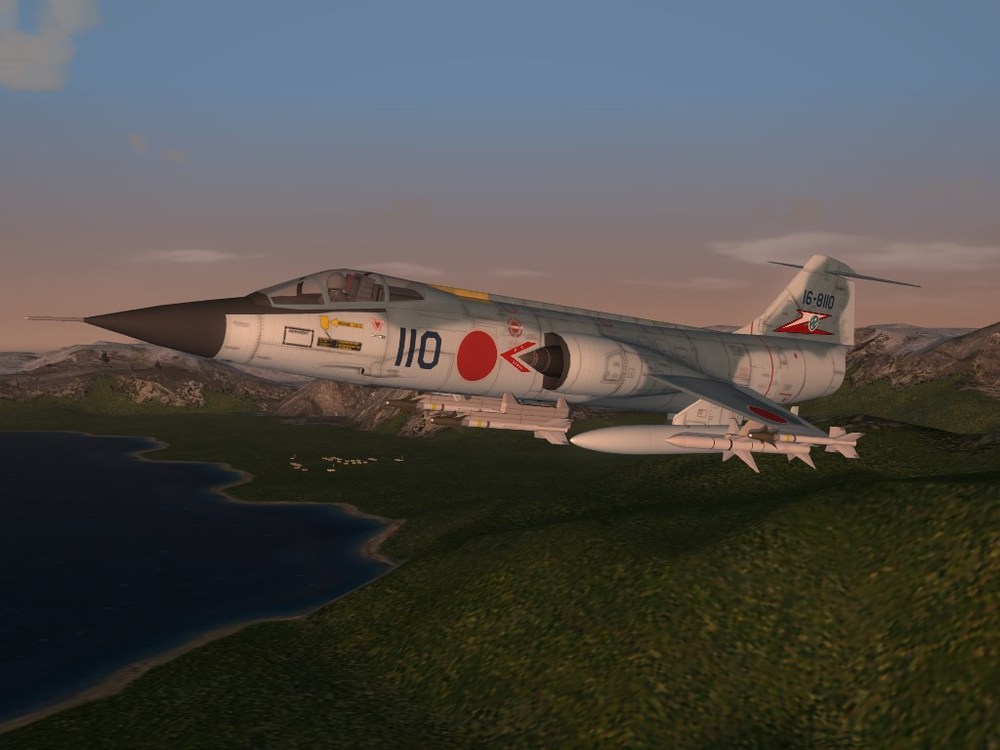
I'll just leave this here, and let you all figure it out... (evil grin)
-
Version 1.0.0
126 downloads
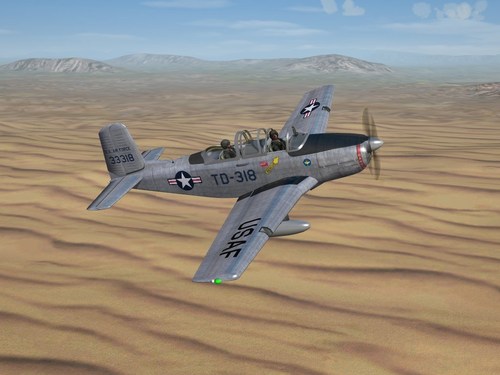
SF2 T-34A Mentor (USAF) Upgrade Pack by RussoUK/Wrench 1/12/2023 -For SF2, Any and All (Full 4/5 Merged plus Expansion 1 Reccomended) Mofications to RussoUK's fun little T-34A Mentor (USAF) make some major and minor adjustments in skins, decals, data ini and other misc stuff. This is the full aircraft, with all the bits as issued by Russ in the original release. Just in case you don't have said original release, you won't have to go scrambling around trying to find the "weapons" (ok, drop tank) pilots and sounds. Also, because I was/am too lazy to pick out and remove stuff. Easier this way :) Both the NMF and NMF/Orange skins have been redone with a lighter shade of pale metal, all new historically correct decals. It should be stated that the serial and buzz numbers, while historically correct, are generic in nature representing no particular base unit or squadron. The SF2 Date SWtich (tm) is active, and will cause the skins to change on partucular dates. The names in quotations "xxxx" are how they will appear on the game's Drop Down Menu on the Loadout Screen. The skins are: NMF (Early - starts Day 1) -- "USAF NMF (Early)" NMF/Red-Orange (Late - starts 1959) -- "NMF/Red-Orange (Late)" USAF 3-tone SEA came (1965). This is a non-real skin; I suspect the original FSX/? version is based on a Warbird, privately owned Mentor. However, the markings are correct for the time frame. They represent 80th Flight Training Wing at Sheppard AFB. --- "80th FTW (F)" Most markings are decals; exceptions would be wing insignia/nation names. Other markings are decals, and Decal Randomization is TRUE. There are 18 serial/Buzz numbers for each aircraft. The 2 NMFs use a 'pool' of the same numbers. The Camo uses the correct style for the Vietnam Era. The "F" in the title obviously means "fake". The aircraft keeps all it's original designations, so will appear the same in-game as the original download. When in game, on the Aircraft Selection Dropdown menu, you'll see: Beech T-34A USAF (R) Hopefully, this will diferentiate it from any other T-34A Mentors that may (or may not) be available. The "R" stands for RussoUK, the model maker. As is always reccomended, unzip to a temp folder or your desktop to give easy access to the rest of this readme for it's install instructions. Happy Landings! Wrench Kevin Stein -
View File SF2 T-34A Mentor (USAF) Upgrade Pack by RussoUK/Wrench SF2 T-34A Mentor (USAF) Upgrade Pack by RussoUK/Wrench 1/12/2023 -For SF2, Any and All (Full 4/5 Merged plus Expansion 1 Reccomended) Mofications to RussoUK's fun little T-34A Mentor (USAF) make some major and minor adjustments in skins, decals, data ini and other misc stuff. This is the full aircraft, with all the bits as issued by Russ in the original release. Just in case you don't have said original release, you won't have to go scrambling around trying to find the "weapons" (ok, drop tank) pilots and sounds. Also, because I was/am too lazy to pick out and remove stuff. Easier this way :) Both the NMF and NMF/Orange skins have been redone with a lighter shade of pale metal, all new historically correct decals. It should be stated that the serial and buzz numbers, while historically correct, are generic in nature representing no particular base unit or squadron. The SF2 Date SWtich (tm) is active, and will cause the skins to change on partucular dates. The names in quotations "xxxx" are how they will appear on the game's Drop Down Menu on the Loadout Screen. The skins are: NMF (Early - starts Day 1) -- "USAF NMF (Early)" NMF/Red-Orange (Late - starts 1959) -- "NMF/Red-Orange (Late)" USAF 3-tone SEA came (1965). This is a non-real skin; I suspect the original FSX/? version is based on a Warbird, privately owned Mentor. However, the markings are correct for the time frame. They represent 80th Flight Training Wing at Sheppard AFB. --- "80th FTW (F)" Most markings are decals; exceptions would be wing insignia/nation names. Other markings are decals, and Decal Randomization is TRUE. There are 18 serial/Buzz numbers for each aircraft. The 2 NMFs use a 'pool' of the same numbers. The Camo uses the correct style for the Vietnam Era. The "F" in the title obviously means "fake". The aircraft keeps all it's original designations, so will appear the same in-game as the original download. When in game, on the Aircraft Selection Dropdown menu, you'll see: Beech T-34A USAF (R) Hopefully, this will diferentiate it from any other T-34A Mentors that may (or may not) be available. The "R" stands for RussoUK, the model maker. As is always reccomended, unzip to a temp folder or your desktop to give easy access to the rest of this readme for it's install instructions. Happy Landings! Wrench Kevin Stein Submitter Wrench Submitted 01/16/2023 Category Other
-
don't forget to use the 'remove mesh trick' to take off the wire antennas -- A's didn't have them. (unless it's going to be added the the recently released A/B Orions) Looks good!