


Fubar512
-
Posts
8,418 -
Joined
-
Last visited
-
Days Won
42
Content Type
Profiles
Forums
Gallery
Downloads
Store
Everything posted by Fubar512
-
Lexx, There's a B&W film clip out there showing the same sequence.
-
Worse case scenario: Take all six files out of the Terrain/GermanyCE folder in the archive and manually extract them to your GermanyCE folder. The GermanyCE_Data.ini that's contained within has shader-specific values for the watermaterial entries, as well as values for each tile that uses water.
-
There's a folder in the .zip archive named "Terrain", simply placing that in WoE's main directory will install the effects. Yes, the plural is intentional, and not a typo
-
-
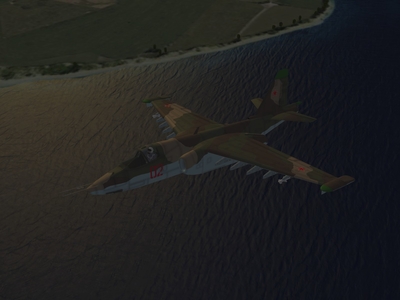
Why, what could you possibly be referring to?
-
Uploaded and ready to rock n' roll: http://forum.combatace.com/index.php?showtopic=30415 Thanks to Dave, Column5, Typhoid, Drdoyo, Brain32, and all the others that provided feedback.
-
2,921 downloads
INSTALLATION: Assuming you have WoE (ie., "Wings over Europe"), the process is simple...just extract and place the folder named "Terrain" into the your Wings Over Europe Folder, and you're ready to go. In all other titles, extract the watereffect.fx and the waternormaldot3 into the Terrain subdirectory of your choice. In Strike Fighters, that would be "Desert". In Wings over Vietnam, it would be "VietnamSEA. In WoI, it's "IsraelME". This effect is optimized for use with Brain32's WoE terrain using Cellisnsky's widesky 1.0 mod. *NOTE*: I cannot guarantee that it will work to everybody's satisfaction with other ThirdWire titles, terrain sets, or environment mods. KNOWN ISSUES: Cards that lack FULL DX9.0C support, such as ATI Radeon 9x -X1K series and the nVidia GeforceFX(5) series, may experience pixelation issues when close to the "water's" surface. The only workaround is to either turn off the shaders, or to break down and purchase a card that supports DX9.0C. This effect is all but unusable in Windows Vista, due to its poor DX9 support. The .FX files contained in the zip archive based on ThirdWire's original's, and re-compiled & debugged using ATI's RenderMonkey. -
View File WoE Shader Effects 1.0 INSTALLATION: Assuming you have WoE (ie., "Wings over Europe"), the process is simple...just extract and place the folder named "Terrain" into the your Wings Over Europe Folder, and you're ready to go. In all other titles, extract the watereffect.fx and the waternormaldot3 into the Terrain subdirectory of your choice. In Strike Fighters, that would be "Desert". In Wings over Vietnam, it would be "VietnamSEA. In WoI, it's "IsraelME". This effect is optimized for use with Brain32's WoE terrain using Cellisnsky's widesky 1.0 mod. *NOTE*: I cannot guarantee that it will work to everybody's satisfaction with other ThirdWire titles, terrain sets, or environment mods. KNOWN ISSUES: Cards that lack FULL DX9.0C support, such as ATI Radeon 9x -X1K series and the nVidia GeforceFX(5) series, may experience pixelation issues when close to the "water's" surface. The only workaround is to either turn off the shaders, or to break down and purchase a card that supports DX9.0C. This effect is all but unusable in Windows Vista, due to its poor DX9 support. The .FX files contained in the zip archive based on ThirdWire's original's, and re-compiled & debugged using ATI's RenderMonkey. Submitter Fubar512 Submitted 07/21/2008 Category Environmental Mods
-
Uploading tonight.....
-
-
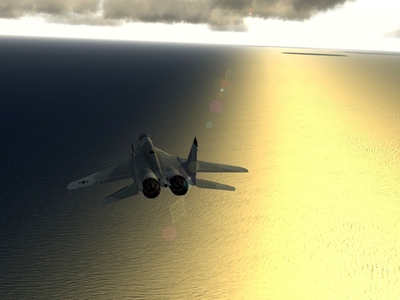
Of the two, the Eagle can be pushed into nasty stalls in real life (as it's not really FBW), and, the Viper's software had to be rewritten sometime in the 1980's because of pitch authority issues at high angles of attack. Though the Viper is fully FBW, one must understand that the "F" in FBW does not really stand for, "foolproof" IIRC, the Viper also recieved larger stab surfaces to correct this issue, as well. But you are correct, if one were to input (into the game) the correct mass fractions and aero values for the Viper, it would be all but unflyable.
-
No worries. 4-8X AF should be fine. I was simply concerned that you were trying it at 16X AAF, which might be a bit much under the circumstanses sampler BumpSampler = sampler_state { Texture = <BumpTexture>; AddressU = WRAP; AddressV = WRAP; MipFilter = LINEAR; MinFilter = ANISOTROPIC; MagFilter = LINEAR;
-
Ahhhh....how high is your Anisotropic Filtering (AAF) set at? You see, I invoked AAF when I compiled the shader, and it may cause anomalies in 9500-x1K Radeons.
-
Do you have a GeForce, or do you have a Radeon? If I were to take a guess, I'd say the latter
-
Yes, but why would anyone want grass or sand texture rendered beyond 500 meters, when one could not see any detail at that distance? Re-read my previous post, and you'll understand
-
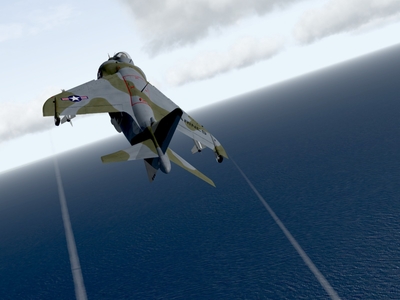
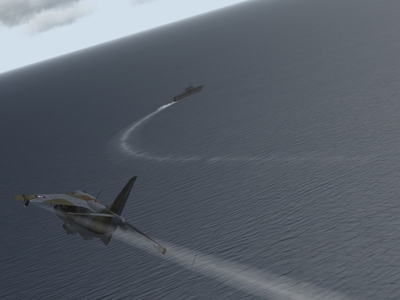
Well, I've come to a few interesting conclusions regarding shaders, after killing myself trying to learn HLSL code. Shaders, in this series, must be specifically tailored to the terrain and the environment file. A change to the (water surface) color or ambient lighting may force one to use either a different bumpmap texture, or force one change the values and parameters in the .fx file. Water shaders seem to be at their best when they have a dark, solid, background to standout against. The default water tiles in the VietnamSEA terrain are not good in this regard, whereas the much darker and solid ones tiles in WoE and WoI are. A 32-bit .tga water-shader bumpmap works a ton better than one that's in bitmap (.bmp) format, and is waaay better if one intends to use reflection (or environment) mapping. Terrain shaders do not need to rendered out much further than 500 meters or so, so one can get away with using a larger, finely detailed bumpmap on the order of 2048x2048.
-
It's in the Megapack at Checksix
-
-
-
OK, it's down to this one...it'll be out soon...in less than two weeks
-
-
I don't believe anyone would try landing a conventional combat aircraft on the Kiev. It was designed for VTOL ops. Now, a Kuznetsov, OTH...
-
Oh, Fudge... I've forgotten to include Brain32 and Cellinsky in the credits, for their great terrain and environment mods.
-
Hmmmmm...can it be? No way! Oh, wait.... VIDEO LINK
-
Here's a video of what is probably the "final release candidate" of the effects shader, under different light conditions, distances, and altitudes, just to give you an idea as to what it looks like in-game. I'll release as soon as my (uhhummmm) professional beta test team finishes testing it with different video cards, under various terrains, etc. http://forum.combatace.com/uploads/1216278..._43_4972238.wmv