


MigBuster
-
Posts
9,140 -
Joined
-
Last visited
-
Days Won
27
Content Type
Profiles
Forums
Gallery
Downloads
Store
Everything posted by MigBuster
-

From the album: MBs Album
-
From the album: MBs Album
-
From the album: MBs Album
-
From the album: MBs Album
-
From the album: MBs Album
-
Diego's Pilot Pack
MigBuster replied to Old Diego's topic in Thirdwire: Strike Fighters 2 Series - File Announcements
Thanks a million Diego you have done some of the best pilot textures ive seen! -
Download Help...
MigBuster replied to Warrior108's topic in Thirdwire: Strike Fighters 1 Series - General Discussion
Scroll down here - and read section 19 on the guide - its the same for SF1 and 2 series http://forum.combatace.com/index.php?showt...mp;#entry302065 -
Download Help...
MigBuster replied to Warrior108's topic in Thirdwire: Strike Fighters 1 Series - General Discussion
well you wont have sound on the new one either unless you figure it out Did you find the [sound] section in the data.ini? -
Single aircraft purchases?
MigBuster replied to column5's topic in Thirdwire: Strike Fighters 1 Series - General Discussion
Strike Fighters was released in 2002 - but SF2 is a competely different game in every way - unfortunately you wont understand that unless you ever had the misfortune to play the original SFP1 with Patch 1!! TKs model allows him limited resources - but it also allows him to keep in business. The people wanting this that and the other normally have no concept of the following: The limited resources and budget he sticks to - call it low risk but at least hes still there providing support years later. For some reason he doesn't want to gamble, expand his team, and produce the blockbuster everyone want - probably because theres a 90% chance it wont be a blockbuster at all! How difficult software development is - For a 1 man band forget any major developments - or any fantasy visions of Falcon v6 / Il2 v8 etc blah - its not only the complexity of getting the code working but the time - it took me 2 weeks solid just converting planes to work with SF2!!! Of course there are plenty of alternatives out there.....ok maybe not - just vapourware or sims from the 90s - so ive taken my pick and know where im well off :) -
Jet Thunder... a strike fighters competitor?
MigBuster replied to Hokum's topic in General Flight Sim Discussion
A bit worried hes only doing it part time again - i think this sim is still years away from reading that. -
Single aircraft purchases?
MigBuster replied to column5's topic in Thirdwire: Strike Fighters 1 Series - General Discussion
Mainly tons of new high res pits - you get 3 with the F-100 alone The new vector and more modern RWR functionality most of the 3d models have been redone and there are quite a few new models too - all good quality. You can merge the whole lot together The file structure is much better keeping the mods apart from the core game files - which should mean less reinstalls for newbies. Other than that you can add the same mods with a bit of twiddling because its the same game really. So its personal choice - I bought them to support 3rdwire also -
Download Help...
MigBuster replied to Warrior108's topic in Thirdwire: Strike Fighters 1 Series - General Discussion
Yes try searching - must be loads of old threads on that as about 50% of the 3rd party jets need that fixing - will say that the sounds are specified in the s3_data.ini - just compare with another jet and use those sounds. an easy cockpit method - well copy the cockpit folder from your FA18 and the f18_avionics.ini and the f-18_cockpit.ini into your S-3 folder than change the following s3.ini lines - : [AircraftData] ...... CockpitDataFile=F-18F_cockpit.ini AvionicsDataFilename=F-18F_AVIONICS.ini AvionicsDLL=Avionics70.dll ............. (spelling the files names as they are) Not ideal but you should get how this works as a starter - now dont come back on this until youve got that working yeah ;) -
hahahaha - well its nice to be patriotic! - and im sure theyve improved a bit since 1973 - however back then they had minimal training with what was proven in combat to be POOR Soviet tactics.
-
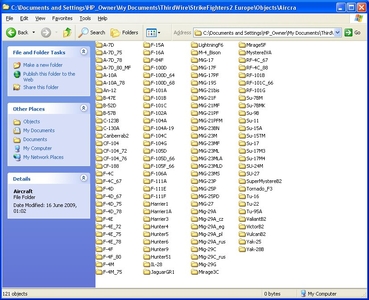
From the album: MBs Album
-
Download Help...
MigBuster replied to Warrior108's topic in Thirdwire: Strike Fighters 1 Series - General Discussion
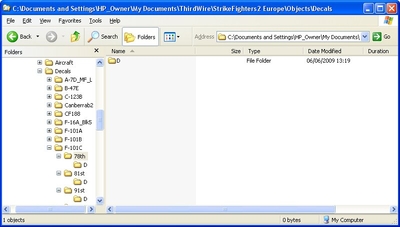
looks ok to me - Do any of the decals show at all? Check the files are actually in the d folder - and that in decals.ini the sections run in order: [Decal001] ........ [Decal002] ......... etc Then is the skin folder actually called VFA32_CAG or is it called VFA32CAG ??? - a single spelling mistake means it wont work!! and is there actually a "d" folder in that with the tga decal files like in the other skins for that jet??? -
Download Help...
MigBuster replied to Warrior108's topic in Thirdwire: Strike Fighters 1 Series - General Discussion
I will assume the decal files are in the "d" folder in the skins folder? If so open the decal.ini and make sure the file format is correct should be somethin like this [Decal001] MeshName=nose DecalLevel=2 DecalFacing=LEFT FilenameFormat=CF188/425/d/NoseNum Position=5.95,-0.05 Rotation=0.0 Scale=0.80 DecalMaxLOD=2 -
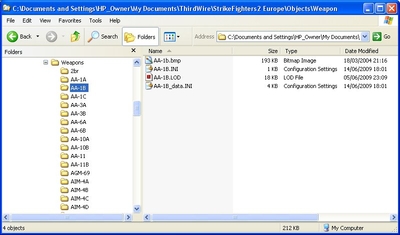
From the album: MBs Album
-
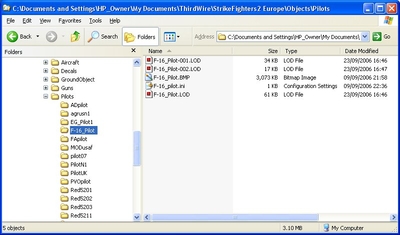
From the album: MBs Album
-

From the album: MBs Album
-
There are 4 HD ones at Column 5s site - been there years
-
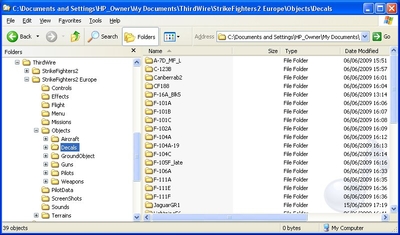
From the album: MBs Album
-
V high screen resolution and good hardware+ and over use of the zoom it looks like - the 2D cockpits looked ace anyway. Try altering the AA and AF on your graphics card - and get the hitiles terrain - and even try other skins
-
Freakin' SA-8's
MigBuster replied to malibu43's topic in Thirdwire: Strike Fighters 1 Series - General Discussion
That sounds standard to me - send the second flight after ground targets - then order your number 2 to attack the target - have done that loads of times in a flight of 4 -
Why did you have to leave - wouldnt have happened if youd' stayed where you belong - all safe and wrapped in cotton wool - not taking any risks ever!! The injuries sound bad ive got to say - still im glad you are still around - kinda ;) I really hope you didnt get confused and were driving on the right side of the road btw! i think the tailbone is called the cocksix ........or coccyx now ive just looked :)
-
Freakin' SA-8's
MigBuster replied to malibu43's topic in Thirdwire: Strike Fighters 1 Series - General Discussion
Notice the availability is VERY_COMMON - so you could put it back to COMMON or RARE also.