


MigBuster
-
Posts
9,165 -
Joined
-
Last visited
-
Days Won
27
Content Type
Profiles
Forums
Gallery
Downloads
Store
Everything posted by MigBuster
-
From the album: MBs Album
-

From the album: MBs Album
-
There are 4 HD ones at Column 5s site - been there years
-
From the album: MBs Album
-
V high screen resolution and good hardware+ and over use of the zoom it looks like - the 2D cockpits looked ace anyway. Try altering the AA and AF on your graphics card - and get the hitiles terrain - and even try other skins
-
That sounds standard to me - send the second flight after ground targets - then order your number 2 to attack the target - have done that loads of times in a flight of 4
-
Why did you have to leave - wouldnt have happened if youd' stayed where you belong - all safe and wrapped in cotton wool - not taking any risks ever!! The injuries sound bad ive got to say - still im glad you are still around - kinda ;) I really hope you didnt get confused and were driving on the right side of the road btw! i think the tailbone is called the cocksix ........or coccyx now ive just looked :)
-
Notice the availability is VERY_COMMON - so you could put it back to COMMON or RARE also.
-
Almost sounds like theres nothing wrong with you - better not be just a scratch after all the sympathy weve dished out ;)
-
Depends which version is moddled in the game i suppose - the Iraqi SA-8 was supposed to have been a later modified version and more potent. The original in 197x would have been easier to beat with jamming - and you could probably terrain mask it looking at the arrangement on the vehicle. Maybe TKs gone for a medium value - on account its still in later campaigns like the SA-2F in WOV - which was way off. The Sa-8 is not mentioned in any books I have of the 1991/2003 conflicts - the SA-16 and other manpads were the main SAM threat - all other seem to have been nullified through jamming - and even when launched were avoidable and avoided by various jets.
-
Yeah i converted all my weps to the new plug and play method - can see what i have now without the weps editor - and you only need to do it once
-
Would pay for quality jets and pits - although im not that bothered considering the amount that's already out there for free. Would defo pay for add on terrains thats for sure - although it would have to go some to beat the GreenHell 2 and Brain repaint tiles out for free.
-
can confirm its down at least
-
If you are playing in 82 its a bit of a turkey shoot like the real thing was for the Israelis - the Syrians have nothing that can compete in either aircraft or missiles - and i think without looking the pilot training for most nations in WOI is not at the highest level - so the pilots you face are not up to scratch either. Try the 73 campaign with an F-4 or Mirage/A-4 - or take a Mirage 5 against a MiG-17 - or even set the year to 1976 and fly an F-15 against some MiG-17s and see how you get on with pants missiles :)
-
Yes - you have either used the wrong weps editor to save the weaponsdata.ini - or you have moved a file needed by the game - or you have put the F-18 files in the wrong places. - did you check where the files were like i asked above? I'm assuming you have the game patched up to Oct 2008 - in which case its rock solid - so either take out what files you have put in - or reinistall the game again. Im afraid everyone has to reinstall a few times when they first start adding things - its the only way to learn though
-
Cool!! happy birthday to you :)
-
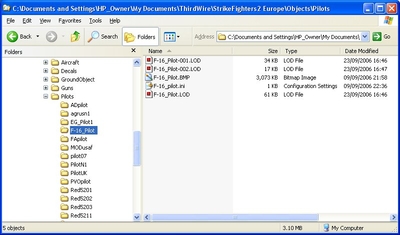
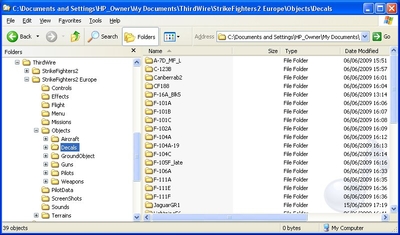
Firstly - Have a look in those folders and make sure the files you extracted are in the correct folders using windows explorer. Your FA-18F folder should be sitting in the aircraft folder with the stock ones. IMO never extract directly into your game - asking for trouble really - instead create a new folder on your desktop and extract all the files into that - then manually move them into the right place. If you added any weapons the files should be in the objects\Weapons folder - and to get them in the game you need to use the correct version of the weapons editor - otherwise it wont work - see the knowledgebase or old threads on that
-
IOC might have been around 2001 for the FA-18E and F and if so missed Allied Force by a few years. NATO may have been flying recce missions around that area for some years after though - but not sure on details.
-
To unzip files like 7z you need WinRAR or another program that will do it you select A-G missiles with a different button - check out your control keys in the settings
-
Make sure you are not putting the files into where you have installed the actual game - if that makes sense. With SF2 you dont touch or go near the game files like you did with the first series - all mods must go into the special mods folders which will be in a different location (saved games) to the actual game. If you see a folder called "Core" then you are totally in the wrong place
-
Many congrats mate!! that's excellent - well done!
-
Adding TWS and ACM to a Cockpit/Avionics
MigBuster replied to TheStig's topic in Mods/Skinning Discussion
Best bet would be to look at the the avionics.ini in a jet that has these features - eg the CF-188 with the avionics upgrade - then work it out from there you would need a section like this [RadarData] AvailableModes=SEARCH,TWS,STT,ACM,GM,TV RangeUnit=NM RangeSetting[1]=5 RangeSetting[2]=10 RangeSetting[3]=20 RangeSetting[4]=40 RangeSetting[5]=80 RadarPosition= MaxElevationAngle=60 MinElevationAngle=-60 MaxAzimuthAngle=60 MinAltitude=100.0 BoresightElevation=-2.0 etc etc You may need to set the f-16.ini to use AvionicsDLL=Avionics70.dll -
Yes - i think there is an option in an ini file to set them to save as bmps again though. No point cos jpgs are a lot smaller in size oh its in options.ini [screenShots] Directory=C:\Documents and Settings\HP_Owner\My Documents\ThirdWire\StrikeFighters2 Europe\ScreenShots Format=JPG
-
There is a difference - Thirdwire don't support COI and have released NO updates for it!!
-
make sure you are using the right gun editor - the SF2 series need a different version