


Svetlin
-
Posts
919 -
Joined
-
Last visited
-
Days Won
4
Content Type
Profiles
Forums
Gallery
Downloads
Store
Everything posted by Svetlin
-
Perfect!!!
-
Sorry, I meant that a Reccelite pod made by you would nicely complement the new Hornets. I have no idea what weapons will come within the Hornet pack, as the guys that work on it have not shared such info yet...
-
With the Hornet pack coming too, a proper version of the pod would be nice to have
-
Thanks for that ravenclaw_007 I wonder if they rotate the pod somehow to load on different aircraft? Here: http://www.rafael.co.il/Marketing/334-915-en/Marketing.aspx it is loaded on a Hornet and the air intake is on the left side, while when loaded on F-16, the intake is on the right side.
-
Not available as far as I know, but may be using the LITENING III pod model with a proper weapon data modification will do. Afterall Reccelite is based on the LITENING pod structure. Regards, Svetlin
-
Excellent!!! Some pictures of the J-10B in what seems to be close to the serial form: http://chinesemilitaryreview.blogspot.com/2011/10/chinese-j-10b-fighter-jet.html The strange objects (some pods maybe) under the wing are gone...
-
Thank you both, good to know, will save some space on my HD
-
I have achieved such effect by making a decal and applying it as a Level 2 decal (in decals.ini --> DecalLevel=2). So if you want the decal to show for example on the 3rd, the 5th, the 7th aircraft in the sequence of total 10, just make 10 TGAs as follows: 1st TGA - empty transparent tga file 2nd TGA - empty transparent tga file 3rd TGA - with the decal you want 4th TGA - empty transparent tga file 5th TGA - with the decal you want and so on... Of course the TGAs should be named for example TGA000, TGA001, TGA002, TGA003 and so on up to TGA009 (if you have a total of 10). May be that's not the smart way to do it, but it worked for me.
-
-
Always glad to help, guys!
-
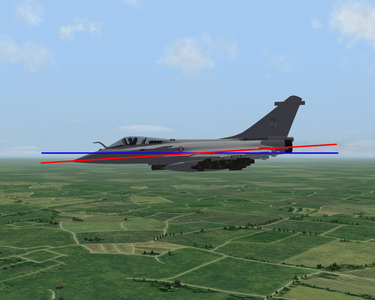
Thanks for the Rafale! Some info about weapons load: http://rafalenews.blogspot.com/p/rafale-weapon-load-out.html
-
Wrench, thanks for that! I found it in the SF1 package. It was left out from the SF2 package. Thanks again!
-
Hello Wrench, nice Italian skin. Has it ever been released?
-
So, is it correct to say that the main issue with the SF2 NA Yak-38 inability to hover is the missing lines: SystemName[003]=LiftEngine1 SystemName[004]=LiftEngine2 in the original data.ini file, the lack of which is causing the game to ignore the entries for the lift engines and thus the aircraft suffers from lack of lift power?
-
LOD for a MiG-23BN/27 mapping issues
Svetlin replied to FLOGGER23's topic in Mods/Skinning Discussion
MiG-23UB/UM model could use some mapping fix too -
With the March 2012 update, letter size in weapons selection screen is made automatically ajustable so that long weapons' names can be read in full. Excellent!
-
Russo, thanks, rail height works fine for the inner pylons. But, for some reason PylonL02 is missing - it is not listed in the last OUT file and it is missing in the lod as well (could not find it with the HEX editor). I think I didn't get ianh755 right the first time, sorry... From the OUT file: Left_Outer_Wing [242 polys, 247 verts] '24 - Default' Left_Aileron [93 polys, 100 verts] '24 - Default' Port_Nav_Light [10 polys, 14 verts] 'Material #225' Right_Outer_Wing [248 polys, 254 verts] '24 - Default' Starb_Nav_Light [10 polys, 14 verts] '10 - Default' Right_Aileron [93 polys, 100 verts] '24 - Default' PylonR02 [78 polys, 126 verts] '5 - Default'
-
Guys, I think you are missing to edit the Hawk_T1_data.ini file: [LeftWingStation] SystemType=WEAPON_STATION StationID=1 StationGroupID=1 StationType=EXTERNAL AttachmentPosition=-2.099,0.450,-1.087 AttachmentAngles=0.0,0.0,0.0 LoadLimit=800.0 AllowedWeaponClass=IRM,RCKT,RP,BOMB,FT AttachmentType=NATO,USN,USAF,UK ModelNodeName=PylonL PylonMass=40.0 PylonDragArea=0.03 FuelTankName=Tank100_MK51 LaunchRailNodeName=IRM_Rail_L LaunchRailHeight=??? <- don't have the exact height yet [RightWingStation] SystemType=WEAPON_STATION StationID=2 StationGroupID=1 StationType=EXTERNAL AttachmentPosition=2.099,0.450,-1.087 AttachmentAngles=0.0,0.0,0.0 LoadLimit=800.0 AllowedWeaponClass=IRM,RCKT,RP,BOMB,FT AttachmentType=NATO,USN,USAF,UK ModelNodeName=PylonR PylonMass=40.0 PylonDragArea=0.03 FuelTankName=Tank100_MK51 LaunchRailNodeName=IRM_Rail_R LaunchRailHeight=??? <- don't have the exact height yet I have tested the lod with the above edit to the data.ini and it works OK (i.e. rails for IRM and just pylon for bombs), just need to find the correct height figure. Once ready, I will post it here, unless someone beats me to it...
-
Thanks for the update, much appreciated! If you are still on the subject and wish to handle that, maybe cutting the inner pylons mesh in 2 parts, separating the main pylon from the IRM launch rail, would be an improvement as well. This way the IRM rail can be made to show only when IRM are loaded and when bombs or RP - just the main pylon will be there. Just a thought...
-
http://combatace.com/files/file/11304-aermacchi-mb-339a-pan/ http://combatace.com/files/file/12063-aermacchi-mb-339a-for-sf2/
-
Removing Fuel Tanks from A/C Model?
Svetlin replied to ianh755's topic in Mods & Skinning Discussion
-
Removing Fuel Tanks from A/C Model?
Svetlin replied to ianh755's topic in Mods & Skinning Discussion
Actually, I think I know where you can find a tank with the right angle of the fins. Check this mod by Florian: http://combatace.com/files/file/5305-tornado-ids/ As you said, the rest is just skinning -
Removing Fuel Tanks from A/C Model?
Svetlin replied to ianh755's topic in Mods & Skinning Discussion
What kind of tank are you looking for? -
Removing Fuel Tanks from A/C Model?
Svetlin replied to ianh755's topic in Mods & Skinning Discussion
Try this: make new fuel stations for the new tanks you want, but keep the existing as well. Keep the same station group ID for the new stations. If you do not want the built in tanks to appear in the weapons selection screen, just delete Tornado 2250_torn_tank from the FuelTankName=Tornado 2250_torn_tank entry, but the keep the text "FuelTankName=". Alternatively, you can keep the FuelTankName=Tornado 2250_torn_tank entry, but make the station a specific weapon station with some nonexisting entry. So, something like this: [LeftInnerWingStationWet] SystemType=WEAPON_STATION StationID=17 StationGroupID=2 StationType=EXTERNAL AttachmentPosition=-2.350,-1.434,-0.670 AttachmentAngles=0.0,0.0,0.0 LoadLimit=2500 AllowedWeaponClass=FT, AttachmentType=NATO,W_Germany ModelNodeName=pylon_inner_left ;PylonMass= ;PylonDragArea= LaunchRailNodeName= MinExtentPosition= MaxExtentPosition= MovingPylon=TRUE RotatingPylon=FALSE FuelTankNodeName=torn_2250_tankL FuelTankName= //FuelTankName=Tornado 2250_torn_tank [RightInnerWingStationWet] SystemType=WEAPON_STATION StationID=18 StationGroupID=2 StationType=EXTERNAL AttachmentPosition=2.350,-1.434,-0.670 AttachmentAngles=0.0,-3.0,0.0 LoadLimit=2500 AllowedWeaponClass=FT, AttachmentType=NATO,W_Germany ModelNodeName=pylon_inner_right ;PylonMass= ;PylonDragArea= LaunchRailNodeName= MinExtentPosition= MaxExtentPosition= MovingPylon=TRUE RotatingPylon=FALSE FuelTankNodeName=torn_2250_tankR FuelTankName= //FuelTankName=Tornado 2250_torn_tank [LeftInnerWingStationWet2] SystemType=WEAPON_STATION StationID=19 StationGroupID=2 StationType=EXTERNAL AttachmentPosition=-2.350,-1.434,-0.670 AttachmentAngles=0.0,0.0,0.0 LoadLimit=2500 AllowedWeaponClass=FT AttachmentType=NATO,W_Germany ModelNodeName=pylon_inner_left ;PylonMass= ;PylonDragArea= LaunchRailNodeName= MinExtentPosition= MaxExtentPosition= MovingPylon=TRUE RotatingPylon=FALSE FuelTankNodeName= FuelTankName=Tank1500_Tornado [RightInnerWingStationWet2] SystemType=WEAPON_STATION StationID=20 StationGroupID=2 StationType=EXTERNAL AttachmentPosition=2.350,-1.434,-0.670 AttachmentAngles=0.0,-3.0,0.0 LoadLimit=2500 AllowedWeaponClass=FT AttachmentType=NATO,W_Germany ModelNodeName=pylon_inner_right ;PylonMass= ;PylonDragArea= LaunchRailNodeName= MinExtentPosition= MaxExtentPosition= MovingPylon=TRUE RotatingPylon=FALSE FuelTankNodeName= FuelTankName=Tank1500_Tornado -
And in Bulgarian too
