FastCargo
-
Posts
8,142 -
Joined
-
Last visited
-
Days Won
16
Content Type
Profiles
Forums
Gallery
Downloads
Store
Everything posted by FastCargo
-
I can do that on the tail cones... Pivot? FC
-
Eric, Stop teasing us and release this thing already, will ya? FC
-
Those damn intakes... I'll fix that when I get home today. Should result in no bleed inside the intakes. FC
-
Ah crap...I forgot about that. Some parts were renamed during my machinations, so some decals may not work anymore. Most of the major parts stayed the same name though...so hopefully not too much was shifted. FC
-
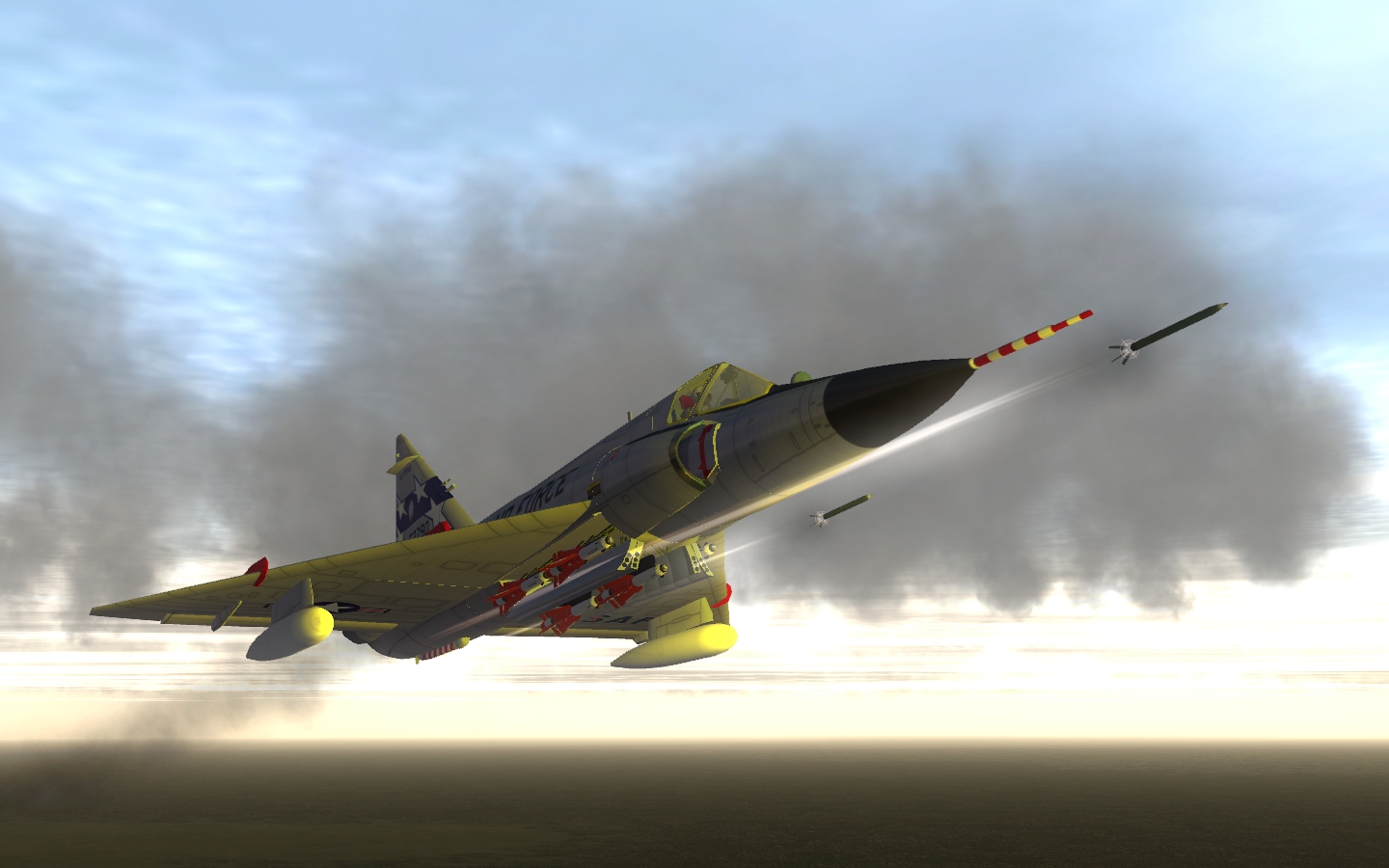
Version 0.95 posted...this will replace the current F-102 in it's entirety. Most of the natural metal skins should still work, the camo skins may need some slight tweaking. FC
-
Hardly at all. The big thing is that the main gear doors and weapon bay doors are now part of the fuselage and wing mappings...similar to how I worked the T-38. FC
-
Updated F-102A sent to Veltro2K for his signoff. Assuming he approves, you'll see it here soon. FC
-
284 downloads
========================= Strike Fighters 2 Vietnam Readme File ========================= ----------------- Table of Contents ----------------- 1. Update Notes 2. Troubleshooting 3. Contacting Customer Support --------------- 1. Update Notes --------------- This patch is for Strike Fighters 2 Vietnam, and it works on both stand-alone install and merged install with Strike Fighters 2. If you have installed any mods to the game, please check the list of updated files to see any data files you've extracted have been changed. You must manually delete and/or updated these files, or the patched game may not run correctly. List of changes in this Update include: Apr 2009b --------- * 3d model for Mk 84 bomb not displaying is fixed. * F-105D tail hook not being animated is fixed. * Internal ECM and chaff dispenser are removed from A-7D. * Damage textures on A-1 not appearing correctly is fixed. * Serial numbers and squadron decals for A-7D are added. * A-4F assigned wrong engine data is fixed. * ECM pods are added to default loadout for later model F-4s. * F-4D (67)'s RWR not displaying correctly is fixed. * F-4E's radar now have additional range setting of 5 nm. * Bridge spans not aligned in height is fixed. * Hull number decals not showing up on aircraft carrier is fixed. * Squadron pilots roster screen not showing the number of missions flown is fixed. * Campaign missions always attacking the same runway is fixed. * Campaign end screen not displaying correctly is fixed. ------------------ 2. Troubleshooting ------------------ Troubleshooting Tips Before installing the game, please try the following: - Close all other applications. - Verify that your system meets the minimum system requirements. If you are experiencing difficulties in getting the game to run, please try the following solutions: - Obtain the latest drivers for your video and sound card. - Obtain the latest version of Direct X from: http://www.microsoft.com/downloads/details...6A-9B6652CD92A3 - Install the latest update for your game from: http://www.thirdwire.com/downloads_sf2.htm - Run scandisk and defragment your drive. ------------------------------ 3. Contacting Customer Support ------------------------------ To obtain further technical assistance regarding this product, please send an e-mail to: support@thirdwire.com. Please be sure to include the following information in your e-mail: · Processor type and speed · Operating System version · Memory (RAM) · DirectX Version · Video Card type · Error messages encountered and where/when you saw them. Or visit our forums at http://bbs.thirdwire.com/phpBB/ and leave us a message. For all other comments or suggestions, you can contact us by sending an e-mail to: info@thirdwire.com -- -
Strike Fighters 2: Vietnam Patch Apr 2009 View File ========================= Strike Fighters 2 Vietnam Readme File ========================= ----------------- Table of Contents ----------------- 1. Update Notes 2. Troubleshooting 3. Contacting Customer Support --------------- 1. Update Notes --------------- This patch is for Strike Fighters 2 Vietnam, and it works on both stand-alone install and merged install with Strike Fighters 2. If you have installed any mods to the game, please check the list of updated files to see any data files you've extracted have been changed. You must manually delete and/or updated these files, or the patched game may not run correctly. List of changes in this Update include: Apr 2009b --------- * 3d model for Mk 84 bomb not displaying is fixed. * F-105D tail hook not being animated is fixed. * Internal ECM and chaff dispenser are removed from A-7D. * Damage textures on A-1 not appearing correctly is fixed. * Serial numbers and squadron decals for A-7D are added. * A-4F assigned wrong engine data is fixed. * ECM pods are added to default loadout for later model F-4s. * F-4D (67)'s RWR not displaying correctly is fixed. * F-4E's radar now have additional range setting of 5 nm. * Bridge spans not aligned in height is fixed. * Hull number decals not showing up on aircraft carrier is fixed. * Squadron pilots roster screen not showing the number of missions flown is fixed. * Campaign missions always attacking the same runway is fixed. * Campaign end screen not displaying correctly is fixed. ------------------ 2. Troubleshooting ------------------ Troubleshooting Tips Before installing the game, please try the following: - Close all other applications. - Verify that your system meets the minimum system requirements. If you are experiencing difficulties in getting the game to run, please try the following solutions: - Obtain the latest drivers for your video and sound card. - Obtain the latest version of Direct X from: http://www.microsoft.com/downloads/details...6A-9B6652CD92A3 - Install the latest update for your game from: http://www.thirdwire.com/downloads_sf2.htm - Run scandisk and defragment your drive. ------------------------------ 3. Contacting Customer Support ------------------------------ To obtain further technical assistance regarding this product, please send an e-mail to: support@thirdwire.com. Please be sure to include the following information in your e-mail: · Processor type and speed · Operating System version · Memory (RAM) · DirectX Version · Video Card type · Error messages encountered and where/when you saw them. Or visit our forums at http://bbs.thirdwire.com/phpBB/ and leave us a message. For all other comments or suggestions, you can contact us by sending an e-mail to: info@thirdwire.com -- Submitter FastCargo Submitted 04/27/2009 Category SF2 Patches
-
Have to admit it there G, you do nitpick a lot for someone relatively new to the scene. 5 out of all 7 posts you have made so far are dedicated to pointing out errors in other people's work. Perhaps a bit more balanced ratio, or better yet, after you've put some skull sweat into your own mods, you'll maybe get an idea that some things should just be let go... FC
-
I'd hold off. For all F-102 skinners. There has been some subtle changes to the mapping of the F-102 while working on other things...you may want to hold off on release until the updated F-102 is out (should be in the next few hours actually). FC
-
How do I get this radio chatter to be heard in game?
FastCargo replied to ktickner6767's topic in Mods/Skinning Discussion
It 'sounds' like you messed with something else while trying to incorperate this mod. FC -
I believe there was one in the old Bunyap weapons pack. However, there might be a newer one somewhere... FC
-
How do I get this radio chatter to be heard in game?
FastCargo replied to ktickner6767's topic in Mods/Skinning Discussion
Ah ha! The light comes on... Okay, now that we understand what to use and what to do to extract your soundlist.ini file, like you said, which onedo you get it from? The particular CAT file is called FlightData.CAT located in the Flight folder in your ThirdWire install. FC -
AmokFloo's Mirage200D is awesome, but...
FastCargo replied to ChrisBV's topic in Mods/Skinning Discussion
Define 'funny'. FC -
I'm similiar in that I'll actually map long before I start animating anything, keeping everything as one mesh with a bunch of elements. Also, I use the Box mapping function for aircraft that are not so cylindrical, works pretty well with messaging. FC
-
Talking about this happened to bring up something I was thinking about. On April 10, 1959, the T-38 prototype made it's first flight. Half a century later, we're still using them with no replacement in the near term...Northrop really got it right the first time. Some minor trivia. Initially, the T-38 was criticized by some in the USAF leadership for actually being too forgiving to fly. Now that the F-117 has retired, the T-38 has the highest approach and landing speeds of any aircraft in the USAF inventory. Robert McNamara didn't like the idea of the T-38, he wanted a 6 place training aircraft...where 5 students would learn to fly by watching the instructor pilot. Did this man make ANY right decisions while in office? The question asked most often about the T-38 at an airshow - "Is that an F-5?" (I swore sometimes that if I heard that ONE MORE TIME...) There is ONE T-38 that actually could carry and fire an AIM-9. This same T-38 also tested early prototypes of helmet mounted sights. That particular tail number is still flying today out at Edwards. FC
-
That's easy, it's right in the Engine section of the data.ini. Heck, is that all that was keeping you from getting AB cruise? FC
-
Oh my God....I'm still laughing my ass off! I've heard of similar situations, but nothing quite that bad... FC
-
I've flown into Vandenburg several times, however, the big thing from what I understand is that's it's a bit isolated relatively speaking. FC
-
The gun sight is a TGA file. It can be resized the same way a bitmap can. FC
-
How do I get this radio chatter to be heard in game?
FastCargo replied to ktickner6767's topic in Mods/Skinning Discussion
Put the damn install disc away, now. Don't touch it again unless you plan to follow the instructions I gave you. A question, did you read this line in a previous post I made? Note, is there anything referencing the original install disc? FC -
How do I get this radio chatter to be heard in game?
FastCargo replied to ktickner6767's topic in Mods/Skinning Discussion
Alright, I see the fundamental issue here. Okay, I want you to first find your Wings Over Vietnam directory on your hard drive. Once you find it, I want you to copy it. I don't care where you copy it to/from. Drag and drop the whole directory somewhere...on a DVD, external hard drive, memory stick, etc. Name the new directory something else like "kticker's modded WOV backup" or something. Verify that the contents of your new directory match the contents of your old directory. Now, uninstall WOV. Completely, totally. Delete the old WOV directory once you've uninstalled. DO NOT DELETE YOUR FRESHLY MADE BACKUP DIRECTORY. After you've cleaned out all remains of the old install, reboot. Yep, we are going to start fresh. Now, reinstall WOV from the CD ROM. Once complete, download the newest Oct 08 patch from ThirdWire or here. Install the patch. Remove your WOV CD ROM and store it away somewhere safe. You should never need to touch it again. Now, start WOV and set the settings to your preferences (joystick, video, sound, etc). Verify that the stock game works (fly a mission). If everything is good, shutdown WOV and reboot. (The reboots probably aren't actually necessary, but I'm making triple sure nothing remains in cache). Now, see your shiny new stock WOV directory? Remember how we made a copy before? I want you to do the same thing, but of your new stock WOV directory. Put that new, stock backup directory on a DVD, or better yet, a couple of DVDs (backup of a backup). You now have a backup directory that doesn't need an install...EVER. If you ever need a fresh install of WOV, just copy the whole directory back on your hard drive. WOV (and all the other ThirdWire sims) are completely self contained, heck you can even run them off a USB stick. Anyway, now that you've made your fresh backup DVDs of stock installs, you can now uninstall WOV again for the final time. Clean everything, then put the original backup of your modded install back to where you had it. Make a shortcut on your desktop to start it (or in the start menu, take your pick). You now have your modded install on the hard drive, and backups of stock installs on DVDs in case you need to fix your modded install's core files. No pesky install routines, etc. FC -
How do I get this radio chatter to be heard in game?
FastCargo replied to ktickner6767's topic in Mods/Skinning Discussion
Okay, time out. You need to understand how the game works. Simply put, starting with a bone stock game is easy. Install, patch up, go through the menus to select your options (including video, sound, key commands, etc) then save the whole directory to a DVD. You now have a backup copy that you can install anytime by drag and drop...no install menus, uninstalling, whatever. If you ever so totally pooch your install up, you can always just delete the whole directory and start over. Now, the game engine works by simply pulling whatever information it needs from the directories at hand. If it does not find a weapondata.dat for instance, it will go to the Objectdata.CAT file to find it. Everything the game needs to run stock is in the various .CAT files located through the directories. INI files, most bitmaps, etc. Which means that if you screw up an INI file, the easiest way to fix it is to delete it. You must also execute discipline when modding. You do one mod at a time, testing between each modification. Yes, that's right. One aircraft, one terrain, one INI modification at a time. If you pooch something up, then just remove the modification. Most of the time, if a critical core file is damaged due to a hard CTD (rare), all you have to do is recopy the .dll, .exe, and CAT files from the backup DVD you made to your directory...AFTER you remove the modification that caused the crash. Modding this game is easy...but it requires logical and methodical application. A lot of addons have been made over the years, and the game's structure has changed a lot since it was first released. Therefore, the older the mod, the likelyhood increases that it may no longer be fully compatible. Finally, if you need to, make a separate install just to play around in to test modding. That way if you hork something up, no big deal. We learn by doing. FC -
Realise that most of the tips in the Knowledge Base were for pre-Oct 08 patch. Post Oct 08 patch, all ThirdWire sims should run in Vista just fine. However, it's not a bad idea to review the Knowledge Base just in case. FC