mue
-
Posts
422 -
Joined
-
Last visited
-
Days Won
8
Content Type
Profiles
Forums
Gallery
Downloads
Store
Everything posted by mue
-
TK posted this in Sep. 2007 in his forum. See this forum thread: LOD file format. - Third Wire Forums.htm. And I wrote already that he used obfuscation methods later. Just to clarify: I don't want to distribute any assets. I only want to use assets from the game I purchased or assets from this community within FlightGear. For this I plan to write a tool that automatically converts the SF2 data ini files into FlightGear files (Edit: the .lod file itself can be directly loaded into FlightGear via the OSG pluging, so no conversion of lod files needed). Again: no distribution of any assets! I think that's legal within TWs EULA and CombatAce Freeware License Agreement. And I see benefit for Thirdwire and the community: Maybe some will buy SF2 games if they know they can use the aircraft in FlightGear too. And maybe FlightGear can be enhanced to be a fully community driven open source air combat simulator. Then why not use the already by this community created assets? And yes, everybody has access to FlightGear assets. Most FlightGear assets are released under GPL or other "free" licenses. I was told recently, that FlightGear aircraft were already converted to SF2.
-
Yes...if engineers make games... I've implemented an OSG file loader plugin for the SF2 3D model file format (*.lod). So the SF2 3D models can be directly loaded into FlighGear. I'm still not sure if I should make the LOD loader plugin open source. I myself wouldn't mind, but I don't know what the game developer and the 3D modders would think about it. In the past (Sep 2007) the game developer himself wrote in a forum post after he was asked about documentation about the LOD format: "...although we didn't publish LOD format, we also don't stop people form reverse engineering it either ;) Its not encrpyted or anything, so its fairly straight forward to figure out..." Unfortunately later LOD format versions contain some obfuscation, so maybe his opinion has changed? I also think the 3D modders consider the (non published) LOD format as a kind of intellectual property protection. But keeping it closed source would mean it can not be officially distributed/supported by FlightGear and it would only work with FlighGear versions/platforms for which I compile/release the binary (e.g. Windows). If I understand correctly, only hit notifications are transmitted, but no bullet or missile positions? Does that mean, that no tracers or missiles from other aircraft are visible? Is damage calculated by the "receiver" or "sender"? Do you have a link or pointer to the "automated enemy" code and the Python AI system? Thank you for the clarification.
-
Richard, thank you for coming to CombatAce and offering assistance regarding (military) FlightGear. I'm fascinated by the flexibility of FlightGear and JSBSim. Currently I'm implementing the Strike Fighters 2 FDM and the (very light) systems in JSBSim. The developer of SF2 has an aerodynamic engineering background and therefore his FDM uses "standardized" aerocoefficients (My notes about the SF2 FDM: sf2_fdm_notes.pdf). Because of the "openness" of SF2 the aerocoefficients of each component (LeftWing, RightWing, LeftOuterWing, RightOuterWing, LeftStab, ...) are easily accessible from aircrafts data text (*.ini) files. Currently I'm doing the FDM/systems "conversion" to FlightGear/JSBSim manually, but I think this could be done later automatically by a tool. As I wrote, I haven't looked in detail at the combat stuff in FlightGear yet. Maybe you can give a short overview of the features of the "OPRF" combat system (and maybe "Bombable")? What weapons are supported (guns, rockets, (guided) missiles, bombs)? I assume it works in multiplayer? How is the damage modelling? Since you mentioned SAMs, do you support AAA/Flak too? How sophisticated are the automated (AI?) enemy aircraft?
-
I think it's a TOD object (a tree) and therefore not listed in the target list window. You can show/hide TOD objects via View->Show TODs or the respective toolbar button. TOD objects are contained in *.tod files. TOD files are associated with tiles (textures) via the <terrain>_data.ini.
-
This is the current state of my attempt at reconstructing the SF2 FDM. Maybe someone find the information useful. I welcome comments and corrections. sf2_fdm_notes.pdf
-
Maybe I'm getting old...but, how can I embed youtube videos in forum posts? I couldn't find it in the editor. I know I have done it in the past but that was before the site update.
-
Maybe it seems complicated and verbose but it's very flexible. It's documented there: http://wiki.flightgear.org/Howto:Animate_models I think it should be possible to automatically convert SF2 ini files into FlightGear xml files. No, the axis definition is not binary. The axis component values x,y,z are floating point values. In this case 1.0 and 0.0. Those data are entries of an interpolation table: <interpolation> <entry> <ind>-6000.0</ind> <dep>-258.6</dep> </entry> <entry> <ind>-4000.0</ind> <dep>-219.3</dep> </entry> <entry> <ind>-3000.0</ind> <dep>-198.0</dep> </entry> <entry> <ind>-2000.0</ind> <dep>-172.2</dep> </entry> <entry> <ind>-1000.0</ind> <dep>-138.5</dep> </entry> <entry> <ind>-500.0</ind> <dep>-116.7</dep> </entry> <entry> <ind>0.0</ind> <dep>-90</dep> </entry> <entry> <ind>500.0</ind> <dep>-63.3</dep> </entry> <entry> <ind>1000.0</ind> <dep>-41.5</dep> </entry> <entry> <ind>2000.0</ind> <dep>-7.8</dep> </entry> <entry> <ind>3000.0</ind> <dep>18.0</dep> </entry> <entry> <ind>4000.0</ind> <dep>39.3</dep> </entry> <entry> <ind>6000.0</ind> <dep>78.6</dep> </entry> </interpolation> In SF2 this interpolation table is defined with: Set[01].Position=-258.6 Set[01].Value=-6000.0 Set[02].Position=-219.3 Set[02].Value=-4000.0 Set[03].Position=-198.0 Set[03].Value=-3000.0 Set[04].Position=-172.2 Set[04].Value=-2000.0 Set[05].Position=-138.5 Set[05].Value=-1000.0 Set[06].Position=-116.7 Set[06].Value=-500.0 Set[07].Position=-90.0 Set[07].Value=0.0 Set[08].Position=-63.3 Set[08].Value=500.0 Set[09].Position=-41.5 Set[09].Value=1000.0 Set[10].Position=-7.8 Set[10].Value=2000.0 Set[11].Position=18.0 Set[11].Value=3000.0 Set[12].Position=39.3 Set[12].Value=4000.0 Set[13].Position=78.6 Set[13].Value=6000.0
-
Minor update: -Creation of a generic prop taildragger flight model. It really doesn't resemble a P-51D! -Animation of (primary) control surfaces -Animation of gauges (although some gauges need some tuning) -Animation of the propeller Test flight video: This can be achieved *without* patching FlightGear. I only had to add the LOD file loader plugin DLL to the plugin directory. However for the planned support of the LOD keyframe animations (landing gear, ...), FlightGear must be patched. If anyone wants to know, how the configuration files in FlightGear look like: p-51d-model.xml contains the control surface and propeller animations. In SF2 that data is in the <aircraft>_data.ini. vc.xml contains the gauge animations. In SF2 that data is in the <aircraft>_cockpit.ini. My todo list for the SF2-FG project: -Re-creation of the SF2 systems and flight model -Support of keyframe animations -Gunsight -Weapons -Decal support -Normal and specular map support
-
As streakeagle wrote: "Flight Gear is open source. What it doesn't have, can be added." Of course, FlightGear is mainly a civilian flight sim and the core (C++) developers are not that interested in combat stuff (means they won't implement themselves), but a C++ skilled combat flight sim fan can of course do it. Besides, there exists already a combat "addon" for FlightGear: Bombable. It's implemented in FlightGears own scripting language "NASAL". But I haven't used it myself yet. There is also a military flight sim community: http://opredflag.com/. I think they use special adapted aircraft and the normal FlightGear multiplayer network. Via my LOD file loader plugin, the LOD files can be read directly without conversion. Sorry, I don't understand that?
-
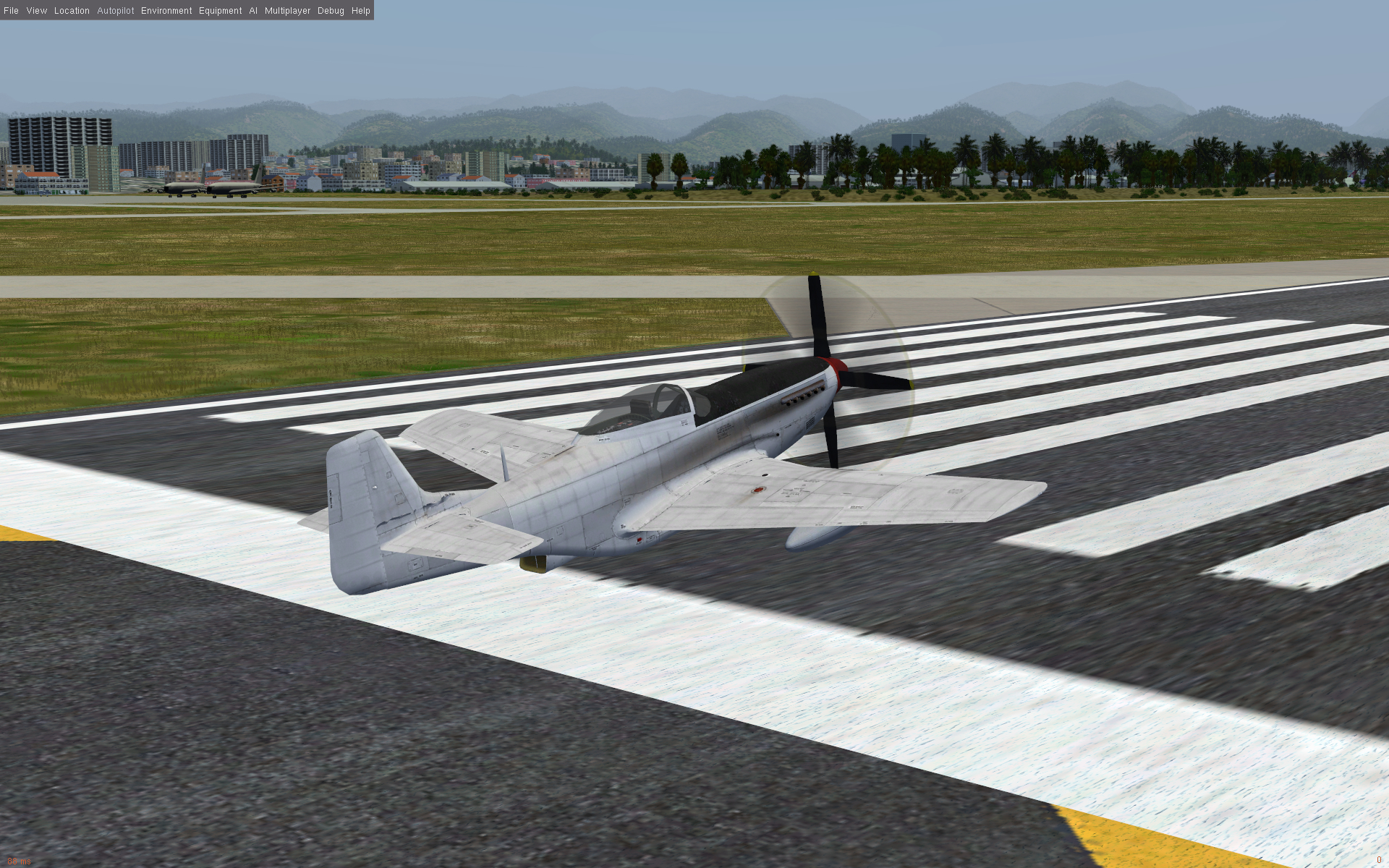
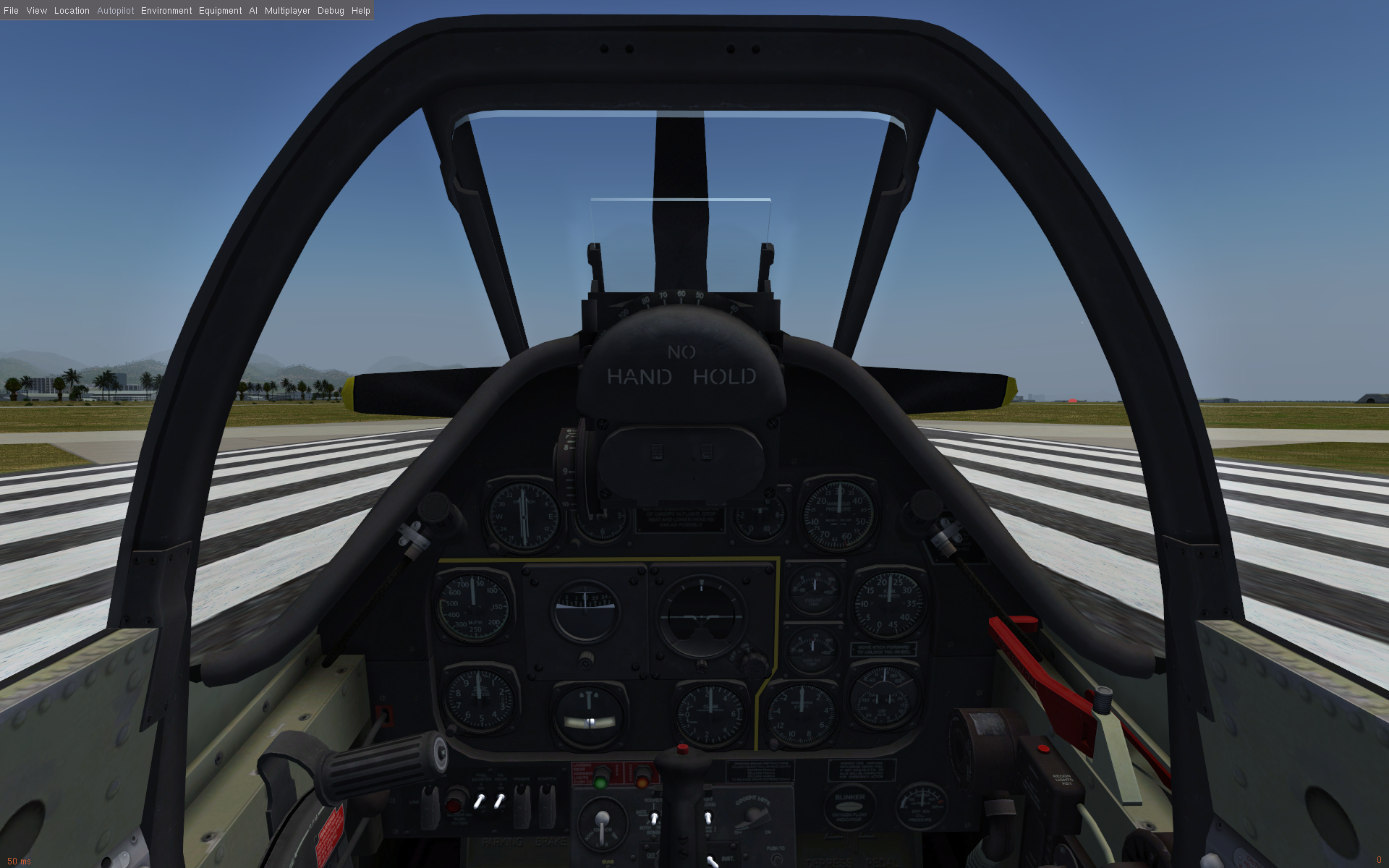
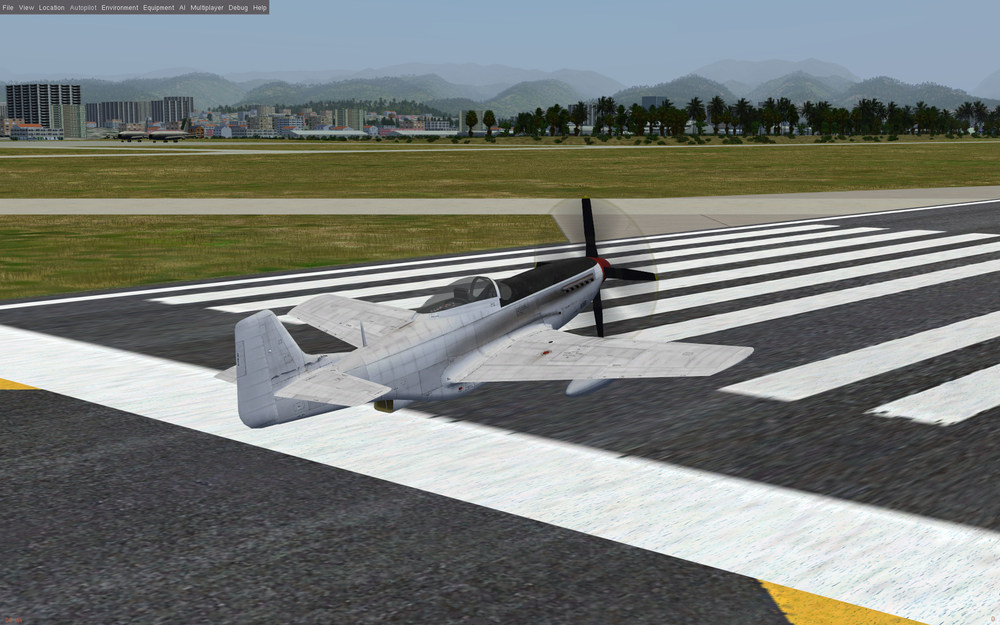
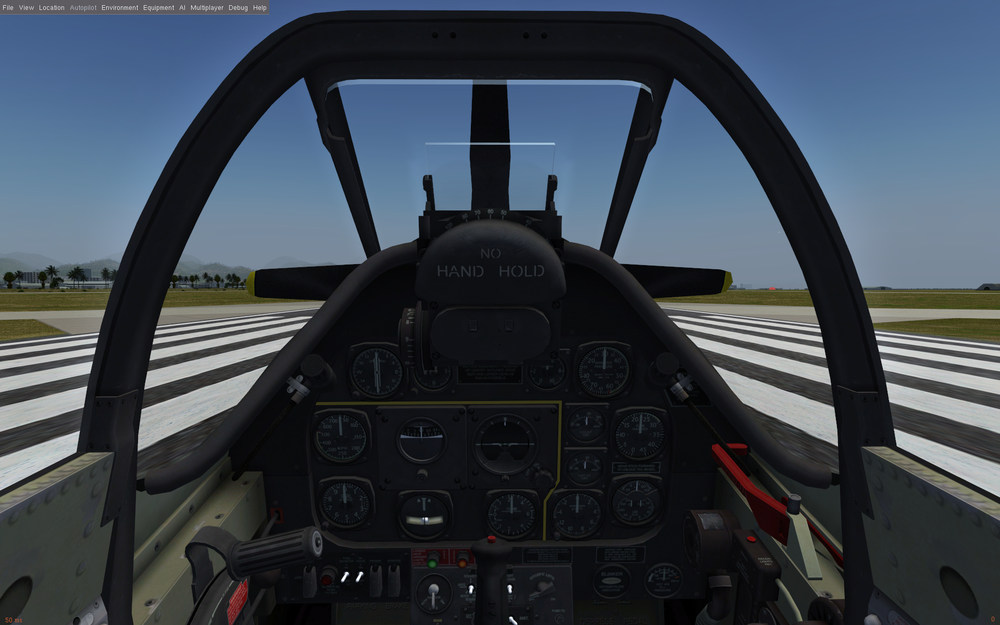
Mainly to motivate myself, I made an initial test regarding using 3D assets from SF2 in the open source flight simulator FlightGear. Since FlightGear uses the same 3D graphics library (OpenSceneGraph) that I also use in the LODViewer, I could easily reuse my LOD file loader plugin with only minor modification. This is only an initial test. There are still a lot things to do regarding 3D models: animations, shader adaption, .... not to mention reimplementing the SF2 FDM in FlightGear. But maybe some day... TWs P-51D at Honolulu International (the current FlightGear default airport). Note the missing landing gear caused by nonworking animations: Cockpit view:
-
I've never experienced anything like that yet. Have you updated your graphics card driver? What are your system specs?
-
Poor TK. Now he is getting flak from the mobile faction: Source
-
The main effort was in the reverse engineering of the lod format. But if someone knows the lod format (he can start with my blender exporter plugin, it's written in python and should be more or less understandable. But beware: around 10% of the lod format are still unknown to me) and he is experienced with writing 3ds max plugins, I think it should be possible to write a new exporter in 1-2 weeks (40-80h). Depending on the wage rate it will maybe cost you around $3000 - $6000.
-
 Correction: the blender exporter does support animations. But note: The exporter is written for blender version 2.78/2.79. It isn't updated for the new blender version 2.80 yet.
 -
I didn't want to sound too negative. Anyway, I contributed some $. Maybe it helps...
-
In principle I like the idea of crowdfunding. But in this case I wonder... 1.)...why TW started a "Keep It All" campaign instead of a "All or Nothing" campaign, since the goal of $25K was already stated? 2.)...why the Windows 10 update is so expensive? I thought the games (unsupported) run already on Windows 10. Is the update to DirectX 12 really necessary? I think Windows 10 supports DirectX10 quite well. 3.)...why the campaign is only two weeks long? I really doubt, that the $25K can be reached in this time.
-
Version 0.6.3 was uploaded. Changelog: Version 0.6.3 -bugfix: selection of nodes without material crashed the program
-
Thank you baffmeister for your infos, explanations and tests. I still wonder when exactly the stall tables "kick in". When alpha > AlphaMax or alpha > AlphaDepart? My guess is the latter (alpha > AlphaDepart). I also wonder how is the Drag handled between the end of the CDLAlpha table and when the stall table kicks in (AlphaMax or AlphaDepart) in cases were AlphaMax and/or AlphaDepart are greater then the end of the CDLAlpha table. Maybe the CDLAlpha table is then extrapolated (linear or constant)? Regarding the abscissa of the stall tables: First I thought it's alpha. But maybe it's delta alpha, i.e. the difference to AlphaMax (or AlphaDepart). Because the tables have (modifier) values of 1.0 (or near 1.0) at angle = 0 degrees. I assume the modifiers are factors for the lift and drag values at AlphaMax (or AlphaDepart). If the abscissa would be alpha (and not delta alpha) were would be a "step" in the resulting lift and drag graphs when the stall occurs, because the (modifier) values then (at AlphaMax or AlphaDepart) are quite different to 1.0.
-
Returning pilot, what mods you guys recommend?
mue replied to Dr.CancerMan's topic in General Discussion
No, those free download links are all illegal. Please buy the strike fighters games from the official thirdwire store! -
Bug confirmed!
-
The original values you can find in the original <aircraft>_cockpit.ini files. Note: Not all <aircraft>_cockpit.ini files contain those data. I think most stock SF2 aircraft do not, but most (all) FE2 aircraft do. If the data are missing I _think_ the game uses 0.0 as limit, that means no lateral head movement. The values describe the allowed minimum/maximum lateral head movement in meters. Unfortunatelly IMHO the trackir implementation of the lateral head movement in the game is not fully correct. Because if you change those values, besides changing the movement limits it also changes the movement scale. IMHO the movement scale, i.e. how much real head movement translates into virtual head movement, should only be defined by the trackir profile and not by the game.
-
To allow larger lateral head movements the following entries in the [CockpitSeat001] section in the <aircraft>_cockpit.ini can be changed: MinMovementX=-0.1 MaxMovementX=0.1 MinMovementZ=-0.1 MaxMovementZ=0.1
-
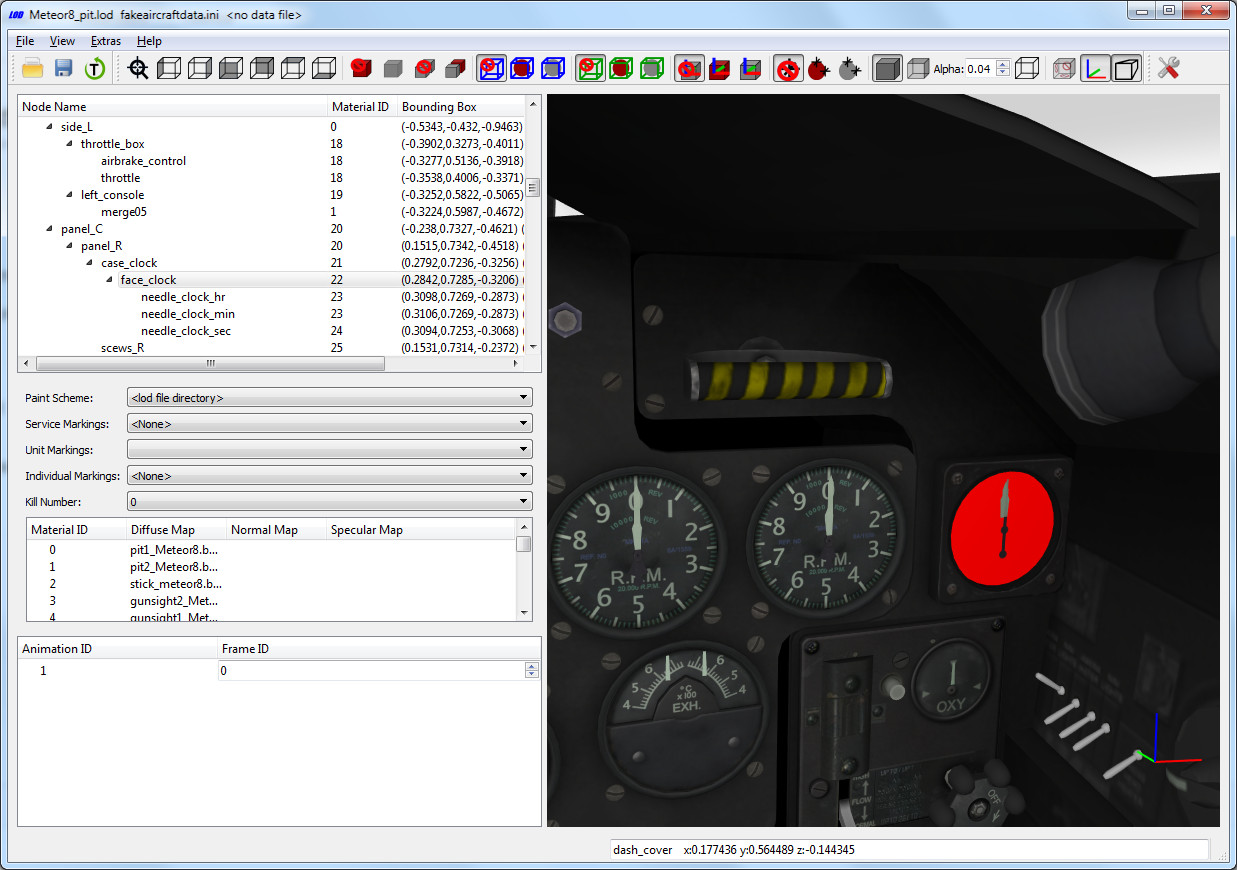
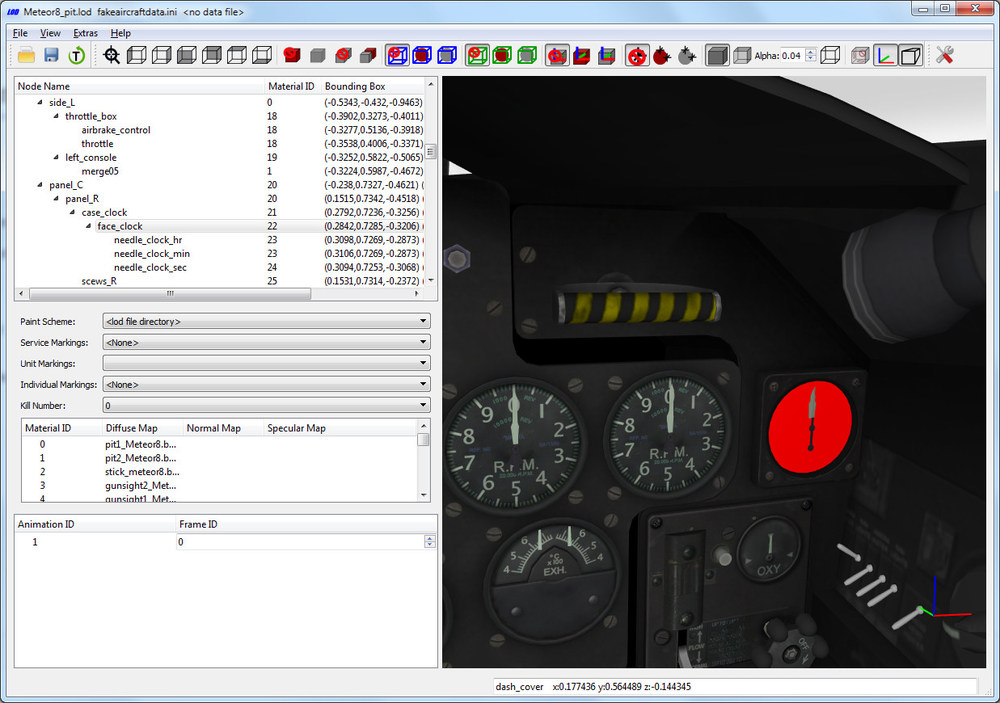
With a little trick you can view ALL lods contained in the cats: Create a fakeaircraft.ini that contains the following lines: [LOD001] Filename=Meteor8_pit.lod <--- insert lod file name here By opening this fake aircraft ini the LODViewer shows the referenced lod. The meteor clock node name is "face_clock":
-
Fantastic pics! ... Now I have to watch "The Bridges at Toko-Ri" and "The Hunters" ... And then maybe I'm motivated enough to start a long, long, long, long-time project of a Korean Air War flight simulator game using the FlightGear engine and maybe SF2/KAW mod assets...
-
Maybe it helps to switch to orthographic projection by switching off the perspective projection. Have you tried the side (left/right) views. And then to pan the view either with mouse (shift + left mouse) or keybord (shift + arrow keys)? You can also set the view control "sensitivity" in Extras->Settings->Control.