Jump to content

citizen67

ROOKIE
  • Posts

    217
  • Joined

  • Last visited

4 Followers

About citizen67

Recent Profile Visitors

9,811 profile views

citizen67's Achievements

Contributor

Contributor (5/14)

  • Conversation Starter Rare
  • Reacting Well Rare
  • First Post Rare
  • Collaborator Rare
  • Dedicated Rare

Recent Badges

89

Reputation

  1. 41, according to 2026 World Air Forces Directory: https://www.flightglobal.com/defence/2026-world-air-forces-directory/165267.article
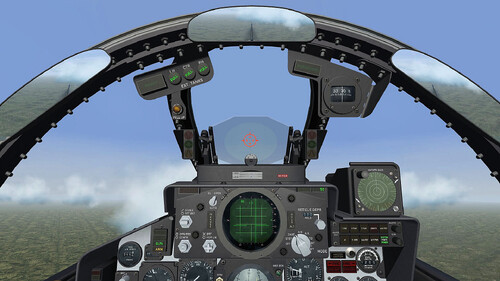
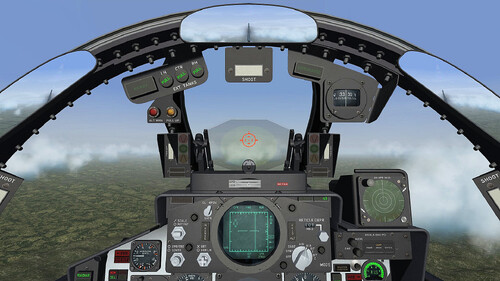
    The Ravenclaw cockpits are truly awesome. They radically change the gameplay experience, it doesn't seems no longer SF2.
      • 1
      • Thanks
    Wonderful, as expected from Ravenclaw.
      • 1
      • Thanks
  2. I just want to change "SpeechFile=USAFSpeech.cat" with the specific languages provided by Menrva. Thanks Yakarov
  3. Hi guys, is the nations.ini file the same for every installation, or is it somehow different? I want to use Menrva's Speech Enhancement and edit the nations.ini file with the correct languages. Can I do this once and then copy it to every installation? Thanks
  4. I'd be happy to do that, but I have very little time. I can try though
  5. Great news. Are you planning a new cockpit, too?
  6. View File Ingame HUD Modification In my research for realism, I made this little mod to change the ingame HUD mantaining only the speech subtitles and the hint about weapons selection, chaff/flare release, radar lock, etc. in the left bottom side. I've removed info about speed, heading, callsign, altitude, enemy aircraft, target red squares and waypoint triangle. There's also an option to change the menu screens font, if you agree. It's an edit of another mod I saw somewhere here on CA time ago, but I don't remember the author. All credits to him. Installation - Just drag&drop or copy/paste into your Menu and Flight folders in the installation of your choice (C:\Users\<YOU>\Saved Games\ThirdWire\StrikeFighters2 <WHATEVER>.../) - If you like it you can put the included font in C:Windows/Fonts and replace the default one in the main menu - In the game Options/Gameplay you must set all on Hard except HUD on Normal Hope you like it Thanks Submitter citizen67 Submitted 01/11/2026 Category Other  
  7. Version 1.0.0

    22 downloads

    In my research for realism, I made this little mod to change the ingame HUD mantaining only the speech subtitles and the hint about weapons selection, chaff/flare release, radar lock, etc. in the left bottom side. I've removed info about speed, heading, callsign, altitude, enemy aircraft, target red squares and waypoint triangle. There's also an option to change the menu screens font, if you agree. It's an edit of another mod I saw somewhere here on CA time ago, but I don't remember the author. All credits to him. Installation - Just drag&drop or copy/paste into your Menu and Flight folders in the installation of your choice (C:\Users\<YOU>\Saved Games\ThirdWire\StrikeFighters2 <WHATEVER>.../) - If you like it you can put the included font in C:Windows/Fonts and replace the default one in the main menu - In the game Options/Gameplay you must set all on Hard except HUD on Normal Hope you like it Thanks
  8. I also noticed a similar issue in SF2:V A&G War Expansion Pack terrains, modded with Green Hell 3.5: at a certain altitude the objects aren't visible, as you get closer they become visible
  9. It also happens to me when the skin has a resolution that's too high. I usually resize my 2048px skins to a lower resolution of 1024px.
  10. The game will be in early access next spring and the official release seems to be in the 2nd quarter 26.
  11. https://il2-series.com/en/ Great news!
×
×
  • Create New...

Important Information

By using this site, you agree to our Terms of Use, Privacy Policy, and We have placed cookies on your device to help make this website better. You can adjust your cookie settings, otherwise we'll assume you're okay to continue..