Stephen1918
-
Posts
1,204 -
Joined
-
Last visited
-
Days Won
19
Content Type
Profiles
Forums
Gallery
Downloads
Store
Everything posted by Stephen1918
-
Nicholas Bell did the work on the hitbox revisions, I just copied them in. I use the stock InLineExhaustEmitter because I think it looks more realistic, but I didn't change the location. Thanks for that!
-
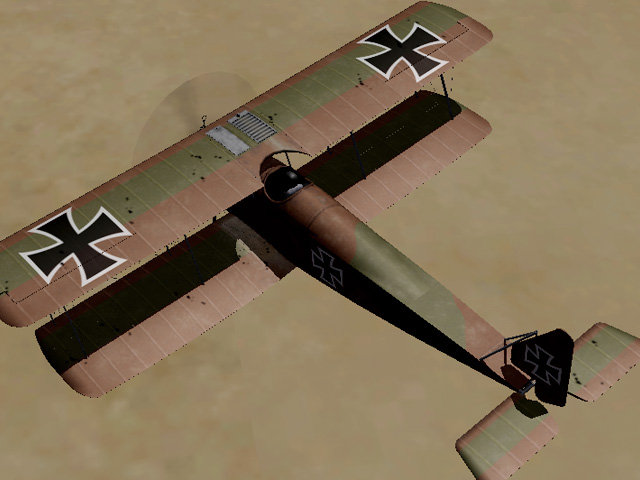
What I meant here was that the model node names in the data.ini have to match the model node names in the LOD. In the Halberstadt D5, they didn't. So the game registers the hit, but doesn't know what part of the model needs to show the damage. I used Mue's LOD viewer to make the corrections. The wings now take damage. The zip file contains the original FM uploaded with Geezer's plane, I added Nicholas Bell's hit box revisions and I added my model node name revisions. I am using FE1 so I am not using the FMs for FE2 that VonS has made. If you are using the VonS FMs, you'll need to do some copy and paste to update the file. HalbD5Data.zip
-
No need to apologize, Crawford. You're trying to learn and I'm happy to help.
-
Crawford - You may already know this, so forgive me if I get too basic - The "holes" are actually decals that let the user know that the plane has been hit. The damage may not actually line up with the bullets that were fired, but "damage' will appear somewhere on the part that got hit. The "holes" decals have to be TGA files with an alpha channel, most of the detail in the TGA file will be in the alpha channel. I think that the problem with the wings may be a problem with the hit box instead of with the skins. In the data file, each major part has a "MinExtentPosition" and a "MaxExtentPosition" which create a box around the part. If these are not there, or are too small, then the part may not register that it has been damaged. Nicholas Bell has been posting hit box revisions in another thread. He posted revisions for the Halberstadt a few weeks ago. You may need to make changes to the data.ini in order for the wings to show damage. (Nicholas Posted revisions for the Halberstadt D5 on 09 May 2016 - 02:37:10 PM) Edit - I just looked at my version of the Halberstadt D5, it looks like the model node names in the data file are incorrect. So the game registers the hit, but doesn't know which part to change. These will all have to be corrected. If you have Mues LOD viewer, that might help, otherwise you'll have to do it using the OUT file. Also, check to see if VonS has posted a revised FM for the Halberstadt, he may have already fixed it.
-
Welcome back Sinbad! I'm looking forward to your revised Strutter.
-
In the Flight folder, in the HUDDATA.INi, in the section for [Map], set MapDisplayLabels to FALSE.
-
I understand. Zooming in is actually making the field of view narrower. Perhaps the rate controls how fast it zooms? I don't really know for sure, this calls for some experimentation.
-
Like VonS said - Welcome to First Eagles. FOV means "field of view" and determines how much of the terrain you see on the screen. A wide field of view causes the image to stretch around the edges (a "fish eye" look) which I can see in the screen shot you posted. Most cameras are around 50, try setting to 50 and see how you like it. You won't be able to see as much, but the screen should look more "normal." This may also help with the missing tiles around the edges.
-
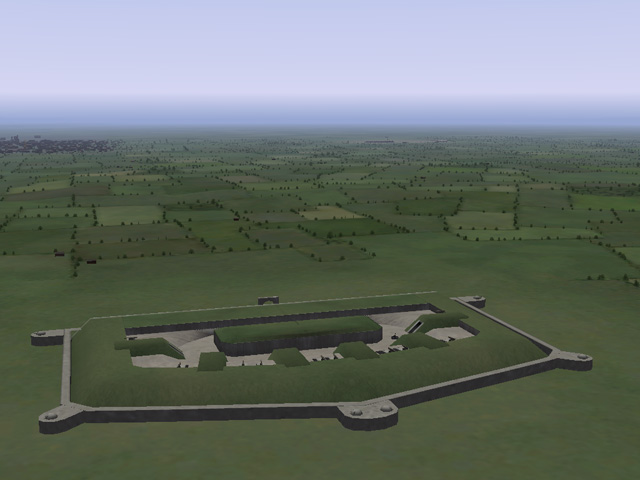
Looks really good. What fort inspired this? Have you tried placing it in a terrain yet?
-
I agree. Thanks for taking the time to do this, Nicholas.
-
A TOD Editor would be a great addition to SF and FE. I agree that your other tools have been a real asset to modders. Thanks for your efforts.
-
This looks like the same problem you had with the square trees - the terrain data file for those tiles is pointing to the wrong AlphaObjectTexture.
-
Take a look at Nippy's dogfight editor. (FE2 and FE1 Dogfight v2.3) I've made some missions for the Eastern Front using that.
-
Maybe it would be easier to use one of the other Lewis guns instead. I looked through all my Gun Data files and did not find a 303Cal_Lewis_MS.
-
This is an interesting discussion. I think in the campaigns, the AI pilots are more focused on their missions - if they're on recon, their goal is to get home with their info, so they're more likely to break off and head for home. Escorts are likely to stay with the planes they're escorting, defensive patrols would stay in their zone, etc. In single missions, the enemies you encounter are probably hunting and are likely to be more aggressive.
-
Impressive work Quack!
-
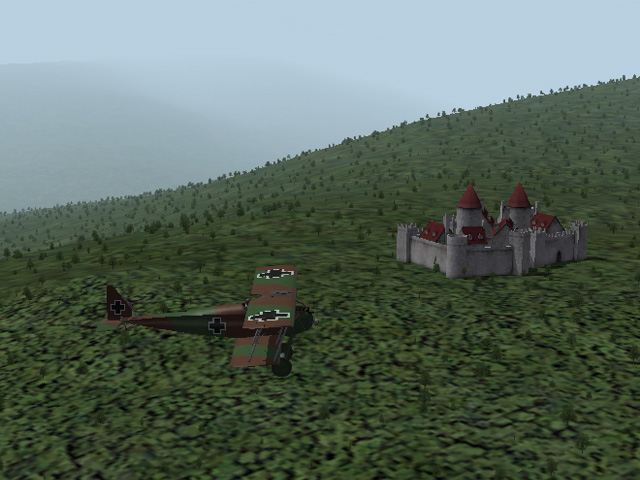
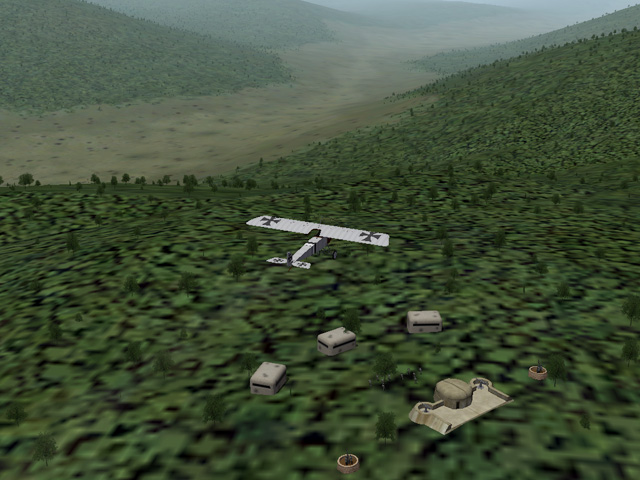
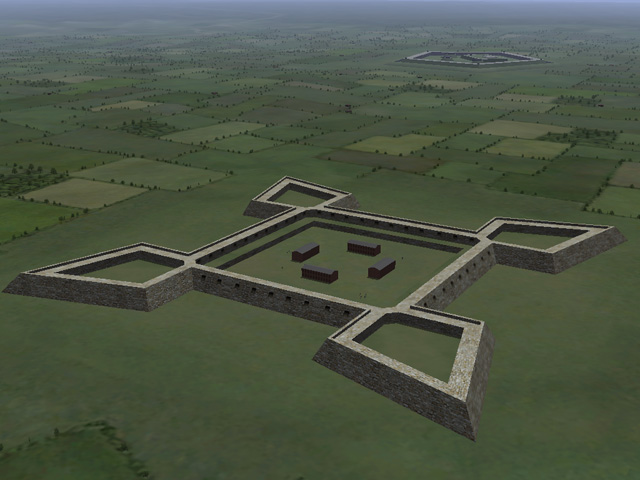
Thanks, Wrench. The castle is Gepard's, the lunette is Geezer's, the star fort is mine. There were a lot of fortifications in the area by the time WWI began.
-
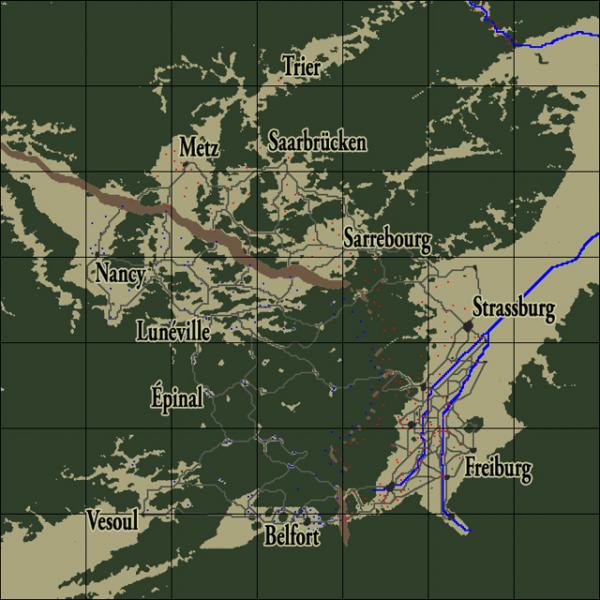
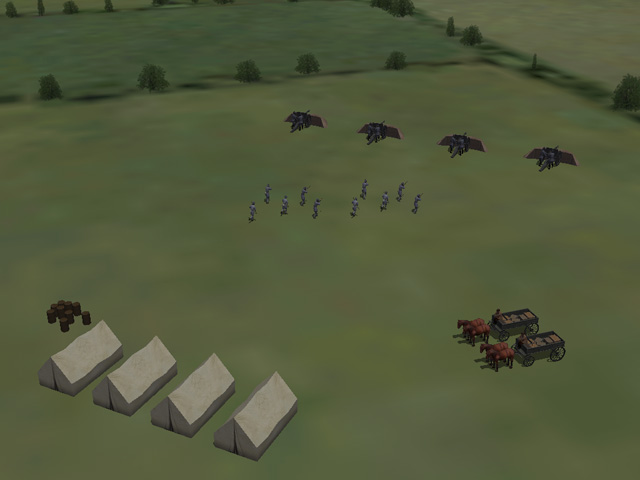
The new Vogesen terrain has been uploaded with many new terrain objects and locations in the Lorraine area. I have changed the names of some of the airfields and that breaks Ojcar's Armchair Aces (sorry!). I am calling this "Vogesen2" so you can install it and still fly Armchair Aces in the old terrain. This terrain includes 4 new tiles, I have not made the seasonal versions yet, so this is just the summer terrain. New tiles will be made shortly (unless someone else wants to do it first.) I have not tested this with Jan Tuma's terrain tiles. I have a lot of AA and Balloon stations located in the forests, so that might be a problem with Jan's fuller forest TODs.
-
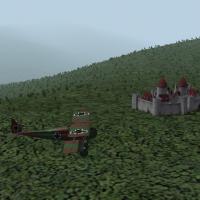
View File Vogesen2 Vogesen – Version 2 This is a complete revision of Gepard's Vogesen terrain uploaded in 2008. Add it to your Western Front install of First Eagles. NOTE – I have changed the terrain so much that Ojcar's Armchair Aces Vogesen Campaigns no longer work. I have named the new terrain “Vogesen2” so it will not replace Gepard's original terrain and you can still fly Ojcar's campaigns in the old map. The Vogesen Mountains are between the Alsace Valley and Lorraine Plateau, just north of Switzerland. Both Germany and France had held the territory at one time or another over the centuries. At the beginning of World War I the area was part of Germany. France set out to “liberate” the area and there was heavy fighting there during the first year of the war. After that, things settled down somewhat – there was still fighting, but no major offensives were launched until the end of WWI. My version of Vogesen is heavily based on Gepard's original terrain – the height map, tiles, and all the locations in the Alsace and Rhein valleys are virtually unchanged, I only made minor adjustments to what was already there. I have added at lot of locations to the west and north to fill the Lorraine area of the terrain and made extensive changes to the tiles there. I have completely reworked the targets.ini and types.ini to bring many of the new ground objects into the terrain. I leveled all the airfields, changed the trench lines through the mountains, and modified many of the skins. Credits Gepard deserves a lot of credit for all the work he did creating the original terrain. His castles, bunkers, and other “eye-candy” objects are still in the terrain. Many of the locations added by Ojcar are still in the map, although I renamed some of them, and made minor adjustments to their locations. Many of Geezer's ground objects are included with the download – including some of his ground crew, airfield objects, bunkers and forts. I have included the ambulances with this downlaod, but I don't know who made them. If anybody remembers who made the original ambulances, please let me know. Gerwin's TFD Tool was instrumental in the making of this terrain. Installation The Targets.ini requires that some Ground Objects be installed. You may already have these, if not you will need to install them in the Western Front install of your game. Cavalry Units for First Eagles – by Stephen1918 – French and German patrols FE AA Objects – by Geezer – French and German machine guns (FRMG and GEMG) Field Guns for First Eagles – by Stephen1918 – French and German Infantry Units – by Stephen1918 – French and German WWI Ground Objects – by Geo – Supply Wagons (Wagon and Wagen) I have included many of my own ground objects with the download. Copy everything from my GroundObject folder and paste it into your GroundObject folder. Note that there are some files not in any folder, these should remain outside of all the other folders in your GroundObject folder. Copy the folder named "Vogesen2" into your Terrain Folder. Submitter Stephen1918 Submitted 04/12/2016 Category First Eagles - WWI and Early Years - Terrain and Environmental Mods
-
- 3
-

-
210 downloads
Vogesen – Version 2 This is a complete revision of Gepard's Vogesen terrain uploaded in 2008. Add it to your Western Front install of First Eagles. NOTE – I have changed the terrain so much that Ojcar's Armchair Aces Vogesen Campaigns no longer work. I have named the new terrain “Vogesen2” so it will not replace Gepard's original terrain and you can still fly Ojcar's campaigns in the old map. The Vogesen Mountains are between the Alsace Valley and Lorraine Plateau, just north of Switzerland. Both Germany and France had held the territory at one time or another over the centuries. At the beginning of World War I the area was part of Germany. France set out to “liberate” the area and there was heavy fighting there during the first year of the war. After that, things settled down somewhat – there was still fighting, but no major offensives were launched until the end of WWI. My version of Vogesen is heavily based on Gepard's original terrain – the height map, tiles, and all the locations in the Alsace and Rhein valleys are virtually unchanged, I only made minor adjustments to what was already there. I have added at lot of locations to the west and north to fill the Lorraine area of the terrain and made extensive changes to the tiles there. I have completely reworked the targets.ini and types.ini to bring many of the new ground objects into the terrain. I leveled all the airfields, changed the trench lines through the mountains, and modified many of the skins. Credits Gepard deserves a lot of credit for all the work he did creating the original terrain. His castles, bunkers, and other “eye-candy” objects are still in the terrain. Many of the locations added by Ojcar are still in the map, although I renamed some of them, and made minor adjustments to their locations. Many of Geezer's ground objects are included with the download – including some of his ground crew, airfield objects, bunkers and forts. I have included the ambulances with this downlaod, but I don't know who made them. If anybody remembers who made the original ambulances, please let me know. Gerwin's TFD Tool was instrumental in the making of this terrain. Installation The Targets.ini requires that some Ground Objects be installed. You may already have these, if not you will need to install them in the Western Front install of your game. Cavalry Units for First Eagles – by Stephen1918 – French and German patrols FE AA Objects – by Geezer – French and German machine guns (FRMG and GEMG) Field Guns for First Eagles – by Stephen1918 – French and German Infantry Units – by Stephen1918 – French and German WWI Ground Objects – by Geo – Supply Wagons (Wagon and Wagen) I have included many of my own ground objects with the download. Copy everything from my GroundObject folder and paste it into your GroundObject folder. Note that there are some files not in any folder, these should remain outside of all the other folders in your GroundObject folder. Copy the folder named "Vogesen2" into your Terrain Folder. -
Thanks for doing this, Nicholas. I'll start making revisions on my planes (when I finish the other stuff I'm doing...)
-
What mean is, the terrain builder may have changed the file, but used the same name. If you have accidentally gotten the old file into the folder, it won't match how the trees were defined in the TOD. You can have multiple tree tga's in the same terrain, the data.ini will point to the correct one for that tile. Which terrain is having the problem?
-

Great website for French Fortifications
Stephen1918 replied to quack74's topic in General Discussion
These are great resources, Quack. I am not going to incorporate these into Vogesen, yet. But perhaps I (or someone else) will make an updated version later. -
I only use the LODViewer. I just made a "Utilities" folder on my hard drive and unpacked everything there. I don't know what .dll;s go with each .exe, but if they're all there it seems to work OK. After you launch the exe, you will have to use "File Open" to navigate to where your mods are installed - similar to the old CAT extractor.
-
I have had this problem before. The terrain has the wrong tga file for the alpha objects. Go into the terrain data ini and it will list which tga and bmp is used for each tile. If you have multiple tga's with the same name, you may need to do some trial and error.