


Wrench
-
Posts
28,322 -
Joined
-
Last visited
-
Days Won
188
Content Type
Profiles
Forums
Gallery
Downloads
Store
Everything posted by Wrench
-
not liking the nose stars at all!! trying to find a better way of doing them... 10th FBS
-
that's why you do them underneath the weathering (always the topmost layer) and the panels/rivets (somewhere in the middle). The actual skin surface is at the bottom. just look at the Ravenclaw templates for the Sabres I uploaded -- all the layers I added are under the lines.
-
one never just "blows up the skin" to the new size without repainting the stripes. It's just another layer. I've done it countless times making decals is nothing...getting them the right size is the trick (look to my F-89 Scorpion for an example) the books are available on pdf off the net, if one knows where to look.
-
and more importantly, information about you machine, system specs (ram, processor, graphic card & it's ram), and which terrains (one or all?) need MUCH more information before we can even begin to asses the issue
-
also important to realize, using FU-900 as an example, 2nd image, that paint job represents the wing commander's aircraft ONLY. As only he would have a ship with all 3 colors of the wing's squadrons. Each squadron is assigned it's own color. Finding out which is the real trick One can make are argument, based on the stars on the tail stripes (1st squadron, red, 2nd squadron yellow, 3rd squadron blue). This would fit with color markings carried over from WW2, as that same pattern was used Of each of the three squadrons ONLY the squadron commander carried the color on the fuselage band; all the rest carried them on the tail only. (sometimes the deputy squadron command had a fuse stripe as well, but I can't remember the pattern - full or partial?) as to the Euro camo, iirc (and may be stated in the readme) only used by one squadron as a experiment, and only for a short time. what you'll probably want to find are the Squadron Signal books " Fighting Colors: USAF in Europe 1948-1965" vols 1 & 2. (although 2 deals more with bombers and transports and such) what's sad is the painted on fues stripes really show the non-smoothing of model's meshes. Considering the lod's age -- that's not too (there are MUCH worse ones out there). It might best be done as a decal, set at either level 1 or level 2. If there's enough "space" remaining on the fues mesh as to which variant, yes indeed, mostly F models -- with all it's variations too
-
Chinese territorial claims
Wrench replied to Ice Man's topic in Mission & Campaign Building Discussion
in particular, for the hot dog stand, represent grease/oil from the fryers and the dogs themselves exploding & burning. sort of a joke! nobody REALLY knows what goes into a hot dog (and really don't want to!!) -
View File XvT/BoP Imperial Operation: Tatooine Patrol XvT/BoP Imperial Operation: Tatooine Patrol 1/25/2016 For XvT =WITH= BoP addon (original CD) or the new GoG version This is the first of 20 full battles for Imperial players, covering the time frame from before the Battle of Yavin, to after the Fall of the Empire. In this set, you are a newly graduated pilot, and are assigned to the Tatooine Patrol Fleet, monitoring commerce to and from this desert planet. It's a very quiet duty, almost boring, with little action with the exception of the occasiional smuggler or other scoundrel violating Imperial Law. As has been said, "if there's a bright center to the universe, this place could be the farthest from it". But as always, things beyond your control are happening... These are to be used/placed into your ...Balance of Power/Combat folder. All missions have been edited for fairness & balance (hopefully!), due the the enhanced AI and weapons effectivness in XvT/BoP. All have new briefings and descriptions. I've added radio messages to act as "in game hints" and to further plot lines. Please pay attention to them, as some may save your life or your mission critcal craft. As always, =PLEASE= read the install instructions. Of course, the usual "Notes" and other nonesense. Wrench Kevin Stein original set for TFCD by Michael Raven, circa 2000 Submitter Wrench Submitted 02/06/2016 Category Star Wars Games
- 1 reply
-
- 1
-

-
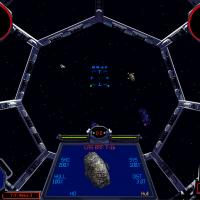
21 downloads
XvT/BoP Imperial Operation: Tatooine Patrol 1/25/2016 For XvT =WITH= BoP addon (original CD) or the new GoG version This is the first of 20 full battles for Imperial players, covering the time frame from before the Battle of Yavin, to after the Fall of the Empire. In this set, you are a newly graduated pilot, and are assigned to the Tatooine Patrol Fleet, monitoring commerce to and from this desert planet. It's a very quiet duty, almost boring, with little action with the exception of the occasiional smuggler or other scoundrel violating Imperial Law. As has been said, "if there's a bright center to the universe, this place could be the farthest from it". But as always, things beyond your control are happening... These are to be used/placed into your ...Balance of Power/Combat folder. All missions have been edited for fairness & balance (hopefully!), due the the enhanced AI and weapons effectivness in XvT/BoP. All have new briefings and descriptions. I've added radio messages to act as "in game hints" and to further plot lines. Please pay attention to them, as some may save your life or your mission critcal craft. As always, =PLEASE= read the install instructions. Of course, the usual "Notes" and other nonesense. Wrench Kevin Stein original set for TFCD by Michael Raven, circa 2000 -
Chinese territorial claims
Wrench replied to Ice Man's topic in Mission & Campaign Building Discussion
love it!! here's the types entry: [TargetType***] Name=Stand FullName=Hot Dog Stand ModelName=HotDog_Stand.lod TargetType=COMMAND_BUILDING ActiveYear=0 TargetValue=300 UseGroundObject=FALSE DamagePoint=100.0 ArmorValue=0.0 ArmorType=0 RepairRate=0 StartDetectChance=0 StartIdentifiedChance=0 IncreaseDetectChanceKey=0 MaxVisibleDist=2000.0 DamagedModel= DestroyedEffect=VeryLargeBombExplosionEffect DestroyedModel=fueltank2_destroyed.lod SecondaryChance=100 SecondaryEffect=LargeOilFireEffect Effect=SmokeStackEffect ExhaustOffset=0,0,3.0 you can change the FullName= to whatever you like attached is the lod, skin and ini origination is from Major Lee's DBS terrain circa 2004-ish?? -
parked aircraft are generated automatically by the game engine, based on the 'parking slots' set in the various airfield inis. How many show up is set in your /Options -> Graphics --> Ground Objects --> Unlimited (for the most showing) physical, "static aircraft", as listed in a _types and _targets ini have to be specifically built as such. The physical models (lods), and their skins all have to reside inside the terrain folder in question. There are very few of those. Off the top of my head, C-130, CH-47, a Mirage, F-16 and one or two others. Other than the equipment found in the airfield development packs, there isn't much else, that's usable Freeware they work on all terrains, because as mentioned above, they reside WITHIN the specific terrain folder. why they don't show up is most likely one of several things: listed improperly in _types.ini placement (X/Y) is "off" due to airfield facing inability of Mue's target editor to read or "see" certain objects -- this is a known issue that I've encountered, and reported it as such to Mue
-
Chinese territorial claims
Wrench replied to Ice Man's topic in Mission & Campaign Building Discussion
you know, I've done that for other people, but this is the first time it's been done for me!! (don't forget to put a hot dog stand there, too!!) (mr. burns voice) Excellent!! -
Chinese territorial claims
Wrench replied to Ice Man's topic in Mission & Campaign Building Discussion
+1 -
yes, I've used it extensively. so, what's the question?
-
what the hell is a "TAE"? If you explain/define that, maybe you'll get some help!! )
-
the animation has to be built into the cockpit meshes themselves. can't be added by a text edit
-
Merlin V12s
-
AND do if for free, with NO restrictions or other BS
-
my wife sent me this link, https://www.yahoo.com/tech/your-pc-will-automatically-download-windows-10-092425005.html so, IF this is really true .. time to reset you options for automatic updates!! 10 aint for me!!
-
I seem to recall stating categoricaly, that expansion pack one was REQUIRED for a KAW install, as that not only gives you the Mustang, but the C-47 as well. from the KAW Mustang Skin Pak (as used in WOK mod) never had the issue with the 29s either. speaking of the Superforts, the easiest fix is simply not to fly them -- the game was never designed for Player Flown heavy bombers, even if said bombers have cockpits and working bombsights. (attack bombers, that's another story, and are quite usable)
-
it looks a lot like the prototype p-40 (well, P-37), other than the large gun blisters on the cowl. nice repurposing of the mig-3 http://www.planefax.com/radar/p40-2-YP-37.jpg
-
Chinese territorial claims
Wrench replied to Ice Man's topic in Mission & Campaign Building Discussion
look in The Pub ... http://combatace.com/topic/88172-getting-it-off-my-chest/ d/l the gif, upload to your gallery, and add it to your sig sorry for the thread hijack! -
you can't import a finished lod. once its exported, it's done and locked you can only edit the ***.max file
-
all stuff for cockpits goes into the /cockpit folder for each particular aircraft. so, you might need to create the folder, and just drop the tga in there the game looks in specific folders first, then cats.
-
oh man! how cool is that!!??
-
for these games (SF/FE/SF2/FE2) only 3dsMax, with the specific 3rd Wire exporter can be used for other games ?who knows?