


Major Bloodnok
-
Posts
326 -
Joined
-
Last visited
-
Days Won
6
Content Type
Profiles
Forums
Gallery
Downloads
Store
Everything posted by Major Bloodnok
-

SF2 Scooters! Vol.1 - Skinpack for TW A-4 Skyhawks
Major Bloodnok replied to Nyghtfall's topic in File Announcements
Oh yes, very nice indeed. -
SF2 Scooters! Vol.1 - Skinpack for TW A-4 Skyhawks
Major Bloodnok commented on Nyghtfall's file in A-4
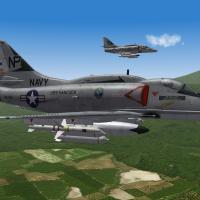 Brilliant stuff.
 -
Can You Take Minute to Answer this Poll?
Major Bloodnok replied to Dave's topic in General Discussion
Sf2 Vietnam plus Sfna plus a few DLCs merged. -
USMC Aircraft carriers for helos.
Major Bloodnok replied to yakarov79's topic in Mods & Skinning Discussion
Most welcome, whoever did it. -
USMC Aircraft carriers for helos.
Major Bloodnok replied to yakarov79's topic in Mods & Skinning Discussion
Thanks. -
F-4J Phantom II Early (1966-1974) TK
Major Bloodnok replied to Peugeot205's topic in File Announcements
This looks bloody marvelous and that Ranger VF-21 skin looks superb. -
Absolute magic, superb.
-
 Very good for target design.
 -
Alternate TFD Terrain Tilemap editor/viewer
Major Bloodnok replied to gerwin's topic in Mods & Skinning Discussion
Thanks for the great update, Gerwin. It is a fantastic tool. -
VX-4 black & white Bunny F-4B/J skins
Major Bloodnok replied to Soulfreak's topic in Mods & Skinning Discussion
Marcfighters skins page Marcfighters.combatace.com/page5.htm -
Done my small bit for the forum, sorry I couldn't do more.
-
Green Hell 3.5 Enhancement Package
Major Bloodnok replied to eburger68's topic in File Announcements
Thanks. -
You should have the coontz if you have an up to date YAP(SET 7 I think it is), if not, try copying and renaming either the king.lod or mahan.lod
-
Yes, it is in YAP3 along with DLG-10 and DLG-11.
-
This is from the MF A-7E: Add these to the fuselage section: SystemName[xxx]=Chaff1 SystemName[xxx]=Flare1 The entries must be in sequence after the entries already there. Then further down: [Chaff1] SystemType=DECOY_DISPENSER EjectPosition=-0.182,-5.542,-0.713 EjectVelocity=0.0, 2.00,-1.25 NumFlare=0 NumChaff=30 MinExtentPosition= -1.097, -1.301, -1.04 MaxExtentPosition= -0.945, -1.022, -1.076 [Flare1] SystemType=DECOY_DISPENSER EjectPosition= 0.182,-5.542,-0.713 EjectVelocity=0.0, 2.00,-1.25 NumFlare=30 NumChaff=0 MinExtentPosition= 1.097, -1.301, -1.04 MaxExtentPosition= 0.945, -1.022, -1.076 As for the Aim9: Open the loadout ini file and change the entries. For example: [AirToAir] Loadout[01].WeaponType=AIM-9B Loadout[01].Quantity=1 Loadout[02].WeaponType=AIM-9B Loadout[02].Quantity=1 [AirToAir] Loadout[01].WeaponType=AIM-9G Loadout[01].Quantity=1 Loadout[02].WeaponType=AIM-9G Loadout[02].Quantity=1 But remember that the weapons must be in the timeframe of the aircraft, if the aircraft goes out of service before the new missiles are available, then they will not show.
-
Brilliant, thanks.
-
Here is a nice link: http://www.themodellingnews.com/2012/05/zotz-4-skyhawks-of-vietnam-war-in-132.html Another: http://www.fold3.com/spotlight/2346/a4e_skyhawk_chu_lai/ Yet another: http://forums.military.com/eve/forums/a/tpc/f/5671946761/m/6640090092001
-
There is one for WOV, you can use it, but the decals will have to be moved. http://skyhawks.combatace.com/downloads/a4.htm
-
USN VA-22 Fighting Redcocks A-4C First combat tour(1965)
Major Bloodnok replied to regula50's topic in File Announcements
They will show as part of a NavalUnit: An example is below: [NavalUnit001] UnitName=USS Bon Homme Richard Carrier Group ForceID=1 Nation=USN RandomChance=100 MaxObjects=5 Experience=100 Morale=100 Supply=100 Intelligence=0 RetireDate=9/1967 StartPosition=592000.00,618000.00 ObjectivePosition=592000.00,618000.00 HomePortPosition=200000.0,260000.0 MinFleetSpeed=10.289 Ship[01].Type=CVA-31L Ship[01].Name=USS Bon Homme Richard Ship[01].Number=31 Ship[01].Texture=USNGrey31L Ship[02].Type=GearingFRAM1B Ship[02].Name=USS Charles R. Ware Ship[02].Number=865 Ship[02].Texture=USNGrey Ship[03].Type=GearingFRAM1B Ship[03].Name=USS Forrest Royal Ship[03].Number=872 Ship[03].Texture=USNGrey Ship[04].Type=DDG-2 Ship[04].Name=USS Barney Ship[04].Number=6 Ship[04].Texture=Gray Ship[05].Type=DDG-2 Ship[05].Name=USS Waddell Ship[05].Number=24 Ship[05].Texture=Gray Then the aircraft must point to the NavalUnit so: [AirUnit001] AircraftType=A-4E_65 Squadron=VA212 ForceID=1 Nation=USN StartDate=02/1967 RetireDate=09/1967 DefaultTexture=VA212 StartNumber=0 NavalUnitID=001 ShipID=1 CarrierBased=TRUE BaseMoveChance=0 RandomChance=100 MaxAircraft=12 StartAircraft=12 MaxPilots=12 StartPilots=12 Experience=100 Morale=100 Supply=100 MissionChance[sWEEP]=0 MissionChance[CAP]=0 MissionChance[iNTERCEPT]=0 MissionChance[ESCORT]=0 MissionChance=100 MissionChance[CAS]=20 MissionChance[sEAD]=20 MissionChance[ARMED_RECON]=50 MissionChance[ANTI_SHIP]=40 MissionChance[RECON]=0 UpgradeType=NEVER And in the campaign, this statement: StartDate=26/01/1967 StartDateDeviation=0 EndDate=25/08/1967 RunCampaignBeforePlayerStart=FALSE ForceWithInitiative=1 NavalCampaign=TRUE MaxMissions=50 NormalMissionRate=180 -
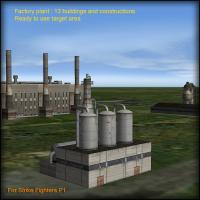 Yep really great.
 -
Green Hell 3.5 optional trees graphics
Major Bloodnok replied to Stary's topic in File Announcements
Thanks. -
Fantastic!
-
Alternate TFD Terrain Tilemap editor/viewer
Major Bloodnok replied to gerwin's topic in Mods & Skinning Discussion
Thanks. -
Some info: http://www.acig.org/artman/publish/article_278.shtml
-
Magnificent! Thanks to all who worked on it.
