mue
-
Posts
422 -
Joined
-
Last visited
-
Days Won
8
Content Type
Profiles
Forums
Gallery
Downloads
Store
Everything posted by mue
-
Do you mean the subjective perception of velocity or do you think the aircraft is really moving with 50% of the real life velocity?
-
Mods for SF2 not having sufficient installation instructions
mue replied to 1Patriot-of-many's topic in General Discussion
Probably your merged installation is somehow faulty. Can you create a single mission with the A-4B? -
I don't ignore facts. I only want to clarify once and for all the scaling in the thirdwire games. Myself I could only test SF2, FE2 and WOV stock objects (aircraft, ground objects and buildings). And they all (including buildings in FE2) are full size. Sorry, I forgot to mention here that the measurements were made for FE2 buildings, not SF2. So again, since I don't own FE1: Can please someone measure floor height of FE1 buildings. Thanks!
-
I also checked some terrain lods: buildings. The measured average floor height is around 2.5m. Seems it's real life scale.
-
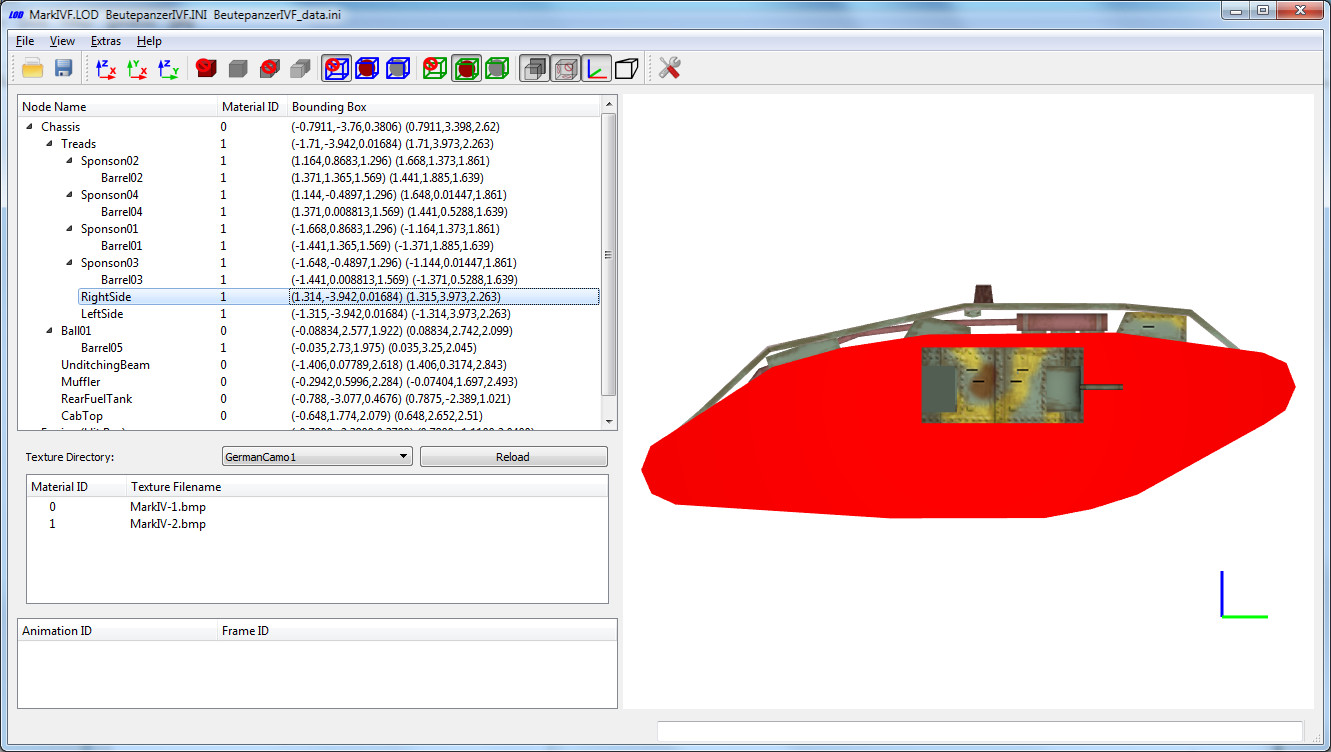
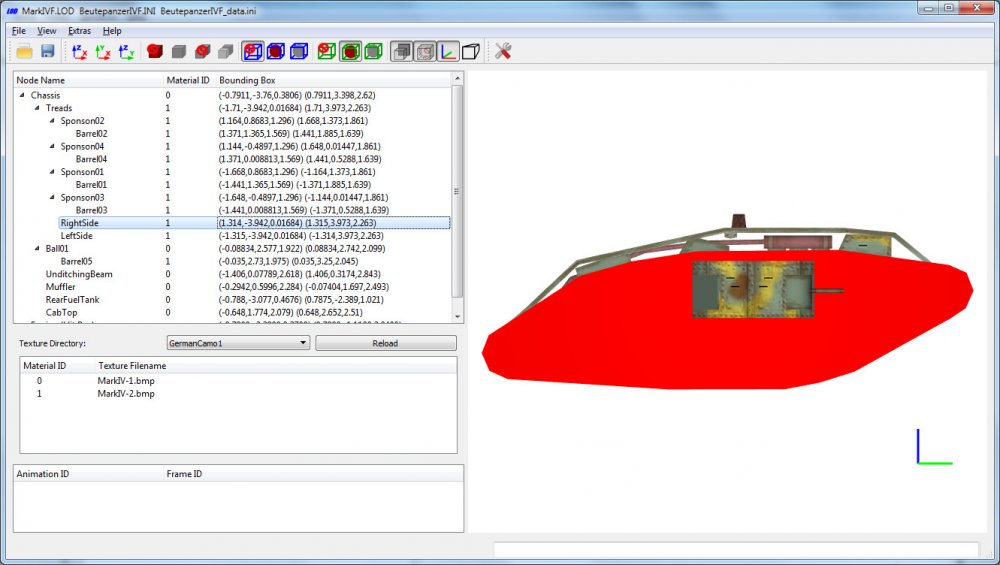
To clear things up regarding stock object scale in FE1/FE2 I measured exemplarely the length of the BeutepanzerIVF from FE2 with the lodviewer: In the node list window you can see that the selected node "RightSide" has an extension along the y-axis from -3.942 m to 3.973 m. That yields a length of 7.915 m. (One can also move the mouse cursor over the object to get the coordinates in the status bar.) Wikipedia: https://en.wikipedia.org/wiki/Mark_IV_tank specifies a length for the tank mark iv (in game the beuterpanzerIVF) of 8.05 m. Therefore I assume the stock objects in FE2 have real life size and are not scaled down. Since I don't own FE1: Can someone please measure the BeutepanzerIVF from FE1. Thanks!
-
Sorry for the interruption, but where is this 63% scale for First Eagle objects is coming from? I know that stock SF2 game (including First Eagles 2) objects are of 100% size. I also know that Wings Over Vietnam (the only SF1 game I have) stock objects are of 100% size. Therefore I suppose that First Eagles stock objects are of 100% size too. To be sure, can someone please measure some First Eagle objects with the LODViewer and compare it with real life size.
-
Mods for SF2 not having sufficient installation instructions
mue replied to 1Patriot-of-many's topic in General Discussion
Maybe just to preselect the campaign in the "create campaign menu"? -
Never noticed this before. After some tests, it seems it depends on the flight model setting (normal or hard). If set to normal, the user gets the same weight reduction as the AI. The question is, what defines the amount of weight reduction?
-
Mods for SF2 not having sufficient installation instructions
mue replied to 1Patriot-of-many's topic in General Discussion
After running the renamed exe (StrikeFighters2 Formosa.exe) for the first time and selecting the create create campaign menu, then exited the game without changing anything, the campaign section in options.ini is as follows: [Campaign] CampaignName=561029 Operation Kadesh PlayerService=Israel PlayerUnit=No. 117 First Jet Squadron AircraftType=Meteor8 Difficulty=NORMAL Length=NORMAL AircraftSupply=NORMAL WeaponSupply=NORMAL LoadCampaign=FALSE CampaignSavename= As said already, those entries are just the saved settings from the campaign->create campaign menu. In my case it's the first stock campaign from my fully merged install. After restarting the game and selecting the create campaign menu, selecting the campaign "590721 Operation Formosa Freedom", choosing a service and aircraft the campaign section in options.ini now reflect the last selections, e.g: [Campaign] CampaignName=590721 Operation Formosa Freedom PlayerService=USN PlayerUnit=VA-106 Gladiators AircraftType=A-4B Difficulty=NORMAL Length=NORMAL AircraftSupply=NORMAL WeaponSupply=NORMAL LoadCampaign=FALSE CampaignSavename=formosa freedom a-1j.SAV You don't have to change this entries manually. All can be changed / choosen from within the game create campaign menu. -
Mods for SF2 not having sufficient installation instructions
mue replied to 1Patriot-of-many's topic in General Discussion
Ok, I installed and tested the "Operation Formosa Freedom" Campaign (the first example you mentioned above, that supposedly missed required options.ini edit instructions): And ...surprise... I could start the campaign without problems (and without editing anything in the options.ini manually). So maybe there are no instructions to edit the options.ini because it's simply not required for this campaign. -
Mods for SF2 not having sufficient installation instructions
mue replied to 1Patriot-of-many's topic in General Discussion
IMHO the entries under [Campaign] are just the saved settings from the campaign->create campaign menu in the game ui. So I doubt this entries have to be edited manually. -
There is a document for sf1, but I think most also applies to sf2: https://combatace.com/forums/topic/92182-requested-strike-fighter-editing-info-document/
-
I think the aliasing is defined in ALIAS.LST contained in ObjectData001.CAT. The TW cat extractor does not extract this file, but my cat extractor does. e.g. ALIAS.LST contains the following lines, that maps insignia003 and insignia004 to insignia002: Insignia003.tga Insignia002.tga Insignia004.tga Insignia002.tga
-
It should be possible to change texture filenames inside a LOD file with a HEX editor, but I haven't done it myself yet. If you send me the lod file and tell me what texture file name should be changed, I can try it.
-
whats your modding plans for the new year?
mue replied to daddyairplanes's topic in Mods & Skinning Discussion
Finish my todo lists from 2016, 2017 and 2018- 25 replies
-
- 11
-

-

-

-
Is it possible to create a "caged" HUD in the game?
-
Since I mostly fly older jets I never noticed the following hud behavior: If I yaw the aircraft, the pitch ladder in huds from "modern" jets (e.g F-14, F-15, F-16) in game moves horizontally. Is this a bug or engine limitation? Edit: uups, after watching some youtube videos of real life huds, this behavior seems correct...
-
A lot of information from the thirdwire forums are preserved: https://combatace.com/forums/topic/92272-third-wire-forums-no-longer-linked-on-website/?do=findComment&comment=745634
-
Why are there textureset definitions in two places: one in the <aircraft>.ini file and the other in the textureset.ini file (within the texture sub folder). It seems both contain the same information. And if the content differ, which one has priority?
-
What I've learned so far about the decals system: Position=a,b defines the position of the center of the decal texture at the aircraft in meters. a,b are either the x,y-, y,z- or y,z- coordinates depending on DecalFacing. If DecalFacing is TOP or BOTTOM then its the x,y coordinates, if LEFT or RIGHT its y,z and if FRONT(?) or BACK(?) its x,z. In the lod viewer you can move the mouse pointer over the aircraft and the x,y,z coordinates are shown in the status bar at the bottom. Scale defines the size of the decal in meters. E.g. a Scale of 1.0 means that the decal has the size of 1x1m on the aircraft, a Scale of 0.5 means a size of 0.5x0.5m...
-
So, the game ONLY looks in Objects/Decals (and maybe subfolders here) and not in Objects/Aircraft/ or other folders?
-
I'm trying to understand the decals system. In which directories does the game look for decal texture files (referenced by decals.ini)?
-
The font texture is internally generated by the game accordingly to the given font type and size. An example you can see here: https://learnopengl.com/In-Practice/Text-Rendering If your defined texture area (uvMin, uvMax) cuts some characters then only fragments of those characters are drawn .
-
None that I know of. I think I used some kind of binary search: 1.) split the texture in two halfs: rectangle1 with uvMin / uvMax = (0.0,0.0) / (0.5,1.0); rectangle2 with (0.5,0.0) / (1.0, 1.0) 2.) try both rectangles and check with which the dot (besides other characters) is drawn. 3.) split this rectangle further on (step 1.)): e.g. if the dot is in rectangle 2, then the next two (smaller) rectangle areas to check are (0.5,0.0) / (1.0,0.5) and (0.5,0.5) / (1.0,1.0)
-
The relevant parameters are uvMin and uvMax in lines 93 and 94. These parameters define the rectangular area (which should contain the "dot") on the font texture. Only fragments (pixels) with texture coordinates within that rectangular area are drawn visibly.