


MigBuster
-
Posts
9,147 -
Joined
-
Last visited
-
Days Won
27
Content Type
Profiles
Forums
Gallery
Downloads
Store
Everything posted by MigBuster
-
Install the latest patch unless you have good reason not too?
-
Are you using Vista by any chance? Have you patched the game to latest version? if not go to thirdwire and download the latest patch
-
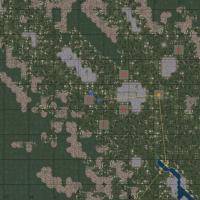
165 downloads
Game not challenging enough? - why not stop red planes appearing on the map! Just download and copy MAPENEMYICON.tga to your "Flight folder" ie "C:\......\WingsOverVietnam\Flight" If you feel like you are getting shot down to much afterwards - just delete MAPENEMYICON.tga again and all will revert to normal....easy hey tested in WOI / WOV but should work in SF/WOV/WOE/WOI/FE Note about SF2: This will work in the strike Fighters 2 series - however TK kindly included these options in the HUDDATA.ini file (which you would need to extract from the flightdata.cat file) from June 2009 which can just be set to true or false as you need - so you can acheive the same thing from here: [HUDLabels] EnableLabels=FALSE LabelFriendlyAir=TRUE LabelFriendlyGround=TRUE LabelEnemyAir=TRUE LabelEnemyGround=TRUE [MapLabels] EnableLabels=FALSE LabelFriendlyAir=TRUE LabelFriendlyGround=TRUE LabelEnemyAir=TRUE LabelEnemyGround=TRUE MiGBuster 2009 -
View File Remove the red planes from the in flight Map Game not challenging enough? - why not stop red planes appearing on the map! Just download and copy MAPENEMYICON.tga to your "Flight folder" ie "C:\......\WingsOverVietnam\Flight" If you feel like you are getting shot down to much afterwards - just delete MAPENEMYICON.tga again and all will revert to normal....easy hey tested in WOI / WOV but should work in SF/WOV/WOE/WOI/FE Note about SF2: This will work in the strike Fighters 2 series - however TK kindly included these options in the HUDDATA.ini file (which you would need to extract from the flightdata.cat file) from June 2009 which can just be set to true or false as you need - so you can acheive the same thing from here: [HUDLabels] EnableLabels=FALSE LabelFriendlyAir=TRUE LabelFriendlyGround=TRUE LabelEnemyAir=TRUE LabelEnemyGround=TRUE [MapLabels] EnableLabels=FALSE LabelFriendlyAir=TRUE LabelFriendlyGround=TRUE LabelEnemyAir=TRUE LabelEnemyGround=TRUE MiGBuster 2009 Submitter MigBuster Submitted 03/12/2009 Category Planning Maps/Icons/Base Mods
-
The skyflash although used the body of the Sparrow had a pretty advanced seeker head on it - which may or may not have made it comparible to the AIM-7M - unless they were compared under similar test fire conditions theres no way to compare them.
-
A touchy subject - as there is limited information on the real accuracy of each missile against flares. just put the AIM-9L to the same params as the AA-11 using the weapons editor - sorted
-
Dont feel to down - the MiG-17F is a superfighter in WOI - it follows an F-15A up to 700 +kts and turns with it no problem at those speeds - which just wouldnt happen with the real thing that didnt have powered flight controls- but hey it keeps you on your toes. On The other hand the stock MiG-21 series needs a bit more agility it is out turned far too easy by just about anything IMO.
-
Theres a load on here: F-104 downloads The flight models probably havnt been upgraded for most of them - so try them out they might be alright - and they might need a few tweaks here and there.
-
Im happy with getting feedback tbh :)
-
1 way If your back is turned is - get down low - put on your ground radar on and avoid any white dots till you hit freindly territory
-
How realistic would you want it though - it was a pain to implement it in Falcon 4 - and LP changed it about 4 times between 2005 and 2008 also. I rarely use it - its not always required for campaigns and its fun for the first 5 minutes. The player would need to manage where the tanker was placed to make use of it - any auto placement would see it flying 80 miles away when you need it (as happens in Falcon when you dont set its waypoints) Something TK would have to address is a stable KC-135 if he put it in - with an automated boom - and maybe on easy mode an autopilot would take over and do it for the player - still quite a lot of work there!
-
Yes they are fantastic - you can zoom in with your head too in these games. I wouldnt fly without one - takes a bit of getting used to - also make sure you have the sensor on the monitor pointing away from sun light. I have tweaked the viewlist.ini file to give a bit more freedom of movement - so just say if you want that when you get it.
-
Last time I played the stock RT 1965 they came in from 1965 - in the real thing the first F-4C was lost to an SA-2 on 24th July 1965 pretty sure that had no RWR either. Having a tracKIR i used to listen for the SAM calls and spot the inbound direction - the early SAMs are easy to avoid if you keep it in your front 180 and change altitude by a few thousand ft - this is without any ECM/RWR/ countermeasures To help pressing R when a SAM call is made will target the Site - you can then use F4 to give the direction of it. One thing I used to do was put back the SA-2F start date to 1968 because they were death rays even with ECM - although I think these have been toned down in later patches
-
Havnt played Rolling thunder for a while - the SAMs should come in from 65 though I think - cant remember without checking - and they are only the SA-2C version at first
-
Not a pilot...just playing on a computer with no risk to my life!
MigBuster replied to Damien's topic in General Discussion
Well i'll drink to that mate -
1. Does it happen to the game when there are no mods installed with the Oct 2008 patch? 2. if not then install a fresh copy and carefully add the mods back in - because one of them is causing the issue you will need to test the game out as you are installing things back into it.
-
yeah your stuck with the flare thing - but guess its good to have some feedback - you wont get that info from the pits in most cases
-
towed decoys :) - you might have to do it like the refueling drogues on the A-4/A-6/A-3s in Yankee Air Pirate??
-
Nice one TMF - superb work on these babies!
-
Has anyone done a Buccaneer for tw sims?
MigBuster replied to Hokum's topic in Mods/Skinning Discussion
thar she is - looking ace!!! -
That should sort out those flippin birds
-
The best graphics quality, How do I get it?
MigBuster replied to warthog64's topic in General Discussion
Find your advanced settings on the graphics card - and I cant speak for ATI cards but you should be able to set up a profile for WOE/WOV etc etc blah in each profile you should be able to up the anti-aliasing and anisotropic filtering - which will make a difference - you will need to experiment to find the best settings though - to much of the above will slow you right down!! as for issues with ATI cards try a search basically unless someone here can advise - its likely you should get non shimmering trees with ATI cards?? -
-
Has anyone done a Buccaneer for tw sims?
MigBuster replied to Hokum's topic in Mods/Skinning Discussion
Yes one was in the works years back - but it hasnt been released to the public yet. -
maybe a typo who knows - should be easy to fix though if you want to alter the campaign files.