Jump to content

Soulfreak

MODDER
  • Posts

    7,303
  • Joined

  • Last visited

  • Days Won

    166

Everything posted by Soulfreak

  1. Russo from your last screenshot it looks for me like a specular map thing. BTW to avoid dds related issues, you should go to jpg format. FSX handles dds format in a different way SF2 does. FSX uses much more the functions of dds Format (mip Maps etc) which SF2 doesn´t.
  2. 1st of all make sure you have the latest SFG patch installed! i guess it is this: Test the sim, if it runs propperly then: choose 1 mod you would like to install (make sure it is a gen 1 mod). Install this mod and follow the instructions in the readme exactly. Test it. if it works fine, add another mod. .
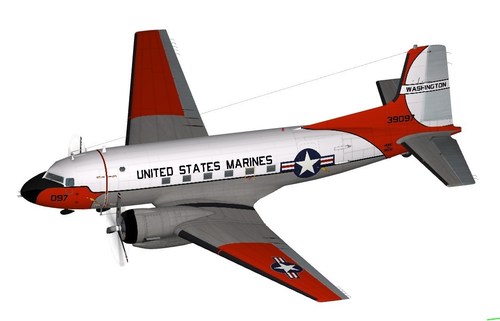
  3. It is Mafred Jahn´s (& Team) C-117D for FSX with a fictive repaint both plane & repaint are available @ https://flyawaysimulation.com/
  4. For me it can come with DC-3 (C-47) pit.
    Another great add! Thank you Jarek!
    Great work Jarek!
  5. It´s a new one. But still a Long way to go. We just restarted the Project.
  6. Sorry, I mean a convertet model. ;-)
  7. Pretty cool! I guess a ripped FSX model? Btw, working on new C-47s...
  8. The Hill sheme from the 199th FS is a bit different then other ANG / USAF Units. It has no dark Grey area paintet on nose (Ends after Cockpit) I guess i did an euro camo Skin a Long time ago...
  9. The game you have is Strike Fighters Project 1 Gold Edition. (around Oct 2008 the Gold Edition came out). So you need to follow Gen 1 add on rules. Before installing mods you should learn how SF1 works. Therefor you Need to take a deeper look at the knowledgebase. https://combatace.com/forums/forum/99-thirdwire-strike-fighters-knowledge-base/ When you are familar with the structure and you know how it works, you should browse the SF1 download section. there are a lot of F-16 mods available.
    Great Addition. Thank you Russo!
  10. Sadly there is no Tejas available for Strike Fighters 1, WoX series. Only for strike fighters 2.
  11. That targetting pod is made for use under fuselage station not on wing station.
  12. View File AlphaJet A Skinpack Alphajet A Skinpack 14 brand new skins for Florian´s AlphaJet A to install: 1: delete the original skin folders in your Aircraft/AlphaJet-A directory!!! 2: Extract contents of the 7z file to your mods/objects folder <-- let overwrite if asked!!! Credits: AlphaJet A: Florian BaseTemplates: Bobrock Extended Templates, Skins & ini rework: Soulfreak Schapen, May 9th 2020 Carlo "Soulfreak" Vecchi Submitter Soulfreak Submitted 05/09/2020 Category Other
  13. Version 1.0.0

    149 downloads

    Alphajet A Skinpack 14 brand new skins for Florian´s AlphaJet A to install: 1: delete the original skin folders in your Aircraft/AlphaJet-A directory!!! 2: Extract contents of the 7z file to your mods/objects folder <-- let overwrite if asked!!! Credits: AlphaJet A: Florian BaseTemplates: Bobrock Extended Templates, Skins & ini rework: Soulfreak Schapen, May 9th 2020 Carlo "Soulfreak" Vecchi
  14. Hello all, i have a question regarding editing lod files. 1st is it possible to move parts on the texture by editing lod file(s)? Moving flaps, cause they are overlapping with wing. So i like to cut em away from wings a lil bit and is it possible to change parts on texture? F.e. landing gear covers for left and right side are mapped on the texture wrong (left cover is mapped on right fuselage side on texture)? Sadly Florian is no more around to edit the 3d model of the AlphaJet.
    Great work Paulo!
  15. All (stock) lod files are locked. They can´t extracted
  16. Looks like you do not have enough space from the Serial to the edges of the file.
  17. Not really a super thing... F-104S Super Starfighter
  18. Not fix yet….
×
×
  • Create New...

Important Information

By using this site, you agree to our Terms of Use, Privacy Policy, and We have placed cookies on your device to help make this website better. You can adjust your cookie settings, otherwise we'll assume you're okay to continue..