Jump to content
    1. This is a skin depicting the CAG jet of VFA-136 during I believe 2011 or so. Since I'm going off of a few reference shots (thanks to Svetlin for a handy reference file) it is the best I can manage with what I have, so it should  be close enough.
      Simply add to the FA-18E_BlkII folder and go fly. Name on the dropdown menu is VFA-136 CAG 2011
      58 0
    2. Here's my set of 3 what-if aggressor skins for the F-23A Black Widow II by Dels. The background story is simple: what if the USAF decided to choose the F-23 instead of F-22 and what if they bought a lot of them, enough to form the aggressor squadrons too?
      You need to download and install the aircraft if you want the skins to work. It's available here: 
      Credits:
      Dels for the aircraft and skin template Read the Knowledge Base to learn how to install this mod. No item included in this mod can be distributed as payware. You can use the contents of this mod in accordance with Combatace Freeware License.
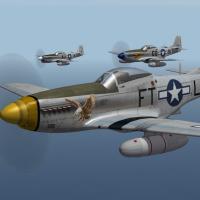
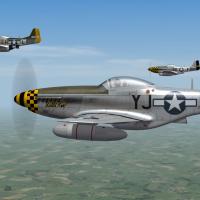
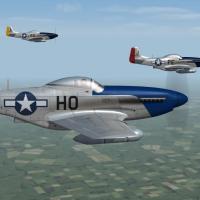
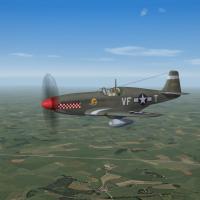
      Chris
       
      87 0
    3. SF2 A-4C(65) VA-113 'Stingers' Camo Skin Pack             9/4/2019
      -For SF2, Any and All (Full Merged Reccomended)
      This is a new skin for the A-4C_65 Skyhawk, representing VA-113 "Stingers" during their Oct 1965-June 1966 deployment in South East Asia aboard USS Kitty Hawk. They were painted in an experimental 2-tone green camoflague, as were many other aircraft of CVW-11 at this time.
      The skin is in jpg format, in 2048x, from Nyghtfall's templates. 12 95% historically accurate Bunum decals are included. Decal randomization is TRUE. On the number list, those marked with a star (*) represent a combat or operational loss. The single number marked with the cross (+) is  "best guess", as the squadron listing did =NOT= have a BuNum for A/C 305. The SF2 Date switch is NOT used; you will have to select this skin for each member of you flight. 
      When in-game, on the aircraft selection drop down, Skin selection window you'll see:
      VA-113 (Camo 1965-66)
      As is always reccomended, unzip to a temp folder or your desktop to give easy access to the rest of this readme for it's install instructions. 

      Happy Landings!
      Wrench
      Kevin Stein
      115 1
    4. In the '50 several south american countries entered in jet age with the Shooting Star
      This huge skinpack portaits these airforces:
      - Brazil  (33 delivered starting in 1958, withdrawn from service in 1973)
      - Chile  (30 delivered from 1958 on, last ones retired from service in 1974)
      - Colombia  (16 delivered starting in 1958, retired by 1966)
      - Ecuador  (16 delivered between 1957 and 1960, six returned to the United States in 1965)
      - Peru   (16 delivered starting in 1958, the type was phased out in 1973)
      - Uruguay  (17 delivered, withdrawn from use in 1971)
      Why this little, quite heavy (see the FACh camo skin ...) effort?
      Because this is a fantastic, maybe underated, model made by great 3D master Erikgen and these exotic skins are pretty. (Aren't they?)
      <ENRICO CI MANCHI!>
      WHAT'S IN:
      - 13 new skins
      - Historical Serial numbers
      - Brazilian Playcards ...
      CREDITS:
      - Enrico Gennari aka "EriKgen" plane model
      - Kenin Stein aka "Wrench" original FAC skin used as a base from my own house templates
      - Geary aka "Geary" for some layers I was able to extract from his temps I couldn't use due my old PS suite
      INSTALL:
      - You must have Erikgen F-80C installed
      - deliver all files inside "to mod folder" folder to your own mod folder (isn't it easy?)
      Carpe diem .... and fly higher and higher, please.
      @paulopanz

      129 0
    5. Information
      Generic SEA camouflage textures for the Blackburn Buccaneer. 
      Textures only, no inis, or decals are provided. 
      This would be suitable for anyone wanting to make a USAF or an RNZAF Buccaneer. 
      Day and night SEA camouflage is provided. 
      For anyone interested in the RAAF Buccaneer, these screenshots serve as a preview of the SEA part of that package. I am currently working on loadouts with US weapons, which are more appropriate for the RAAF.
      Installation Instructions
      Use these textures in a complete skin for the Blackburn Buccaneer. The texture labelled "Tail RWR" is used for versions with the RWR bullet on top of the fin.  Credits
      Ravenclaw_007: Templates
      51 2
    6. Hi,

      Just something I whipped up real fast after I saw the loading screen of the renewed F-4G (65-66 USN)...
      I noticed it wasn't overall green, but resembled the lizard scheme very much. So I fiddled around with
      some different available skins (I think the lizard skin is TW and other parts came from the green standard skin of the aircraft)
      and quickly made this to add some variation in an almost real life manner...

      Credits and thanks to Wrench and Kevin Stein for the F-4G USN
      68 0
    7. Here's my black and green camo skin for Julhelm's F-19 'Ghostrider' a.k.a. 'Flying Frisbee'. It is based ont the description of F-19 form Tom Clancy's novel titled "Red Storm Rising" in which it was depicted as black and green. You need to download and install the aircraft first to run the skins, it's available here: 
      Credits:
      Julhelm - aircraft  
      Read the Knowledge Base to learn how to install this mod. No item included in this mod can be distributed as payware. You can use the contents of this mod in accordance with Combatace Freeware License.
      Chris
      94 7
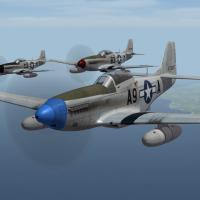
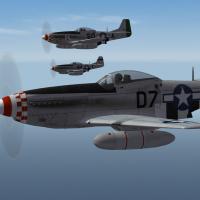
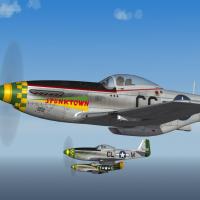
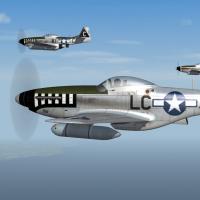
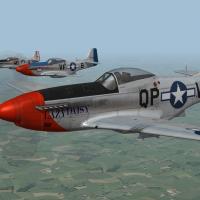
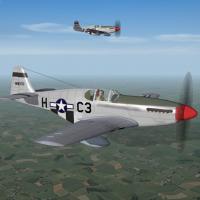
    8. ou must have the P-51D from the Strike Fighters 2 Expansion Pack 1 for these skins to work.
      You will get the following RCAF P-51D Post War Auxiliary Squadrons skins in this package that were used from 1947 to 1960 :
      402 "City of Winnipeg" Early Skin
      402 "City of Winnipeg" Late Skin
      403 "City of Calgary" Late Skin
      420 "City of London" Early Skin
      424 "City of Hamilton" Early Skin 1
      424 "City of Hamilton" Early Skin 2
      442 "City of Vancouver" Early Skin
      443 "City of New Westminster" Late Skin 1
      443 "City of New Westminster" Late Skin 2
      Installation:

      Copy the current pack objects/aircraft folders in your game P-51D aircraft folder.
      Copy the current pack objects/decals folder in your game P-51D decals folder.
      Copy the content of the P-51.ini to the game P-51D aircraft folder and change TextureSet number in consequence.
      RCAF serials and plane numbers are real one's within their respective squadron's. Exception is when lettering is used it's far from relevant :).
      Credits:
      Thirdwire for creating the Strike Fighters series
      Leading Edge website for decals placement references
      Me for the paint work + new skins :)
      Happy flights!
      Mario C.
      Frenchie1977
      66 0
    9. Here is a rehash/ edit of some old RAAF Hornet skins to create a set of skins for the SF2 FA-18C, FA-18A or CF-18 (from NF4) which are all available here at combatACE.
       
      There are two sets of skins for No. 3 Squadron in low and high vis for the SF2 F/A-18A or C or CF-18
       
      Also included is a skin for the new RAAF F/A-18F Super Hornet.
       
      Credit goes to all those that have done an F/A-18 or RAAF skin in the past.
       
       
      INSTILATION INSTRUCTION
       
      Simply drop the files in the correct location specified by the name of the folder they are in.
      260 0
    10. Here's my second set of new skins for Julhelm's A/F-24 Shadowcat. The pack includes five USN skins: VFA-2 Bounty Hunters, VFA-21 Freelancers, VFA-32 Swordsmen, VFA-33 Starfighters and VFA-41 Black Aces, all with CAG and lo-viz markings. You need to download and install the aircraft first to run these skins, it's available here: 
      Credits:
      Julhelm - aircraft and template You can get my previous pack here: 
       
      Read the Knowledge Base to learn how to install this mod. No item included in this mod can be distributed as payware. You can use the contents of this mod in accordance with Combatace Freeware License.
      Chris
      72 2
    11. Romanian Air Force Mig21-MF  Grey scheme repaint by me Russouk2004
      install...
      Copy and paste files to install...yes to overwrite,or just drop folders as per,into proper main folders
      has default pilot...and what not...
      cockpit open via SHFT_0
      Nations ini...
      not sure if this is in it by default...check first..
      if not,add to nations.ini and add number in sequence
      Uses stock Mig-21MF Model By Thirdwire
      Based on Comrads Lancer templates...as are the hangar and load screens IIRC
      Cockpit by Stary I think...its quality so probably is his...lol
      skin by me...
      decals by me.....more might be needed but thats up to you lolz...
      This a\c has own colour tanks,if you want default white,just change the data,and loadout inis.  add via weap editor.
      thats about it...
      fly and bomb stuff.....
       
      97 0
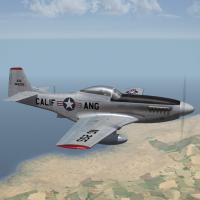
    12. SF2 F-86A Sabre, 1st Fighter group Skin Pack       7/24/2019
      -For SF2, Any and All (Full Merged Recommended)
      This is a NEW skin pack for the F-86A Sabre. It is designed to be used on the F-86A-5 available from SF2 KAW Sabres Pack. The Sabre(s) are to be found at the following URL:
      https://combatace.com/files/file/13604-sf2-korean-war-era-f-86-sabre-pak/
      **Be advised! These are for CONUS based Sabres ONLY!! Do =not= use this set within your KAW mods folder! You are advised to have the aircraft installed into another mods folder for proper year-span & theatre usage.**
      This skin set represents the 3 squadrons of the 1st Fighter Group in 1949 when they received the first operational F-86A Sabres at March AFB, and later based George AFB here in California. In the 1950s, the squadrons were dispersed across the US in the Air Defence role, but that's another story. 
      The squadrons are:
      94th FIS "Hat in the Ring"
      27th FIS "Fighting Eagles"
      71st FIS "The Ironmen"
      The skins are in jpg format, and each have 26 all NEW serial number decals.  On the number list for each squadron (individial aircraft serial) drop down, any serial marked with a star (*) has been positively identified as having served in that squadron. Those marked with a cross/plus sign, (+) have been identified as having been assigned to the 1st FG. Those without any markings are generic F-86A serials. It should be noted, due to a lack of a full squadron roster, some of the serials will be repeated across all three squadrons. This could not be helped. ALL markings are decals, expecially the squadron flashes on the fuselage. Other squadron markings, the tail bands, are painted on for each squadron.
      On the skin selection menu, on the Loadout Page, you'll see:
      94th FIS, 1st FG (49-54)
      27th FIS, 1st FG (49-54)
      71st FIS, 1st FG (49-54)
      As the game tends to order things by number in the aircraft main ini (F-86A.ini), you may want to edit them into the order shown above. The 94th was the first operational unit, followed by the 27th, and lastly the 71st.
      The SF2 "date switch" =IS= active on this skin. It will automatically be chosen as the default skin(s) from 1949. As these units were never deployed outside the Continental US, it is NOT reccomended they be used in your KAW install. 
      As is always reccomended, unzip to a temp folder or your desktop to give easy access to the rest of this readme for the install instructions. For more information on the 1st FG, you are encouraged to look up it's long and distinguished history from World War 1 to the Present Day.
      As an added bonus, a one sheet "expliotation" comic-style jpg is enclosed in the main aircraft folder. It's from one of the Hollywood "newspapers" (read: tabloids) of the time. I stumbled across it, and now share it with you all!! 

      Happy Landings!
      Wrench
      Kevin Stein
      89 0
×
×
  • Create New...

Important Information

By using this site, you agree to our Terms of Use, Privacy Policy, and We have placed cookies on your device to help make this website better. You can adjust your cookie settings, otherwise we'll assume you're okay to continue..