dtmdragon
-
Posts
2,121 -
Joined
-
Last visited
-
Days Won
28
Content Type
Profiles
Forums
Gallery
Downloads
Store
Everything posted by dtmdragon
-
And the answer is...... According to actual F-106 loaders and AIM-4 Maintainers there was no spike on production missiles. Most have never even heard of it. Some recall that it was on the prototype missiles and some early production missiles but were gone by 1964 at the latest. The probe tended to damage and knock off the ceramic nose of the missile. Vague recollection that the probe was called 'sonic boom buster'
-
I've asked the question on a Facebook group with F-106 pilots and maintainers. Contact fuses for the missile are in the leading edges of each of the missile fins. In the game I have given the warhead a proximity fuse of whatever the distance is from the center of the missile to the tip of one of the fins.

-
SF2 Avionics Community Pack - - Beta release v0.5
dtmdragon replied to Eagle114th's topic in Mods & Skinning Discussion
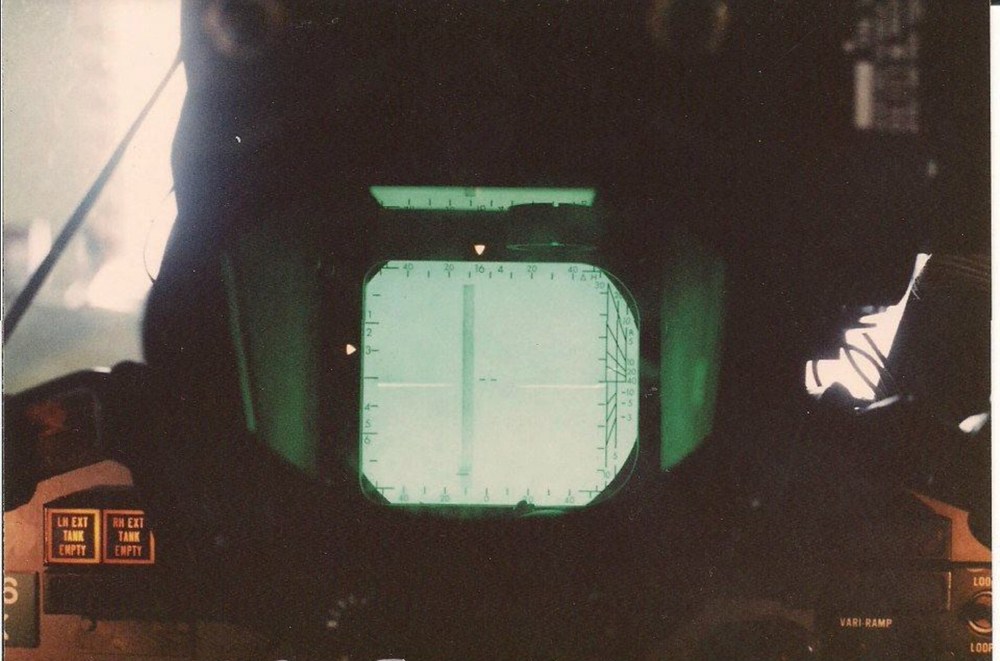
You are right photos of the USN F-4S cockpit and RAF F-4J(UK) show the cockpit and gun sight you are working. It's the F-4M and late F-4K that have the same as the F-4E -
SF2 Avionics Community Pack - - Beta release v0.5
dtmdragon replied to Eagle114th's topic in Mods & Skinning Discussion
Where did you get this information from? I have never heard of it before and all the cockpit photos of RAF Phantoms, USN F-4J/S show the same pilots gunsight, radar scope and gunsight controls as the F-4E. Nothing like the drawings you posted above??? -
Thick brush bristles can do the trick
-
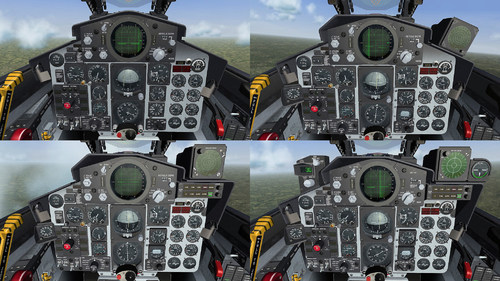 Bringing the game to the next level as always
 -
The Navy Nearly Built A Nuclear Armed “Super Sidewinder” Air-To-Air Missile: https://www.twz.com/air/the-navy-nearly-built-a-nuclear-armed-super-sidewinder-air-to-air-missile

-
One thing to try with the rwr issue is the format you are saving the rwr image as. I can't speak to photoshop or gimp because I use paint.net but I have had an issue where a radar screen image was saved with a parameter changed that made it not show up in the game. Also those with a problem could try bmp or jpeg format to see if one works over the other.
-
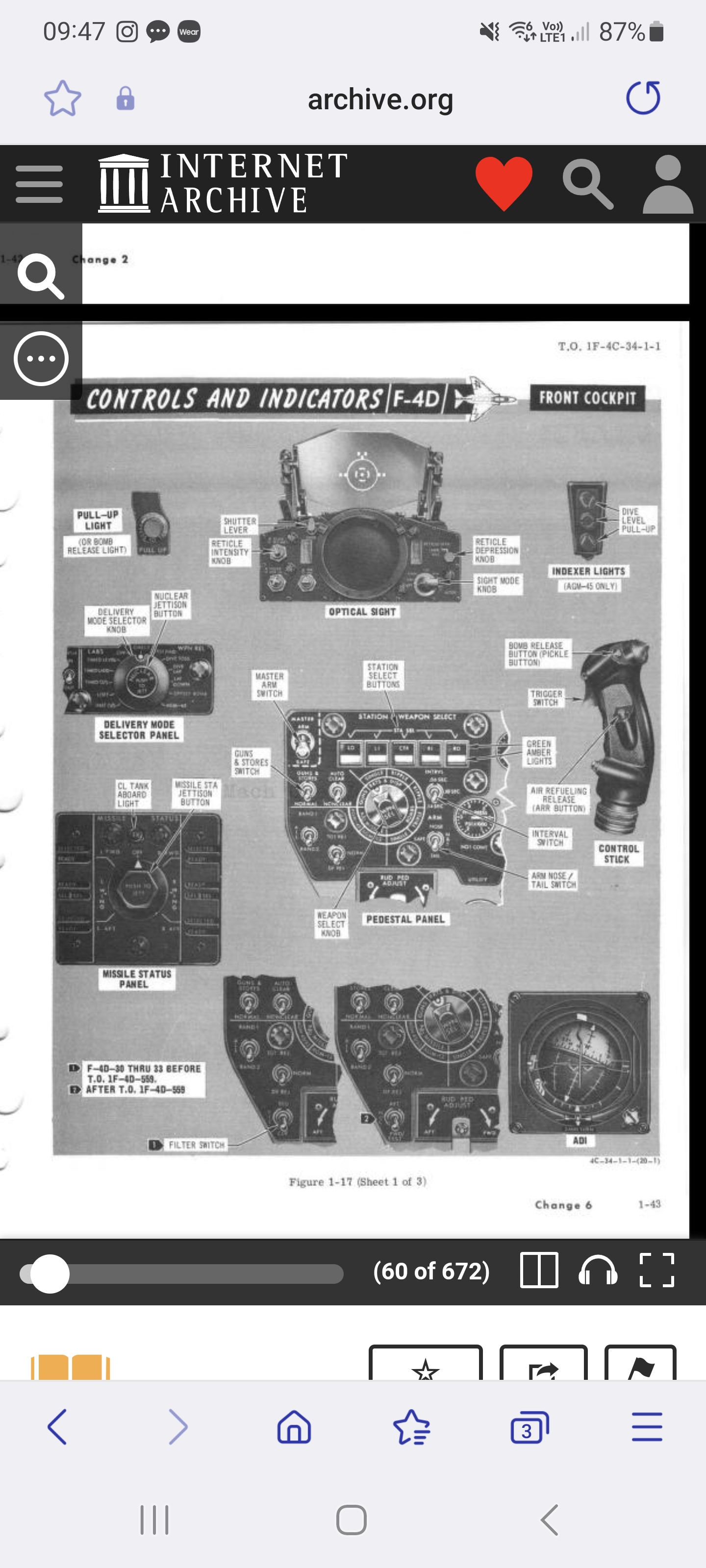
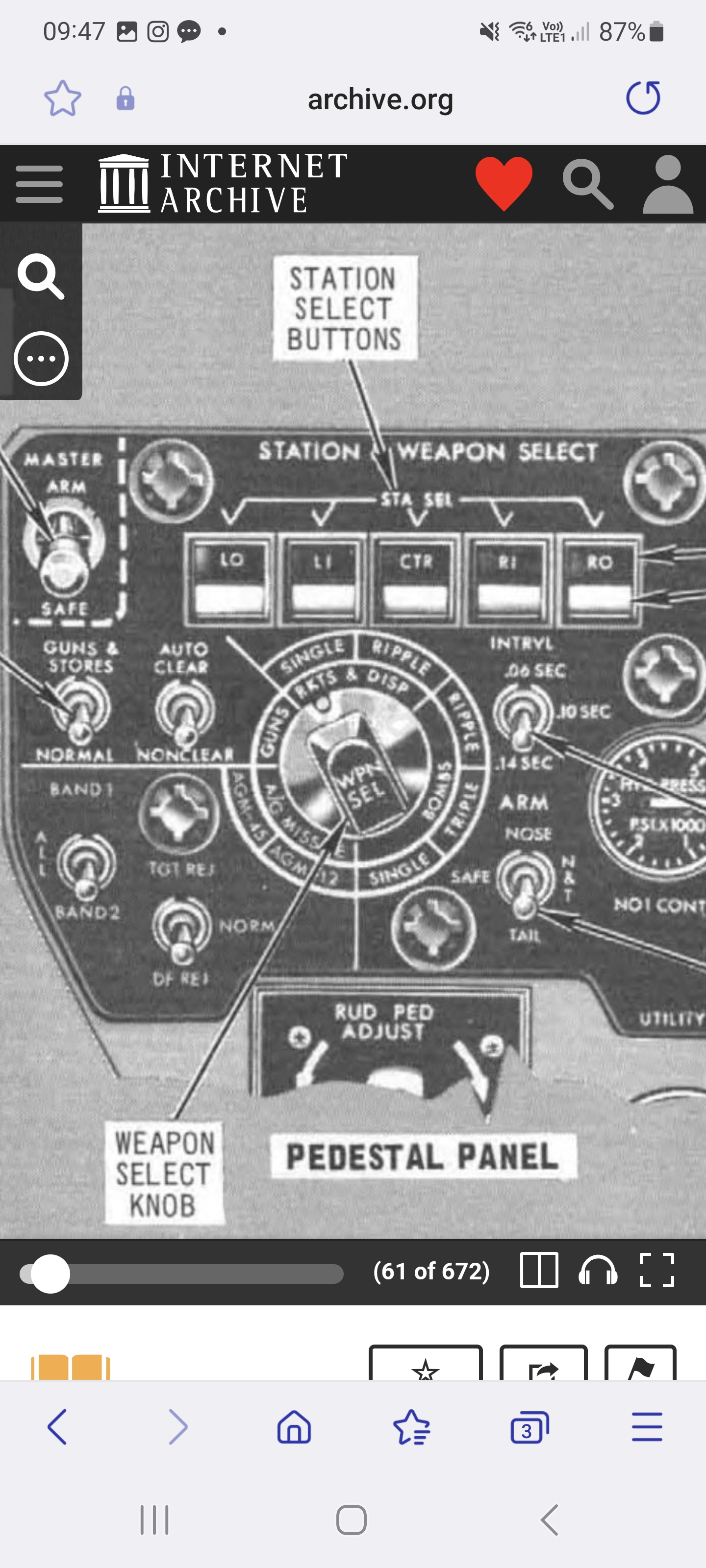
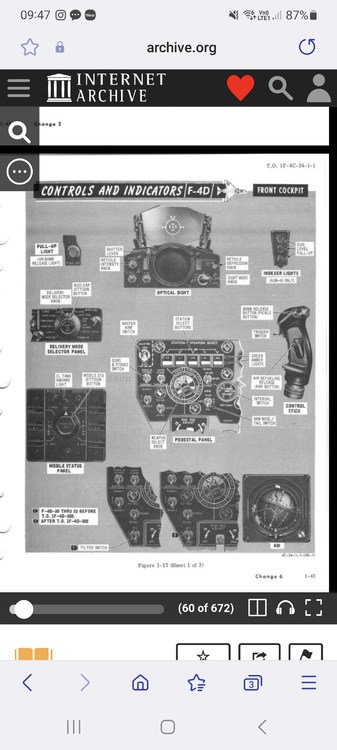
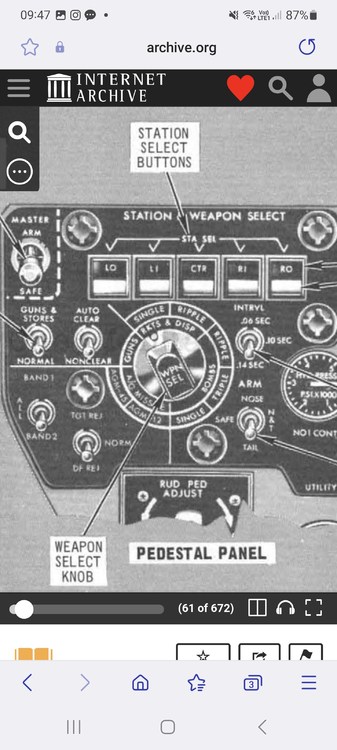
Weapons manual shows ripple quantities of single, pairs and full ripple: From T.O. 1F-4C-34-1-1 "Weapon Selector Knob The weapon selector knob, placarded WPN SEL, is a rotary type switch with eight positions; only seven positions are used. This switch is used to select the type of munitions and method of release. The switch positions are BOMBS-SINGLE, BOMBS-PAIRS, BOMBS-RIPPLE, RKTS & DISP-SINGLE, RKTS & DISP-PAIRS, GAM-83 (AGM-12), and AGM-45. Note..... ....The only automatic mode of intervalometer operation is BOMBS-RIPPLE. In the automatic mode, the bomb button is depressed and held until the bomb release sequence is complete. The manual mode requires that the bomb button be actuated for each release." Interesting the picture in the manual shows bombs: single, triple and ripple not bombs: single, pairs and ripple like in the text of the manual. This could all be after a modification from the early F-4D/E with no ripple selection like you were talking about?
-
@ravenclaw_007 Here is the fix below for F-4D_67 (changes in bold): Also is "RippleQuantity=18" correct with just 18? ///////////////////////////////////////////////////// [Station17LightArmed] Type=inactive NodeName=StationLight17a MovementType=LIGHT ItemNumber=17 [Station18LightArmed] Type=inactive NodeName=StationLight18a MovementType=LIGHT ItemNumber=18 [Station19LightArmed] Type=inactive NodeName=StationLight19a MovementType=LIGHT ItemNumber=19 [Station20LightArmed] Type=inactive NodeName=StationLight20a MovementType=LIGHT ItemNumber=20 /////////////////////////////////////////////// [Station17Light] Type=inactive NodeName=StationLight17 MovementType=LIGHT ItemNumber=17 [Station18Light] Type=inactive NodeName=StationLight18 MovementType=LIGHT ItemNumber=18 [Station19Light] Type=inactive NodeName=StationLight19 MovementType=LIGHT ItemNumber=19 [Station20Light] Type=inactive NodeName=StationLight20 MovementType=LIGHT ItemNumber=20 [StationLight22] Type=WEAPON_STATION_SELECTOR NodeName=StationLight22 MovementType=LIGHT ItemNumber=17 [StationLight22a] Type=WEAPON_QUANTITY Set[01].Position=0.0 Set[01].Value=0.0 Set[02].Position=1.0 Set[02].Value=1.0 NodeName=StationLight22a MovementType=LIGHT ItemNumber=17 [StationLight23] Type=WEAPON_STATION_SELECTOR NodeName=StationLight23 MovementType=LIGHT ItemNumber=20 [StationLight23a] Type=WEAPON_QUANTITY Set[01].Position=0.0 Set[01].Value=0.0 Set[02].Position=1.0 Set[02].Value=1.0 NodeName=StationLight23a MovementType=LIGHT ItemNumber=20 [StationLight24] Type=WEAPON_STATION_SELECTOR NodeName=StationLight24 MovementType=LIGHT ItemNumber=19 [StationLight24a] Type=WEAPON_QUANTITY Set[01].Position=0.0 Set[01].Value=0.0 Set[02].Position=1.0 Set[02].Value=1.0 NodeName=StationLight24a MovementType=LIGHT ItemNumber=19 [StationLight25] Type=WEAPON_STATION_SELECTOR NodeName=StationLight25 MovementType=LIGHT ItemNumber=18 [StationLight25a] Type=WEAPON_QUANTITY Set[01].Position=0.0 Set[01].Value=0.0 Set[02].Position=1.0 Set[02].Value=1.0 NodeName=StationLight25a MovementType=LIGHT ItemNumber=18
-
@ravenclaw_007 great work mate! I have picked up that the missile selected lights for Falcon stations are not lighting up when the falcon missile is selected but the A/G outer and inner pylon selected and armed lights are instead. Looks like just a numbering issue for the missile selected lights but the link from the falcon stations to the A/G outer and inner pylon lights needs to be removed or the nodes made inactive. Sidewinder and Sparrow lights are all working correctly
-
I was going to ask you this in a PM but I thought others might be interested in your answer. For me the almost unlimited 'what if' aspect of SF2 is one of the most attractive things about the game. You @Spinners have to be one of the most prolific 'what if' guys here, so my question to you is; What is your absolute favorite 'what if' mod you have ever done? And what is you absolute favorite 'what if' mod someone else has done? (Screenshots and links too please )
-
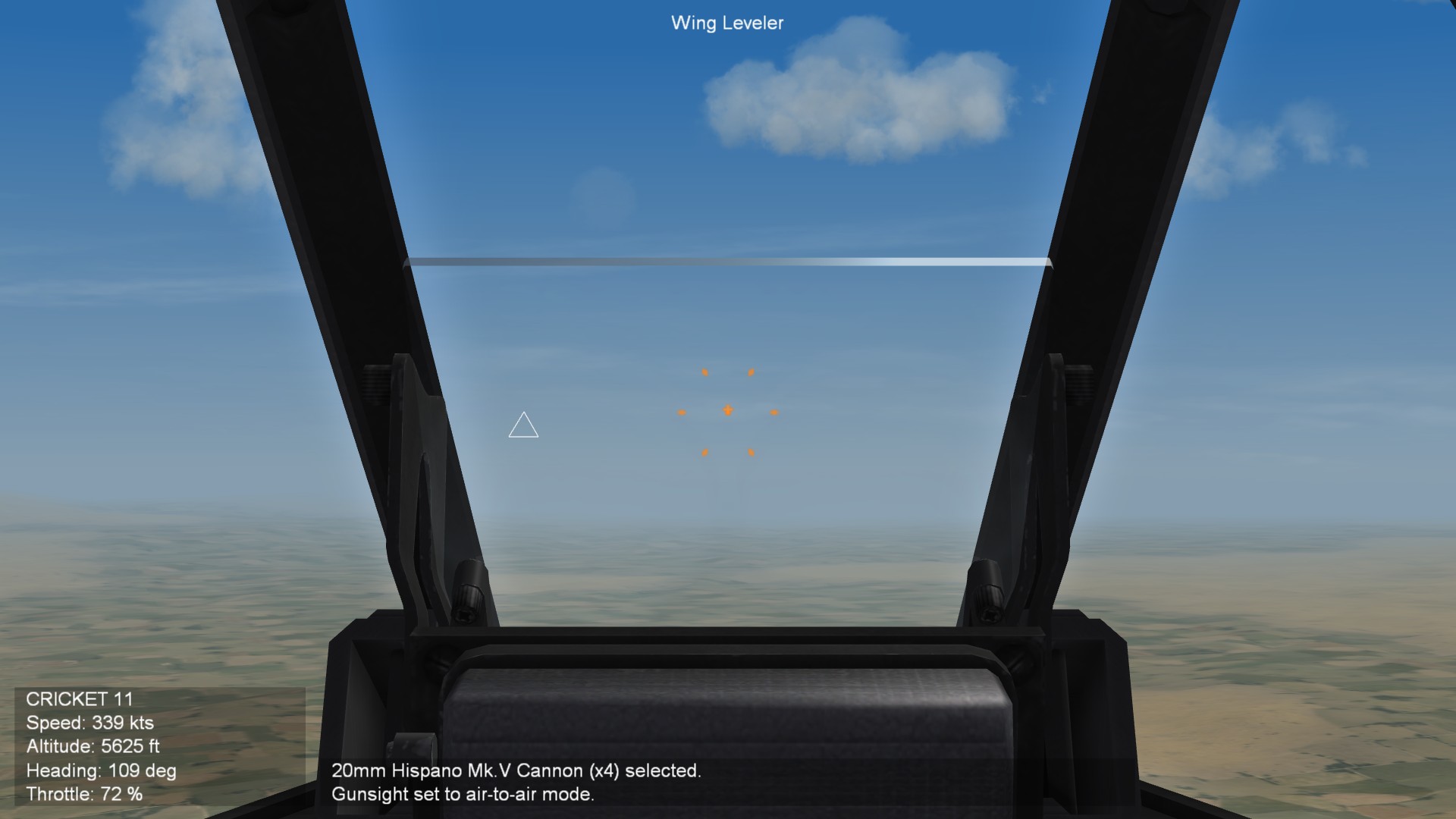
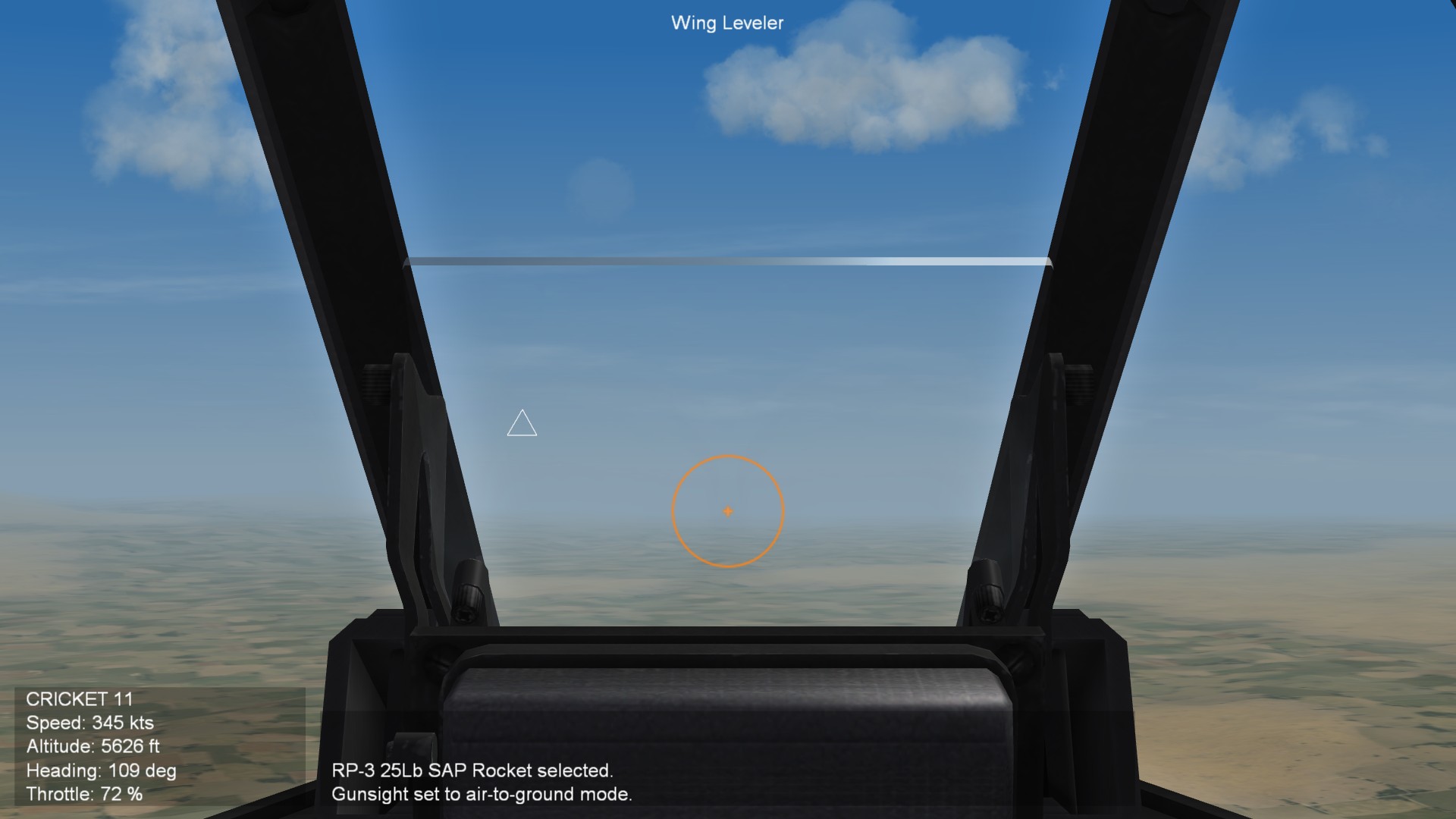
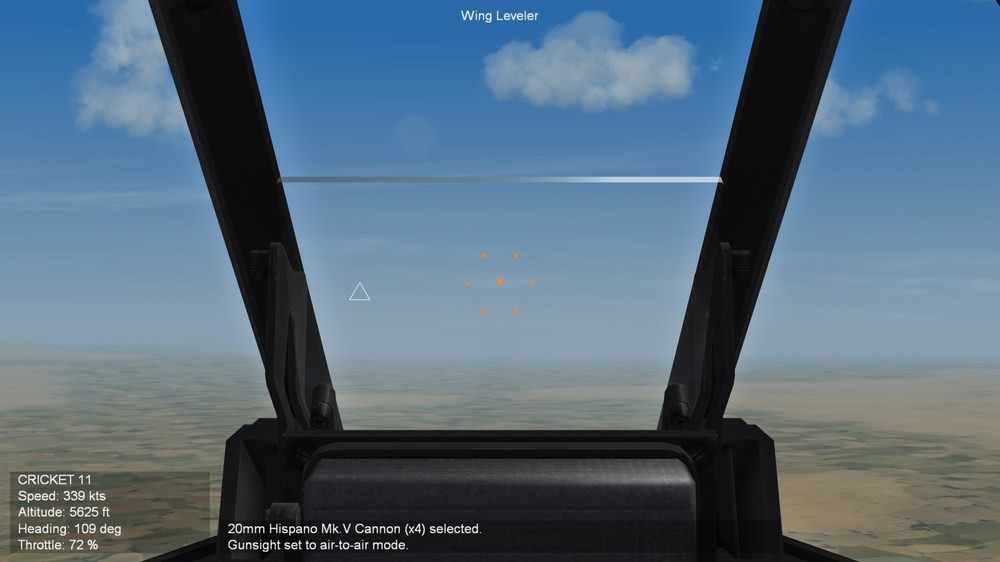
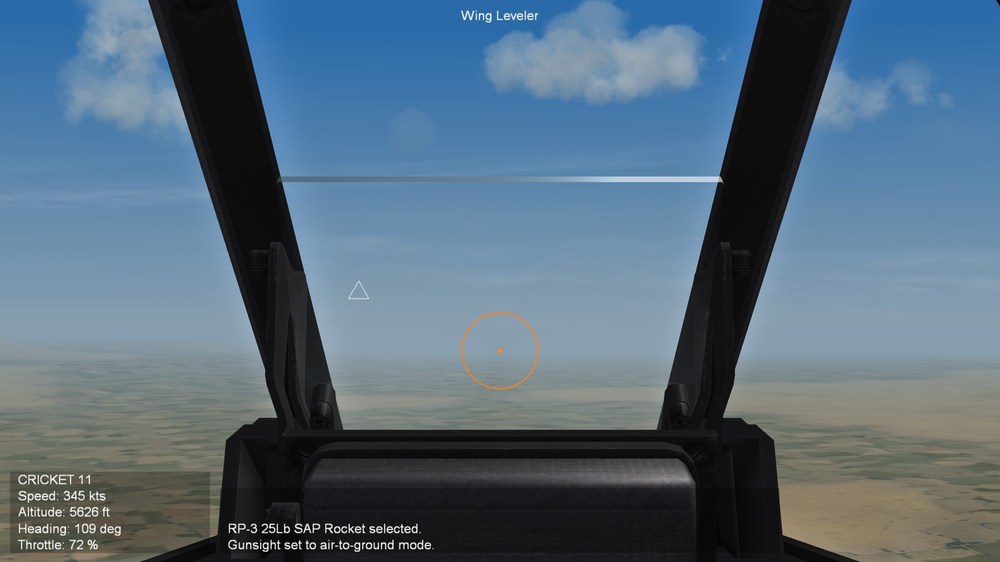
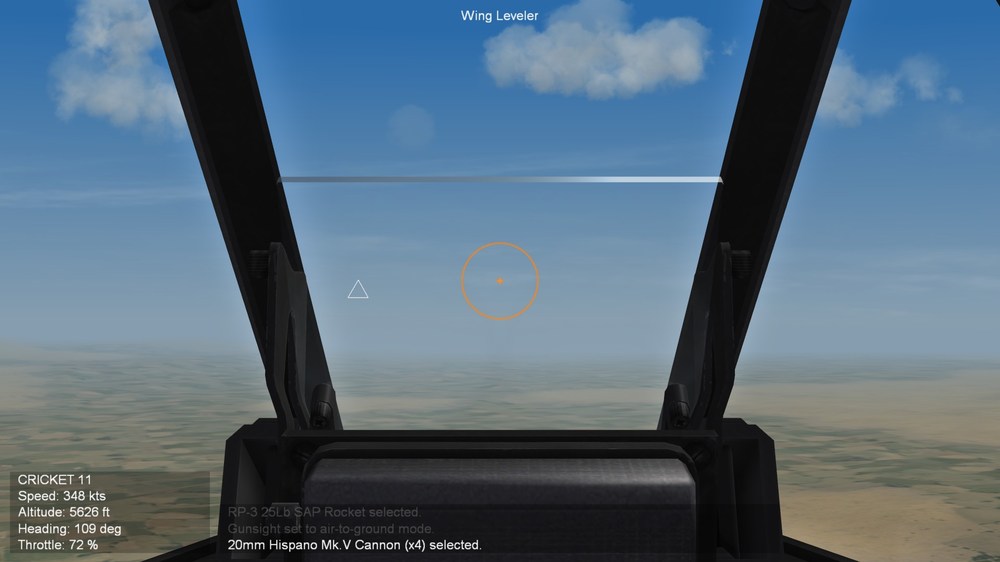
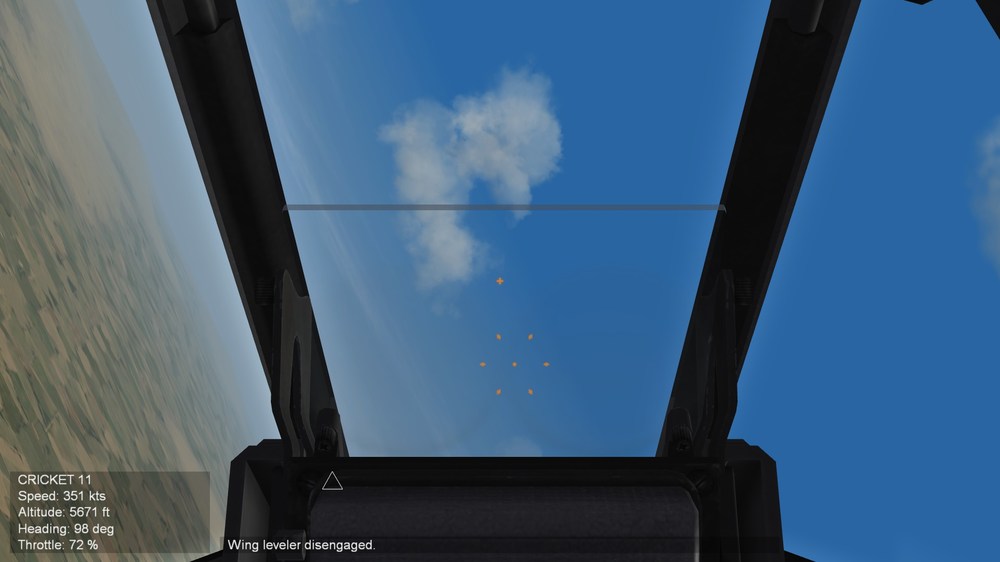
My own work around (no HUD) cockpit.7z [CockpitData] Directory=cockpit HUDMode=CAGED,AA,AG RippleQuantity=1,2,4 RippleInterval=60,100,140 [GunsightFront] HasGunsight=TRUE GunsightMilSize=50 GunsightName=Meteor8_lead.tga AGGunsightName=Meteor8_lead_AG GunsightComputedName=Meteor8_sight.tga LeadComputing=TRUE MinLeadRange=182.88 MaxLeadRange=731.52 DefaultLeadRange=300 MaxDepression=250 DefaultDepression=50 RocketDepression=50 All functions are 100% historically accurate including the boresight cross in the air-to-air mode with the gyro sight enabled. It could be turned off and on by the pilot, he could even have the entire fixed (AG) sight (cross and circle) displayed as well as the gyro sight but most would just have the small cross from the fixed sight showing as well as the gyro sight. This was the same on WWII RAF gyro sights although most did not have the depressable function for the fixed sight at that stage.
-
If your setting up the AG gunsight via the [HUD] eg harrier etc, it can only be as a CCIP not a fixed depressable sight like when it is solely setup via the cockpit.ini eg F-4 etc
-
This should work and would be the easiest
-
Best wishes and hope you are well soon my friend!
-
There is a maximum number of decals per node but I'm not sure what it is. Also there is some weird things when it comes to decals. For instance changing the order of the decals in the decal.ini file can make them suddenly appear when they didn't before. On the standard TW F-8 the BU numbers added to the vertical stab show up fine but on the DLC F-8K they suddenly don't but when I moved them to the front of the decal.ini list they did. Go figure
-
Stunning been waiting on this one since your first F-1!
-
Yes please mate
-
Need some minor modeling assistance
dtmdragon replied to simonmiller416's topic in Mods & Skinning Discussion
That would utterly destroy my FPS! -
SF2 Avionics Community Pack - - Beta release v0.5
dtmdragon replied to Eagle114th's topic in Mods & Skinning Discussion
-
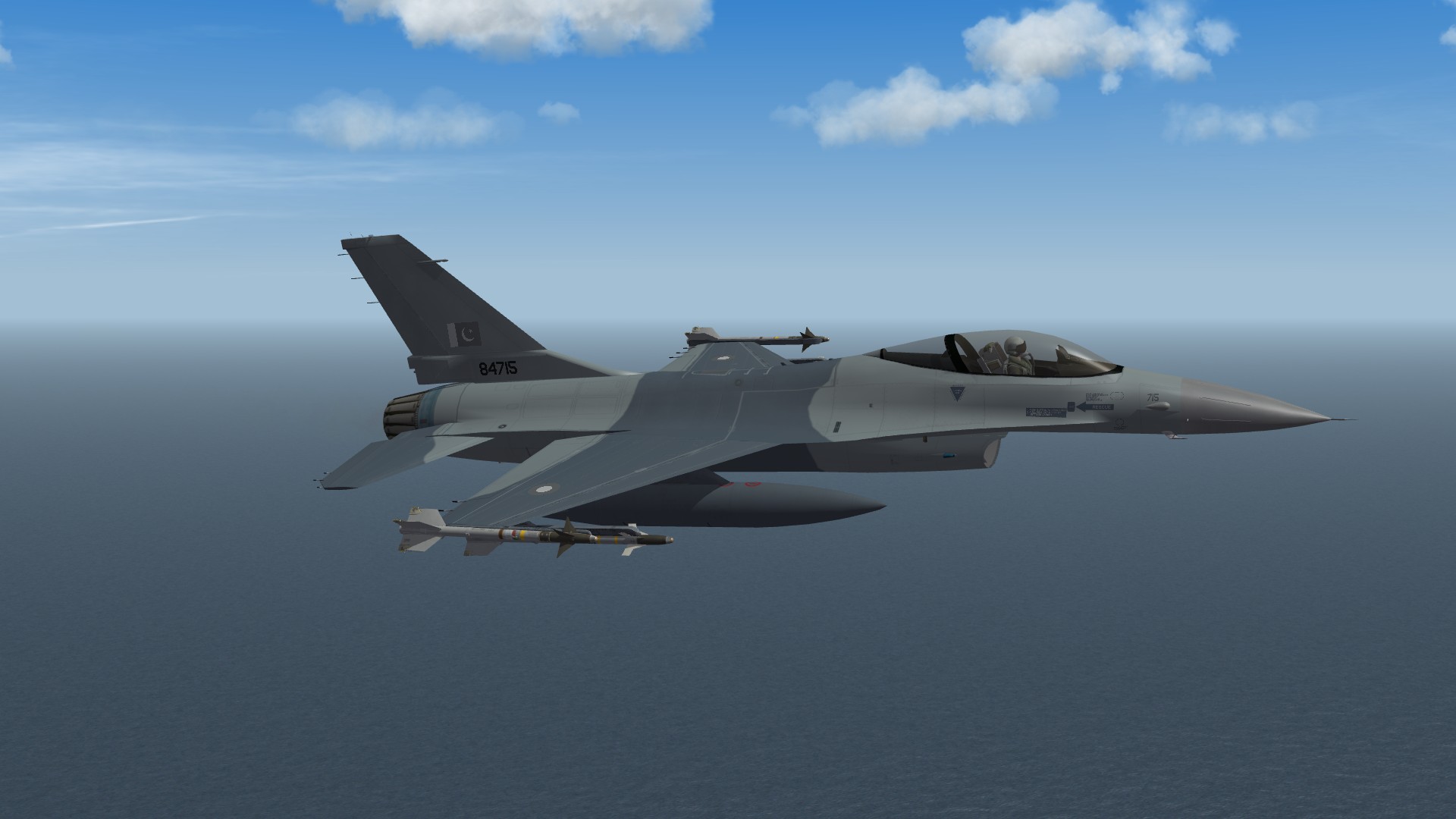
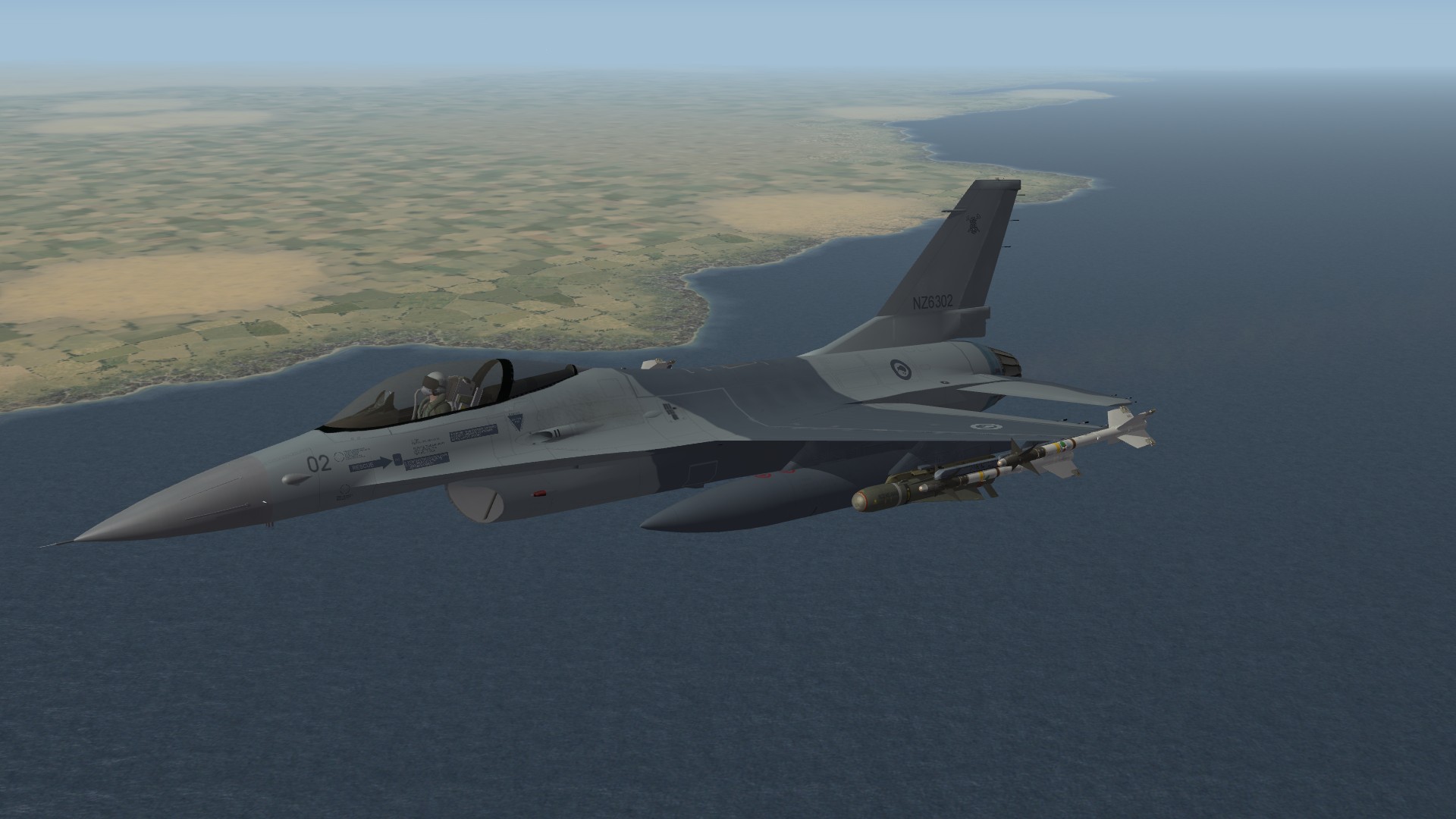
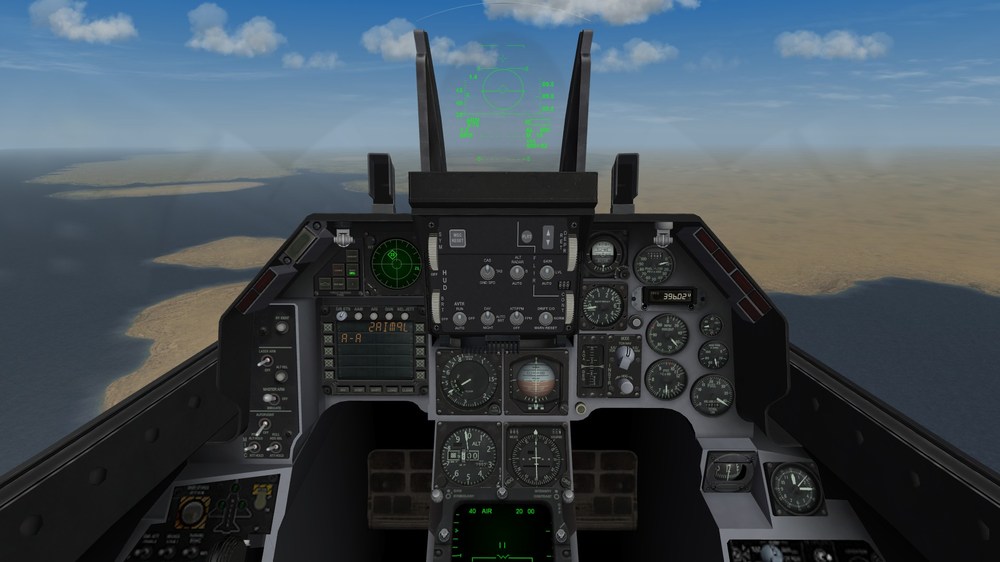
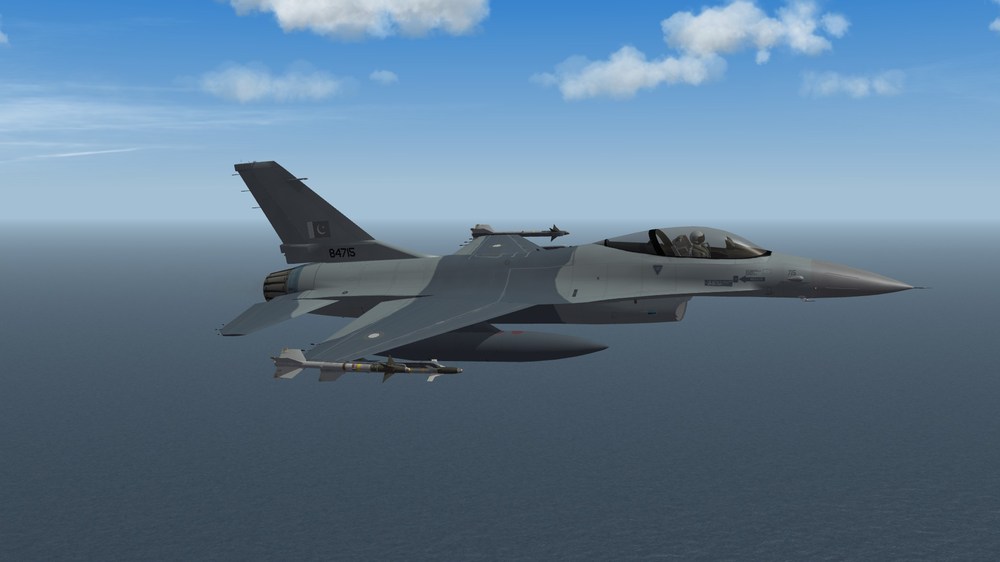
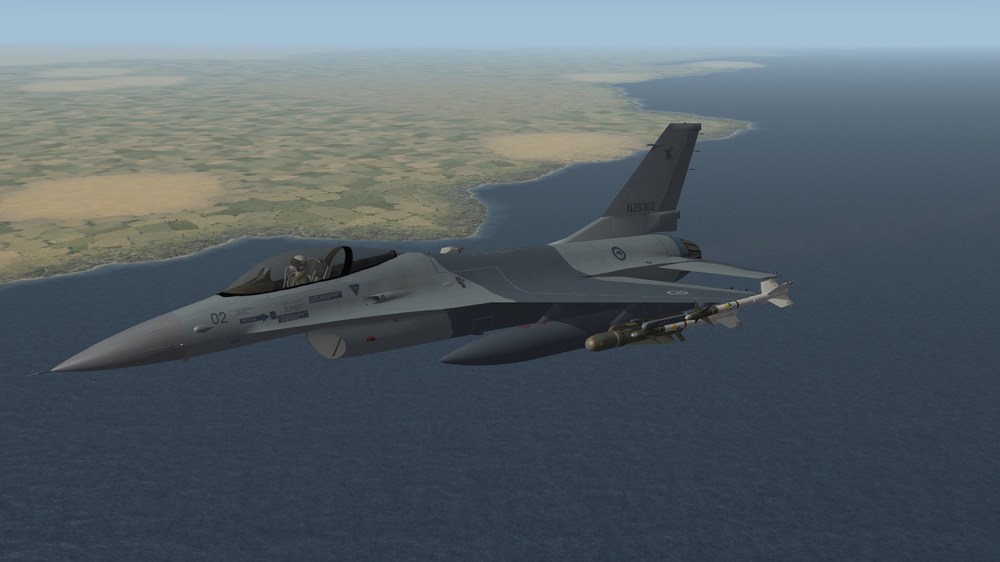
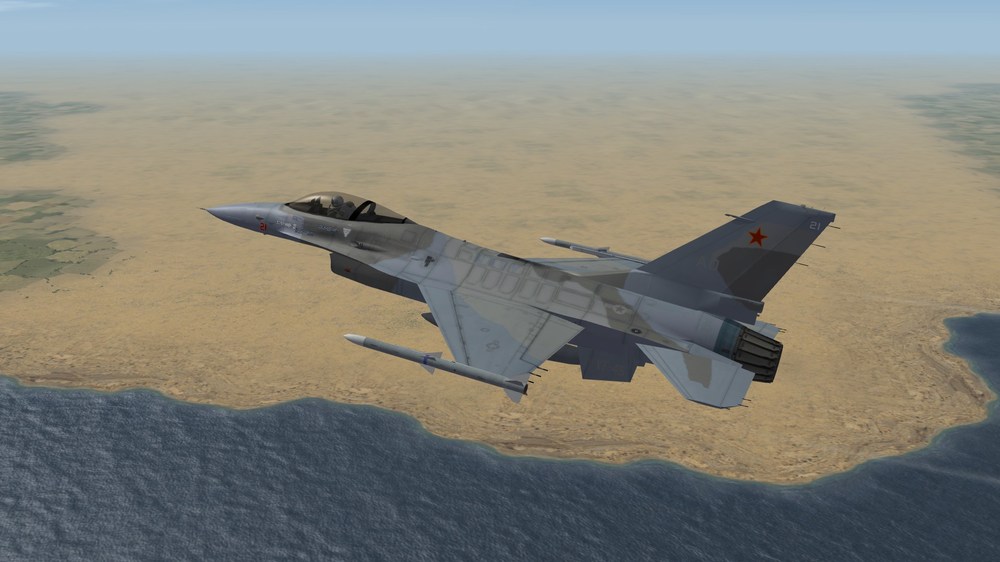
Peace Gate III/IV embargoed Pakistan F-16A Block 15 OCU with late production WAC HUD. Nearly used by New Zealand, operated by the US Navy and ultimately delivered to Pakistan.
-
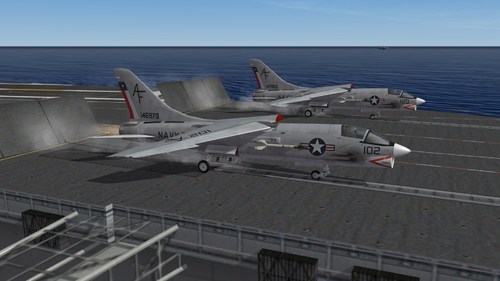
View File F-8K & F-8L Crusader (TW DLC) Third Wire F-8K & F-8L Crusader 1.0 This pack is a TW DLC enhancement. So it's needed to work. Included is the F-8K with data/ avionic/ effect/ sound corrections for accuracy, as well as modification of the Third Wire DLC F-8K Crusader model into the F-8L model Crusader. F-8K - The F-8K is the F-8C airframes rebuilt to extend their service life starting in 1969. It is updated with the same underwing pylons as F-8E, but it did not receive any engine or avionics updates. The F-8K was used mainly by the Marines squadrons in the States and did not see any combat. F-8L - The F-8L is the F-8B airframes rebuilt to extend their service life starting in 1969. It is updated with the same wing as the F-8H as well as the landing gear from the F-8D/ E, but it did not receive any engine or avionics updates. The F-8L was used mainly by the Reserve squadrons in the States and did not see any combat. To install: 1, Unpack and drop into your main mods folder. 2, Override when prompted. Credits: - F-8 DATA & LOADOUT v1.0 update by FANATIC MODDER. - SF2V Air & Ground War Expansion v.2.0 Gold by Eburger68 and team. - Weapons by Ravenclaw_007. CombatAce fair use agreement applies. Enjoy, Dan. Submitter dtmdragon Submitted 10/28/2024 Category F-8
-
Version 1.2
163 downloads
Third Wire F-8K & F-8L Crusader 1.0 This pack is a TW DLC enhancement. So it's needed to work. Included is the F-8K with data/ avionic/ effect/ sound corrections for accuracy, as well as modification of the Third Wire DLC F-8K Crusader model into the F-8L model Crusader. F-8K - The F-8K is the F-8C airframes rebuilt to extend their service life starting in 1969. It is updated with the same underwing pylons as F-8E, but it did not receive any engine or avionics updates. The F-8K was used mainly by the Marines squadrons in the States and did not see any combat. F-8L - The F-8L is the F-8B airframes rebuilt to extend their service life starting in 1969. It is updated with the same wing as the F-8H as well as the landing gear from the F-8D/ E, but it did not receive any engine or avionics updates. The F-8L was used mainly by the Reserve squadrons in the States and did not see any combat. To install: 1, Unpack and drop into your main mods folder. 2, Override when prompted. Credits: - F-8 DATA & LOADOUT v1.0 update by FANATIC MODDER. - SF2V Air & Ground War Expansion v.2.0 Gold by Eburger68 and team. - Weapons by Ravenclaw_007. CombatAce fair use agreement applies. Enjoy, Dan.