
Viper63a
-
Posts
1,584 -
Joined
-
Last visited
Content Type
Profiles
Forums
Gallery
Downloads
Store
Everything posted by Viper63a
-
.thumb.JPG.0e2716369899f1ebef34181fff1d4deb.JPG)
Version 3.7
443 downloads
SF2 F-16 Fighting Falcon ODS30 Squadrons ------------------------------------------------------------- This pack contains the stand-alone version of the F-16 Fighting Falcon aircrafts from "Operation Desert Storm: 30th Anniversary". This mod contains accurate ODS livery, nose art and serial numbers from ODS. This is just a sample of what you will find in the expansive "Operation Desert Storm: 30th Anniversary" pack. If you like this mod and want (much much) more! Please check out the "Operation Desert Storm: 30th Anniversary" mod here.... https://combatace.com/files/file/17521-operation-desert-storm-30th-anniversary-edition/ !! DO NOT INSTALL THIS MOD into the "Operation Desert Storm: 30th Anniversary" pack. That pack already has these aircrafts, customized for the ODS30 theater! * Sources: https://dstorm.eu/pages/en/usa/f-16.html http://www.f-16.net/units_airforce183.html * Included Jets: F-16A Falcon Block 10 F-16C Falcon Block 25 F-16C Falcon Block 30 F-16C Falcon Block 40 --------------------- Installation... --------------------- 1) Copy the contents of the "To_Mod_Folder" folder into your mod folder and over-write if required. 2) Update your "...\Flight\SOUNDLIST.INI" with the contents of the "Add F16 SoundList.txt". Please don't forget to maintain the number sequence in the sound list. 3) Check, ensure (or update) all the squadrons in this pack is in your "SQUADRONLIST.INI" file. Once you look at that file, you will know what to do. * Please note that some squadrons may have multiple CO planes, this is not a mistake. Rather than just picking one CO, I am respresenting all the COs for that squardon during the period. So both COs could pop up in given scenario. I rather have them than cut them so...it's only a game... * Tweaked and Tested by the ODS30 team! * Mod Direction and Optimization - Menrva * Additional Data and Weapons improvements - Yakarov79\Viper63a. * Additional Sound tweaks and updates - Guuruu. * Accurate Skins and Decals - Viper63a\Coupi Thanks and Enjoy! =Viper63a= ------------------------------------------------------------- ------------------------------------------------------------- Previous versions....This mod is a ODS specific subset of these other mods... Original Mod Packs... * F-16C Blk25/30 By the Viper Team. Pit by ravenclaw. (A master piece and you haven't seen nuttin' yet.) Models by bpao, modified highly by Jat and ravenclaw. (You guys are one hell of a team) Skins templates by Migbuster (Went back and made even higher res skins...because he could) MFD panel glass by Stary (Did you know he does terrains and clouds too?) Units skins by Dave and Jat (I think Jat did like 4 and I did the other 70 or so) lol Weapons by ravenclaw and GrinchWSLG (Masters of disaster) Technical adviser, Sony Tuckson (If we got it wrong he cracked the whip!) Avionics by Jat and Crusader (You cant get anything past Crusader, the best MK1 eyeball in SF) * F-16C Blk40/42 Series By the Viper Team. Pack Includes: F-16C Block 40/42 Turkish Blk 40's Block 40/42 Cupid mods Pit by ravenclaw. (Somebody stop him!) Models by bpao, modified highly by Jat and ravenclaw. (You guys are one hell of a team) Skins templates by Migbuster (Went back and made even higher res skins...because he could) Skins: use of JanHas's F4 skins Turkish skins by Pureblue Greek pattern by EricJ Pilots: Base from Florian mod by JAT Loading Screens by ST0RM MFD panel glass by Stary (Did you know he does terrains and clouds too?) Units skins by Jat, Pureblue, Dave and EricJ Weapons by ravenclaw and GrinchWSLG (Masters of disaster) Technical adviser, Sony Tuckson (If we got it wrong he cracked the whip!) Avionics by Jat and Crusader (You cant get anything past Crusader, the best MK1 eyeball in SF) Brain32, for FM, Avionics work. (He found that Mach 1 is FAST.) Crash test Dummy, Dave (Thank god he doesn't have a usable brain) CrazyhorseB34, ini work (and the other dummy) ------------------------------------------------------------- * Please see the "~Original Readme" folder for original credits and previous contributors. All credit goes to those who came before me. Without them, this pack would not be possible. ------------------------------------------------------------- -
.thumb.JPG.71015e395112d03703b56312bbca4b37.JPG)
Version 4.3
574 downloads
SF2 F-15C\D\E Eagle ODS30 Squadrons ------------------------------------------------------------- This pack contains the stand-alone version of the F-15C\D\E Eagle aircrafts from "Operation Desert Storm: 30th Anniversary". This mod contains accurate ODS livery, nose art and serial numbers from ODS. This is just a sample of what you will find in the expansive "Operation Desert Storm: 30th Anniversary" pack. If you like this mod and want (much much) more! Please check out the "Operation Desert Storm: 30th Anniversary" mod here... https://combatace.com/files/file/17521-operation-desert-storm-30th-anniversary-edition/ !! DO NOT INSTALL THIS MOD into the "Operation Desert Storm: 30th Anniversary" pack. That pack already has these aircrafts, customized for the ODS30 theater! * Source: https://dstorm.eu/pages/en/usa/f-15.html * Included Jets: F-15C Eagle F-15D Eagle F-15E Strike Eagle --------------------- Installation... --------------------- 1) Copy the contents of the "To_Mod_Folder" folder into your mod folder and over-write if required. 2) Update your "...\Flight\SOUNDLIST.INI" with the contents of the "Add F15 SoundList.txt". Please don't forget to maintain the number sequence in the sound list. 3) Check, ensure (or update) all the squadrons in this pack is in your "SQUADRONLIST.INI" file. Once you look at that file, you will know what to do. * Please note that some squadrons may have multiple CO planes, this is not a mistake. Rather than just picking one CO, I am representing all the COs for that squardon during the period. So both COs could pop up in given scenario. I rather have them than cut them so...it's only a game... * Tweaked and Tested by the ODS30 team! * Mod Direction and Optimization - Menrva * Additional Data and Weapons improvements - Yakarov79. * Additional Sound tweaks and updates - Guuruu. * Accurate Skins and Decals - Viper63a Thanks and Enjoy! =Viper63a= ------------------------------------------------------------- ------------------------------------------------------------- Previous versions....This mod is a ODS specific subset of these other mods... Updated Mod Pack: SF2 F-15 Eagle Super Pack Redux 2020 & F-15 Strike Eagle Super Pack Redux 2018 - The Mudhen Team (Viper63a, Spudknocker, Fanatic Modder, RavenClaw_007, JAT81500, Hi Ho Silvers) Original Mod Packs: FastCargo's Eagle Pack... Thanks to the following folks: TK - For the ThirdWire series of sims. The Mirage Factory - For the nice F-15D MSIP aircraft...in particular Flying Toaster, wpnssgt, and Dave for making the F-15 MAX files available for me to play with. Kei Nagase - For the awesome skins for the F-15 ACTIVE. AleDucat - For the nice ACES II ejection seat models. Deuces - For the F-15 Afterburner and weapon effects. Diego - For the Modern USAF Pilot skins. Fubar512 - For the FM work. JimmyBib - For the F-15C cockpit flight control textures. MoonJumper - Avionics work. Sundowner - Textures. USAFMTL/Dave - Decals. Wpnssgt - Models, Textures. Kesselburt - Original F-15C cockpit. Kout - Loading and Hanger Screens. Kct - Textures and decals for the F-15SG. Brain32 - Improved/new textures for F-15C cockpit. Mago - F-15E Cockpit. 331KillerBee - SF2 Weapons Pack (basis for some of the weapons included). Lexx Luthor - Siberian Sky Experimental 3-D Rocket Exhaust JAT81500 - F-15E Cockpit avionics and HUD work and new Sniper Pod skin. To my fellows at Combatace for helping me beta test and work out bugs. Any errors or mistakes are entirely mine. ------------------------------------------------------------- * Please see the "~Original Readme" folder for original credits and previous contributors. All credit goes to those who came before me. Without them, this pack would not be possible. ------------------------------------------------------------- ------------------------------------------------------------- -

.thumb.JPG.6e16b59bcda40bdde965ba1514aa6012.JPG)
Version 3.7
332 downloads
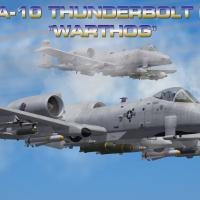
SF2 O\A-10A Thunderbolt II ODS30 Squadrons (Spectre Edition) ------------------------------------------------------------- This pack contains the stand-alone version of the O\A-10A Thunderbolt II aircrafts from "Operation Desert Storm: 30th Anniversary". This mod contains accurate ODS livery, nose art and serial numbers from ODS. This is just a sample of what you will find in the expansive "Operation Desert Storm: 30th Anniversary" pack. If you like this mod and want (much much) more! Please check out the "Operation Desert Storm: 30th Anniversary" mod here... https://combatace.com/files/file/17521-operation-desert-storm-30th-anniversary-edition/ !! DO NOT INSTALL THIS MOD into the "Operation Desert Storm: 30th Anniversary" pack. That pack already has these aircrafts, customized for the ODS30 theater! * Source: https://www.dstorm.eu/pages/en/usa/a-10.html * Included Jets: A-10A Thunderbolt II OA-10A Thunderbolt II --------------------- Installation... --------------------- 1) Copy the contents of the "To_Mod_Folder" folder into your mod folder and over-write if required. 2) Update your "...\Flight\SOUNDLIST.INI" with the contents of the "Add A-10 SoundList.txt". Please don't forget to maintain the number sequence in the sound list. 3) Check, ensure (or update) all the squadrons in this pack is in your "SQUADRONLIST.INI" file. Once you look at that file, you will know what to do. * Please note that some squadrons may have multiple CO planes, this is not a mistake. Rather than just picking one CO, I am respresenting all the COs for that squardon during the period. So both COs could pop up in given scenario. I rather have them than cut them so...it's only a game... * Tweaked and Tested by the ODS30 team! * Mod Direction and Optimization - Menrva * Additional Data and Weapons improvements - Yakarov79. * Additional Sound tweaks and updates - Guuruu. * Accurate Skins and Decals - Viper63a Thanks and Enjoy! =Viper63a= ------------------------------------------------------------- ------------------------------------------------------------- Previous versions....This mod is a ODS specific subset of these other mods... Version 1.5 Full Update Package A-10A and C Thunderbolt II "Warthog" Pack... CREDIT: Model: Wpnssgt - Original model and post v3.0 3D Modifications. Spectre8750 - 3D Modifications Russouk2004 - 3D Modifications Sundowner - Skin Template, Skins. Spectre8750 - Skins, Decals. A-10 Aces II Seat - Ravenclaw_007. Diego - USAF Pilot Cockpits: Kesselbrut Spectre8750 Weapons: 331Killerbee Bunyap EricJ Ravenclaw_007 Rusty_hawk Wpnssgt Spectre8750 Sounds: Spectre8750 Effects: Ejection Seat system - Stary. Tracer Smoke Emitter - Stary. 30mm GAU-8\A Effect - Deuces. ------------------------------------------------------------- * Please see the "~Original Readme" folder for original credits and previous contributors. All credit goes to those who came before me. Without them, this pack would not be possible. ------------------------------------------------------------- ------------------------------------------------------------- -
Version 3.0
196 downloads
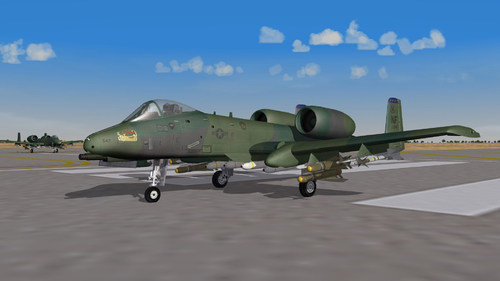
SF2 A-10A (TW Stock Version) with Authentic ODS Livery and Serials By Viper63a This pack contains all A-10As serving in Operation Desert Storm with authentic serial numbers. Nose art and other details are my best effort, so it may be off - but it's damn close. When we started the ODS 30 project, we wanted to use the stock A-10A Thunderbolts. As I finished the stock A-10A, we decided to switch to Spectre's A-10As...So, the stock A-10A mod was scrapped. Alot of work into this stock version, so I decided to release it as is... ~~DO NOT INSTALL THIS MOD INTO ODS 3.0. THAT PACKAGE COMES WITH A VERSION OF A-10A DESIGNED AND CONFIGURED FOR THE ODS PACKAGE! Source: https://www.dstorm.eu/pages/en/usa/a-10.html --------------------- Installation... --------------------- 1) Copy the contents of the "To_Mod_Folder" folder into your mod folder and over-write if required. 2) Update your "...\Flight\SOUNDLIST.INI" with the contents of the "Add A-10 SoundList.txt". Please don't forget to maintain the number sequence in the sound list. 3) Check, ensure (or update) all the squadrons in this pack is in your "SQUADRONLIST.INI" file. Once you look at that file, you will know what to do. * Please note that some squadrons have multiple CO planes, this is not a mistake. Rather than just picking one CO, I am representing all the COs for that squadron during the period. I may be off on this, so let me know if I have to correct something. Thanks and Enjoy! =Viper63a= Edit: Fixed some typos in the details and this pop back up to the top...Sorry about that...nothing new...just a typo fix..LOL... -
Falcon 4 BMS 4.35 Update 2 released
Viper63a replied to MigBuster's topic in General Flight Sim News
Thanks! I get my BMS news here... -
-
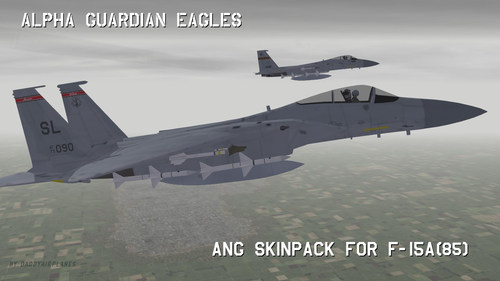
Alpha Guardian Eagles: ANG Skinpack for F-15A(85)
Viper63a commented on daddyairplanes's file in F-15
-
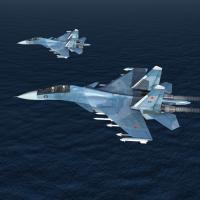 Daddyairplanes gave me a clue and this should be fixed in v1.1 06/12/2021... I already had FakePilot from another mod, so I never saw the issue... You can download the mod or just the FakePilot, Uncompress and put it in your "\Objects\Pilots" folder... Thanks!
 -
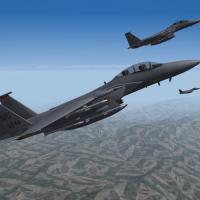 Uploaded - Fixes for issues reported by MGGUY. Thanks! ------------------------------------------ * Version 1.2 - 2021\05\25 - ~ Full v1.2 Mod has the patch (below) plus some other minor cosmetic changes. ~ If you want to just patch the previous v1.1, you just need the patch for v1.1. =v=
 -
The Mudhen Team thanks you! I verified the issue and will attach a patch for the mod.
-
Hi Doctor, Sorry, been busy...I saw your post. So sorry about the TV Scope... Try this... In the "\Objects\Aircraft\F-117A\F-117A_COCKPIT.INI" file, find this section and add the last line...let me know... ... [IRADS_Screen] Type=TV_SCOPE NodeName=IRADS_Screen MovementType=LIGHT ... =V=
-
 There should a "Thumbs Up" Emoticon... :)
 -
Man I lost months and years in USNF and ATF. Wrench was doing mods for it 20 years ago and that is how we met. Don't forget about USAF! LOL. I was doing mods for that until I couldn't run it anymore...was that in XP or 7? But, I did manage to make a menu screen for SF2 with the bits of images I still had in my archives... Good times... :)
-
The old USNF format! I love it! :)
-
SF2V Air & Ground War Expansion Pack v2.0 Gold - Part 1
Viper63a commented on eburger68's file in User Made Campaigns
 Same question here...did something change?
 -
 Does for me...I tried his config, but with my wav file...maybe it's the wav file? GAU8.WAV
 -
Try This... GAU8.WAV
-
Ok, its not the "SoundList.ini", the WAV file, or the A-10 Package. It's something else in your mod folder...sorry.
- 54 comments
-
- 1
-

-
- a-10
- a-10 thunderbolt ii
- (and 5 more)
-
Ok, this is the default "SoundList.ini" with only the A-10 sound mods added...rename yours and test this one...this is just to test to see if you have anything else wrong with your mod. SOUNDLIST.INI
-
ok, you can't use the "SoundList.ini" that came with the package? Edit: Nevermind, I see the sounds at the bottom...
-
Here have you my file: SOUNDLIST.INI Big thanks to you to take time to watch this. I feel like a fool to not slove this problem. Sorry, I meant the actual "SoundList.ini" you were trying to get to work, not the test one...
-
Attached the "SoundList.ini" file you are using here...Let me take a look...
-
LOL...I am pretty sure its in the "SoundList.ini" file. Like I said, get the basic\default "SoundList.ini"...just add the A-10 sounds and test...least you will know its in the "SoundList.ini" if that works...Thats was I did.