

Viper63a
-
Posts
1,584 -
Joined
-
Last visited
Content Type
Profiles
Forums
Gallery
Downloads
Store
Everything posted by Viper63a
-

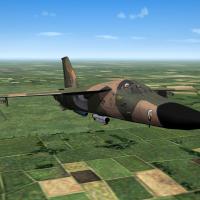
Version Version 14
425 downloads
SF2 F-111E Aardvarks USAF/E RAF Upper Heyford 20th TFW. The 55th, 77th and 79th TFS! By Viper with INIs by Fanatic Modder ------------------------------------------------------------- This mod was intended as an update to FastCargo's Super Vark Package (See link below), but it can be a standalone mod if you just want the USAF F-111s included in this pack. If you want to install both packs, FastCargo's pack must be installed first as that is the older pack. You can get FastCargo's pack here... http://combatace.com/files/file/10425-f-111-super-vark-pack-version-24/ ------------------------------------------------------------- What's included in this mod pack? ------------------------------------------------------------- * F-111E Aardvarks from USAF/E RAF Upper Heyford 20th TFW. The 55th, 77th and 79th TFS! http://combatace.com/files/file/15514-sf2-updated-f-111e-aardvarks-usafe-raf-upper-heyford-20th-tfw-the-55th-77th-and-79th-tfs/ ------------------------------------------------------------- Installation: ------------------------------------------------------------- I recommend that you back up your mod folder (or just the Effects, \Objects\Aircraft\F-111E, and \Objects\Decals\F-111E folders). I just make a copy the mod folder, try the mod, if I like it, I delete the backup. If I don't, I delete the new/updated mod folder and rename the old backup/copy back to the original names to reset to my original setup. * To install, simply unzip and copy the contents of the "To_Mod_Folder" folder (the uncompressed "Effects and Objects" folders only) to your StrikeFighter2 mod folder and Overwrite. My StrikeFighter2 mod on Win97 64-bit was..(yours may be different)... C:\Users\<your_id>\Saved Games\Thirdwire\StrikeFighter2 Europe\ Note: You should be able to install this mod into any SF2 series, it doesn't have to be StrikeFighter2 Europe. * To remove, simply delete the active "Effects and Objects" folders and replace with the back up copies you made prior to the install. ------------------------------------------------------------- Add F111 SoundList ------------------------------------------------------------- Lastly, Read the "Add F111 SoundList.txt" readme file on updating your your "Flight\SoundList.ini" file with the custiom F-111 sound files included in this pack. ------------------------------------------------------------- Thats it - Enjoy! Please report any bugs or issues via the "Support Topic" link... =Viper= ------------------------------------------------------------- ------------------------------------------------------------- Credits: ------------------------------------------------------------- ------------------------------------------------------------- If you're interested in some of the mods I referenced/used in my mod (can't say it's mine really, my contribution?)...here they are! Excellent mods all! * FastCargo's Super Vark package 2.4 (SF2) http://combatace.com/files/file/10425-f-111-super-vark-pack-version-24/ * Slick Cowboy's F-111_improvedskinpack 2.0 (SF2) http://combatace.com/files/file/14798-f-111-improvedskinpack/ * Dave's EF-111A Version 2.0 (SF1) http://combatace.com/topic/36438-ef-111a-version-20/ * LeL's F-111 TAC Pack (SF1) http://combatace.com/topic/80711-f-111-tac-pack/ * Spinners [Fictional] General Dynamics F-111A 'Early TAC' Version 1 http://combatace.com/files/file/14574-fictional-general-dynamics-f-111a-early-tac/ * Hi Ho Silver - The Afterburner Mod v.1 (SF1/SF2) http://combatace.com/files/file/15143-the-afterburner-mod/ * Florian - "AmokFloo" - Western Style Pilot Models (SF1/SF2) http://combatace.com/files/file/6693-western-style-pilot-models/ F-111D Additions! Ravenclaw for the weapon models. dtmdragon the avionics, cockpit repaint, loadout.ini, what if AIM-7G, data.ini overhaul and repackaging with the updated skins. FANATIC MODDER and LeL helped with the data/loadout.ini information and testing. Thank you all for your contributions!! -
Thanks LeL!!!! Appreciate your work as well!!! Hi Stephen, I guess I have some work to do! Will work on a RAF UH Pack! Appreciate the info!!! If I remember correctly, there was an A-10 group in the area too - were they in Bentwaters? =Viper=
-
View File Strikefighters2 Europe Hi-Res 1920x1080 Menu Screens and Music! SF2 Europe Hi-Res 1920x1080 Menu Screens and Music v5 By Viper 05/17/2020 Note: I removed all the nation sounds from this Menu packs for size reasons. If you intend to install the "VIPER63A HQ Menu Sounds" pack, please install that pack first. Installing the HQ Sound pack over the Menu pack may overwrite some of the menu specific music files. You can always re-install this menu pack to get the menu specific theme music back. Unzip the package and preview the new screens before installing them. I recommend doing to see what you're getting. If you choose to install this package, I recommend that you back up your FLIGHT, MENU, CAMPAIGNS and PILOTDATA folders in the SF2 Mod folder you're installing this package into. Just in case you want to go back to your original setup. * To install, simply unzip and copy the uncompressed CAMPAIGNS, FLIGHT, MENU and PILOTDATA folders to your StrikeFighter2 mod folder. My StrikeFighter2 mod on Win10 64-bit was..(yours may be different)... C:\Users\<your_id>\Saved Games\Thirdwire\StrikeFighter2 Europe\ or C:\Users\<your_id>\Saved Games\Thirdwire\StrikeFighter2 Europe2\ Enjoy! Submitter viper63a Submitted 05/29/2015 Category Menus
-
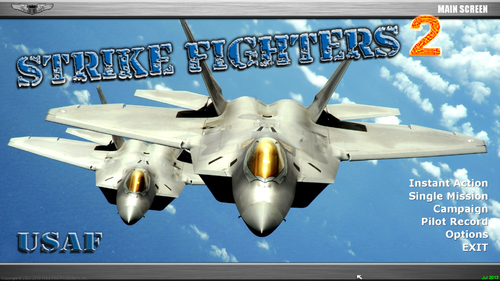
Version Version 5
197 downloads
SF2 Europe Hi-Res 1920x1080 Menu Screens and Music v5 By Viper 05/17/2020 Note: I removed all the nation sounds from this Menu packs for size reasons. If you intend to install the "VIPER63A HQ Menu Sounds" pack, please install that pack first. Installing the HQ Sound pack over the Menu pack may overwrite some of the menu specific music files. You can always re-install this menu pack to get the menu specific theme music back. Unzip the package and preview the new screens before installing them. I recommend doing to see what you're getting. If you choose to install this package, I recommend that you back up your FLIGHT, MENU, CAMPAIGNS and PILOTDATA folders in the SF2 Mod folder you're installing this package into. Just in case you want to go back to your original setup. * To install, simply unzip and copy the uncompressed CAMPAIGNS, FLIGHT, MENU and PILOTDATA folders to your StrikeFighter2 mod folder. My StrikeFighter2 mod on Win10 64-bit was..(yours may be different)... C:\Users\<your_id>\Saved Games\Thirdwire\StrikeFighter2 Europe\ or C:\Users\<your_id>\Saved Games\Thirdwire\StrikeFighter2 Europe2\ Enjoy! -
View File SF2 "Aces over Europe" 1920x1080 Photoshop Menu Templates SF2 "Aces over Europe" 1920x1080 Photoshop Menu Templates By Viper 05/26/2015 Here are a set of PhotoShop templates for StrikeFighters2 Europe! Just place your image over the red backgound, merge down and save as a *.jpg file. Copy the Flight, Menu and PilotData to your mod folder and that's it! The package includes the default loading screen, main menus, and pilots! Enjoy! =Viper= Submitter viper63a Submitted 05/28/2015 Category Menus
-
Version Version 1
38 downloads
SF2 "Aces over Europe" 1920x1080 Photoshop Menu Templates By Viper 05/26/2015 Here are a set of PhotoShop templates for StrikeFighters2 Europe! Just place your image over the red backgound, merge down and save as a *.jpg file. Copy the Flight, Menu and PilotData to your mod folder and that's it! The package includes the default loading screen, main menus, and pilots! Enjoy! =Viper= -
View File SF2 F-111F Aardvarks from USAF/E 48th Liberty Wing. The 492nd, 493rd, 494th and 495th TFS SF2 F-111F Aardvarks from USAF/E 48th Liberty Wing. The 492nd, 493rd, 494th and 495th TFS! By Viper with INIs by Fanatic Modder ------------------------------------------------------------- This mod was intended as an update to FastCargo's Super Vark Package (See link below), but it can be a standalone mod if you just want the USAF F-111s included in this pack. If you want to install both packs, FastCargo's pack must be installed first as that is the older pack. You can get FastCargo's pack here... http://combatace.com/files/file/10425-f-111-super-vark-pack-version-24/ ------------------------------------------------------------- What's included in this mod pack? ------------------------------------------------------------- * F-111F Aardvarks from USAF/E 48th Liberty Wing. The 492nd, 493rd, 494th and 495th TFS! http://combatace.com/files/file/15510-sf2-updated-f-111f-aardvarks-from-usafe-48th-liberty-wing-the-492nd-493rd-494th-and-495th-tfs/ ------------------------------------------------------------- Installation: ------------------------------------------------------------- I recommend that you back up your mod folder (or just the Effects, \Objects\Aircraft\F-111F, and \Objects\Decals\F-111F folders). I just make a copy the mod folder, try the mod, if I like it, I delete the backup. If I don't, I delete the new/updated mod folder and rename the old backup/copy back to the original names to reset to my original setup. * To install, simply unzip and copy the contents of the "To_Mod_Folder" folder (the uncompressed "Effects and Objects" folders only) to your StrikeFighter2 mod folder and Overwrite. My StrikeFighter2 mod on Win97 64-bit was..(yours may be different)... C:\Users\<your_id>\Saved Games\Thirdwire\StrikeFighter2 Europe\ Note: You should be able to install this mod into any SF2 series, it doesn't have to be StrikeFighter2 Europe. * To remove, simply delete the active "Effects and Objects" folders and replace with the back up copies you made prior to the install. ------------------------------------------------------------- Add F111 SoundList ------------------------------------------------------------- Lastly, Read the "Add F111 SoundList.txt" readme file on updating your your "Flight\SoundList.ini" file with the custiom F-111 sound files included in this pack. ------------------------------------------------------------- Thats it - Enjoy! Please report any bugs or issues via the "Support Topic" link... =Viper= ------------------------------------------------------------- ------------------------------------------------------------- Credits: ------------------------------------------------------------- ------------------------------------------------------------- If you're interested in some of the mods I referenced/used in my mod (can't say it's mine really, my contribution?)...here they are! Excellent mods all! * FastCargo's Super Vark package 2.4 (SF2) http://combatace.com/files/file/10425-f-111-super-vark-pack-version-24/ * Slick Cowboy's F-111_improvedskinpack 2.0 (SF2) http://combatace.com/files/file/14798-f-111-improvedskinpack/ * Dave's EF-111A Version 2.0 (SF1) http://combatace.com/topic/36438-ef-111a-version-20/ * LeL's F-111 TAC Pack (SF1) http://combatace.com/topic/80711-f-111-tac-pack/ * Spinners [Fictional] General Dynamics F-111A 'Early TAC' Version 1 http://combatace.com/files/file/14574-fictional-general-dynamics-f-111a-early-tac/ * Hi Ho Silver - The Afterburner Mod v.1 (SF1/SF2) http://combatace.com/files/file/15143-the-afterburner-mod/ * Florian - "AmokFloo" - Western Style Pilot Models (SF1/SF2) http://combatace.com/files/file/6693-western-style-pilot-models/ F-111D Additions! Ravenclaw for the weapon models. dtmdragon the avionics, cockpit repaint, loadout.ini, what if AIM-7G, data.ini overhaul and repackaging with the updated skins. FANATIC MODDER and LeL helped with the data/loadout.ini information and testing. Thank you all for your contributions!! Submitter viper63a Submitted 05/26/2015 Category F-111
-
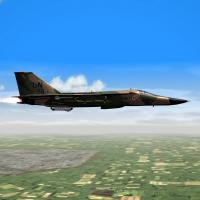
Version Version 14
548 downloads
SF2 F-111F Aardvarks from USAF/E 48th Liberty Wing. The 492nd, 493rd, 494th and 495th TFS! By Viper with INIs by Fanatic Modder ------------------------------------------------------------- This mod was intended as an update to FastCargo's Super Vark Package (See link below), but it can be a standalone mod if you just want the USAF F-111s included in this pack. If you want to install both packs, FastCargo's pack must be installed first as that is the older pack. You can get FastCargo's pack here... http://combatace.com/files/file/10425-f-111-super-vark-pack-version-24/ ------------------------------------------------------------- What's included in this mod pack? ------------------------------------------------------------- * F-111F Aardvarks from USAF/E 48th Liberty Wing. The 492nd, 493rd, 494th and 495th TFS! http://combatace.com/files/file/15510-sf2-updated-f-111f-aardvarks-from-usafe-48th-liberty-wing-the-492nd-493rd-494th-and-495th-tfs/ ------------------------------------------------------------- Installation: ------------------------------------------------------------- I recommend that you back up your mod folder (or just the Effects, \Objects\Aircraft\F-111F, and \Objects\Decals\F-111F folders). I just make a copy the mod folder, try the mod, if I like it, I delete the backup. If I don't, I delete the new/updated mod folder and rename the old backup/copy back to the original names to reset to my original setup. * To install, simply unzip and copy the contents of the "To_Mod_Folder" folder (the uncompressed "Effects and Objects" folders only) to your StrikeFighter2 mod folder and Overwrite. My StrikeFighter2 mod on Win97 64-bit was..(yours may be different)... C:\Users\<your_id>\Saved Games\Thirdwire\StrikeFighter2 Europe\ Note: You should be able to install this mod into any SF2 series, it doesn't have to be StrikeFighter2 Europe. * To remove, simply delete the active "Effects and Objects" folders and replace with the back up copies you made prior to the install. ------------------------------------------------------------- Add F111 SoundList ------------------------------------------------------------- Lastly, Read the "Add F111 SoundList.txt" readme file on updating your your "Flight\SoundList.ini" file with the custiom F-111 sound files included in this pack. ------------------------------------------------------------- Thats it - Enjoy! Please report any bugs or issues via the "Support Topic" link... =Viper= ------------------------------------------------------------- ------------------------------------------------------------- Credits: ------------------------------------------------------------- ------------------------------------------------------------- If you're interested in some of the mods I referenced/used in my mod (can't say it's mine really, my contribution?)...here they are! Excellent mods all! * FastCargo's Super Vark package 2.4 (SF2) http://combatace.com/files/file/10425-f-111-super-vark-pack-version-24/ * Slick Cowboy's F-111_improvedskinpack 2.0 (SF2) http://combatace.com/files/file/14798-f-111-improvedskinpack/ * Dave's EF-111A Version 2.0 (SF1) http://combatace.com/topic/36438-ef-111a-version-20/ * LeL's F-111 TAC Pack (SF1) http://combatace.com/topic/80711-f-111-tac-pack/ * Spinners [Fictional] General Dynamics F-111A 'Early TAC' Version 1 http://combatace.com/files/file/14574-fictional-general-dynamics-f-111a-early-tac/ * Hi Ho Silver - The Afterburner Mod v.1 (SF1/SF2) http://combatace.com/files/file/15143-the-afterburner-mod/ * Florian - "AmokFloo" - Western Style Pilot Models (SF1/SF2) http://combatace.com/files/file/6693-western-style-pilot-models/ F-111D Additions! Ravenclaw for the weapon models. dtmdragon the avionics, cockpit repaint, loadout.ini, what if AIM-7G, data.ini overhaul and repackaging with the updated skins. FANATIC MODDER and LeL helped with the data/loadout.ini information and testing. Thank you all for your contributions!! -
 A must have from the master of campaigns!!!! Thanks a lot!
 -
 A must have from the master of campaigns!!!! Thanks a lot!
 -
 A must have from the master of campaigns!!!! Thanks a lot!
 -
SF2V Expansion Pack - End Game, 1974-1975
Viper63a commented on eburger68's file in User Made Campaigns
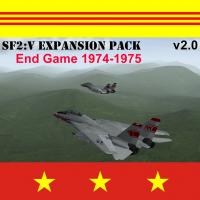 Excellent "What if" campaigns!
 -
 A must have!
 -
"Operation Desert Storm" for SF2 (Redux) - Part 3 of 3
Viper63a commented on eburger68's file in User Made Campaigns
 The master of campaigns!!!! Thanks a lot!
 -
"Operation Desert Storm" for SF2 (Redux) - Part 1 of 3
Viper63a commented on eburger68's file in User Made Campaigns
 Excellent work!!!! Love it!
 -
 Once again! Excellent work!!!
 -
 Exellent
 -
Old post, but a good one. After some consideration, I bought the CH set over the TM set. I paid about $250 for the FighterStick, ProThrottle and ProPedals...Waited about a week and received the gear. At first look, I was happy with the look and quality of the product. Buttons and switches are industrial and solid...I am told, the system will last for many years and is supported from win98 to Win7 32/64 (and Win8) with plans to be supported for the next generation(s) of OS. So, I configured, plugged them in - everything worked exactly at expected - no surprises on my win7 64bit OS. But after by first session, I thought I made a giant mistake. The action was nothing like the TM products I was used to. In fact, it was like no other stick I've used. First, the stick had almost no resistance at all, just enough to return it to center. The throttle was a slide (back and forth) rather than an arc, no detent, no real resistance to speak of, just enough so it doesn't flop around by itself. The ProPedal was ugly, but worked decently. My heart hit the floor as I thought "What was everyone talking about? This sucks!" But I stayed with it rather than reject it on "first impressions" and return the product. After my 2nd, 3rd, and 4th...session of use, something started to click - This is NOT a TM stick (DUH). I can't use it like a TM stick with all the springs pushing back at me. If I tell it to do without expecting it to resist me, it will do "EXACTLY" (and I mean EXACTLY) what I tell it to do. It dawned on me that I was comparing apples and oranges. I started to see what everyone else was talking about. It's smooth, exact, and with little to no effort to use - I didn't get as tired as I used to. I felt like a butcher with a cleaver learning to do surgery with a scalpel. As I got used to the new paradigm, I found I was flying with more precision and exactness, and doing so effortlessly...I am very pleased with the CH product and any misgivings I may have had in my initial encounter has turned into a pleasant surprise and enjoyment. If you are thinking of moving to CH products, think of the experience like going from a mechanical FCS to fly by wire (it isn't, but the logic of it). It will be different, but in my opinion - worth it. =Viper=
-
That is awesome. You're gonna have to list the components of that rig....
-
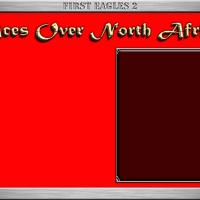
View File FE2 "Aces Over North Africa" PhotoShop 1024x768 Menu Templates FE2 "Aces Over North Africa" PhotoShop 1024x768 Menu Templates By Viper A set of "Aces Over North Africa" Flight and Menu Templates for First Eagles2. Requirement: Photoshop or other graphics program that can edit Photoshop PSD files. You can created your own FE2 "Aces Over North Africa" menus. Load the Photoshop Menu Template you want to customize. Load the picture you want to use into Photoshop. Edit/Change/Resize the picture you want to use and copy it over the Red Background layer of the Photoshop Menu Template. Merge all the layers and save the file as a jpeg (jpg) image. Copy the new menu screen to the FE2 Menu folder. Done... Also included: 2 minute Prop plane wav sound file in the Flight Folder. Use these however you want, just give me some credit...Thanks and Enjoy! =Viper= Submitter viper63a Submitted 04/07/2015 Category First Eagles - General Files - Hanger, Menu Screens
-
View File SF2 "Aces Over North Africa" PhotoShop 1024x768 Menu Templates SF2 "Aces Over North Africa" PhotoShop 1024x768 Menu Templates By Viper A set of "Aces Over North Africa" Flight and Menu Templates for StrikeFighter2. Requirement: Photoshop or other graphics program that can edit Photoshop PSD files. You can created your own SF2 "Aces Over North Africa" menus. Load the Photoshop Menu Template you want to customize. Load the picture you want to use into Photoshop. Edit/Change/Resize the picture you want to use and copy it over the Red Background layer of the Photoshop Menu Template. Merge all the layers and save the file as a jpeg (jpg) image. Copy the new menu screen to the SF2 Menu folder. Done... Also included: 2 minute Prop plane wav sound file in the Flight Folder. Some Screens I already made (jpg files) I made using the templates. Use these however you want, just give me some credit...Thanks and Enjoy! =Viper= Submitter viper63a Submitted 04/07/2015 Category Menus
-
Version Version 1
22 downloads
FE2 "Aces Over North Africa" PhotoShop 1024x768 Menu Templates By Viper A set of "Aces Over North Africa" Flight and Menu Templates for First Eagles2. Requirement: Photoshop or other graphics program that can edit Photoshop PSD files. You can created your own FE2 "Aces Over North Africa" menus. Load the Photoshop Menu Template you want to customize. Load the picture you want to use into Photoshop. Edit/Change/Resize the picture you want to use and copy it over the Red Background layer of the Photoshop Menu Template. Merge all the layers and save the file as a jpeg (jpg) image. Copy the new menu screen to the FE2 Menu folder. Done... Also included: 2 minute Prop plane wav sound file in the Flight Folder. Use these however you want, just give me some credit...Thanks and Enjoy! =Viper= -
Version Version 1
22 downloads
SF2 "Aces Over North Africa" PhotoShop 1024x768 Menu Templates By Viper A set of "Aces Over North Africa" Flight and Menu Templates for StrikeFighter2. Requirement: Photoshop or other graphics program that can edit Photoshop PSD files. You can created your own SF2 "Aces Over North Africa" menus. Load the Photoshop Menu Template you want to customize. Load the picture you want to use into Photoshop. Edit/Change/Resize the picture you want to use and copy it over the Red Background layer of the Photoshop Menu Template. Merge all the layers and save the file as a jpeg (jpg) image. Copy the new menu screen to the SF2 Menu folder. Done... Also included: 2 minute Prop plane wav sound file in the Flight Folder. Some Screens I already made (jpg files) I made using the templates. Use these however you want, just give me some credit...Thanks and Enjoy! =Viper= -
War Thunder First Eagles 2 SF2 Europe DCS FC3 Star Wars Miniatures Games Star Wars Star Ship Battles Miniatures Games Star Trek Attack Wing Miniatures Games Star Wars X-Wing Miniatures Games MechWarrior On-Line Oblivion (PC highly modded) Tsuro Game of Paths Board Game Zombie Dice
-
FE2 First Eagles2 1024x768 PhotoShop Menu Templates
Viper63a commented on Viper63a's file in Hanger, Menu Screens
 Hi Geezer, it would be my pleasure. Did you want the menus themselves or just the templates? 1024x768 or 1920x1080? Same as the ones here with different words? Either way, I would be happy to help!
