
Viper63a
-
Posts
1,583 -
Joined
-
Last visited
Content Type
Profiles
Forums
Gallery
Downloads
Store
Everything posted by Viper63a
-
 Thanks Gat, come back and let me know what you think of them... =V=
 -
Anyone tried StrikeFighters 2 with Windows 10?
Viper63a replied to Viper63a's topic in General Discussion
Thanks D...let me know, I am thinking about upgrading so I would appreciate the heads-up... If anyone else has experience with Windows 10 and other Sims, please post your experiences here...would appreciate it... =V= -
View File StrikeFighter2 World War II PTO Hi-Res Alternate 1024x768 Menu Screens and Music! StrikeFighter2 World War II PTO Hi-Res Alternate 1024x768 Menu Screens and Music! By Viper I recently downloaded the "All inclusive SF2 Pacific Theater of Operations" (PTO) package from the A-Team site. Excellent package, but the menus were not to my liking...soooo...I upgraded them. These menu screens are tailored for that package, but it should work for any SF2 game with a Pacific WWII theme! Note: These are new Menu Screens for the A-Team PTO Package - NOT THE A-TEAM PTO PACKAGE. If you want the SF2 Pacific Theater of Operations package, you will have to download it from the A-Team site. A little tricky getting registered, but I recommend it! You should unzip the file and preview the new screens before installing them. I recommend doing this as there are MANY alternate screens I have in there that you might like better. If you choose to install these screens, I recommend that you back up (make a copy of) your FLIGHT, MENU and PILOTDATA folders in the SF2 Mod folder you're installing this mod into. Just in case you want to go back to your original setup. To install, simply unzip and copy the uncompressed FLIGHT, MENU and PILOTDATA folders to your StrikeFighter2 mod folder. To remove, simply delete the FLIGHT, MENU and PILOTDATA folders and rename the copies you made to FLIGHT, MENU and PILOTDATA folders. My StrikeFighter2 mod on Win97 64-bit would be something like... C:\Users\<your_id>\Saved Games\Thirdwire\<Name of your PTO mod folder>\ Enjoy! PS. Check out my Init Screen mod in the "InitScreen Extra" folder... Submitter viper63a Submitted 07/30/2015 Category Menus
-
View File StrikeFighter2 World War II ETO Hi-Res Alternate 1024x768 Menu Screens and Music! StrikeFighter2 World War II ETO Hi-Res Alternate 1024x768 Menu Screens and Music! By Viper I recently downloaded the "All inclusive SF2 European Theater of Operations" (ETO) package from the A-Team site. Excellent package, but the menus were not to my liking...soooo...I upgraded them. These menu screens are tailored for that package, but it should work for any SF2 game with a European WWII theme! Note: These are new Menu Screens for the A-Team ETO Package - NOT THE A-TEAM ETO PACKAGE. If you want the SF2 European Theater of Operations package, you will have to download it from the A-Team site. A little tricky getting registered, but I recommend it! You should unzip the file and preview the new screens before installing them. I recommend doing this as there are MANY alternate screens I have in there that you might like better. If you choose to install these screens, I recommend that you back up (make a copy of) your FLIGHT, MENU and PILOTDATA folders in the SF2 Mod folder you're installing this mod into. Just in case you want to go back to your original setup. To install, simply unzip and copy the uncompressed FLIGHT, MENU and PILOTDATA folders to your StrikeFighter2 mod folder. To remove, simply delete the FLIGHT, MENU and PILOTDATA folders and rename the copies you made to FLIGHT, MENU and PILOTDATA folders. My StrikeFighter2 mod on Win97 64-bit would be something like... C:\Users\<your_id>\Saved Games\Thirdwire\<Name of your ETO mod folder>\ Enjoy! PS. Check out my Init Screen mod in the "InitScreen Extra" folder... Submitter viper63a Submitted 07/30/2015 Category Menus
-
Anyone tried StrikeFighters 2 with Windows 10? =V=
-
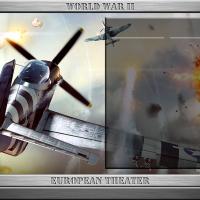
Version Version 1
59 downloads
StrikeFighter2 World War II ETO Hi-Res Alternate 1024x768 Menu Screens and Music! By Viper I recently downloaded the "All inclusive SF2 European Theater of Operations" (ETO) package from the A-Team site. Excellent package, but the menus were not to my liking...soooo...I upgraded them. These menu screens are tailored for that package, but it should work for any SF2 game with a European WWII theme! Note: These are new Menu Screens for the A-Team ETO Package - NOT THE A-TEAM ETO PACKAGE. If you want the SF2 European Theater of Operations package, you will have to download it from the A-Team site. A little tricky getting registered, but I recommend it! You should unzip the file and preview the new screens before installing them. I recommend doing this as there are MANY alternate screens I have in there that you might like better. If you choose to install these screens, I recommend that you back up (make a copy of) your FLIGHT, MENU and PILOTDATA folders in the SF2 Mod folder you're installing this mod into. Just in case you want to go back to your original setup. To install, simply unzip and copy the uncompressed FLIGHT, MENU and PILOTDATA folders to your StrikeFighter2 mod folder. To remove, simply delete the FLIGHT, MENU and PILOTDATA folders and rename the copies you made to FLIGHT, MENU and PILOTDATA folders. My StrikeFighter2 mod on Win97 64-bit would be something like... C:\Users\<your_id>\Saved Games\Thirdwire\<Name of your ETO mod folder>\ Enjoy! PS. Check out my Init Screen mod in the "InitScreen Extra" folder... -
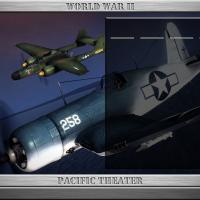
Version Version 1.5
62 downloads
StrikeFighter2 World War II PTO Hi-Res Alternate 1024x768 Menu Screens and Music! By Viper I recently downloaded the "All inclusive SF2 Pacific Theater of Operations" (PTO) package from the A-Team site. Excellent package, but the menus were not to my liking...soooo...I upgraded them. These menu screens are tailored for that package, but it should work for any SF2 game with a Pacific WWII theme! Note: These are new Menu Screens for the A-Team PTO Package - NOT THE A-TEAM PTO PACKAGE. If you want the SF2 Pacific Theater of Operations package, you will have to download it from the A-Team site. A little tricky getting registered, but I recommend it! You should unzip the file and preview the new screens before installing them. I recommend doing this as there are MANY alternate screens I have in there that you might like better. If you choose to install these screens, I recommend that you back up (make a copy of) your FLIGHT, MENU and PILOTDATA folders in the SF2 Mod folder you're installing this mod into. Just in case you want to go back to your original setup. To install, simply unzip and copy the uncompressed FLIGHT, MENU and PILOTDATA folders to your StrikeFighter2 mod folder. To remove, simply delete the FLIGHT, MENU and PILOTDATA folders and rename the copies you made to FLIGHT, MENU and PILOTDATA folders. My StrikeFighter2 mod on Win97 64-bit would be something like... C:\Users\<your_id>\Saved Games\Thirdwire\<Name of your PTO mod folder>\ Enjoy! PS. Check out my Init Screen mod in the "InitScreen Extra" folder... -
'What if' F-106A 'Extended Service' Skin pack
Viper63a commented on dtmdragon's file in What If Hangar
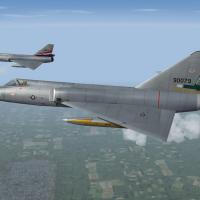 What a beautiful pack! Excellent work!!!
 -
Very Nice!
-
A-Team was worth the wait! Got on and finally downloaded ETO and SR71!! Excellent! Rules take some getting used to...Think I got 1 strike on me....LOL...trying to be careful....
-
Replaced the French Corsair... :) Viper
-
Thanks guys! French Corsair? LOL...let me look at that... :) Viper
-
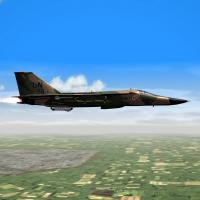 Version 6 - not a lot of change - One Pave Tack correction from FM.
 -
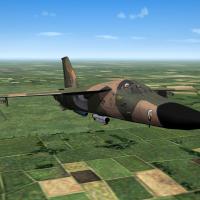 Version 6 - not a lot of change - One weapons tweak from FM included.
 -
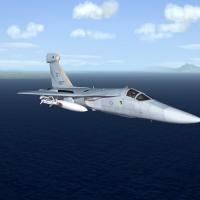 Gets better every time!!
 -
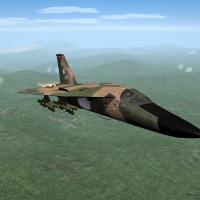 Fixed the sound issues in version 6...
 -
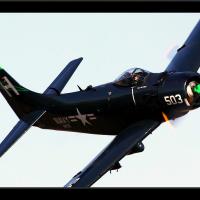 Released v1.1 (Yeah, I changed the version numbers to match Do335's releases too). These are alternate Hangar, Loading and Loadout screens for KAW v1.1. Also added some alternate jet engines and 50cal sounds. The default jet whine is just too much for my ears when using headsets and the 50cal sounded too wimpy. So I added some more ear friendly and beefer versions of these sounds in this pack for use with WOK/KAW v1.1. Enjoy! =Viper=
 -
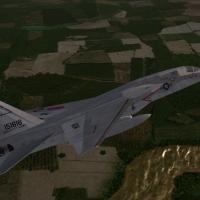 Vigilante Over Vietnam!!! Thanks!!! Downloading now, can't wait to try them out! =Viper=
 -
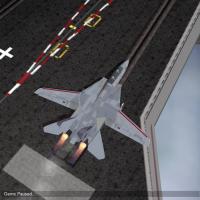 PERFECT for my TopGun Pilots mod!!! Thanks =Viper=
 -
 Awesome pack! Another "MUST HAVE"....Thanks!
 -
 BIG FAN of the individual packs! Very happy to download the super pack! Testing it out now!!! Thanks a BUNCH!!!
 -
 Thanks FM!
 -
Thanks and sorry about that...it's late and I got lazy!!! I uploaded a new copy with the proper credits....Saved my bacon! :)
-
I completely agree!!! Again, thanks for saving my butt from being an idiot...LOL :)