
Viper63a
-
Posts
1,584 -
Joined
-
Last visited
Content Type
Profiles
Forums
Gallery
Downloads
Store
Everything posted by Viper63a
-

Anyone tried StrikeFighters 2 with Windows 10?
Viper63a replied to Viper63a's topic in General Discussion
Yeah, I bailed on Windows 10. I didn't want to deal with the weirdness with my controllers. Back to Windows 7 and everything is back to normal. I had to reload some stuff, but it seems to be the way I had it before. A bummer, Windows 10 seems impressive and my little issue seems to be localized to me... =V= -
-
 Nice addition - Thanks!
 -
Anyone tried StrikeFighters 2 with Windows 10?
Viper63a replied to Viper63a's topic in General Discussion
Well....call me an idiot, but I just started the reversal process to go back to Windows 7....CH products are still losing game mapping and I don't want to wait for a fix. Besides, Windows 7 never gave me these problems...Glad it's working for you all... :( =V= -
Anyone tried StrikeFighters 2 with Windows 10?
Viper63a replied to Viper63a's topic in General Discussion
Uninstalled CH Manager. Re-plugged in CH devices...will run without the manager and see what happens. =V=. -
Anyone tried StrikeFighters 2 with Windows 10?
Viper63a replied to Viper63a's topic in General Discussion
I manually reset all the controls in game last night...went to sleep, woke up today and booted up the PC...my fighterstick and my throttle switched again... :( -
From FM.... " I don't know, I checked and it all seems normal! Possibly what he did was not copying over his old folder. But even in the old vark park 2.4 the specific station code is F111. I don't know. Ask him to change the data.ini lines of the F-111PaveTack_DATA to this [WeaponData001] TypeName=F-111PaveTack FullName=AN/AVQ-26 Pave Tack (F-111) ModelName=FakePilot Mass=629.000000 //Mass=0.000000 Diameter=0.000000 Length=0.000000 SubsonicDragCoeff=0.200000 SupersonicDragCoeff=0.770000 AttachmentType=USAF SpecificStationCode=F111 NationName=USAF StartYear=1981 //StartYear=1970 EndYear=2000 Availability=1 BaseQuantity=3 Exported=TRUE ExportStartYear=1981 //ExportStartYear=1970 ExportEndYear=0 ExportAvailability=1 WeaponDataType=4 StoreType=3 CameraFOV=2.500000 CameraPosition=0.000000,-1.467000,-0.444000 CameraYaw=0.000000 CameraPitch=0.000000 CameraRoll=0.000000 SightTexture=AVQ26_track.tga EODisplayFlags=268763136 SeekerRange=27.000000 SeekerGimbleLimit=180.000000 SeekerNodeName=Head SearchFOV=5.000000 SearchTexture=AVQ26_lock.tga this SHOULD work...I hope. by the way, i corrected the mass from 0 to 629...if you add the extra drag too you understand why the pavetack was never installed into the less powerfull -E model."
-
Anyone tried StrikeFighters 2 with Windows 10?
Viper63a replied to Viper63a's topic in General Discussion
OK...so changed the order of my devices (where the devices are plugged in the back of the computer) until FighterStick is Device 1, ProThrottle is Device 2, and ProPedal is Device 3....will see if this helps. This didn't matter in Win7...but will see if Win 10 scrambles them again. -
Anyone tried StrikeFighters 2 with Windows 10?
Viper63a replied to Viper63a's topic in General Discussion
Hey Geary, Good to know it's just not me (not that misery loves company, lol). I tried backing up the config file...but, no joy there. I just read some posts in the CH Hangar that CH is working on it. But I'm not sure if that is wishful thinking or a CH issue to start with, more of Windows 10 not caring what order USB devices are configured...just my guess. Maybe CH will release a wrapper interface or some thing. Hope they fix this soon, mainly before my "backout to Windows 7" time runs out. Thinks it a month and then you're stuck... Also, did you hear the rumors that MS may try to control what you have on your PC? A Genuine Check that disables stuff they think is pirated? I don't have anything pirated (least not that I am aware of)....but that has me concerned...What if they determine Falcon BMS is pirated? etc etc etc... =V= -
Anyone tried StrikeFighters 2 with Windows 10?
Viper63a replied to Viper63a's topic in General Discussion
Ok, I ran into the same issue with nVidia. I just came on here to report that, but it looks like Stuntman, et al, already did. The new nVidia driver causes intermittent graphics issues...My jet fragments and I am flying around with bit of my plane in an "exploded view"...parts all over the place. Other issue, I reported it as a minor issue, now it is becoming a major pain...Windows 10 is not consistently assigning my CH flight controllers. Ie, FighterStick device 1, throttle device 2, pedal device 3. In Windows 7, this never changed. In Windows 10, it assigns them however they want. Ie. My Fighterstick and ProThrottles (and or ProPedal) assignments changes. So my controller assignment goes out the window every couple of days. Has anyone else seen this with multiple controller set ups? If I can't find a solution for this, I will have to go back to Windows 7....I am not about to reconfigure my buttons on all my games every couple of days... =V= -
 Updated with correct pictures for the package....
 -
Dang! Will upload new pix...Something changed with the pic upload...maybe windows 10 or Firefox...I have to load them 1 at a time and it had me flustered....LOL Thanks for letting me know.. =V=
-
View File SF2 New Hangar, Loading, and Loadout Screens for Super Hornet Package for SF2 v3.8 3.7 SF2 New Hangar, Loading, and Loadout Screens for Super Hornet Package for SF2 v3.8 3.7 By Viper 2015/08/06 These are upgraded/Alternate Hangar, Loading, and Loadout Screens for EricJ's Super Hornet Package for SF2 v3.8 3.7 package and new <Aircraft>.ini files to read them. It was released by EricJ and can be downloaded here. If EricJ saw fit to add this to his, I would be grateful. Super Hornet Package for SF2 v3.8 3.7 http://combatace.com/files/file/9401-super-hornet-package-for-sf2-v38/ These replaces/adds to EricJ's package (STOCK ONLY) released on 11 Jan 2015. This (my) package DOES NOT include any LODs or other files from EricJ. It does include a new <AirCraft>.ini files so the right screens are read for display. First!!! Always backup F/A-18s in your "...\Objects\Aircraft" folder. To install, copy the new "Airctaft" folder into your mod "Objects" folder. Overwrite and you're done. Enjoy! Viper Submitter viper63a Submitted 08/06/2015 Category Menus
-
View File SF2 New Hangar, Loading, and Loadout Screens for F/A-18A/B/C/D Version 2.0 SF2 New Hangar, Loading, and Loadout Screens for F/A-18A/B/C/D Version 2.0 By Viper 2015/08/06 These are upgraded/Alternate Hangar, Loading, Loadout Screens for The Hornet Team's F/A-18A/B/C/D Version 2.0 package and new <Aircraft>.ini files to read them. It was released by Dave and can be downloaded here. If the The Hornet Team team saw fit to add this to their pack, I would be grateful. FA-18 Series Update by The Hornet Team 2.0 http://combatace.com/files/file/15259-fa-18-series-update-by-the-hornet-team/ These replaces/adds to The Hornet Team's package (STOCK ONLY) released on 11 Jan 2015. This (my) package DOES NOT include any LODs or other files from the Hornet team. It does include a new <AirCraft>.ini files so the right screens are read for display. First!!! Always backup F/A-18s in your "...\Objects\Aircraft" folder. To install, copy the new "Airctaft" folder into your mod "Objects" folder. Overwrite and you're done. Enjoy! Viper Submitter viper63a Submitted 08/06/2015 Category Menus
-
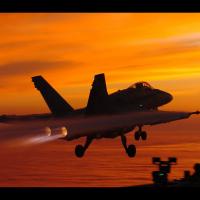
Version Version 1
60 downloads
SF2 New Hangar, Loading, and Loadout Screens for Super Hornet Package for SF2 v3.8 3.7 By Viper 2015/08/06 These are upgraded/Alternate Hangar, Loading, and Loadout Screens for EricJ's Super Hornet Package for SF2 v3.8 3.7 package and new <Aircraft>.ini files to read them. It was released by EricJ and can be downloaded here. If EricJ saw fit to add this to his, I would be grateful. Super Hornet Package for SF2 v3.8 3.7 http://combatace.com/files/file/9401-super-hornet-package-for-sf2-v38/ These replaces/adds to EricJ's package (STOCK ONLY) released on 11 Jan 2015. This (my) package DOES NOT include any LODs or other files from EricJ. It does include a new <AirCraft>.ini files so the right screens are read for display. First!!! Always backup F/A-18s in your "...\Objects\Aircraft" folder. To install, copy the new "Airctaft" folder into your mod "Objects" folder. Overwrite and you're done. Enjoy! Viper -
Version Version 1
59 downloads
SF2 New Hangar, Loading, and Loadout Screens for F/A-18A/B/C/D Version 2.0 By Viper 2015/08/06 These are upgraded/Alternate Hangar, Loading, Loadout Screens for The Hornet Team's F/A-18A/B/C/D Version 2.0 package and new <Aircraft>.ini files to read them. It was released by Dave and can be downloaded here. If the The Hornet Team team saw fit to add this to their pack, I would be grateful. FA-18 Series Update by The Hornet Team 2.0 http://combatace.com/files/file/15259-fa-18-series-update-by-the-hornet-team/ These replaces/adds to The Hornet Team's package (STOCK ONLY) released on 11 Jan 2015. This (my) package DOES NOT include any LODs or other files from the Hornet team. It does include a new <AirCraft>.ini files so the right screens are read for display. First!!! Always backup F/A-18s in your "...\Objects\Aircraft" folder. To install, copy the new "Airctaft" folder into your mod "Objects" folder. Overwrite and you're done. Enjoy! Viper -
Anyone tried StrikeFighters 2 with Windows 10?
Viper63a replied to Viper63a's topic in General Discussion
Ok, Still going strong. Still impressed. Everything seems to be working. Almost reminded of Windows 7 after Vista. -
Anyone tried StrikeFighters 2 with Windows 10?
Viper63a replied to Viper63a's topic in General Discussion
Good to know Blaze, that is what I am talking about...I will stop using WiseCare until I see a Win10 version. :) =v= LOL at Fubar! -
Anyone tried StrikeFighters 2 with Windows 10?
Viper63a replied to Viper63a's topic in General Discussion
Ok, Not sure why, but I have to remap my controllers. No biggie. It may be because it's a multiple controller setup...ie FighterStick and Throttle buttons are interchanged...again, it let's me reassign, so more of an annoyance than anything. Another note...sometimes, windows pauses for a long time with no message...I don't mean just in normal use. Mostly, I think it is running something for the first time...but it scares you every once in awhile because you think it's hung up, but it does come back eventually. Like when I ran SF2 for the first time, it sat there on the InitScreen forever...longer than anytime before in Win7. I just waited it out. If you have any system cleaners/optimizers - like WiseCare or Cleanup4.0....takes a long long time...Maybe, I shouldn't use them in Win10...but WiseCare reported the performance at 1 when I first ran it. Now it is back to 10...so some getting used to...but all is well so far. My first impression. Pretty good so far with SF2 and accessories (CH hardware, TrackIR 5). Some getting used to (hunt for things in different places - but more intuitive than Win7 and Night and Day from Win8). Overall, I am happy with Win10. Win10 looks like an Android phone on steroids. The panels are still annoying, but better (from a Win7 user point of view). Still Testing... =V= Note: Cortana is the MS Mata Hara...you activate her and she will spy on you for MS...lol...but nothing different from the phone version. She will report to MS where you are, what you're doing and what you ever did - all in the name to make "your" experience better. So up to you. For now, she is off... -
Anyone tried StrikeFighters 2 with Windows 10?
Viper63a replied to Viper63a's topic in General Discussion
NVidia is fixed...Downloaded the latest driver/package. Tried to install it. It failed saying the current driver/package was already installed. Tried to uninstall NVidia, will not uninstall. Killed all NVidia services in task manager. Ok, now I can uninstalled all the NVidia software. Rebooted and reinstalled the new driver and set up surround display. All 3 monitors are working now. Another weird fluke...all my controller buttons changed? Hmmm...Have to remap my CH Fighter Stick, Throttle and Pedal? Will do that later. I was able to fly SF2...Albeit with screwed up controls. So far still good. =V= -
Anyone tried StrikeFighters 2 with Windows 10?
Viper63a replied to Viper63a's topic in General Discussion
Ok! Windows 10 install completed. So far, I am impressed. I like the interface. A lot cleaner. I liked Windows 7, but always thought Aero was a waste of PC resources. No loss there for me. Hmmm...Now my PC looks like my Android phone on steroids? Also, programs are called "Apps" now? LOL...another Apple legacy... 1st and only casualty so far - NVidia Surround Screen. I knew there were problems with this going in. So I am down to 1 monitor now and it was expected. But I can live with that. I am fully confident that NVidia will release a patch if they haven't already. Everything else I checked looks good...TrackIR and SF2 both started fine (the important stuff). I will check out the PC over the weekend to see what else falls out... =V= PS!!!! During post install setup - DON'T TAKE THE EXPRESS SETUP!!! Do the custom so you can shut off ALL the Microsoft Spyware. I just turned them all off - including SmartFliter!!! -
Anyone tried StrikeFighters 2 with Windows 10?
Viper63a replied to Viper63a's topic in General Discussion
Ok, I'm in...Downloading Windows 10 now...It may help if we listed our rig configs...Here is mine...will let you know what happens... Windows 7x64bit Cougar Solution Case MSI Z87-G43 Gaming Intel Z87 Board Intel® Core™ i7-4771 w/ Hyper 212 EVO Push/Pull Fans Corsair Vengeance 8GB (2x 4GB) MSI NVidia GeForce GTX 760 2GB (OC) 2x500GB 7400RPM WD Black Label HDs 2xDVD LightScribe Drives 1xSony Blu-Ray Player Air Cooled with 4xCase Fans (1x140m and 3x120m) Wish me luck! =V= -
A-10A and C Thunderbolt II "Warthog" Pack
Viper63a replied to Spectre8750's topic in File Announcements
Downloading now!!! THANKS!!!!- 125 replies
-
- 1
-

-
- a-10
- a-10 thunderbolt ii
- (and 5 more)