Crusader
-
Posts
4,184 -
Joined
-
Last visited
-
Days Won
40
Content Type
Profiles
Forums
Gallery
Downloads
Store
Everything posted by Crusader
-
But cockpits are the most important models, since they are the player's "office" .. and bad cockpits mean that the plane in quesiton is not used often or at all... If you make instruments with needles, model them with a logical position, i.e. set them to 0 value of the scale/dial or center/neutral position in case of slip balls or turn direction indicators.... that makes it easy to set them up in the cockpit ini
-
 Single or dual-band Barracuda or the Barax only for French AF F1's. The Barem is the export version of the dual-band Barracuda for Jordan, used by the F1EJ.
 -
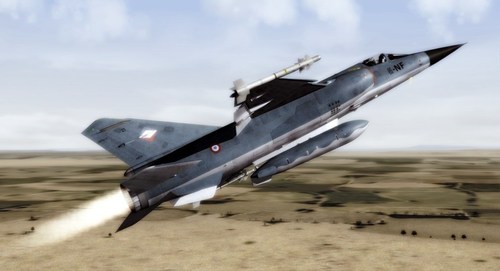 But not the "EQ7" ...
 -
Thats correct, F1C_81 is the early production F1C modified with updated radar. They were not retrofitted with the BF RWR.
- 11 comments
-
- 1
-

-
- armée de lair
- dassault
- (and 2 more)
-
SF2 Series DACT Reports And Related A2A Discussions (Game only)
Crusader replied to Flanker562's topic in General Discussion
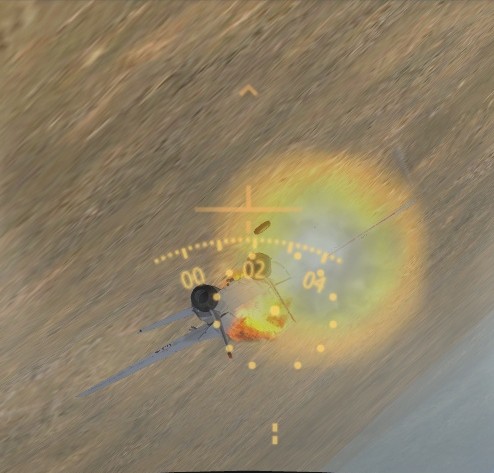
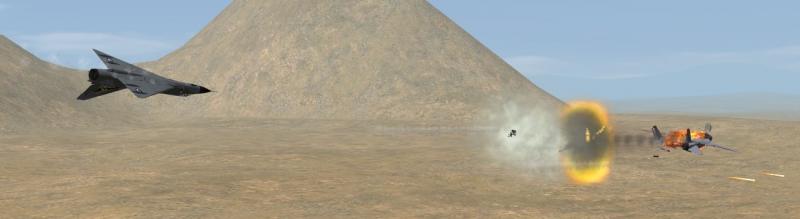
Like a F-4.. energy fighter. Vertical action. hard turns only for 90° or so,. then its a brick. I flew the MIIIOFA vs a F-14A_74 , started at ~30k ft, head-on, fuel 50% both, guns only Managed to evade the numerous 20mm bursts coming from all angles fight got lower and lower at about 10k or so I got some nose position on the 14, when the 14 stalled out earlier than me and I was able to roll/slide my nose into it that got the AI driver (set to excellent) thinking (or so..) and he decided to drop his nose... which after a short time sent him into "avoid ground" and recover mode ... i used that time to dive after him and let fly with 30mm when he was busy with accelerating/extending and that was the end.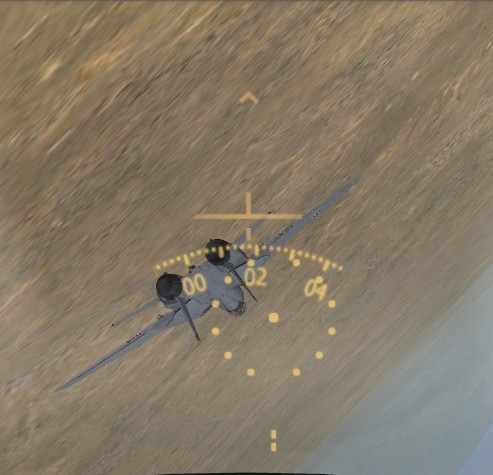
-
F-15S Saudi Strike Eagle Nationality issue help?
Crusader replied to Spudknocker's topic in General Discussion
[MissionData] Nation=SaudiArabia change to [MissionData] NationName=SaudiArabia Thats it.... -
bump F1C_73 file updated
-
Which E ...
-
Thats more like the Hurris catapulted from the CAM ships.. one-way trip Only that the T-Streak needs a even longer catapult = bigger boat ;D
-
many moons ago... -------------- some vidcard trouble Dwcace airshow with tomcat special MP more special mp FAC mod .. modified F-4Es, one with white phos smoke rkts to mark tgts which the other player then bombed pics all from 2005 to 2008 or so
-
SF2 Series DACT Reports And Related A2A Discussions (Game only)
Crusader replied to Flanker562's topic in General Discussion
The later model R-60MK is all-aspect, it was the first missile integrated with the MiG-29 helmet sight. -
F-15S Saudi Strike Eagle Nationality issue help?
Crusader replied to Spudknocker's topic in General Discussion
If i set Exported=TRUE in the data ini then the skin is shown correctly in the selection window -
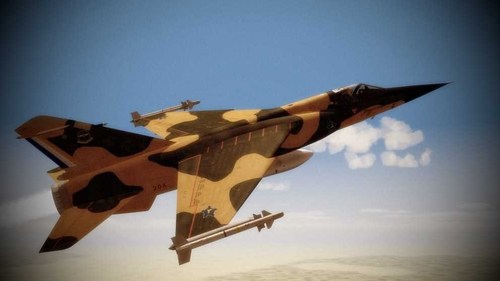 Thats the only EQ4 in Iranian possession. Its the former # 4500 .
 -
Mirage F1 avionics update info by The Mirage F1 Team
Crusader replied to Crusader's topic in General Discussion
No way :D Just need to kick some more export kites off the assembly line... -
There are none planned .. so far! Let us finish the C and E series, + CR and CT .. then.. who knows..
-
Mirage F1 avionics update info by The Mirage F1 Team
Crusader replied to Crusader's topic in General Discussion
Only in the last 2 releases, the AZ and CZ/CZ_Late . Updates for previous released F1's are available soon. -
Mirage F1 avionics update info by The Mirage F1 Team
Crusader replied to Crusader's topic in General Discussion
In case you have no guns with the AZ or CZ/CZ_Late , add the attached 30MM_DEFA553 into Objects/Guns 30MM_DEFA553.zip -
The "auto-lased" main target is only valid for Strike missions . In all other mission types (CAS, Armed_Recce etc.) you need to load a laser designator pod on your aircraft.
-
Some notes on the new avionics F1C variants : - all versions should now have the radar with switching range scale markers - locking targets is only possible in 35 NM scale and closer BF-type RWR - Search radars not indicated - AAA radars not indicated but audio warning if they are tracking - Pulse = AI radar . flashing if missile is launched - TWS = all SAM radars, flashing if missile is launched - CW = missile launch alarm, flashing New HUD : Nav mode shows - orange magnetic compass scale on top - green pitch ladder which rotates around HUD center - yellow Flightpath symbol - yellow baro altitude scale on the right - gunsight reticle is caged on HUD center - "inverted T" centered symbol A2A modes show Always - green pitch ladder which rotates around HUD center - "inverted T" centered symbol with guns selected - gunsight reticle with default range of 500 meter without radar lock - orange magnetic compass scale on top, with radar lock this becomes radar range indicator, showing distance in NM if range is greater than 1 NM If range is closer than 1 NM the scale is changing to hundreds of meters - a small orange or yellow box is displayed to show target position within HUD FOV - yellow closure speed readout on the right, showing 000 without lock and positive or negative closure with radar lock with missiles selected - yellow radar range readout on top, showing distance in NM - yellow closure speed readout on the right, showing 000 without lock and positive or negative closure with radar lock - with radar missile the Flightpath Symbol is displayed, this has the ASE function, center it/fly towards it to lead the target for a missile attack - a small orange or yellow box is displayed to show target position within HUD FOV - with radar lock and inside minimum range for missile launch, a red light/dot is displayed in the lower half of the HUD A2G mode shows : with guns bombs rockets - orange magnetic compass scale on top - green pitch ladder which rotates around HUD center - yellow baro altitude scale on the right - gunsight reticle indicating CCIP - "inverted T" centered symbol ###################################################################### F1AZ and F1AD Avionics info: A2A ranging radar , 5 nm range, 16° cone, 6000 ft min altitude (can lose lock if below min alt/angle). Can be turned off/on like other radars. BF-type RWR - Search radars not indicated - AAA radars not indicated but audio warning if they are tracking - Pulse = AI radar . flashing if missile is launched - TWS = all SAM radars, flashing if missile is launched - CW = missile launch alarm, flashing HUD Navigation - magnetic compass scale - aircraft symbol in center - A2A reticle caged in center - A2G reticle = roll indicator, displayed slightly depressed below aircraft symbol A2A modes Always displayed - aircraft symbol in center A2A gun + magnetic compass scale, changes to radar range scale , indicates NM at 1 NM+ and hm at less than 1 NM + A2A reticle caged in center + A2G reticle = roll indicator, displayed slightly depressed below aircraft symbol + closure speed readout, to the right and below the aircraft symbol, with radar lock A2A missile + digital radar range readout in NM at the top + A2G reticle = roll indicator, displayed slightly depressed below aircraft symbol + closure speed readout, to the right and below the aircraft symbol, with radar lock A2G modes Gun Bomb Rocket - magnetic compass scale - aircraft symbol in center - A2G reticle = CCIP for gun bomb rocket If last bomb/rocket is released, compass scale and A2G reticle will disappear, select gun to display them again AS 30 Missile - aircraft symbol in center Landing mode ### WIP ###
- 14 replies
-
- 11
-
-
SF2 Series DACT Reports And Related A2A Discussions (Game only)
Crusader replied to Flanker562's topic in General Discussion
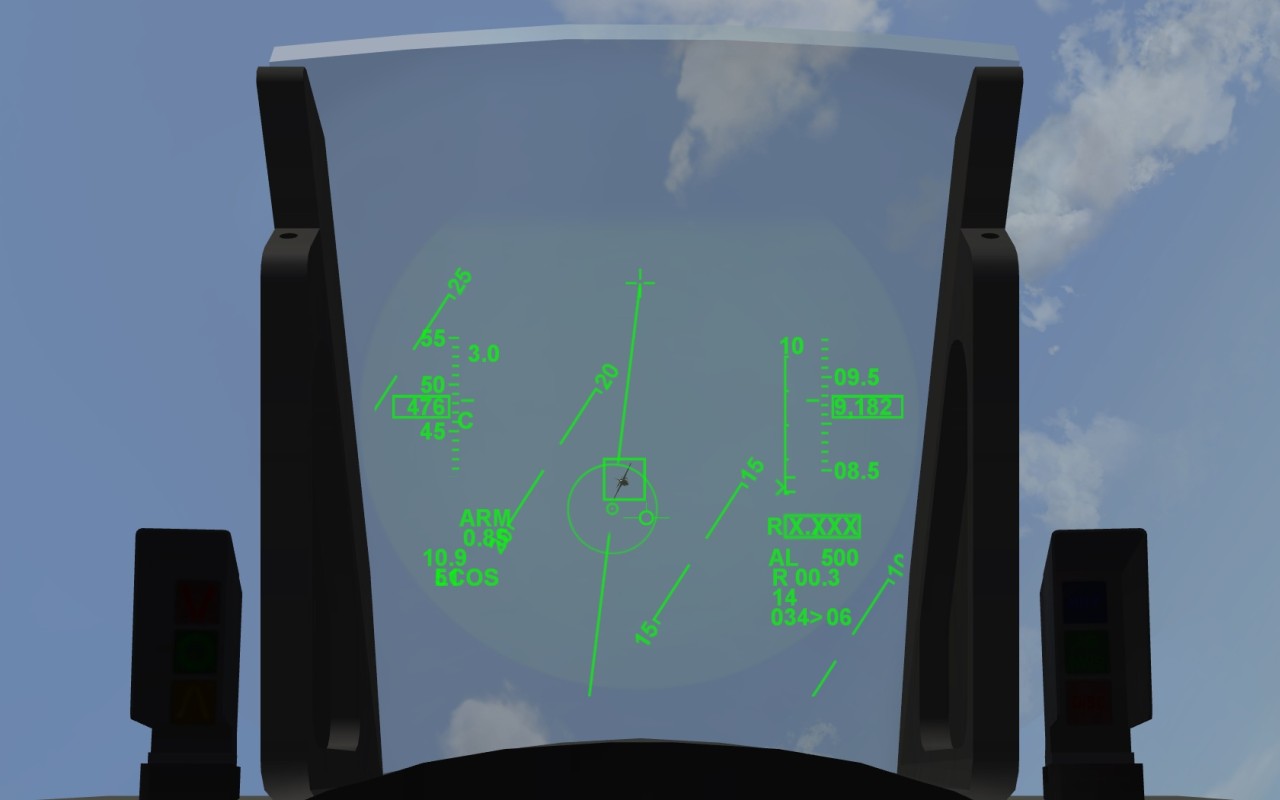
Ive worked on a fix for that issue (stopped in mid July), implementing the old style LCOS sight ... It started as a quick project off another avionics update... But probably ends in a bigger update since there was no good-working easy solution (iirc) It will have some so far unused functions (not sight related) ... see the pic... ( OLD WIP screenie, unfinished)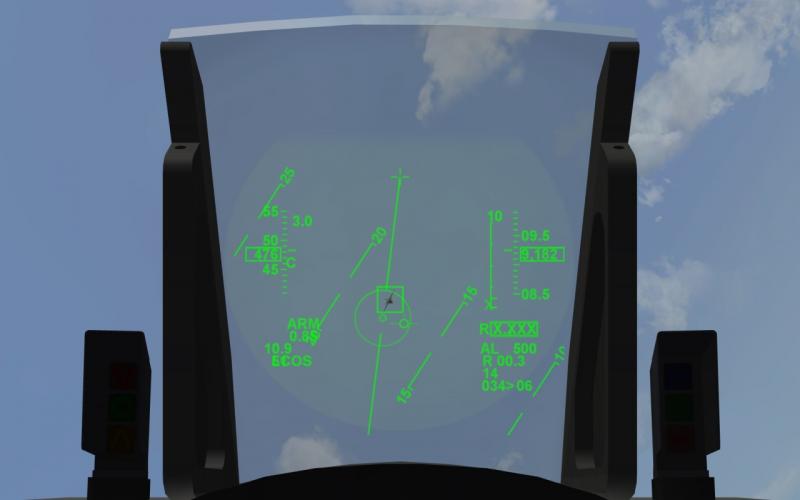
-
yep, i have a map in a book which i'll scan which has the positions of MABOT and KAAOT , the latter is only a couple km away
-
SA342 Gazelle. Anyone can help ?
Crusader replied to yakarov79's topic in Mods & Skinning Discussion
I (and JAT) still have the 3d max files of the TMF Gazelles Dont know how much and what JAT has done with them If you want to make a proper model without the fake method, let me know -
Better delete the min/max or add proper values, presently it has a hitbox 40 meters wide , 40 meters long and 40 meters high ...
-
that questionnaire shows that the dev's have no real grasp of the F1 differences/versions ...
-
Can also mount gun pods under the fuselage, either two single .50cal M3 machine guns (220 rds each) or a single 30mm (ADEN/DEAA type with 130 rds) Ammo is stored in a compartment below the rear cockpit