Crusader
-
Posts
4,184 -
Joined
-
Last visited
-
Days Won
40
Content Type
Profiles
Forums
Gallery
Downloads
Store
Everything posted by Crusader
-
Checked Controls menu, throttle assignment ?
-
Small change I made a while ago ( in 2012 ..) to bring the bombs per second selector in sync with the intervals in the list, I think the original setup had the selector going backwards. In the A-1 cockpit ini, find the IntervalSelectorKnob section and replace it with the updated section : [IntervalSelectorKnob] Type=RIPPLE_INTERVAL NodeName=Interval_Knob MovementType=ROTATION_Y Set[01].Position=315.0 Set[01].Value=50.0 Set[02].Position=295.0 Set[02].Value=55.0 Set[03].Position=275.0 Set[03].Value=63.0 Set[04].Position=255.0 Set[04].Value=71.0 Set[05].Position=235.0 Set[05].Value=83.0 Set[06].Position=215.0 Set[06].Value=100.0 Set[07].Position=200.0 Set[07].Value=111.0 Set[08].Position=185.0 Set[08].Value=125.0 Set[09].Position=170.0 Set[09].Value=143.0 Set[10].Position=150.0 Set[10].Value=167.0 Set[11].Position=130.0 Set[11].Value=200.0 Set[12].Position=103.5 Set[12].Value=250.0 Set[13].Position=75.0 Set[13].Value=286.0 Set[14].Position=50.0 Set[14].Value=333.0 Set[15].Position=25.0 Set[15].Value=400.0 Set[16].Position=0.0 Set[16].Value=500.0
- 1 reply
-
- 6
-

-
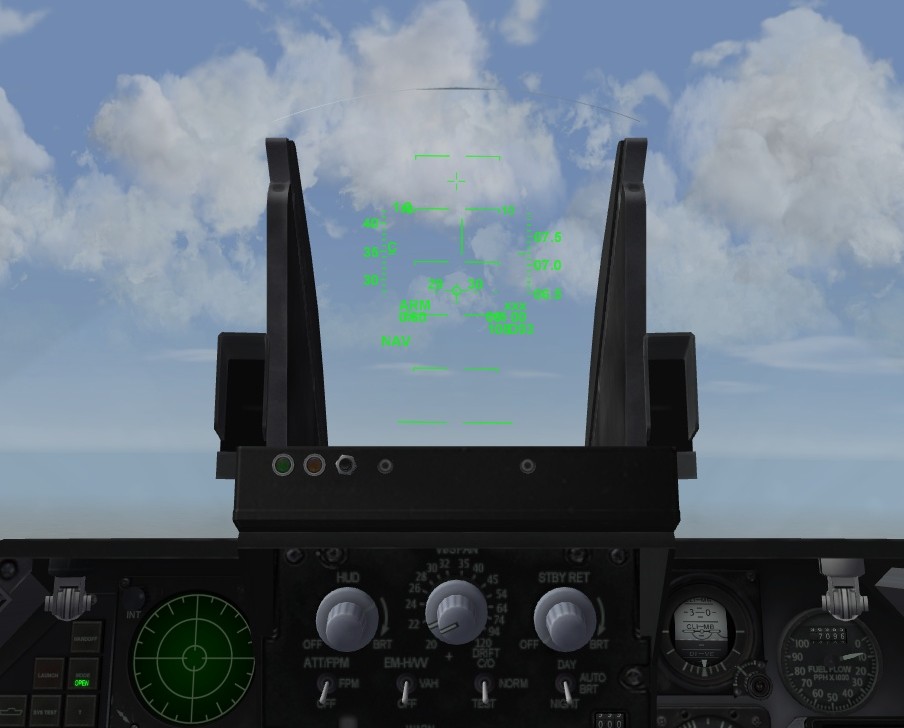
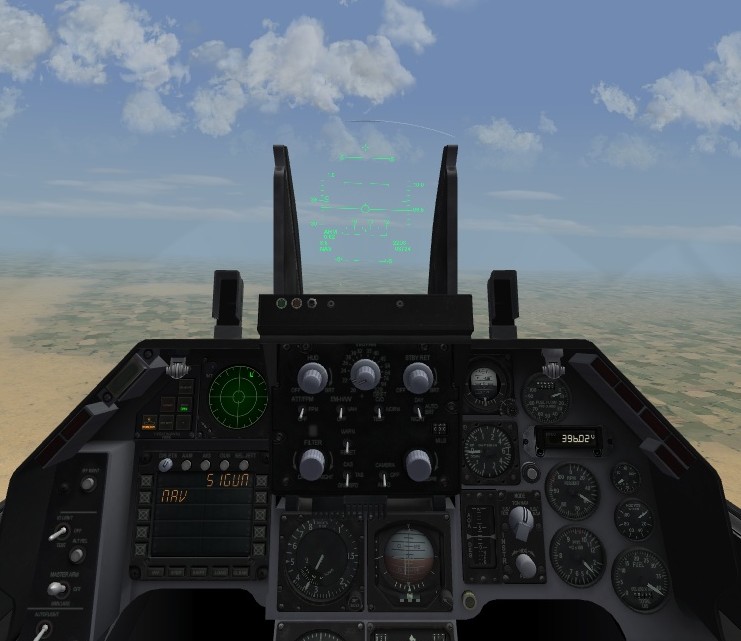
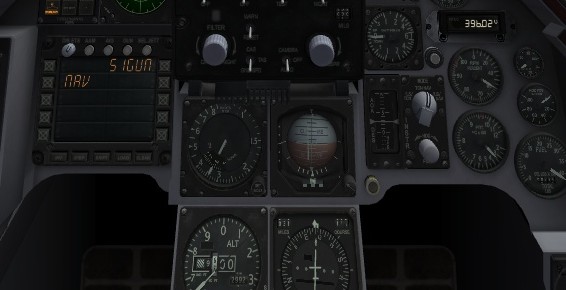
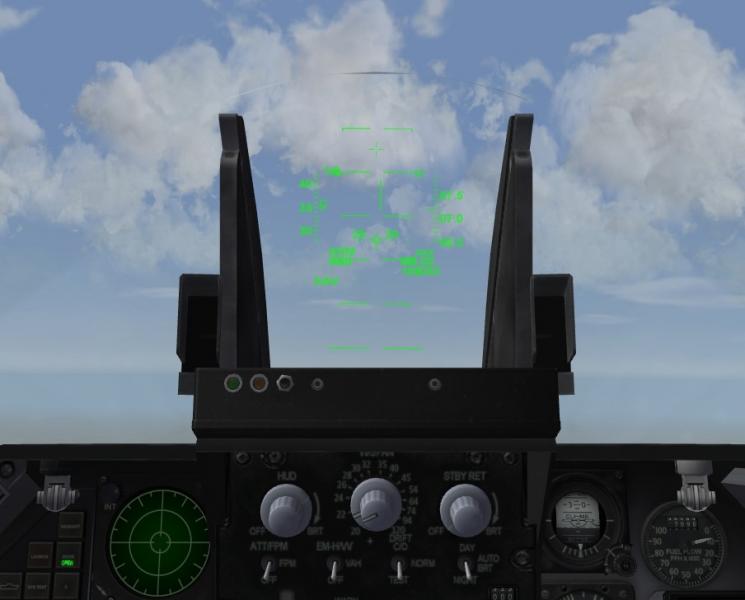
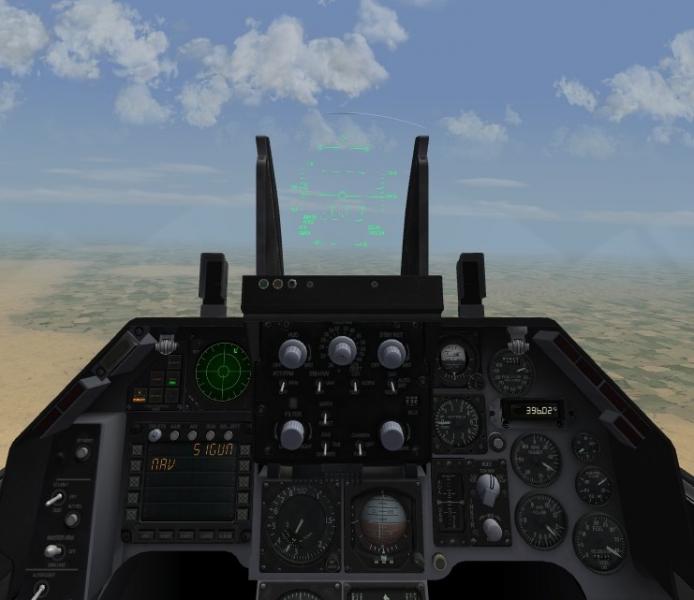
All F-16A had the AoA/NWS/AAR etc indicator light boxes mounted on the HUD frame and not on the panel cowling like in F-16C's.. ---------------------------------------------------------- F-16C ---------------------------- --------------------------------------------------------- F-16A ----------------------------- F-16A Block 15 swapped the location of the Altimeter with the AoA+INSTR panels The ini entries for modifying the F-16A_Netz_Cockpit ini .. : [CockpitSeat001] ... Instrument[094]=MoveAltimeterLeft Instrument[095]=MoveAltimeterDown Instrument[096]=MoveAltimeterDistance Instrument[097]=MoveAltimeterAngle Instrument[098]=MoveINSTRRight Instrument[099]=MoveINSTRUp Instrument[100]=MoveINSTRDistance Instrument[101]=MoveINSTRAngle Instrument[102]=MoveAoARight Instrument[103]=MoveAoAUp Instrument[104]=MoveAoADistance Instrument[105]=MoveAoAAngle Instrument[106]=Moveindexer_LRight Instrument[107]=Moveindexer_LUp Instrument[108]=Moveindexer_RLeft Instrument[109]=Moveindexer_RUp Instrument[110]=Moveindexer_LRotateLeft Instrument[111]=Moveindexer_RRotateRight ... // swap instrument positions [MoveAltimeterLeft] Type=AIRSPEED_INDICATOR NodeName=case_alt MovementType=POSITION_X Set[01].Position=-0.179 Set[01].Value=0.0 Set[02].Position=-0.179 Set[02].Value=1.0 [MoveAltimeterDown] Type=AIRSPEED_INDICATOR NodeName=case_alt MovementType=POSITION_Z Set[01].Position=-0.095 Set[01].Value=0.0 Set[02].Position=-0.095 Set[02].Value=1.0 [MoveAltimeterDistance] Type=AIRSPEED_INDICATOR NodeName=case_alt MovementType=POSITION_Y Set[01].Position=-0.046 Set[01].Value=0.0 Set[02].Position=-0.046 Set[02].Value=1.0 [MoveAltimeterAngle] Type=AIRSPEED_INDICATOR NodeName=case_alt MovementType=ROTATION_X ValueUnit=DEG Set[01].Position=-30.0 Set[01].Value=0.0 Set[02].Position=-30.0 Set[02].Value=1.0 [MoveINSTRRight] Type=AIRSPEED_INDICATOR NodeName=INSTR MovementType=POSITION_X Set[01].Position=0.219 Set[01].Value=0.0 Set[02].Position=0.219 Set[02].Value=1.0 [MoveINSTRUp] Type=AIRSPEED_INDICATOR NodeName=INSTR MovementType=POSITION_Z Set[01].Position=0.100 Set[01].Value=0.0 Set[02].Position=0.100 Set[02].Value=1.0 [MoveINSTRDistance] Type=AIRSPEED_INDICATOR NodeName=INSTR MovementType=POSITION_Y Set[01].Position=0.050 Set[01].Value=0.0 Set[02].Position=0.050 Set[02].Value=1.0 [MoveINSTRAngle] Type=AIRSPEED_INDICATOR NodeName=INSTR MovementType=ROTATION_X ValueUnit=DEG Set[01].Position=30.0 Set[01].Value=0.0 Set[02].Position=30.0 Set[02].Value=1.0 [MoveAoARight] Type=AIRSPEED_INDICATOR NodeName=AoA MovementType=POSITION_X Set[01].Position=0.135 Set[01].Value=0.0 Set[02].Position=0.135 Set[02].Value=1.0 [MoveAoAUp] Type=AIRSPEED_INDICATOR NodeName=AoA MovementType=POSITION_Z Set[01].Position=0.100 Set[01].Value=0.0 Set[02].Position=0.100 Set[02].Value=1.0 [MoveAoADistance] Type=AIRSPEED_INDICATOR NodeName=AoA MovementType=POSITION_Y Set[01].Position=0.050 Set[01].Value=0.0 Set[02].Position=0.050 Set[02].Value=1.0 [MoveAoAAngle] Type=AIRSPEED_INDICATOR NodeName=AoA MovementType=ROTATION_X ValueUnit=DEG Set[01].Position=30.0 Set[01].Value=0.0 Set[02].Position=30.0 Set[02].Value=1.0 // reposition indicator boxes [Moveindexer_LRight] Type=AIRSPEED_INDICATOR NodeName=indexer_L MovementType=POSITION_X Set[01].Position=0.035 Set[01].Value=0.0 Set[02].Position=0.035 Set[02].Value=1.0 [Moveindexer_LUp] Type=AIRSPEED_INDICATOR NodeName=indexer_L MovementType=POSITION_Z Set[01].Position=0.028 Set[01].Value=0.0 Set[02].Position=0.028 Set[02].Value=1.0 [Moveindexer_RLeft] Type=AIRSPEED_INDICATOR NodeName=indexer_R MovementType=POSITION_X Set[01].Position=-0.035 Set[01].Value=0.0 Set[02].Position=-0.035 Set[02].Value=1.0 [Moveindexer_RUp] Type=AIRSPEED_INDICATOR NodeName=indexer_R MovementType=POSITION_Z Set[01].Position=0.028 Set[01].Value=0.0 Set[02].Position=0.028 Set[02].Value=1.0 [Moveindexer_LRotateLeft] Type=AIRSPEED_INDICATOR NodeName=indexer_L MovementType=Rotation_Y ValueUnit=DEG Set[01].Position=-2.00 Set[01].Value=0.0 Set[02].Position=-2.00 Set[02].Value=1.0 [Moveindexer_RRotateRight] Type=AIRSPEED_INDICATOR NodeName=indexer_R MovementType=ROTATION_Y ValueUnit=DEG Set[01].Position=2.00 Set[01].Value=0.0 Set[02].Position=2.00 Set[02].Value=1.0 To modify Block 1 to 10 F-16A's, use only the indicator boxes mod To modify Block 15's, use the complete mod with instrument position swap
-
- 4
-
-
The TCS data section.... its using the weapondata format. Correct format for aircraft data and avionics ini (yep..) is this : Example from a F-4E TISEO with Dual FOV, with smaller FOV for long distance; 10km+ [TISEO] SystemType=EO_CAMERA ModelNodeName=TV CameraFOV=5.000000 DualFOV=TRUE SearchFOV=2.500000 CameraPosition=-2.052,3.488,-0.687 CameraAngles=0.0,-2.0,0.0 MaxSeekerRange=30.000000 SeekerGimbleLimit=30.000000 SeekerTrackRate=20.0 SightTexture=f-4_tiseo2.tga SearchTexture=f-4_tiseo.tga BypassFilter=FALSE IRImage=FALSE TrackingGateType=0 GimbleAngleDisplayType=1 ShowTargetID=TRUE // Tracking Gate options // 0 None // 1 Crosshair // 2 Four Corners // 3 Double Lines // Gimble Angle Display options // 0 None // 1 Pointing Cross // 2 Nose Index Marker
-
Desert Storm ... 25 years ago .. 16th/17th Jan 1991
Crusader replied to Crusader's topic in Military and General Aviation
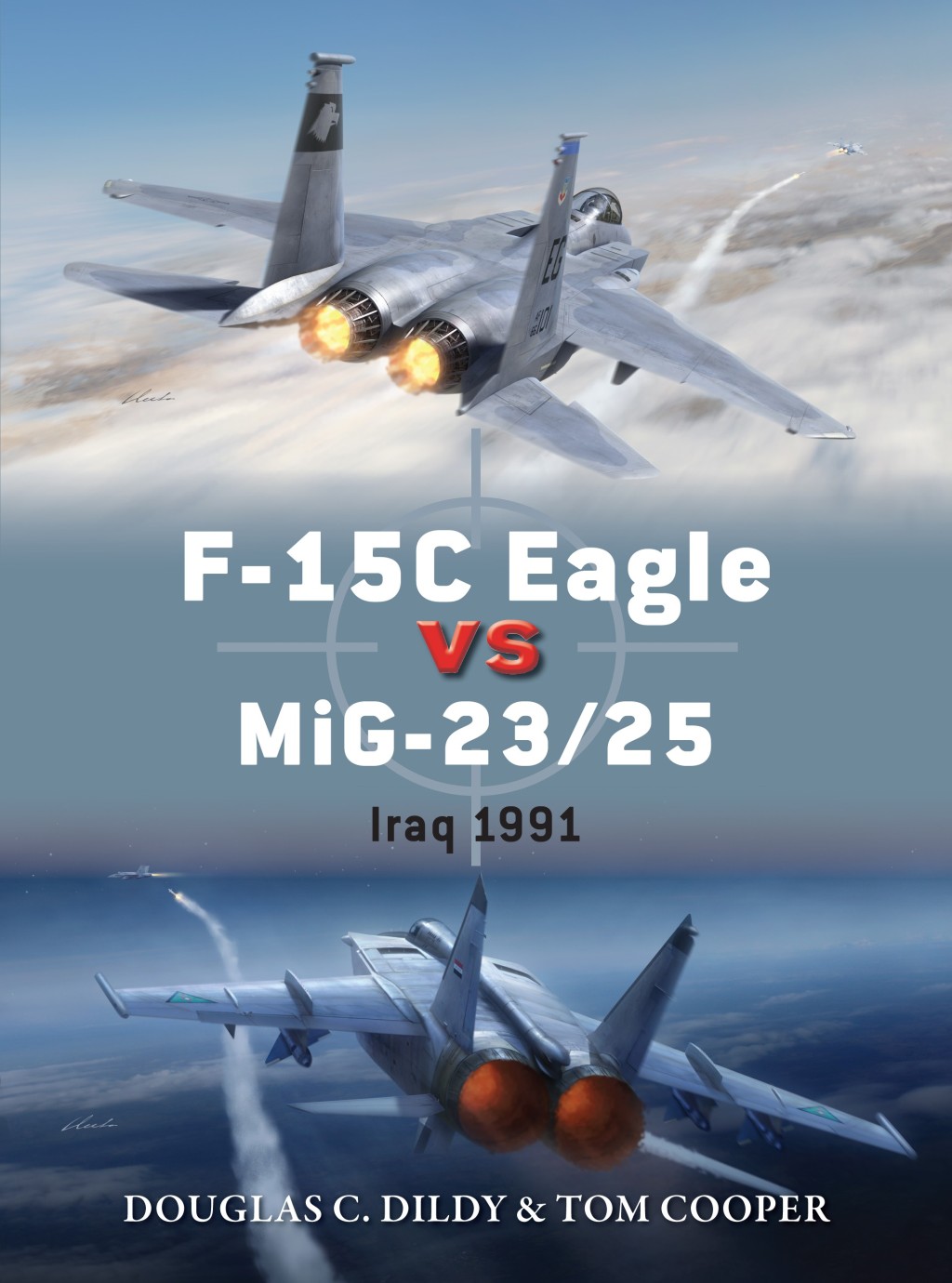
Yep.. all very low key about it so far. New book coming in April : https://ospreypublishing.com/f-15-eagle-versus-mig-23-25-pb EDIT: cover picture resized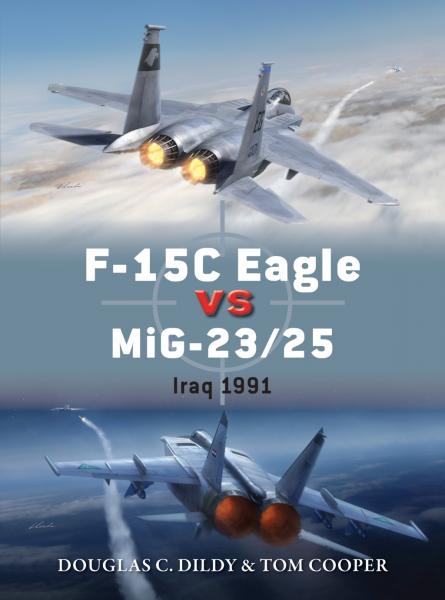
-
Perfect insignia.... :D
-
The hi-res runway textures.. I usually downsize them to 512 pixel and save them in JPG format.. and remove the original BMPs from the folder. Helps a lot on my old crate.
-
Its also possible to directly target any targetable object by pointing the aircraft at it or look at it and use the Acquire Visual Target command ( Numpad * by default, iirc)
-
HUD, several switches and stuff and the WCP look very much like F-15A stuff which has been "Phantomized", so to say. I wont be surprised if the HUD symbology is very similar to the F-15A symbology.
-
Weird problem when download a add on planes
Crusader replied to matanbar123's topic in General Discussion
None of the textures show on the HUD which means the avionics ini is missing the HUD Material section which is a SF2 feature To fix it Open the avionics ini file (with notepad , e.g.) Find the [HUD] section Add this line to the HUD section : [HUD] ... HUDMaterial=HUDMaterial and then the new HUDMaterial section : [HUDMaterial] EffectShaderName=fltHUD.fx DepthBufferCheck=FALSE DepthBufferWrite=FALSE RenderedInOrder=FALSE AlphaTestEnabled=TRUE CullMode=NO_CULL LightEnabled=FALSE UseLightLevel=FALSE SpecularEnabled=FALSE EmissiveEnabled=FALSE FogEnabled=FALSE AmbientColor=1.000000,1.000000,1.000000,1.000000 DiffuseColor=1.000000,1.000000,1.000000,1.000000 ZBufferOffset=0 PriorityLevel=1 BlendOp=BLEND_SRC_ALPHA NumTextureStages=1 TextureStage[01].TextureName= TextureStage[01].MipMap=FALSE TextureStage[01].FilterEnabled=TRUE TextureStage[01].StageColorOp=TEXTURE_MODULATE_DIFFUSE TextureStage[01].StageAlphaOp=TEXTURE_MODULATE_DIFFUSE -
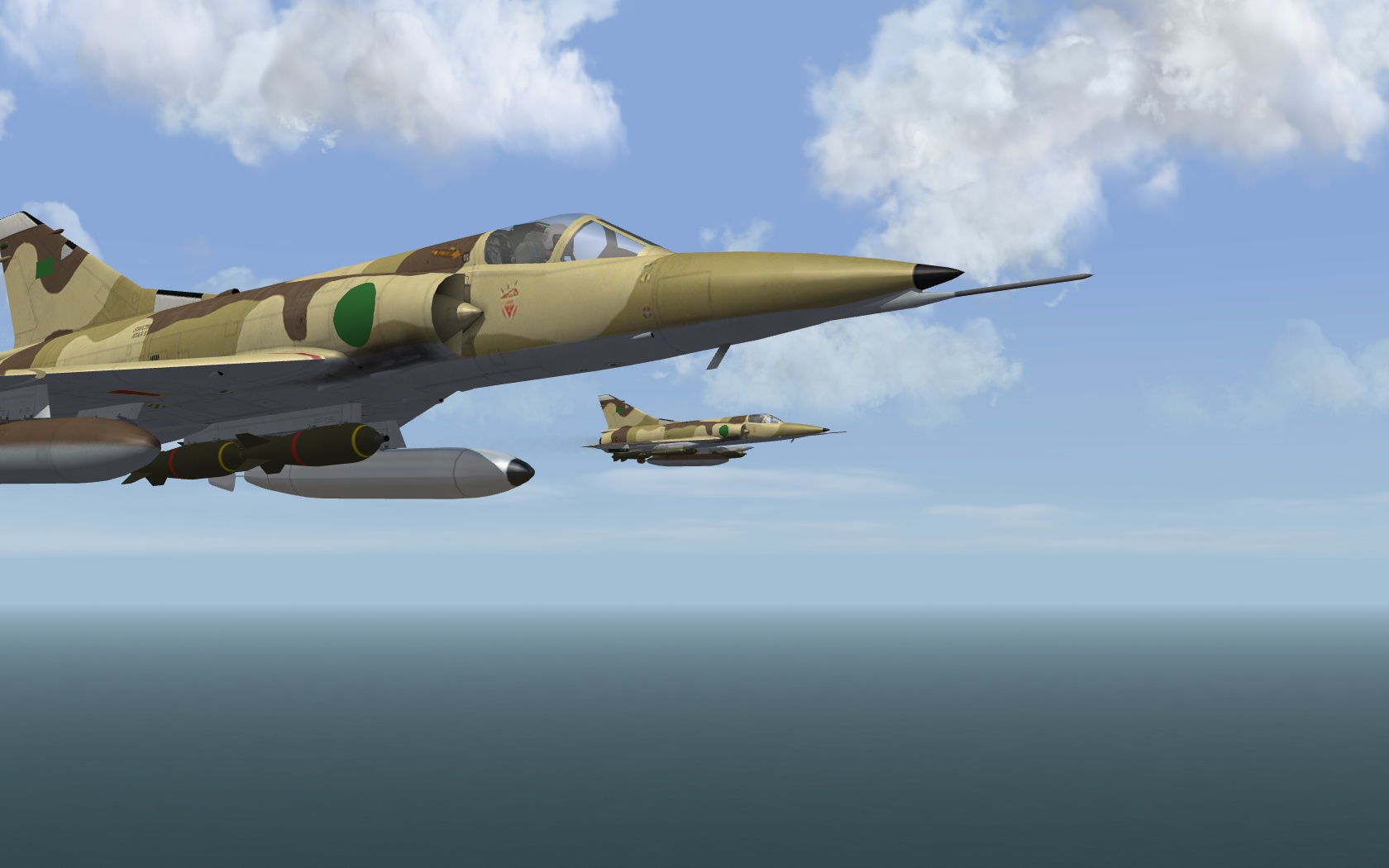
Antennaes and the pylon arrangement and... the end/rear of the fairing from wing to fuselage where the Spirale chaff dispensers are mounted on later variants Theres also the Eclair chaff/flare dispenser box on the underside of the rear fuselage on the early variants
-
How about a good old .bat file with DOS command lines to do all the copy/paste with one click or two ..
-
SF2 Series DACT Reports And Related A2A Discussions (Game only)
Crusader replied to Flanker562's topic in General Discussion
That 100 ft or so split-s pullout... Regarding the expanded CDL tables: Ive modified a MiG-21bis (not flown yet) and the TW Mirage 5D and got a couple of flights with it fighting MiG-21's and F-15A And I do have the impression that its smoother turning at a given G and also easier to hold the desired G -
Cockpit Indicator Light Help
Crusader replied to maverickvf142's topic in Mods & Skinning Discussion
In the cockpit ini, the ItemNumber= refers to the AnimationID used in the data ini / aircraft lod animation In the AV-8B+, the refuel probe is using #8 -
Cockpit Indicator Light Help
Crusader replied to maverickvf142's topic in Mods & Skinning Discussion
Cockpit ini , Probe section [Probe] Type=EXTERNAL_ANIMATION_LINK NodeName=ICP_PROBE MovementType=LIGHT ItemNumber=8 -
Aircraft CCIP Bombs always fall way short fix?
Crusader replied to Spudknocker's topic in Mods & Skinning Discussion
int he aircrafT's data ini [FlightControl] section, look for (add if missing) RocketBoresightAngle=0 ( make avionics ini value match this value ) If you change the angle in the data, then the AI has trouble aiming .. which requires adjusting AimPitchOffset in the next section, [RocketAttackAI] ... AimPitchOffset=0.5 All that is for rockets only.. I'm still looking for my updated F-15E files... -
Aircraft CCIP Bombs always fall way short fix?
Crusader replied to Spudknocker's topic in Mods & Skinning Discussion
Ive fixed that problem (IIRC...) when i worked on the updated F-15E avionics Have to dig out the files and check... CCIP can be adjusted in the avionics ini for rockets, HUD section , RocketBoresightAngle= For one type or to get a usable average solution .. it also depends on another related value in the aircraft's data ini .. -
There is the "up to date" red side wpn pack I think the R-73 from it are better than older versions
-
How to delete buildings on runways ?
Crusader replied to jeanba's topic in Mods & Skinning Discussion
Try this maybe...
-
LOL yep And thats the good part of SF... everyone can find "his" field of interest .. some just planes.. skins..... other cockpits .. then there are the "aerodynamists" ;D