


Wrench
-
Posts
28,193 -
Joined
-
Last visited
-
Days Won
182
Content Type
Profiles
Forums
Gallery
Downloads
Store
Everything posted by Wrench
-
Can I use AI to generate 3d model for SFP1
Wrench replied to rbenninghoven's topic in Sci-Fi/Anime/What If Forum
Short answer: NO -
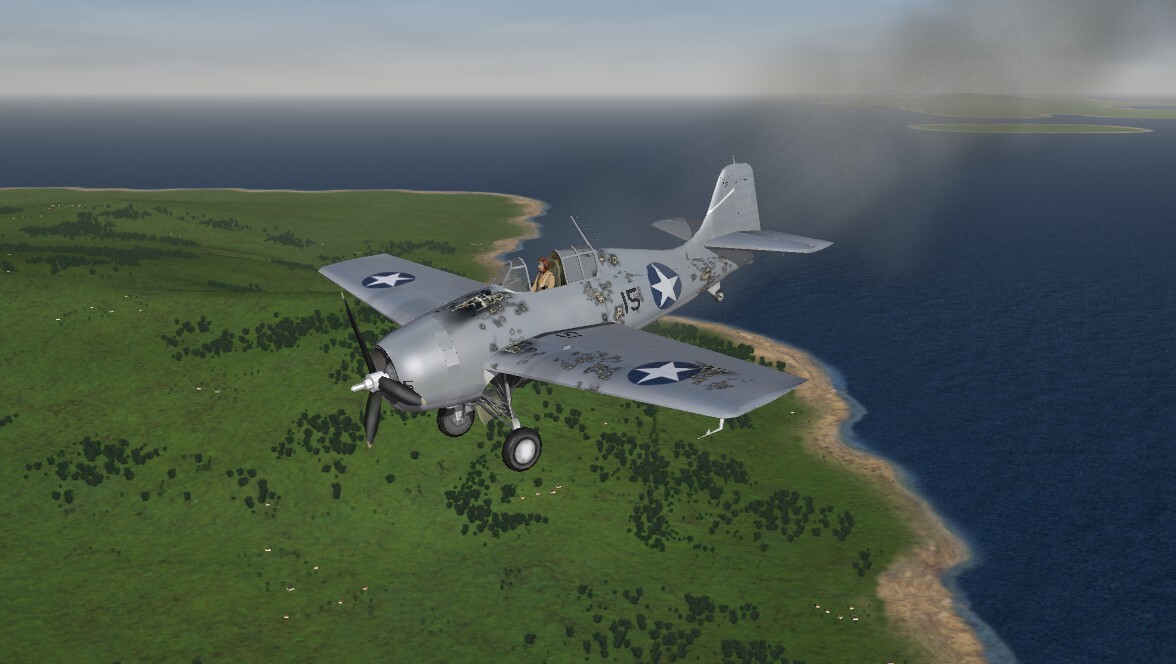
I think I can .. I think I can... I can glide back to Henderson ... I think I can ...
-
Version 1.0.0
33 downloads
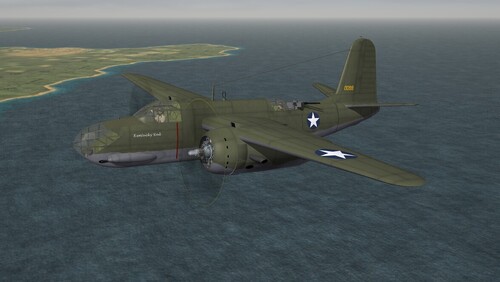
SF2 A-20 Havoc (CA) PTO Package (Beta Plus) 8/6/2026 -For SF2 =ONLY= (Full/5 Merged Recommended) Coyote Aerospace and Angelp are proud to release a NEW World War 2 aircraft! This package contains the A-20A Havoc as used by the USAAF in 1941, and early 1942 in the South West Pacific area (re: New Guinea). Again, this mod if for Pacific Theatre use ONLY!!! The package includes 2 skins: 58th BS (L) (1/41-5/42) based at Hickam Field, 12/41 89th BS, 3rd Attack Group (<5/42) Port Moresby, PNG The 58th had 12 aircraft in Hawaii on Dec 7, 1941, and several were destroyed and/or damaged. Historically, the few undamaged aircraft were sent on scouting missions to try and locate the Japanese fleet. The 89th was part of Gen Kenny's 5th AF. They were VERY well used during the New Guinea campaigns. The actual dates are noted as shown above. The SF2 Date Switch (tm) is active, and the 89th will turn on in May 42, as that's when they arrived in New Guinea. All skin maps are in JPG format. All markings are decals, and decal randomization is TRUE. As these are 'new' rebuilds from Havoc's no longer available from 'the other place', all decals from those mods have been reused and refreshed for SF2 usage. As such, the original read me for each is included with the relevant skin folders, along with a screenshot of the original bird. Serial numbers are historically correct for both skins; the 89th is 98.6%+ correct, along with the various nose art decals. The pilot's entrance hatch opens with the Standard Animation Keystroke (tm), Shift/0 (zero). Everything is included: WW2 bombs (including the para-frags), pilot figures and so forth. You'll also be adding a 'new' sound, so have your SoundList ini extracted, or be ready to extract it and add the new sound's data. Full instructions are in below, in the "To Install" section. It should be noted, this same engine sound will be used on ALL versions of the Boston/Havoc that are still in the hangar. On the Aircraft Selection Drop Down Screen you'll see: A-20A Havoc (CA) The 'CA' of course, is for Coyote Aerospace. As is always recommended, unzip to a temp folder or your desktop to give easy access to the rest of this readme for it's install instructions. PLEASE read them, before installing!!! Please read the Notes section for any other useless bits of information, the change log, Please also take note of changes in the Standard Disclaimer in the "Legal BS" section at the bottom. Happy Landings! Wrench Kevin Stein- 1 review
-
- 9
-

-

-
View File SF2 A-20 Havoc (CA) PTO Package (Beta Plus) SF2 A-20 Havoc (CA) PTO Package (Beta Plus) 8/6/2026 -For SF2 =ONLY= (Full/5 Merged Recommended) Coyote Aerospace and Angelp are proud to release a NEW World War 2 aircraft! This package contains the A-20A Havoc as used by the USAAF in 1941, and early 1942 in the South West Pacific area (re: New Guinea). Again, this mod if for Pacific Theatre use ONLY!!! The package includes 2 skins: 58th BS (L) (1/41-5/42) based at Hickam Field, 12/41 89th BS, 3rd Attack Group (<5/42) Port Moresby, PNG The 58th had 12 aircraft in Hawaii on Dec 7, 1941, and several were destroyed and/or damaged. Historically, the few undamaged aircraft were sent on scouting missions to try and locate the Japanese fleet. The 89th was part of Gen Kenny's 5th AF. They were VERY well used during the New Guinea campaigns. The actual dates are noted as shown above. The SF2 Date Switch (tm) is active, and the 89th will turn on in May 42, as that's when they arrived in New Guinea. All skin maps are in JPG format. All markings are decals, and decal randomization is TRUE. As these are 'new' rebuilds from Havoc's no longer available from 'the other place', all decals from those mods have been reused and refreshed for SF2 usage. As such, the original read me for each is included with the relevant skin folders, along with a screenshot of the original bird. Serial numbers are historically correct for both skins; the 89th is 98.6%+ correct, along with the various nose art decals. The pilot's entrance hatch opens with the Standard Animation Keystroke (tm), Shift/0 (zero). Everything is included: WW2 bombs (including the para-frags), pilot figures and so forth. You'll also be adding a 'new' sound, so have your SoundList ini extracted, or be ready to extract it and add the new sound's data. Full instructions are in below, in the "To Install" section. It should be noted, this same engine sound will be used on ALL versions of the Boston/Havoc that are still in the hangar. On the Aircraft Selection Drop Down Screen you'll see: A-20A Havoc (CA) The 'CA' of course, is for Coyote Aerospace. As is always recommended, unzip to a temp folder or your desktop to give easy access to the rest of this readme for it's install instructions. PLEASE read them, before installing!!! Please read the Notes section for any other useless bits of information, the change log, Please also take note of changes in the Standard Disclaimer in the "Legal BS" section at the bottom. Happy Landings! Wrench Kevin Stein Submitter Wrench Submitted 08/07/2026 Category Other
-
- 3
-
-
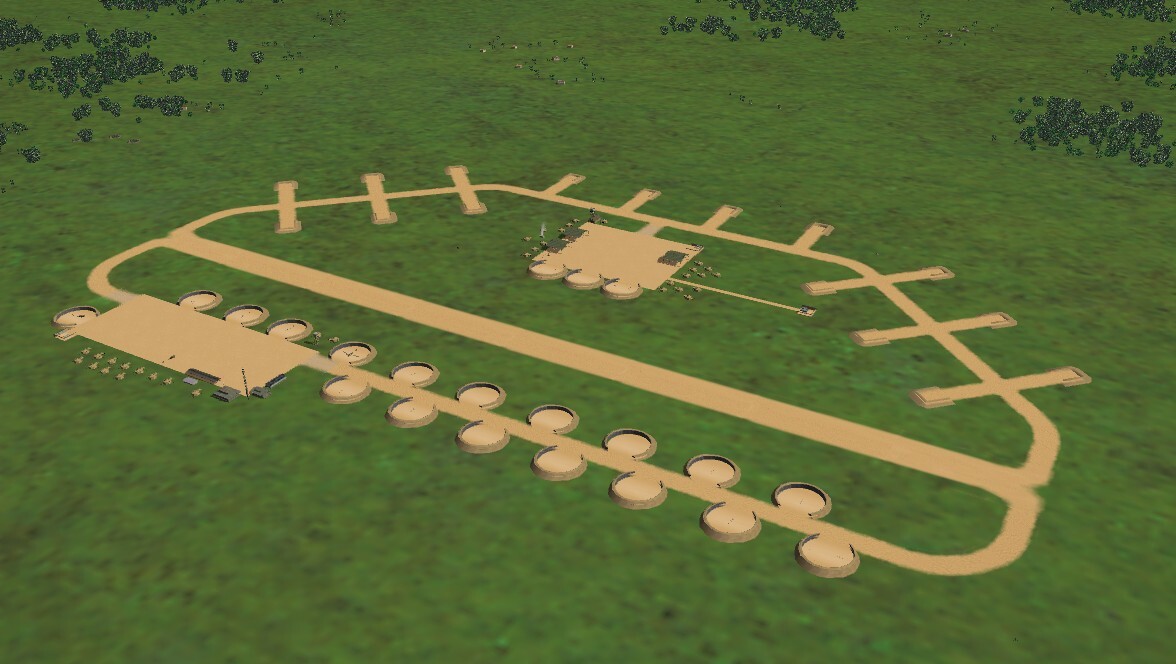
I know I should be working on finished and releasing angelp's A-20 series, but I stumbled across the 2004 versioin, completley untouched "PAW1" terrain. What a fucking mess!!! After retiling, editing damn near everything and so on ... Something I've wanted to try for a LOOOOOOOOOOOOOOOOONG time. Given that the stock airfields aren't really military, aren't really civil and aren't either, gave this a shot. WW2 style dispersals, at least as seen on this Runway3. After a few hours of repainting, renaming, hex editing and adding to the _types ini, and placing them. I think this is a pretty good (ok, not perfect but measurably better) for a WW2 SWP Japanese airstrip. In this case, Rapopo on New Britain (near Rabual). This major issue is the circular stands are a bit big, like B-29 (at least) sized. But that's ok. One can stick more than on IJAAF/IJN bomber inside. (since we don't acutaly have one Betty or Nell sized)
-
A chronic "stock" Flight Model glitch which appears seemingly proper
Wrench replied to alfa2's topic in General Discussion
Need to correct the statement in the original post -- it should read as: "FlightControl section in the aircraft's Data ini" simply because there's a whole lot of folks, new or otherwise, that won't know where to look for it. Might want to also tell them, that if it's a stock bird, they'll need to extract the relevant data ini from whichever CAT it's in, and place it INTO said aircraft's main folder. -
Nope!!! Not with my acrophobia!!!
-
it means you graphics card don't have enough ram
-
and don't forget to add the sounds to the Soundlist ini, as SF2 been screwing up add-on engines for some time now. Extract soundlist ini from the FlightData.cat. Place in the /Flight folder of you mod folder (create if it don't exist yet) where *** is the next number in sequence, add (assuming that's the wav sent, otherwise use that name) SoundFile***=C130Engine then, copy/paste this at the bottom of the soundlist ini [C130Engine] Priority=NORMAL 3DSound=TRUE DopplerEffect=TRUE Looped=TRUE FrequencyControl=TRUE NumBuffers=3 MaxDist=1500.000000 MinDist=100.000000 InsideConeAngle=60 OutsideConeAngle=180 ConeOutsideVolume=90 save and close the ini. Test fly to make sure it worked
-
black "skins" is not only caused by what Gepard said, but MISmatched skins -- as in those for another mod using a different physical model (LOD) or you've run out of texture memory
-
That was FAST Boss!! thanks for everything!!
-
Version 1.0.0
37 downloads
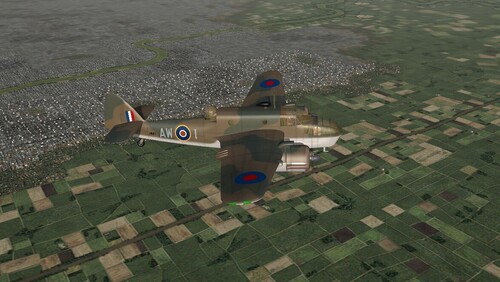
SF2 Bristol Beaufort (CA) Package (Beta Plus) 7/26/2026 -For SF2 =ONLY= (Full/5 Merged Recommended) Coyote Aerospace and Angelp are proud to release these 2 NEW World War 2 aircraft. This package contains 2 versions of the Bristol Beaufort Light/Torpedo Bomber -- Beaufort Mk.I Beaufort Mk.V-VIII DAP (Australian built & used) There are a host of skins available, and as the Beaufort was used in many theatres of WW2, you can pick and choose which WW2 mods folder(s) you can use them in (ETO, MTO, PTO). Please note, the Mk V DAP is ONLY for PTO use, and then most in the New Guinea/Solomons region. Mk I, II, IIA skins: No. 39 Sqdn (DAF 7/41-12/43) MTO desert camo No.42 Sqdn, Coastal Command (>1942) temperate land scheme ("Type B") No. 217 Sqdn, Coastal Command (<1942) temperate sea scheme, late "RAAF", No.100 Sqdn, RAAF Mk.II/V(1942-43) temperate land scheme Mk.V-VIII DAP: No.100 Sqdn, RAAF(1942-44) temperate land scheme No.100 Sqdn, RAAF (<1944) overall Forest Green All skin maps are in JPG format. All markings are decals, and decal randomization is TRUE. The RAAF model also has the squadron code letters for ALL the units that used the Beaufort. However, the serials are 100% historically correct for only No. 100 Squadron. All others, while historically correct for the variants depicted, should be considered 'generic' in nature. Again, as stated above, you End Users (TM) will have to do some moving of bits to their proper Theatre of Operations, removing the ones not needed in the various mod folders. Everything is included, bombs (WW2 style), British Torpedoes (the DAP can also use the US Mk.13 and US bombs) pilot figures and so forth. You'll also be adding 'new' sounds, so have your SoundList ini extracted, or be ready to extract it and add the new sound's data. Full instructions are in below, in the "To Install" section. Also, the original 1stGen 'Box Art' Hangar and Loading screens have been recycled for SF2 usage. On the Aircraft Selection Drop Down Screen you'll see: Beaufort Mk. I (CA) and Beaufort Mk.V-VIII DAP (CA) This will differentiate these from the ones no longer available from "elsewhere". You also may wish to remove/rename/delete THOSE versions if you have them, so as to not create confusion or file conflicts. In case anyone is wondering, "DAP" is the Australian 'Department of Aircraft Production'. As is always recommended, unzip to a temp folder or your desktop to give easy access to the rest of this readme for it's install instructions. PLEASE read them, before installing!!! Please read the Notes section for any other useless bits of information, the change log, Please also take note of changes in the Standard Disclaimer in the "Legal BS" section at the bottom. Happy Landings! Wrench Kevin Stein -
View File SF2 Bristol Beaufort (CA) Package (Beta Plus) SF2 Bristol Beaufort (CA) Package (Beta Plus) 7/26/2026 -For SF2 =ONLY= (Full/5 Merged Recommended) Coyote Aerospace and Angelp are proud to release these 2 NEW World War 2 aircraft. This package contains 2 versions of the Bristol Beaufort Light/Torpedo Bomber -- Beaufort Mk.I Beaufort Mk.V-VIII DAP (Australian built & used) There are a host of skins available, and as the Beaufort was used in many theatres of WW2, you can pick and choose which WW2 mods folder(s) you can use them in (ETO, MTO, PTO). Please note, the Mk V DAP is ONLY for PTO use, and then most in the New Guinea/Solomons region. Mk I, II, IIA skins: No. 39 Sqdn (DAF 7/41-12/43) MTO desert camo No.42 Sqdn, Coastal Command (>1942) temperate land scheme ("Type B") No. 217 Sqdn, Coastal Command (<1942) temperate sea scheme, late "RAAF", No.100 Sqdn, RAAF Mk.II/V(1942-43) temperate land scheme Mk.V-VIII DAP: No.100 Sqdn, RAAF(1942-44) temperate land scheme No.100 Sqdn, RAAF (<1944) overall Forest Green All skin maps are in JPG format. All markings are decals, and decal randomization is TRUE. The RAAF model also has the squadron code letters for ALL the units that used the Beaufort. However, the serials are 100% historically correct for only No. 100 Squadron. All others, while historically correct for the variants depicted, should be considered 'generic' in nature. Again, as stated above, you End Users (TM) will have to do some moving of bits to their proper Theatre of Operations, removing the ones not needed in the various mod folders. Everything is included, bombs (WW2 style), British Torpedoes (the DAP can also use the US Mk.13 and US bombs) pilot figures and so forth. You'll also be adding 'new' sounds, so have your SoundList ini extracted, or be ready to extract it and add the new sound's data. Full instructions are in below, in the "To Install" section. Also, the original 1stGen 'Box Art' Hangar and Loading screens have been recycled for SF2 usage. On the Aircraft Selection Drop Down Screen you'll see: Beaufort Mk. I (CA) and Beaufort Mk.V-VIII DAP (CA) This will differentiate these from the ones no longer available from "elsewhere". You also may wish to remove/rename/delete THOSE versions if you have them, so as to not create confusion or file conflicts. In case anyone is wondering, "DAP" is the Australian 'Department of Aircraft Production'. As is always recommended, unzip to a temp folder or your desktop to give easy access to the rest of this readme for it's install instructions. PLEASE read them, before installing!!! Please read the Notes section for any other useless bits of information, the change log, Please also take note of changes in the Standard Disclaimer in the "Legal BS" section at the bottom. Happy Landings! Wrench Kevin Stein Submitter Wrench Submitted 07/27/2026 Category Other
- 1 reply
-
- 2
-
-
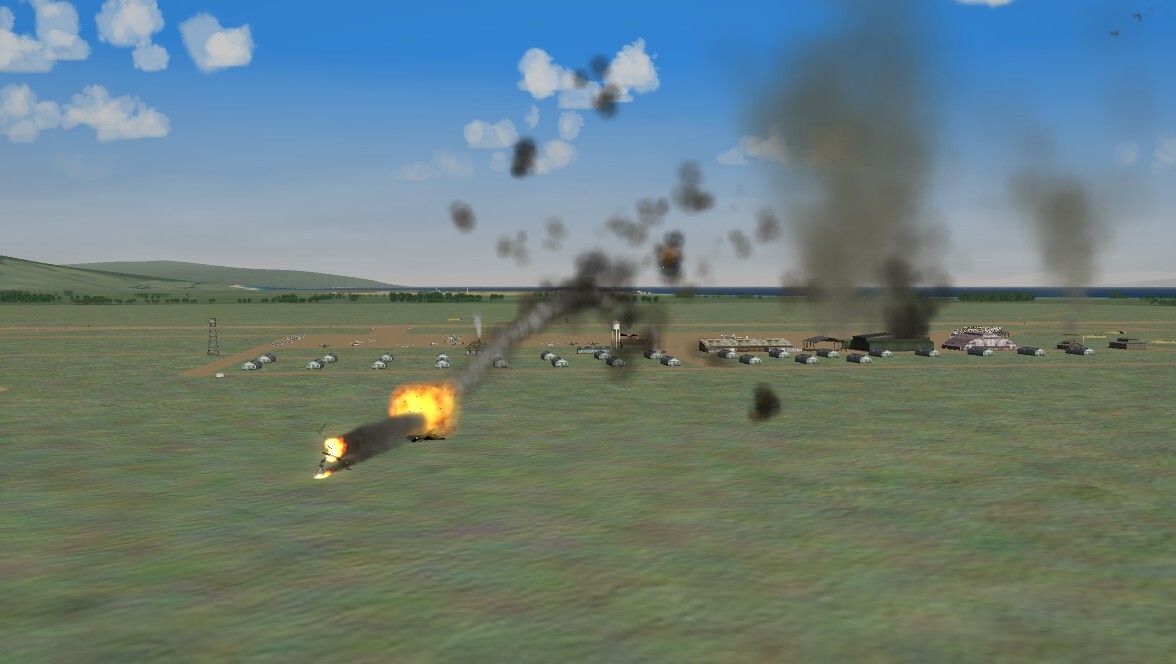
Oh, damnit!! That is NOT going to buff out ... this is what you get being stupid ... Rule #1 - DON'T duel with AAA
-
An old question needs an old answer...
Wrench replied to Wilches's topic in Mods & Skinning Discussion
that's one i keep forgetting, too. sometimes it'll stick at loading around 80-90% is usually a terrain object or ground object it doesn't understand (or like). -
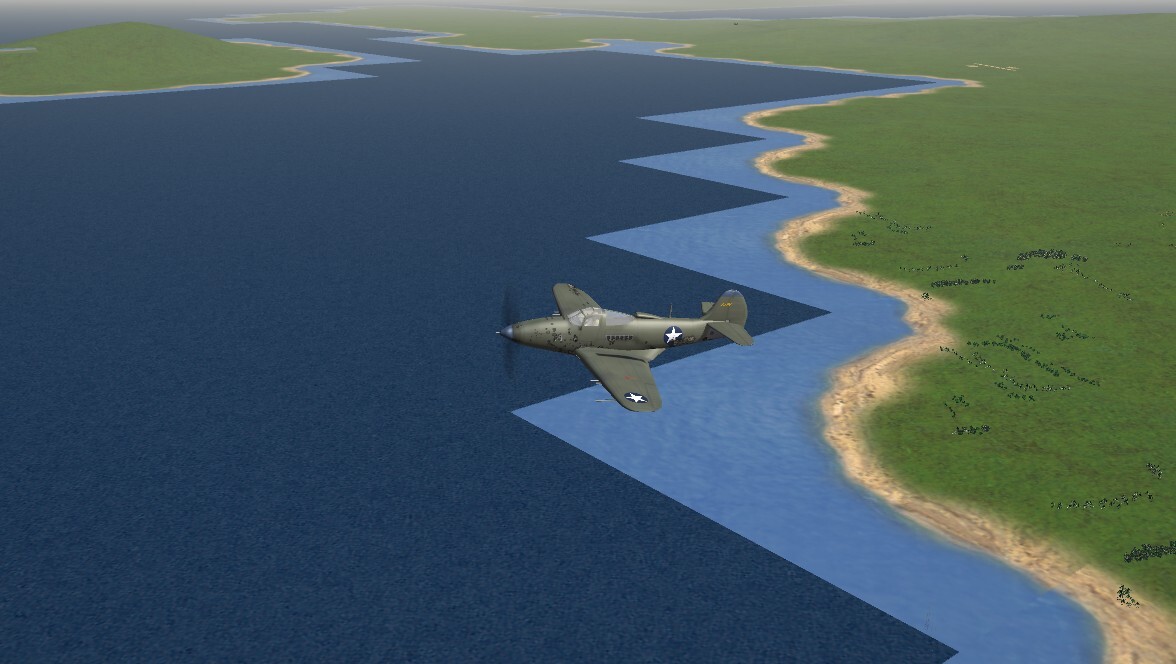
The hell??? Somebody better update their charts -- that water shoals in the ODDEST way!!!
-
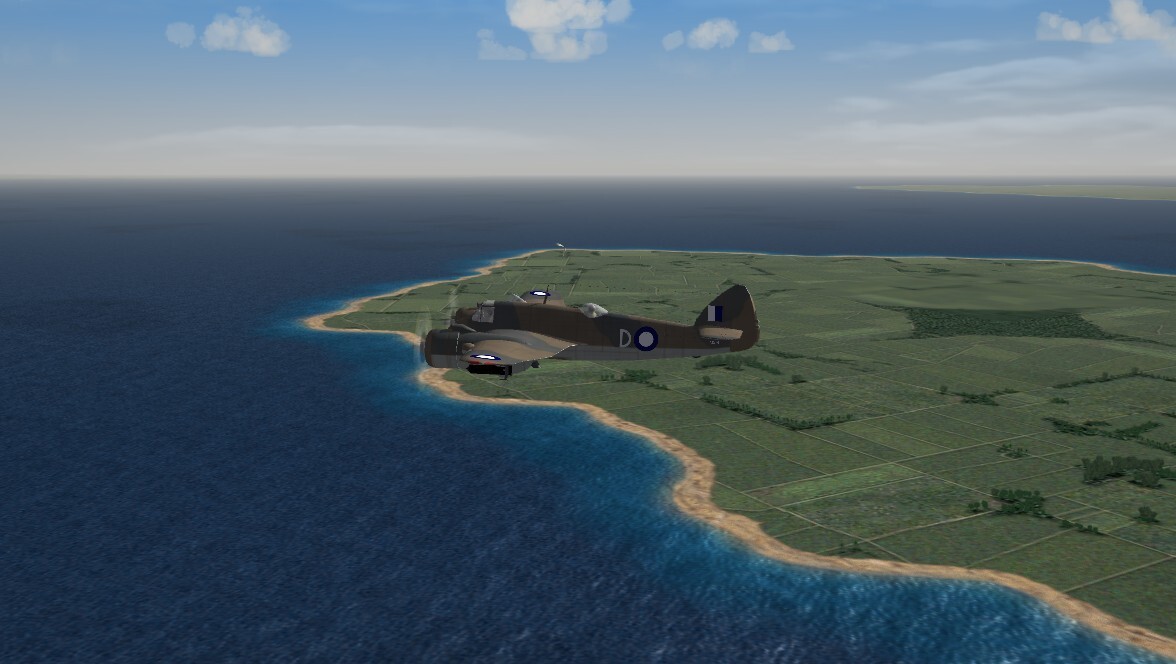
Passing Charles Point Lighthouse
-
not that I remember seeing. I say 'go for it Allen!!!'
-
NIgel, try this link. The website's been screwy for months, but looking under the "Wingedows 7" I found the purchase link for FE2 https://store.thirdwire.com/store_w7_all.htm#ShowMore
-
IcelandNA is a know framerate killer. Simply because it's LOD based not TFD/HFD based like the other terrains. Meaning: the entire map is a ungainly mess of polygons and meshes, just like the aircraft models As to terrain objects, who's hangars??? The stock ones are very low poly, some of the add-ons run a lot higher, and eat into the 'draw time'. Also, WHICH terrain? There's boatloads of terrains out that are EXCEEDINGLY heavy on objects and TODs that drag things down (I should know -- a built a lot of them) Gene_Wolfpack, you didn't mention if you've added any effect packages, which also eat up FRs. And how much ram on the vid card? How much system RAM??? How many cores? What speed? Desktop or laptop?? Honestly, between the 2 poster having issues, there simply isn't enough data to give an accurate response.
-
delete ALL mods, and test in a Plane Jane install. If it works without the mods, there's something wrong with the mod; and that'll have to be run down seperately
-
or, as many of us have done, just say "f-ck it! I'm leaving it as is!!"
-
Before anybody else from the SF2 community sticks their head(s) in (they know who I'm talking about)... I'm sure it can be imported into SF2, and armed with a nuke.. ducks and runs out nearest door ...... (on a personal note, I think they're super cool!!!)
-
Wow. some people. can't even follow simple rules that are clearly stated. I've a mind to delete that whole thing Thank Jim, for pointing them in the right direction
