Wrench
-
Posts
28,193 -
Joined
-
Last visited
-
Days Won
182
Content Type
Profiles
Forums
Gallery
Downloads
Store
Everything posted by Wrench
-
Not for right now, I thinks. If I do, you'll be my first call!!
-
that was a good film. netflix also has a very good documentary on the retirement of the MiG-21s too. Actualy, several war movies from India that look pretty good.
-
Nice touch using "Nightmare at 20000 Feet"!!!!
-
well, don't misplace them ... I know there's some IJAAF/IJN birds we could use (even with importing from RS -- some of them need a lot of ini work)
-
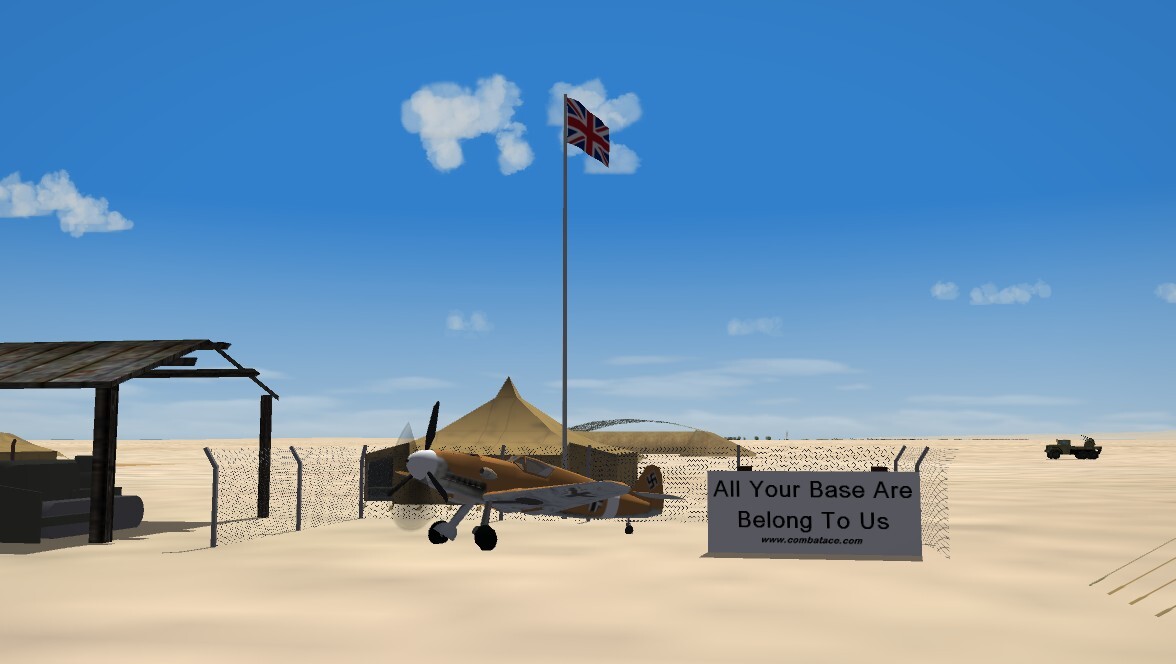
What shall this be captioned? Rule Britannia? Adding insult to injury? Finders Keepers???
-
Greeetings to our new members! Yes, you can mod the game to fly the Red Air side; there's a post in the SF2 Knowledge BAse on "how to" IIRC, there are some compaigns around in the downloads section
-
Time to think about investing in EMP guns, maybe???
-
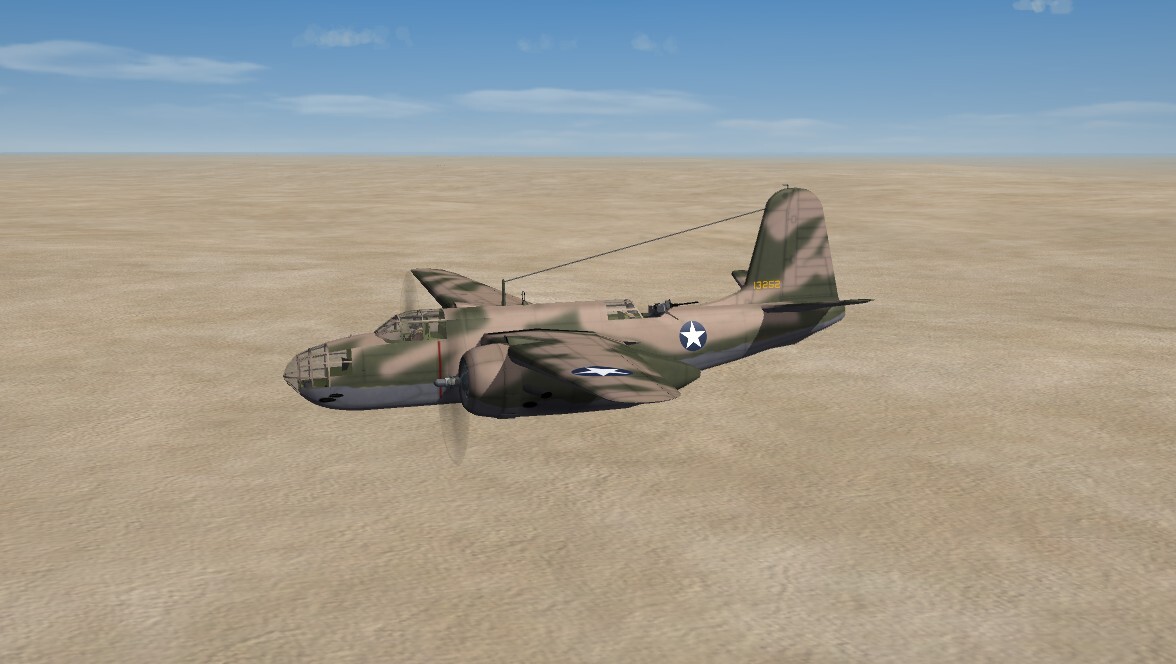
well, it doesn't QUITE look like the old Revell 1/72 A-20 box art, but its "close enough for gobermend work"
-
All the Jugs have been done already by Cocas and meself. But I thank you nonetheless!!
-
View File SF2 DB-7A & B Boston I/II (CA) ETO-MTO Package (Beta Plus) SF2 DB-7A & B Boston I/II (CA) ETO-MTO Package (Beta Plus) 8/23/2026 -For SF2 =ONLY= (Full/5 Merged Recommended) Coyote Aerospace and Angelp are proud to release 2 NEW World War 2 aircraft! This package contains the Douglas DB-7A & DB-7B as used by the French Armée de l'air, and later by Vichy forces, and the British Royal Air Force after the Fall of France. I'm releasing this combined aircraft/skin pack, for the varying theatres, so you End Users (tm) will =HAVE= to pick and choose and do the moving yourselves to place them in the correct Theatre of Operations (ETO and/or MTO) Mod Folder. There are NO skin sets herein used in the Pacific. The package includes the following skins: = DB-7A, Armée de l'air : 2 Escadrille, GB 1/19 (1939) 1 Escadrille, GB 1/32 (<6/40, Vichy, French Morocco) = DB-7B, RAF: No. 88 Squadron "Hong Kong" (6/40) No. 107 Squadron (12/41) (note these 2 units flew a mixture of Boston models) The actual dates are noted as shown above. The SF2 Date Switch (tm) is active, and the skins will switch (hopefully!) according to the dates shown above. Always check the included User list ini for exact dates. There are also usually historical notes on each of the texture set inis. All skin maps are in JPG format. All markings are decals, and decal randomization is TRUE. As these are 'new' rebuilds, these aircraft replace IN TOTAL those no longer readily available from 'the other place', all decals from those mods of mine have been reused and refreshed for SF2 usage. As such, where available, the original read me for each is included with the relevant skin folders along with a screenshot of the original bird. Serial numbers are historically correct for all skins; however, they are to be considered 'generic', not representing specific aircraft in each squadron. The pilot's entrance hatch opens with the Standard Animation Keystroke (tm), Shift/0 (zero). Everything is included: WW2 (nation specific) bombs, French MGs, pilot figures and so forth. You'll also be adding a 'new' sound, so have your SoundList ini extracted, or be ready to extract it and add the new sound's data. Full instructions are in below, in the "To Install" section. It should be noted, this same engine sound will be used on ALL versions of the Boston/Havoc that are still in the hangar. I've also included, for that that don't have it, the Nations entries for VichyFrance. Or you can (read--SHOULD) download the WW2 nations ini from the following URL: https://combatace.com/files/file/13095-ww2-nations-formations-inis/ I should have mentioned that before, on the other recent WW2 releases. Well, you can fix it now! Once in game, on the Aircraft Selection Drop Down Screen you'll see: DB-7A/Boston Mk.I (CA) DB-7B/Boston Mk.II/III (CA) The 'CA' of course, is for Coyote Aerospace. As is always recommended, unzip to a temp folder or your desktop to give easy access to the rest of this readme for it's install instructions. PLEASE read them, before installing!!! Please read the Notes section for any other useless bits of information, the change log, Please also take note of changes in the Standard Disclaimer in the "Legal BS" section at the bottom. Happy Landings! Wrench Kevin Stein Submitter Wrench Submitted 09/04/2026 Category Other
-
- 3
-

-

-
Version 1.0.0
25 downloads
SF2 DB-7A & B Boston I/II (CA) ETO-MTO Package (Beta Plus) 8/23/2026 -For SF2 =ONLY= (Full/5 Merged Recommended) Coyote Aerospace and Angelp are proud to release 2 NEW World War 2 aircraft! This package contains the Douglas DB-7A & DB-7B as used by the French Armée de l'air, and later by Vichy forces, and the British Royal Air Force after the Fall of France. I'm releasing this combined aircraft/skin pack, for the varying theatres, so you End Users (tm) will =HAVE= to pick and choose and do the moving yourselves to place them in the correct Theatre of Operations (ETO and/or MTO) Mod Folder. There are NO skin sets herein used in the Pacific. The package includes the following skins: = DB-7A, Armée de l'air : 2 Escadrille, GB 1/19 (1939) 1 Escadrille, GB 1/32 (<6/40, Vichy, French Morocco) = DB-7B, RAF: No. 88 Squadron "Hong Kong" (6/40) No. 107 Squadron (12/41) (note these 2 units flew a mixture of Boston models) The actual dates are noted as shown above. The SF2 Date Switch (tm) is active, and the skins will switch (hopefully!) according to the dates shown above. Always check the included User list ini for exact dates. There are also usually historical notes on each of the texture set inis. All skin maps are in JPG format. All markings are decals, and decal randomization is TRUE. As these are 'new' rebuilds, these aircraft replace IN TOTAL those no longer readily available from 'the other place', all decals from those mods of mine have been reused and refreshed for SF2 usage. As such, where available, the original read me for each is included with the relevant skin folders along with a screenshot of the original bird. Serial numbers are historically correct for all skins; however, they are to be considered 'generic', not representing specific aircraft in each squadron. The pilot's entrance hatch opens with the Standard Animation Keystroke (tm), Shift/0 (zero). Everything is included: WW2 (nation specific) bombs, French MGs, pilot figures and so forth. You'll also be adding a 'new' sound, so have your SoundList ini extracted, or be ready to extract it and add the new sound's data. Full instructions are in below, in the "To Install" section. It should be noted, this same engine sound will be used on ALL versions of the Boston/Havoc that are still in the hangar. I've also included, for that that don't have it, the Nations entries for VichyFrance. Or you can (read--SHOULD) download the WW2 nations ini from the following URL: https://combatace.com/files/file/13095-ww2-nations-formations-inis/ I should have mentioned that before, on the other recent WW2 releases. Well, you can fix it now! Once in game, on the Aircraft Selection Drop Down Screen you'll see: DB-7A/Boston Mk.I (CA) DB-7B/Boston Mk.II/III (CA) The 'CA' of course, is for Coyote Aerospace. As is always recommended, unzip to a temp folder or your desktop to give easy access to the rest of this readme for it's install instructions. PLEASE read them, before installing!!! Please read the Notes section for any other useless bits of information, the change log, Please also take note of changes in the Standard Disclaimer in the "Legal BS" section at the bottom. Happy Landings! Wrench Kevin Stein -
well, as to WHICH planes, pretty much the list as above Re-2000 series (3 plane) Macchi 200 series* (3 planes) Ju-52 -- also usefull for French use in Indochina Bf-110 (C/G?) Didn't Torno do the Macchi Racer from the 1930s?? I know, historically, that was the basis for their fighters. Wonder if he'd share the MAX file, and even if it IS reworkable to the fighter?
-
Ok, I just discovered something -- long time ago I uploaded some of Cocas's MAX files to the Modder Repository, and the are Seafire P-47 Beaufighter!!!!!!! I know it can be a lot of work, but that is a starting point for the Blenhiems
-
I'll be very happy to kick in a few bucks, too. I'll find the money. Thank you, gents! I know WW2 is a serious niche market, and I'm glad to get such a good response!
-
Their P-38s, (E/F/G/H/J) could be imported. Some minor reskinning and or course, re-decaling. They are FAR superior to the old Wolf257 models we've been using the last 20+ years. The B-26 could brought over, their G is close to a B (like, nearly identical), and it has noting of the shadow issues that Veltro's does.. I haven't looked at the P-51B, so can't speak of that (yet) Funny thing is, I was looking at their F3F & F4F Wildcats -- they fold their wing the wrong way!!! They twist so the LOWER wing is pointing out, not the pointing in at the fuselage. It's very funny to watch!! The TBF, oth, works just like Real Life (tm) We can't use their Buffalo, for redistrubution, even though it remapped differently for the 1stGen version, it's "by permission only" from DAT, according the RS readme.
-
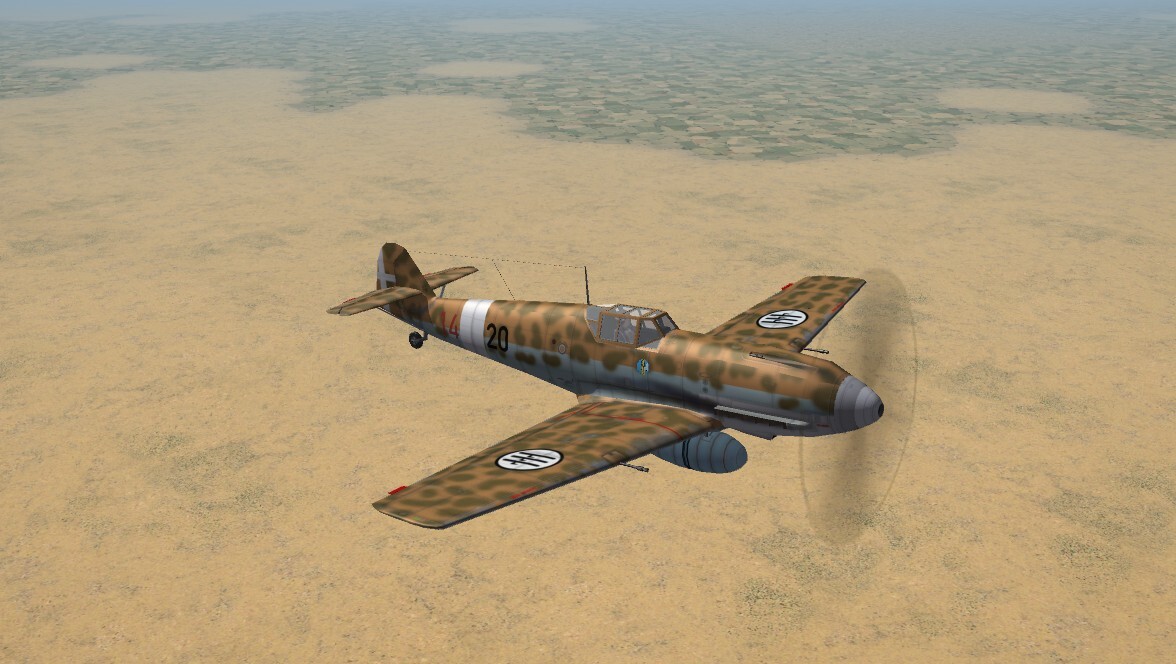
Took the day off from the Western Desert yesternoon, an created a "new" 109 for the Regia Aeronautica. Non historic for the E-7, the RA did use F and G models of varying sub-types. So, it's not a real what if, but a pending one??? As its an RussoUK's Emil, it can replace some of the unavailable RA birds, in some fashion, due to it's earlier 'arrival' in theatre. Release is "soon".
-
WoW!! I'd totally forgotten that ... and Veltro's Buffalo, too! Nice to have that for the Defense of Crete (and East Asia, too) I mean, we're still using his 109E, and it looks just as good as it did in 2005. (sigh) Time sucks. With luck, maybe Russ will drop by and ???? who knows ...
-
wow, $150 is way too rich for my blood too. Yes, all the birds I listed above are DAT. So, they're "out of reach". I mean, we can just use the Panzers we already have, which is fine. Again, I just wish we could get AngelP's Max files for the Beaufort or Beaufighter; I know one of you 3d Guru could make the necessary changes. Or Cocas' P-47 max files; mabye could be modded to the Re2000 (as it has more than a passing resemblance to the P-35) Those of us that have been modding WW2 since the early 2000s MAY still have the DAT birds archived or in their installs. But they need SOOOO much work. But as always, we'll make due with that we have. Somehow! (at least we've got CR42 and Gladiators!)
-
Sorry, I'm not talking about Today In History, which in 1945 the Empire of Japan's representatives signed the Instrument of Surrender aboard the USS Misssouri (and I've stood on that spot when she was at Naval Station Long Beach, headed to Hawaii after coming home from Gulf War 1. There's a plexiglass dome covering a bronze plague where the document was signed. When I can find them, I'll post pics) No, what I'm talking about is a totally historic win that we've all watched for decades ... the Coyote has actually caught the Road Runner ... and here in Los Angeles no less!! https://ktla.com/news/local-news/los-angeles-birder-photographs-coyote-roadrunner/
- 1 reply
-
- 10
-
-

-
ok, THAT'S Cool!!!!
-
Aren't we living that already??
-
Those of you that've been around for a while, will know my utter controlling passion for modding SF2 for WW2. If following various posts, you'll know I'm fixing up out 2 MTO maps. One of the major problems is ... We don't have Italian WW2 aircraft necessary for a proper MTO install. Oh, yes, I know there's a few around here, a G-55, 2 CR-42s, P-108 bomber, but 'the usual suspects' are all missing, because they're not available to the General Public. You all know whereof I speak This leads to the "Impossible Ask", as there are so few 3d modelers left, and even fewer with an interest in building aircraft and Ground Objects needed for North Africa and The Med. What is need are: Ba-65 Mc-200, Mc-202, Mc-205 Re-2000, Re-2001, Re-2005 any other RA bombers, transports, and so forth. Italian Tanks (we do have the CL3/33 tankette) As for the Luftwaffe, we need Bf-110, and variants. The 109s are pretty well covered, even if they're not the tropicalized versions. And VERY old. Ju-52s would be great to have, both to see as game generated parked aircraft (ala C-47) and to re-stage the Cape Bon Massacre. On the Allied side, we can do without the Baltimore (even for Vichy use), but the Blenheim in its Mk1, Mk IV, FMk1 are useful, not only for the MTO, but ETO and East Asia. I had hoped, as did Cocas when we did the Beaufighter, that they could be used as a basis for the Blen. Unfortunately .... Same can be said for the Beaufort, which is even closer. But without AngelP's MAX files ... I'm sure there are other aircraft in theatre that I'm forgetting or missing. So, there it is. The Impossible Ask. Thanks for Reading!!
-
that detail is SO unbelievable!!! It's like looking at the Real Thing (tm). Excellent work, as always!!! (there really aren't enough superlatives left to describe your work!)
-
You should already know what happened. The greatest (i know, wrong word) conflict in Human History (tm) began
-
To answer the last question -- YES please release it! Looks good! as to all black issue, was gonna make a smart ass comment about 'maybe they're night fighters?', but I won't. That IS strange that an malware killer would also kill game bits. very strange!! Glad you got fixed!!