Wrench
-
Posts
28,193 -
Joined
-
Last visited
-
Days Won
182
Content Type
Profiles
Forums
Gallery
Downloads
Store
Everything posted by Wrench
-
Question on Hit Boxes and Collision Points
Wrench replied to snapper 21's topic in Mods & Skinning Discussion
Indeed!! If you look at TKs hit boxes for the Skyraider, the cockpit box is almost a meter if FRONT of the engine!!!! In the Real World (tm), the Skyraider's fuel tank is between the cockpit and the engine (no room elsewhere) (on the Hun, that furthest nose bit, the black part, in the ranging radar for the gunsight, and there are electronics in there. OTH, they seem immune to all damage <gr>) -
As a non-functioning airport, you can use everything except the data ini statement. Done this a few time in WW2 terrains, where I want an airfield to attack, but not to as a base for enemy usage Then if using a stock one, all the terrain object goodies will still show
-
Question on Hit Boxes and Collision Points
Wrench replied to snapper 21's topic in Mods & Skinning Discussion
don't forget, too, the Hun has no deheidral or anaheidral on any of it's surfaces. That's why the boxes sit in such dumb empty areas. From what I understand (and admittedly might be wrong!, please correct me if so), is the engine reads the mix/max and bounding boxes, based on the mesh. And given that everything this game is "square(ish)" it's not odd to see these rectangular shapes that don't exactly follow the visible structure. At least, that's how I understand it -
Question on Hit Boxes and Collision Points
Wrench replied to snapper 21's topic in Mods & Skinning Discussion
Yes, I've found TKs are well, to put it mildly, way the hell off on a lot (btw, I fixed the Skyraider some years ago). AFAIK, using the Zeke example, that is about right. I know it's related to component damage, so having the regions set of said damage is important. Having done more than my share of those adjustments, yes they are important edit: as that's an A6M2, if you add armor, use 2 mm aluminium for the fuel tanks, NO self sealing, and MAYBE 2mm aluminiium to represent the wing skin -
Deleting TW aircraft for mod replacement?
Wrench replied to Chugster's topic in Mods & Skinning Discussion
or, open the main ini and remove that statement for a cockpit. that will make it 'disappear' from the aircraft selection screen, but NOT totally remove it. -
I've always used whole numbers, so I've never tried it! I know the TAE only allows for 1, 2, 3, etc. Again, whole numbers
-
Deleting TW aircraft for mod replacement?
Wrench replied to Chugster's topic in Mods & Skinning Discussion
just rename the folder. xF-4M with luck, that should do because of the conflict between the folder name and aircraft main ini name. Leave it as is, just rename the folder. Now, the game engine is STUPID and it may rewrite itself The other option is simply delete those folders and, again, with luck the STUPID game game won't reinstall them -
Is there a modern aircraft mod pack?
Wrench replied to Chugster's topic in Mods & Skinning Discussion
Paywall? Shit, man, try dealing the bullshit in just TRYING to get access to the Dev A-Team site. You've no idea how lucky you are! -
Hey, Ed, you wouldn't happen to have the templates for the P-66 Vanguard, would you?? Just have a vague idea today ...
-
I got worried for second when I misread petabytes ... Good for Us!! I didn't even know such a number existed!
-
Ice Cold In Alex
-
Hello Ed!!! I hope things are well with you!! You've been missed around here.
-
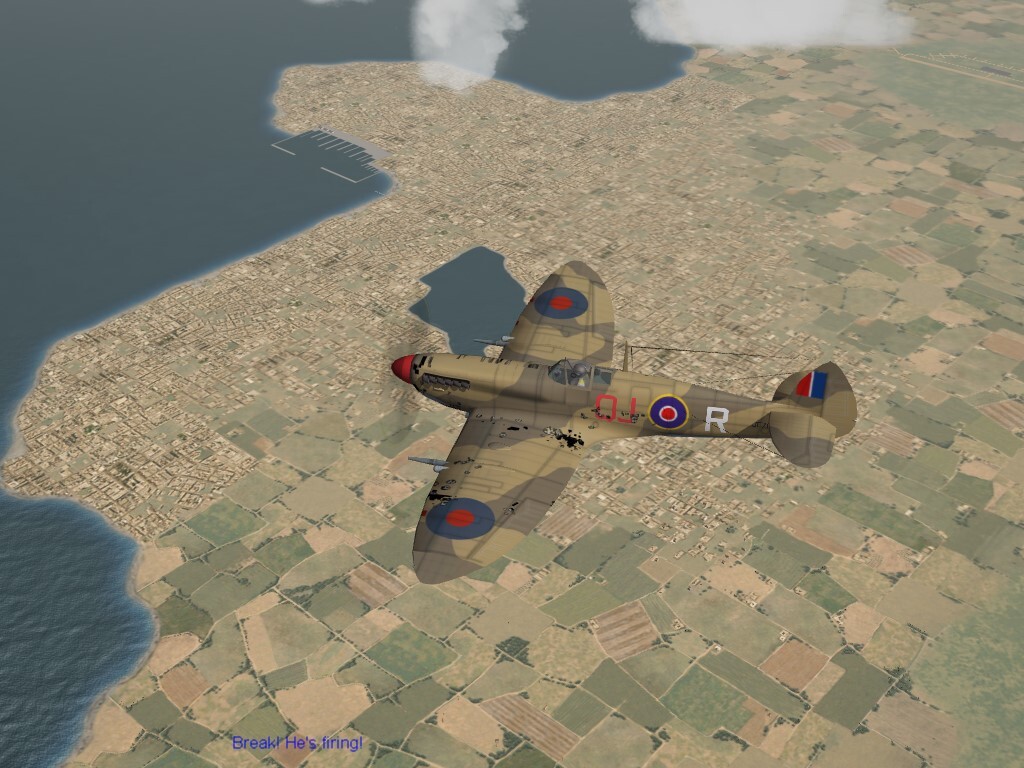
The original terrain sets up (ALL stock terrains) leave a LOT to be desired. But look what we, just devoted fans with "some skills" can do with this terrain engine! Great work Gepard!!!
-
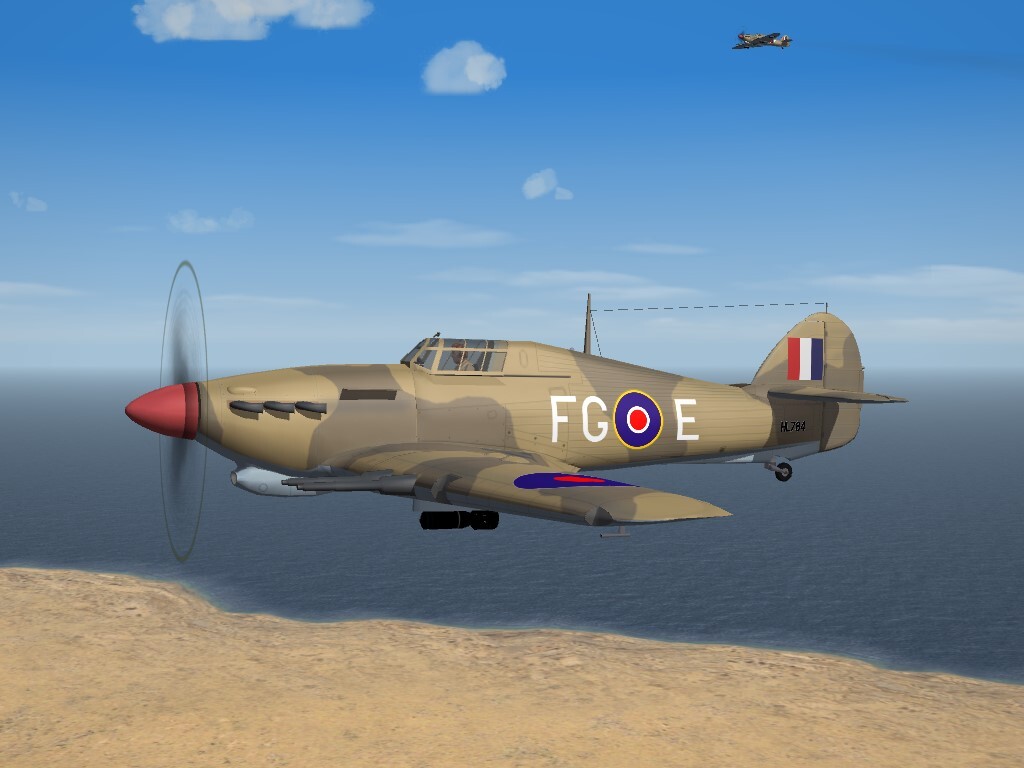
No 335 Squadron, RAF Western Desert (picture found in the archives of my MTO folder)
-
BF2C Goshawk USN Decal Fix for Cowl Ring Colors
Wrench replied to Wrench's topic in File Announcements
Yes. It's coming soon. Check the announcement thread for the Goshawk, and there's a picture of pre-war bird., Also, the French Navy V-156-F. (just in case someone builds a Battle of France map) -
View File BF2C Goshawk USN Decal Fix for Cowl Ring Colors Here's a quick patch by Wilches that fixes my inability to think straight! The package contains a new decal ini for the VB5B skin, and some modified decals. Simple Instructions: If you have downloaded the BF2C already, grab this package, unzip and drop in included folder where they go. The patch ahs been applied to the Full Aircraft Upload (tm), and Version 2 is being uploaded now! Again, HUGE thanks to Wilches figuring this out!! Submitter Wrench Submitted 08/26/2026 Category Other
-
Version 1.0.0
17 downloads
Here's a quick patch by Wilches that fixes my inability to think straight! The package contains a new decal ini for the VB5B skin, and some modified decals. Simple Instructions: If you have downloaded the BF2C already, grab this package, unzip and drop in included folder where they go. The patch ahs been applied to the Full Aircraft Upload (tm), and Version 2 is being uploaded now! Again, HUGE thanks to Wilches figuring this out!! -
SF2 Curtiss BF2C-1 Goshawk / Hawk III by MontyCZ
Wrench replied to Wrench's topic in File Announcements
ok, check out and a new version of the aircraft will be uploaded shortly The Wilches Fixit Pack will be uploaded seperately for those just needing to patch their recent download -
SF2 Curtiss BF2C-1 Goshawk / Hawk III by MontyCZ
Wrench replied to Wrench's topic in File Announcements
thanks! I'll get it checked out today!! -
Well, I just made an astonishing discovery ... and I must apologize to the 2 dozen or so WW2 players. I just discovered that our MTO terrains, in particular "North Africa" (western desert, Egypt, Lybia) and Tunisia (post TORCH) are NOT in the SF2 terrain downloads. They are in the 1stGen terrain downloads, and have never been converted for SF2. Going into my archived MTO mod folder, I find that I was working NAfrica in 2017, and Tunisia either in 2018 or 2023 (going by Window "date modified" column). I do know that bot maps had been retiled to use the IsraalME tiles, to match the WW2 Palestine (IME based). Again, like Dueces' "Green Not Desert", many stock desert farm/city tile remain. So, shit! After finishing some of the birds now in the hangar, I'll be stopping work on them, and the PAW1 and WW2 Darwin terrains and see if I can remember where I was in the rebuilds. OTH, the PTO Philippines, New Gueina, and Solomons (v3) are all been convered to SF2 a long time ago. again, apologies!!
-
My thanks!! As I stated above, my plan is to NOT mess with the original ships, so as to keep the scripted missions intact. Any mods to them (the carriers) would have unique names so prevent internal (infernal?) confusion. This also would be of 'general' releases', for those with PTO mod folders NOT RS builds. In come cases, I'm thinking of NOT being full mod, just inis and maybe textures, End Users (tm) would have to have Rising Sun to transfer the various LODs from. As always, anything and everything I mod for RS is yours for the taking! This, of course, includes any other products of mine released over the years. have several other plans for improvement of some of the aircraft, and I know Snapper21 has been fiddling with the other warships, making them more in line with SF2 coding. There are some fantastic items, but a great number of the have some flaws. Most are easily fixed with ini edits, or texture conversions. For my own use, I hex edited the F4F-4 Wildcat to take jpg textures, converted the 12+meg skins to jpg, and deleted all but one. Using the "Brain32 Trick" of having only one skin set in the main aircraft folder, reduced the size of this one aircraft by 70 megs. A very fortunate thing is, US Navy birds 'all look alike'. Well, until the G System of markings came in .. and most can be done with decals. Again, I thank you VERY much for the permission granted!!!
-
and Dolly Parton too. This world ...
-
SF2 Curtiss BF2C-1 Goshawk / Hawk III by MontyCZ
Wrench replied to Wrench's topic in File Announcements
can't just send it via pm??? LoL!! -
Operation Desert Storm: 30th Anniversary Edition
Wrench replied to Menrva's topic in File Announcements
Rob, I just checked the link, and it says 'unavailble' for me too! -
SF2 Curtiss BF2C-1 Goshawk / Hawk III by MontyCZ
Wrench replied to Wrench's topic in File Announcements
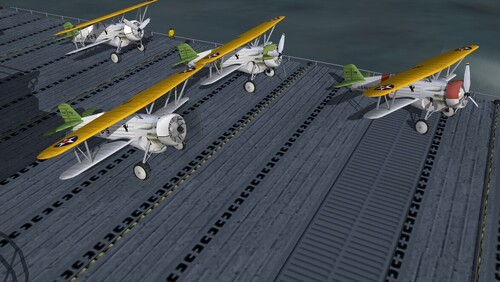
ABSOLUTELY!!!! remember, it has to fit the 1930s Navy style! (full, top, bottom) for each of the 3 birds in each flight (below, Red Section, VB-2, 1938)