


dtmdragon
-
Posts
2,123 -
Joined
-
Last visited
-
Days Won
28
Content Type
Profiles
Forums
Gallery
Downloads
Store
Everything posted by dtmdragon
-
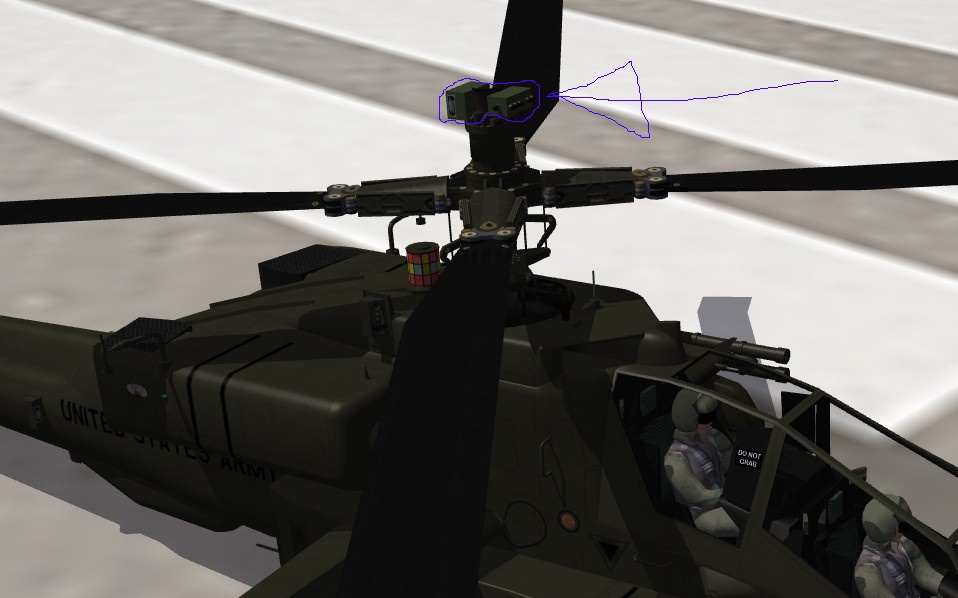
Due to the negative effect of the heat plus the altitude in Afghanistan and Iraqi on the performance of the AH-64D the US Army removed the longbow radars in those theatres to save weight. Interestingly the Brits were able to keep thiers without the effect on performance due to the superior Rolls-Royce engines used in their versions. To replicate this I plan on either making a separate D model aircraft without the longbow radar with the weight/performance adjusted to reflect this. Or Having the Radar load/unloadable as a weapon station. The follow edit gets rid of the radar as shown in the image I posted but I need the node name of the part I drew around to complete it. [AircraftData] Component[xxx]=no_radar <<<<<<<<<<<<<<<<<<<<<<<<<<<<<<<<<<< add this line to the AircraftData section in the data.ini file [no_radar] <<<<<<<<<<<<<<<<<<<<<<<<<<<<<<<<<<<<add this section to the bottom of the data.ini file ParentComponentName=Radar_Base ModelNodeName=radar DestroyedNodeName=radar DetachWhenDestroyed=TRUE HasAeroCoefficients=FALSE
-
Thanks. 'Radar' made the radar disappear as you can see, I just need the node name of the part I've drawen around when you get a chance. Thank mate, Dan
-
Does the Longbow radar dome have a specific node name? I wanted to do a version of the AH-64D without the radar as it operated in Iraqi and Afghanistan by ’turning off’ the node for the radar- if it has one.
-
Absolutely F*#!$*G stunning!!!
-
Nice work however your missing the LAU-138 BOL countermeasure Sidewinder rails fitted to the F-14 fleet in the early 90's. I did this a little while ago which added them onto the previous MF F-14 for SF2. Basically all you need to do as add two 160 shot chaff dispensers that fire out the back of the Sidewinder missile rails and make it so they don’t disappear when no weapon is loaded. Having the BOL chaff launchers fitted meant all the pyrotechnic countermeasure launchers were freed up for flares. http://combatace.com...ab-f-14d-fa-18/
-
[WeaponData001] TypeName=TIALD400 FullName=TIALD 400 ModelName=tiald Mass=230.000000 Diameter=0.400000 Length=2.900000 SubsonicDragCoeff=0.200000 SupersonicDragCoeff=0.770000 AttachmentType=NATO,UK SpecificStationCode= NationName=RAF StartYear=1991 EndYe............................. Sorry I wasn't very clear about the ALARM I ment including them in the load outs along with the AIM-9/ASRAAM on the inner wing pylons
-
Nice work on the updated model but If I might make a few suggestions; ALARM missile rails/station on the outside of the wing pylons (opposite the AIM-9 position), Some more modern CAS load outs like we saw over Libya with Brimstones and the litening pod etc. There is also a better tiald pod model in the SF1 downloads section that doesn’t have the GR7 pylon/rail attached, the diameter figure in the data.ini justneeds to be edited so it sits in the right place on the weapons station.
-
Does IL2 Pacific Fighters work in Windows Vista? Thanks, Dan.
-
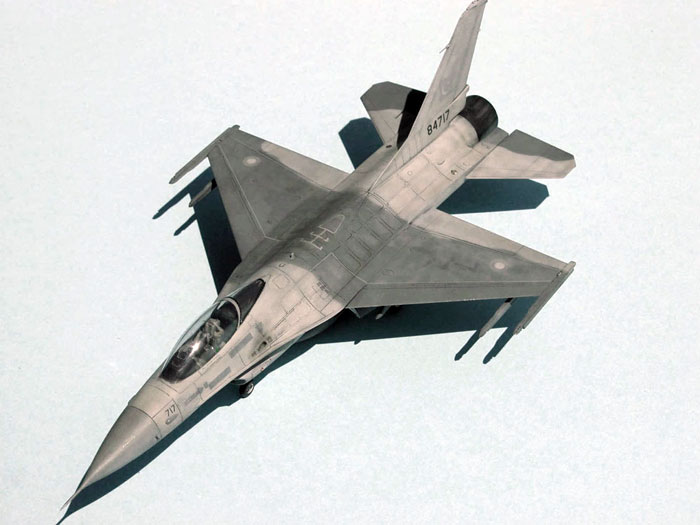
Here is my 'Backing Black' RNZAF 'what should have been' F-16B Block 15 OCU after the Mid Life Upgrade
-
North Cape Terrain (Beta+) for SF2 by Baltika
dtmdragon replied to Wrench's topic in File Announcements
Nice work mate, not sure if it's intentional or not but there is no water map? -
Use the weapons editor to copy the Python 4 or just copy and past the folder, re-name it to Python 5 and edit the weapons data with the following which is from SF2 but should still work I believe. [WeaponDataxxx] TypeName=Python5 FullName=Python 5 ModelName=Python4 Mass=105.000000 Diameter=0.160000 Length=3.100000 SubsonicDragCoeff=0.120000 SupersonicDragCoeff=0.222000 AttachmentType=ISRAEL,USAF,NATO SpecificStationCode= NationName=ISRAEL StartYear=2005 EndYear=2020 Availability=2 BaseQuantity=40 Exported=FALSE ExportStartYear=0 ExportEndYear=0 ExportAvailability=0 WeaponDataType=1 RailLaunched=TRUE RocketPod=FALSE Retarded=FALSE FinStabilized=TRUE SpinStabilized=TRUE HasGrowl=TRUE EffectClassName=SmallMissileEffects ReleaseDelay=0.000000 WarheadType=0 Explosives=11.300000 FusingDistance=1.500000 ClusterBomblets=0 ClusterDispersion=0.000000 GuidanceType=10 Accuracy=90 MaxTurnRate=70.000000 MaxLaunchG=9.000000 LockonChance=90 LaunchReliability=90 ArmingTime=0.500000 SeekerFOV=30.000000 SeekerGimbleLimit=90.000000 SeekerTrackRate=200.000000 SeekerRange=40000.000000 CLmax=14.000000 MinFreq=0.000000 MaxFreq=0.000000 MinLaunchRange=150.000000 MaxLaunchRange=26500.000000 Duration=90.000000 CounterCountermeasure=100.000000 NoiseRejection=95.000000 CapabilityFlags=0x100004c4 LoftAngle=0.000000 DescentAngle=0.000000 MaxLoftAltitude=0.000000 BoosterStart=0.000000 BoosterDuration=4.700000 BoosterAccel=39.320000 BoosterEffectName=RocketFireEffect BoosterSoundName=Missile BoosterNodeName= BoosterPosition=0.000000,-1.485000,0.000000 SustainerDuration=80.000000 SustainerAccel=0.680000 SustainerEffectName=SmokelessMissileEffect SustainerSoundName=Missile SustainerPosition=0.000000,-1.485000,0.000000 InFlightEffectName=MissileInFlightEffect InFlightSoundName= ReleaseAnimationID=-1 EODisplayFlags=0 CEP=0.000000 Finally open the Python4.bmp image with a paint program and repaint the white areas to light grey (try and match it to the grey from an AIM-120 etc). I tried to upload mine for you but I’ve never been able to figure out how to upload a file on a post without exceeding my ‘global upload quota.’
-
Awsome work mate
-
Has anyone out there had a go updating the Sea Harrier FRS2 to SF2 standards? I’m doing that now but having real trouble with getting the landing gear info in the data.ini file right so the wheels all touch the ground correctly. If someone has already done this and changed all the rolling radius figures etc I would really appreciate it ifthey would share it with me. Cheers, Dan.
-
Does anyone have an all black mirage factory F-16 skin they don’t mind sharing? Thanks, Dan.
-
Great work one thing I noticed is the flare and chaff positions need some work on the C model as they fire out of nowhere.
-
Changing AI wingman minimum flying height
dtmdragon replied to dtmdragon's topic in General Discussion
Cheers mate. Yours are the same as the stock figures which the 'low' and 'very low' seem way off. I think TK has left them in feet not meters so I converted them to meters which after goggling low level flying and nape of the earth etc seems more realistic. Unfortunately it seems to have no effect lol so maybe it’s something to do with the fight engine??? -
Is there any way to make your wing man and flight fly as low as you can e.g. nap of the earth? It seems they are programmed somewhere not to go below 1000ft which also happens to be the lowest height you can set a waypoint at. When you try and have them follow you lower or even at 1000 ft they ‘bob’ up and down as the AI tries to follow you then realises it shouldn’t and shoots back up only to repeat the cycle. It makes them very good SAM targets lol. I’m assuming there must be a minimum height setting somewhere in an .ini file that tells the AI to try and stay above a certain height....
-
Cheers, at the moment I'm going through the new DLC A-4K and A-4G ini’s to integrate them into my Kiwi Skyhawks mod, as I have mentioned before the DLC A-4K is quite lacking in some areas. I also have the Mirage Factory F-16A Block 15 OCU updated for SF2 to do a 'what could have been' RNZAF F-16 had we gone through with the purchase of the embargoed Pakistani order in 2002, hence why I asked about a Pakistani skin as I'm just using the USAF one with kiwi markings at the moment.
-
That worked, thanks :) Any chance of a Pakistani F-16 Skin or total Aircraft?
-
Great mod but the skin for the fake pilot parts don't seem to be showing up? The 3d model is there but it is just black without any skin....
-
I actually already have an all over green skin for the mirage factory model however the RNZAF switched to an all over tactical grey for all its aircraft in the mid 2000s so I doubt green would have ever been used, but I’ll still include it as an option. What I want is it to have the PAF scheme to start off with and then switch to an all over grey latter on, which brings me to my next point- needing an all over grey for the mirage factorymodel! lol
-
You and me both! I’m trying to create a more accurate ‘what could have been’ New Zealand F-16 from the deal that fall through in the early 2000’s. So far I’vetaken the Mirage Factory F-16A Block 15 OCU and updated it for SF2 with some updates to the cockpit, hud and radar displays from the F-16C that’s just been released. I’ve also added a kiwi pilot and a more likely RNZAF loadout. At the moment I’m using a USAF skin with RNZAF markings but the actual aircraft New Zealand would have received were from a canned Pakistani order and were already painted in the PAF scheme. Given that the RNZAF Skyhawks switched from a multi-colour euro camo pattern to an all over green for purely financial reasons I doubt we would have repainted the F-16s for some time had we received them! lol. http://f-16.net/f-16_users_article28.html (Scroll down to the New Zealand section.)
-
Hi guys, Does anyone have a good repaint of a Pakistani Air ForceF-16 that will go on the Mirage Factory F-16A BLK15 model that they wouldn’tmind uploading or sending me? Cheers Dan.
-
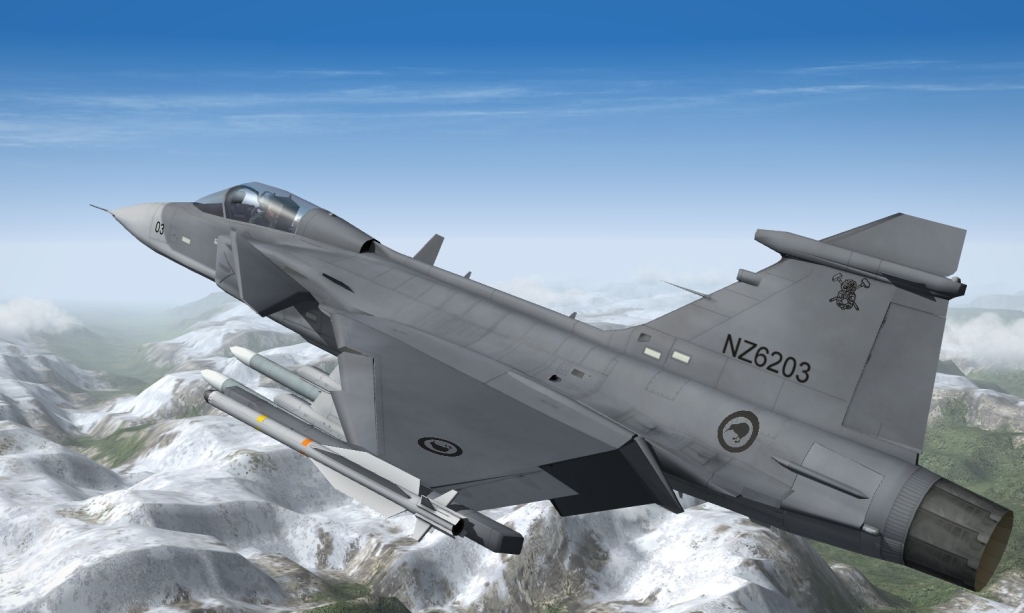
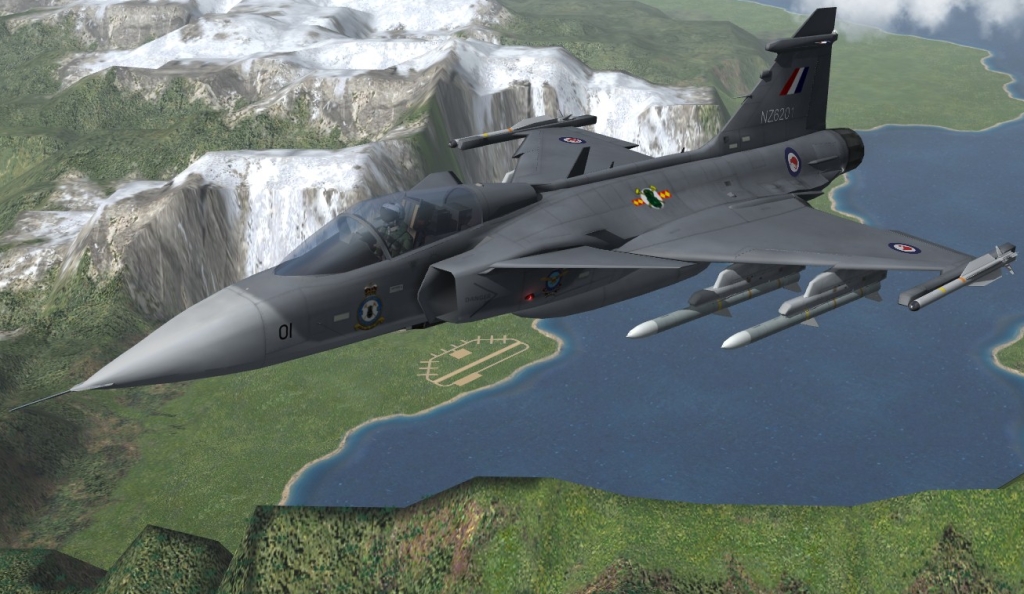
I can dream.......
-
Thanks that seems to have sorted the problem out. I have changed the main aircraft.ini files of the stock aircraft I've made flyable to read only as well just to see if it stops them being re-set to default next time I patch the game.
