VonS
-
Posts
1,026 -
Joined
-
Last visited
-
Days Won
2
Content Type
Profiles
Forums
Gallery
Downloads
Store
Everything posted by VonS
-
 Hello @Becker, BuckeyeBob's historical weather mods, as well as his cloud mods, are not compatible with the OTT expansion. As per Winding Man, the weather system has been changed/redone entirely in OTT. BB's weather/cloud mods continue of course to function well in pre-OTT versions of the WoFF series. In terms of the other mods, I'm sure the other modders will pitch in with helpful info. (technically, JJJ's mods were never updated for OTT, so definitely be careful if loading those in OTT, etc.). Cheers to you,
 -
Brief update to this thread -- an Enhancement Package (with minor shader tweaking, improved FPS, etc.) has been released recently for the "Unfriendly Skies" upgrade to WoTR BoF. Recommended is to check over this lengthier post for more info., and to follow the links contained therein to download the relevant package. Cheers & good WoTRing to you (in unfriendly skies),
-
Hello Tonci, excellent catch there with those strange .mos files -- perhaps that will be the ticket for using newer versions of the AMD DLLs with the WoFF series. Here's hoping that it all pans out well. In terms of .mos files themselves, I haven't researched how the WoFF (CFS3) engine actually uses them, but .mos usually refers to "Leaf camera raw file" (i.e., raw camera binary format developed by Leaf Imaging). To convert .mos files to other image formats, check over the program called Filestar* (the free version seems capable enough --- see this link). NOTE: see Pol's response below mine -- the .mos files used in the WoFF series are not raw image files, but instead data files that control texture overlays and other related details. (Thanks Pol for the clarification.) Cheers,
-
RoF United Ed. AI/DM & Other Mods. (Consolidated)
VonS replied to VonS's topic in File Announcements
Glad that it solves the problem with the PWCG. Unfortunately I can't help with stock career oddities in RoF -- my various mods were only tested in quick combat mode in RoF, as well as using ver. 16.x.x of the PWCG. It's possible that incompatibilities emerge between my AI mod(s) and the stock career options in RoF, as well as with the newer/beta ver. 3.x.x of the PWCG. If flying using the stock career options, recommended is to avoid using the AI mod(s), but the DM mod should be fine to use. Cheers, -
RoF United Ed. AI/DM & Other Mods. (Consolidated)
VonS replied to VonS's topic in File Announcements
Hello Rwmierzwa, look for the entries called "MaxTurbulence" and "MaxWind" in the "RofCampaignSpecific" files provided in either of my RoF-mods packages that are available under the first post of this thread. Those values can also be changed from within the settings panel of the PWCG for RoF - but recommended, especially if running my "Version 3" modulations files - is to change the numbers for any entries manually (from within the "RofCampaignSpecific" files themselves). Cheers, -
RoF United Ed. AI/DM & Other Mods. (Consolidated)
VonS replied to VonS's topic in File Announcements
Hello Hiuuz, the AI takeoff problem is largely linked to strong winds and/or turbulence. Might be the case that some of the weather values in my AI mods are making it difficult for the AI-flown aircraft to operate always (and consistently) in very rough weather, especially with the Albatroses for some reason. Recommended is to reduce the turbulence value to 2 or 3, also wind speeds to less than 8 or 9 m/s (such values are close to stock) - in order that the AI always takes off easily. It's unfortunate that the AI is so limited in its takeoff routine by stronger weather values in RoF - also troublesome are AI landing procedures even with stock weather (I don't know if landing routines were ever improved in the FC series since I never bothered with the latter). If I ever decide on tinkering further with an AI mod for RoF - I will see if anything more is possible with the AI behavior. My general observation at this point in time is that nothing further can be done with the AI because the sim is so locked to more extensive (and much needed) modding. Cheers, -
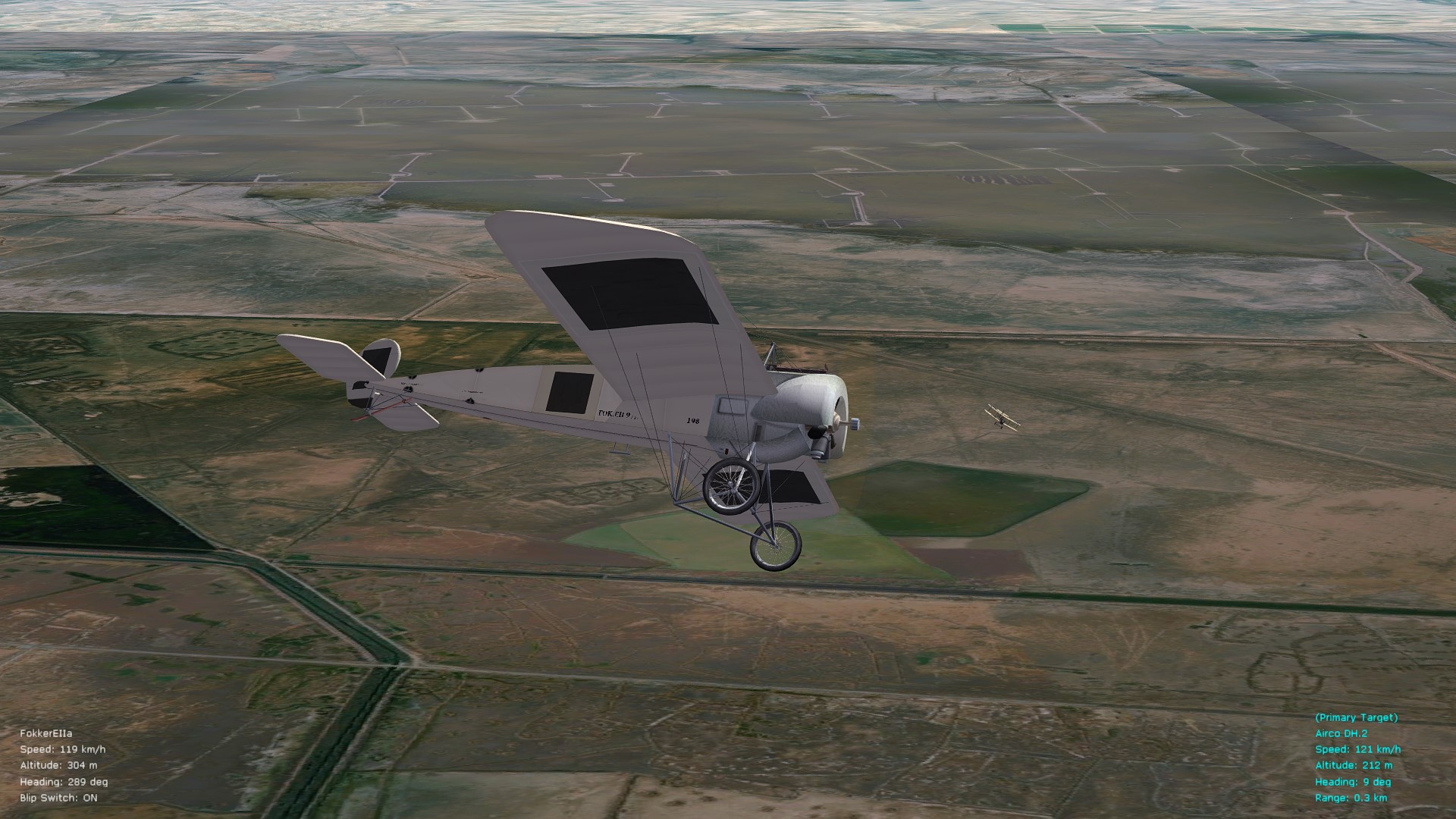
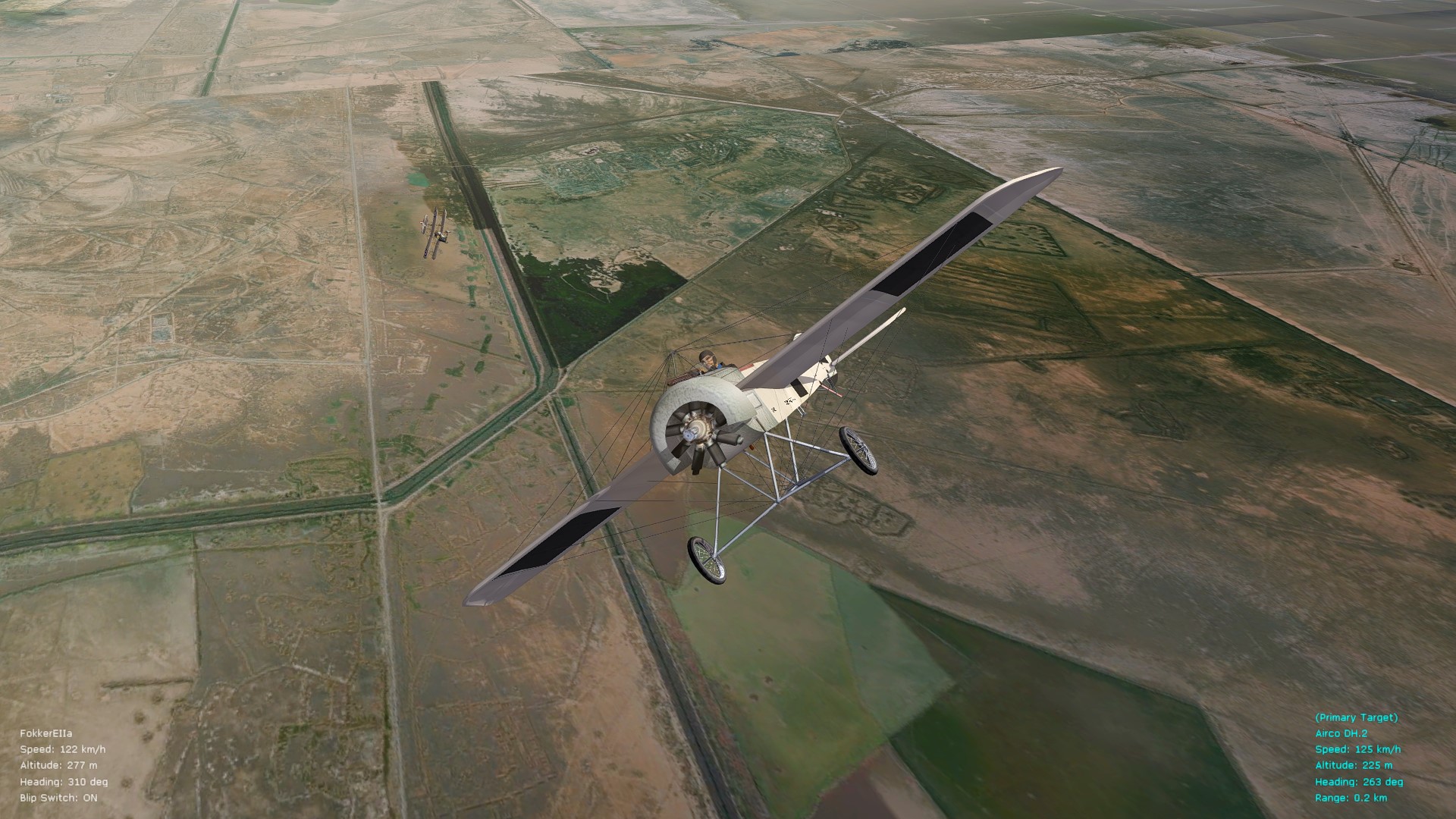
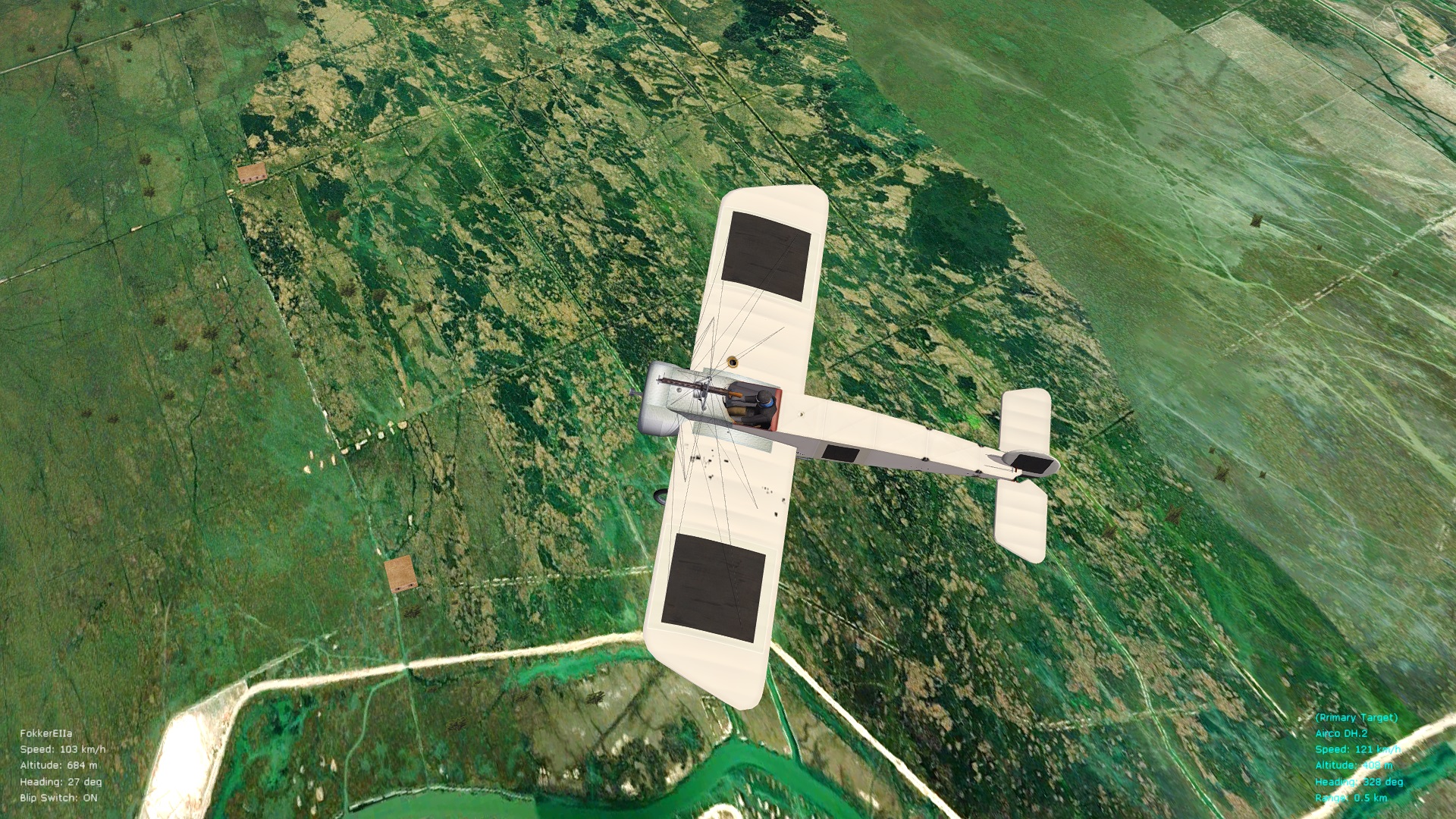
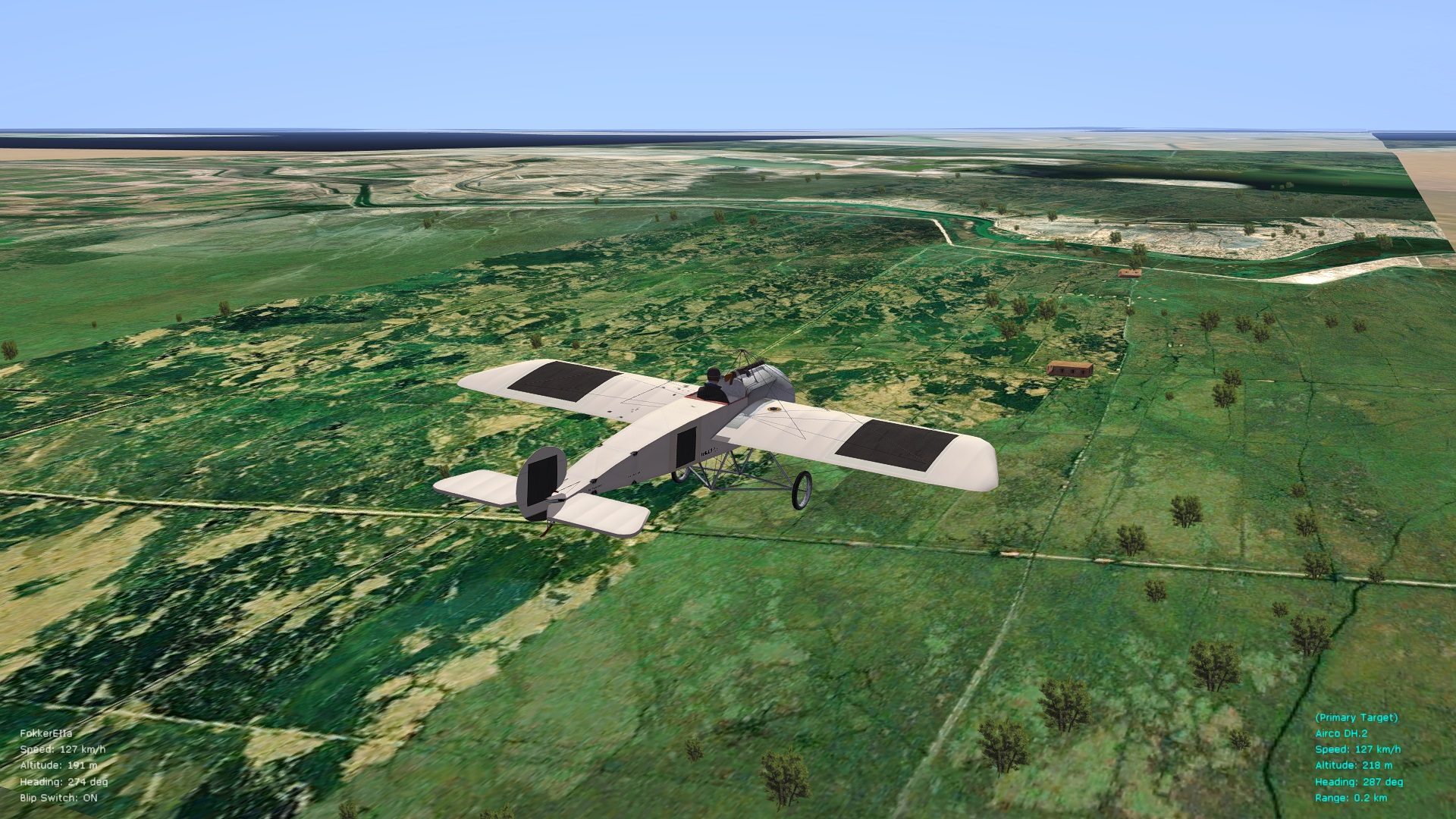
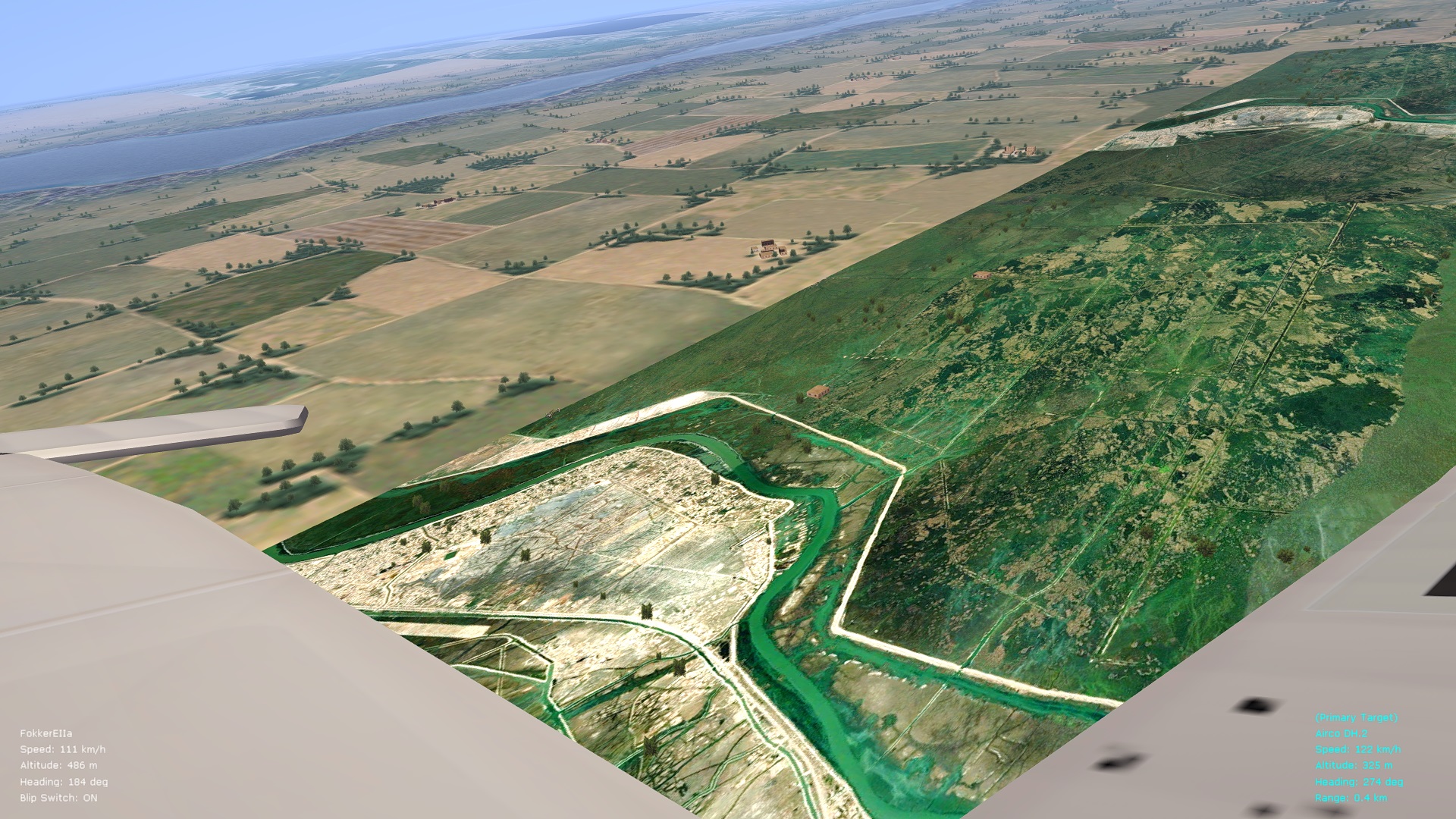
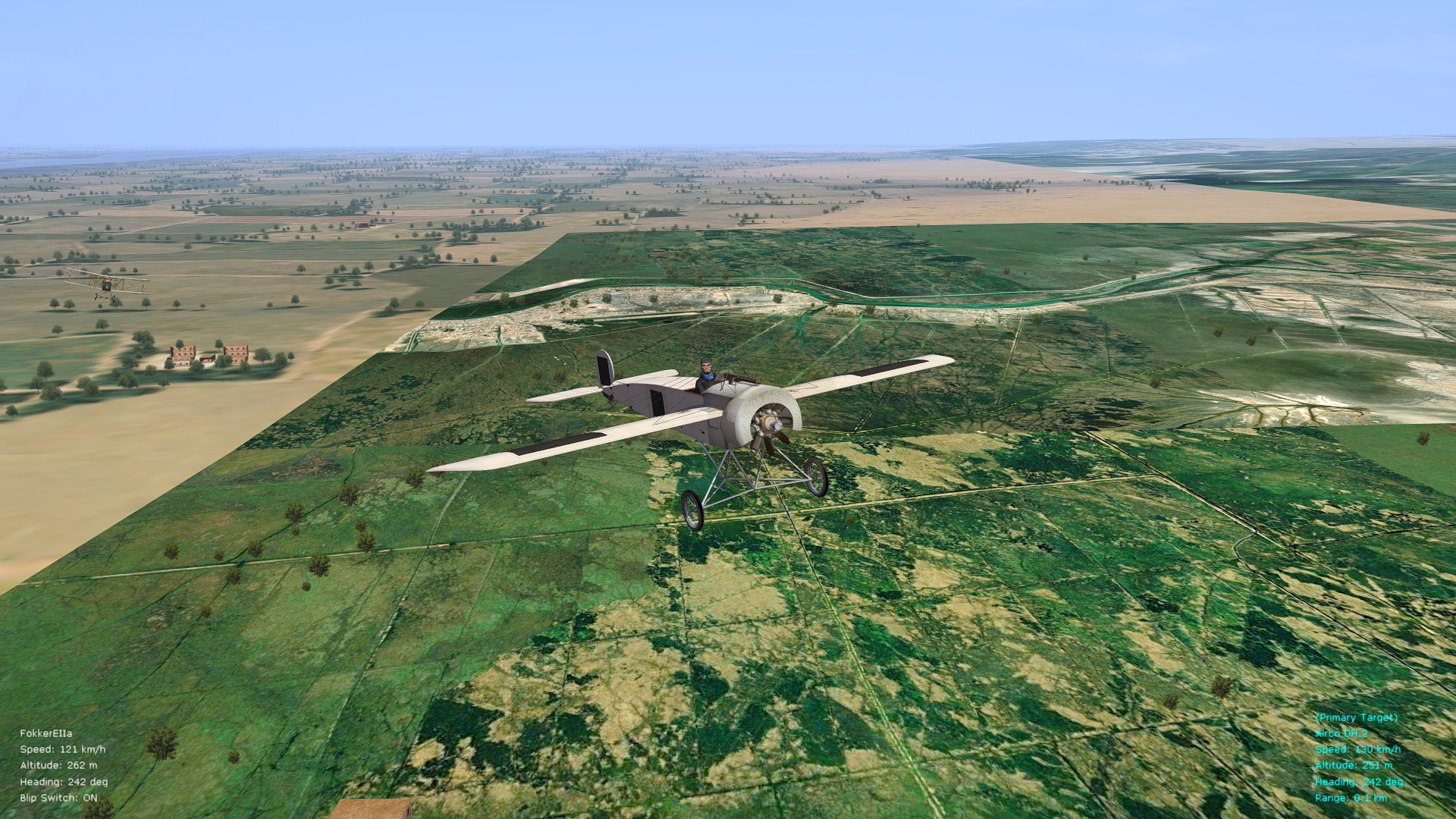
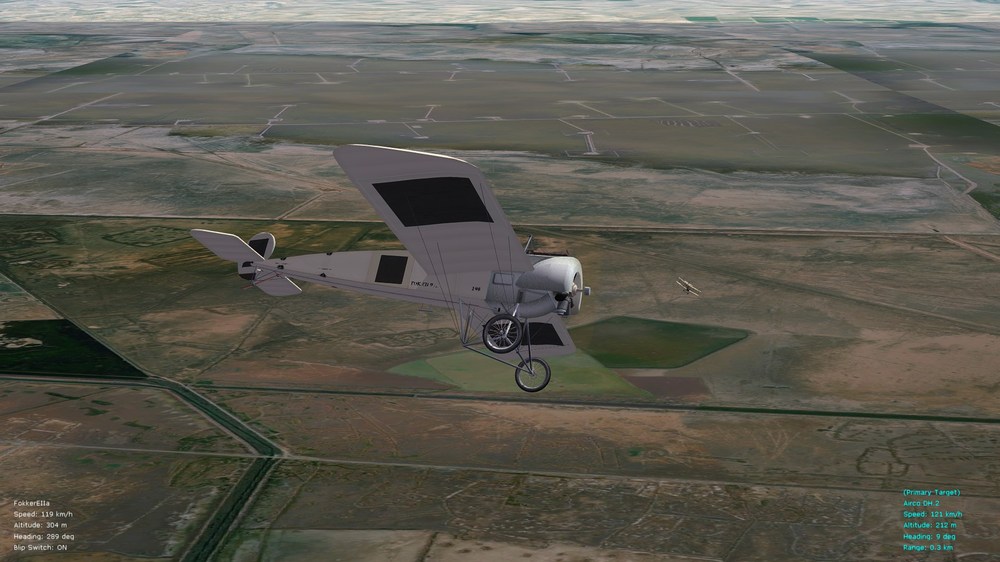
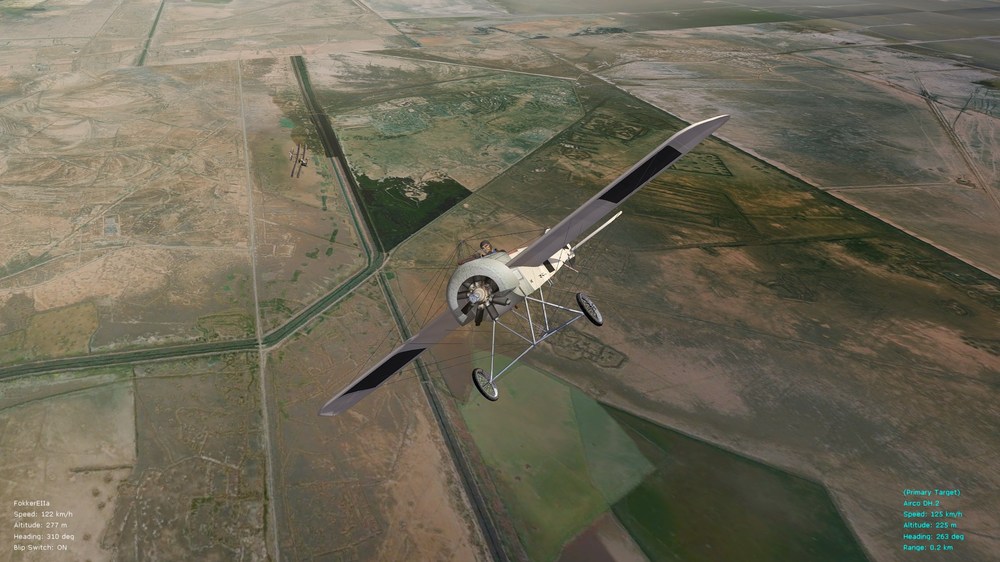
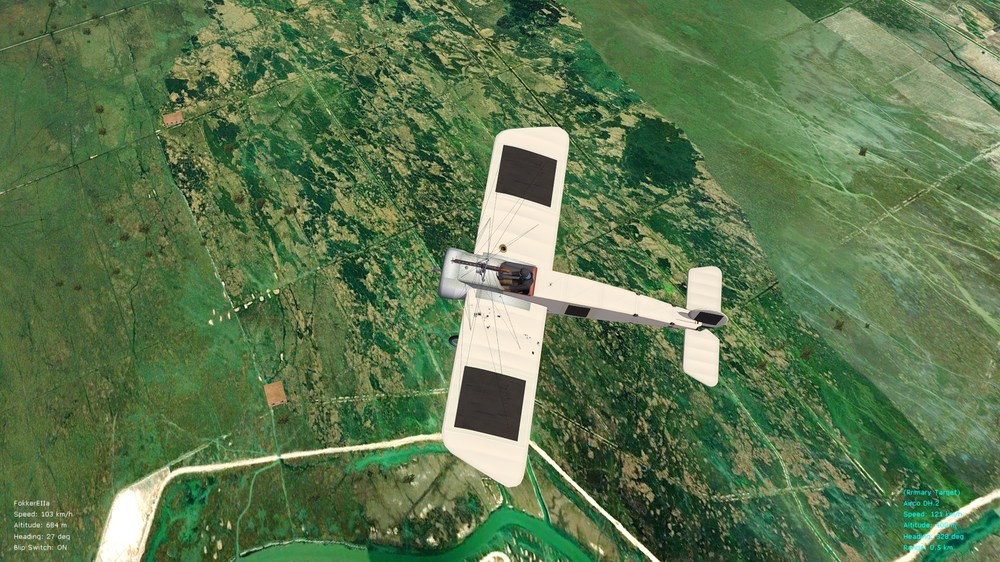
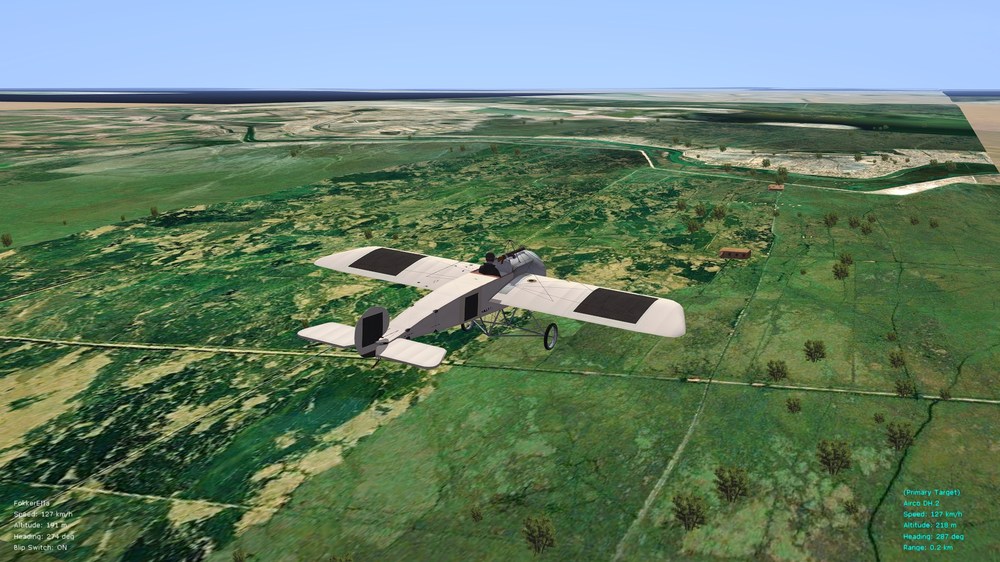
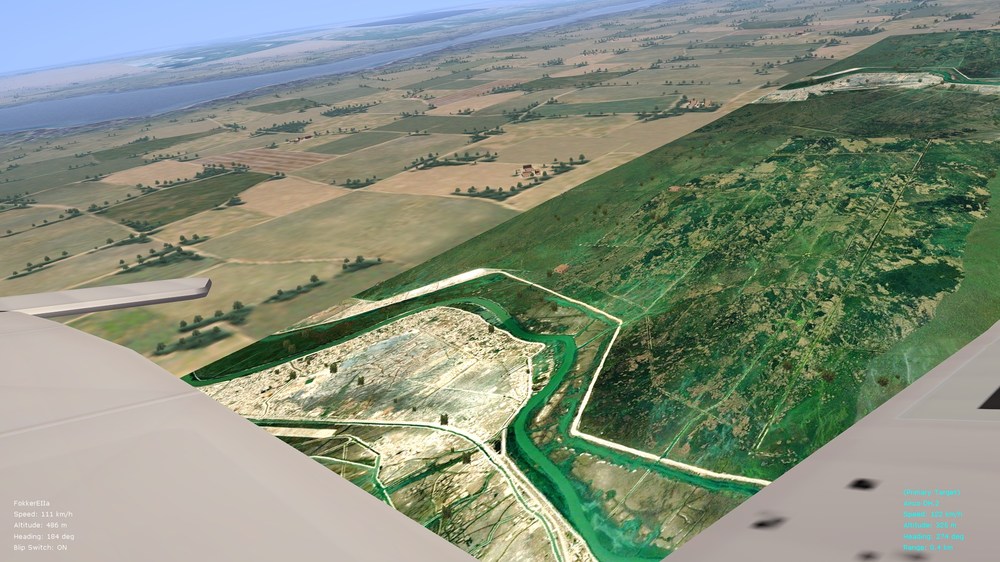
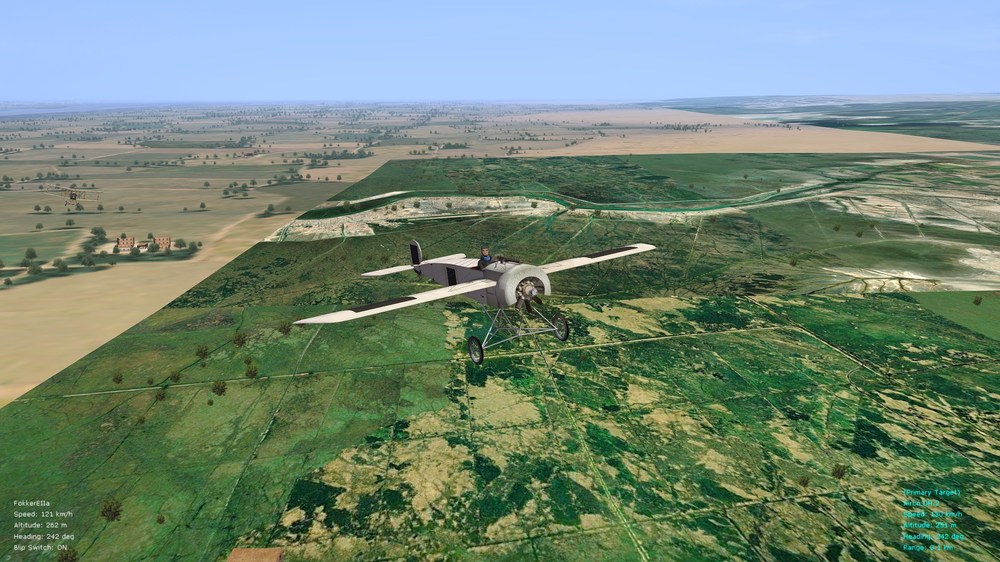
One more small update for this thread before I retreat temporarily into work mode - as per relevant info. in my previous post, have now done further tests and it is indeed possible to load DDS terrain files directly into FE2 (simplest is to point to relevant DDS files from within the general data ini file that resides in the "Terrains" folder). Having said that, one peculiarity about loading of DDS terrains, instead of BMP ones - is that trees, buildings, other objects, etc., do not show up anymore. Once DDS files are converted to BMP format, on the other hand (as seen in the pics. in my previous post) - trees and buildings once again nicely come through. So, unlike FlightGear that siphons in PNG-to-DDS converted satellite imagery (when its photo-scenery option is set up), FE2/SF2 would require conversion of DDS to BMP files, so as not to smother out the added immersion of objects and trees already present in/on the ThirdWire terrains. Couple of pics. below with DDS ortho/photo-scenery being tested in the Mesopotamian theater in FE2. Graphics look quite good to me but unfortunate is the loss of trees and whatnot - so it's back to conversion to BMP format. Also, as evident in the pics. below, with careful choice of satellite photos the effects are not too jarring between different tiles when all are placed together. Not too bad for initial, manual placement of tiles - but very tricky to place correctly once you get towards rivers, seas/oceans, shorelines, and so on. The job of a terrain modeler is not an easy one - virtual drinks on the house for all terra-formers, also for object-placement ini file crunchers. One thing I particularly like about the satellite photo-scenery options in FlightGear is that, if you like, you can set things up in such a way that the scenery downloading/siphoning mechanism follows your aircraft as you fly, and nicely drops correctly placed terrains below, around, and in front of your flying path. Such a feature requires, once the photo-scenery siphoning system is set up, that you make sure to feed the following command/property to FlightGear itself: --telnet=5000 The photo-siphoning mechanism then connects to local IP no. 127.0.0.1 (i.e., "localhost") on port 5000 and "feeds" satellite imagery to FlightGear as soon as terrain images are downloaded. Such an automatized process makes unnecessary the hassle of manually attempting to place photo-scenery tiles in correct places and positions. (Scenery can also be saved locally, for later offline use - without always having to re-download images.) While there is no multiplayer capability in FE2 - theoretically, if the "telnet=5000" command could somehow be fed to the FE2.exe itself - then a simple re-duplication of one of the more accessible photo-siphoning mechanisms used by FlightGear (e.g., the Julia programming app linked to a photo-scenery Julia add-on) - might work for FE2 too. Will post further thoughts in this thread if I find that there is any way to get the photo-scenery siphoning system to "talk" (establish a telnet connection) with FE2. Otherwise, it will be a very slow process of manually picking through, and choosing, satellite tiles - and that will be called up via the general data ini that's in the terrains folder. Cheers all (& good dreams about auto-loading of satellite imagery in FE2),
- 3 replies
-
- 6
-

-

-
- fe2
- first eagles 2
- (and 4 more)
-
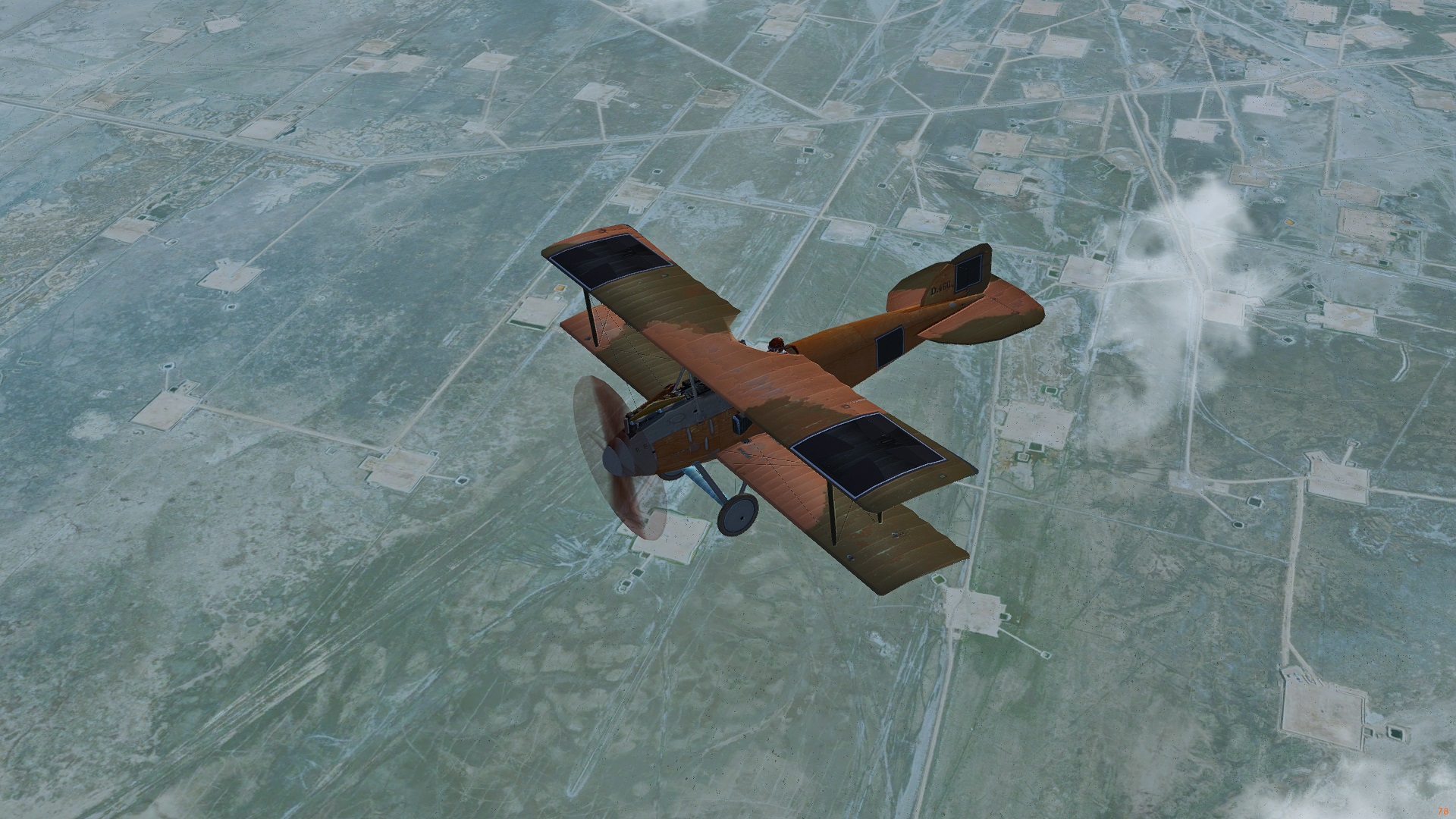
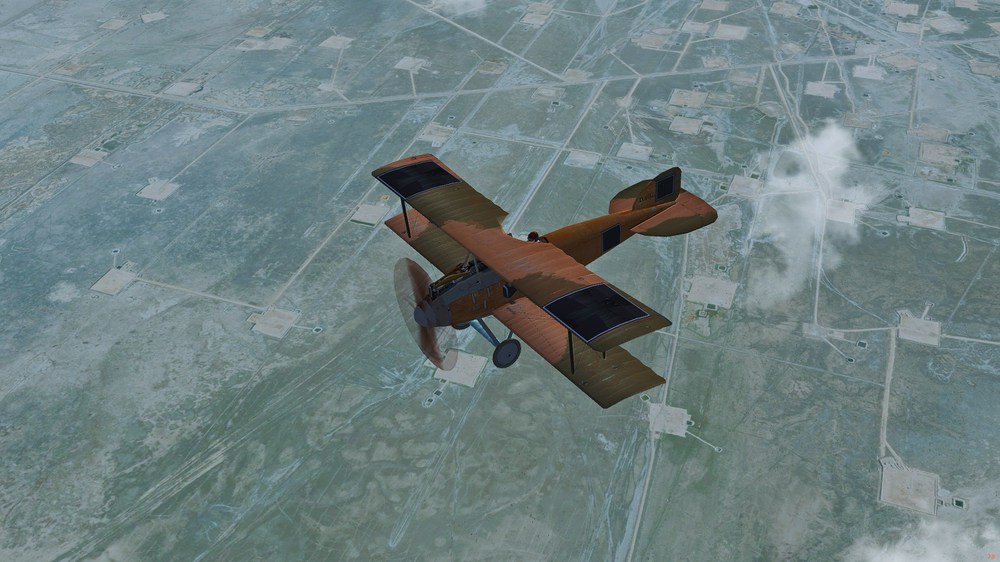
Hi All, Have been doing a bit of tinkering lately with my FlightGear install - and results are pleasing enough in what is a free, open-source flight sim. Managed eventually to get accurate photo-scenery working in FG, which is a noticeable improvement over the stock (dated) scenery that has been available in that sim for years on end (see pic. below for photo-scenery at work in FG, in this case in the Mesopotamian/s. Iraqi area; the Alb. D.I is a re-skin and FM-overhaul of a model done by Lester Boffo). On a hunch, I then converted a bunch of the photo-tiles from FG (stock format is DDS) to BMP format - so that they become visible in the FE2 terrains folder - and it does indeed work - but would require careful, aesthetic choices regarding what tiles to replace in the terrains folder, such as farms, cities, deserts, etc. - for best cohesion and not too many jarring disconnects between tiles. Nice to see that stock trees and buildings are populating over the satellite/ortho-terrains too, in FE2. Photo-scenery is simply an improved "satellite" carpet that covers the stock scenery and terrain framework in FlightGear - and by extension works the same way in the ThirdWire sims but requires manual conversion to BMP format and manual placement in the terrains folder (perhaps the DDS format would work too, but I didn't bother tinkering with the various settings/text files this time around in the terrains folder). The other good thing about FlightGear is that it is fully under the GNU GPL (General Public License; i.e., "copy-left" license) - so there are no copyright problems that I know of if one borrows such ortho-scenery for FE2 too (haven't bothered to test with SF2). And if working on such a terrain swap as a personal project - that is of course even simpler. A few representative pics. below with just a few ortho-scenery tiles placed over Stephen1918's upgrade of the Mesopotamian theater for FE2. Results look pretty good, particularly when flying higher up, and I haven't noticed any FPS drop with the photo-scenery tiles loaded. Some old tiles are still in place in the pics., for comparative purposes. Any empty areas are where I didn't bother to load tiles. Anyway - I hope you find this post interesting - it's perhaps the "cheapest" way of upgrading tiles across the various theaters available for FE2. If I find enough free time I might tinker further with this side-project; will post comments if the results prove particularly successful. Cheers & good flying,
- 3 replies
-
- 9
-
-
-
- fe2
- first eagles 2
- (and 4 more)
-
I'm considering WOFF and have a couple of questions please ...
VonS replied to kcoun's topic in General Discussion
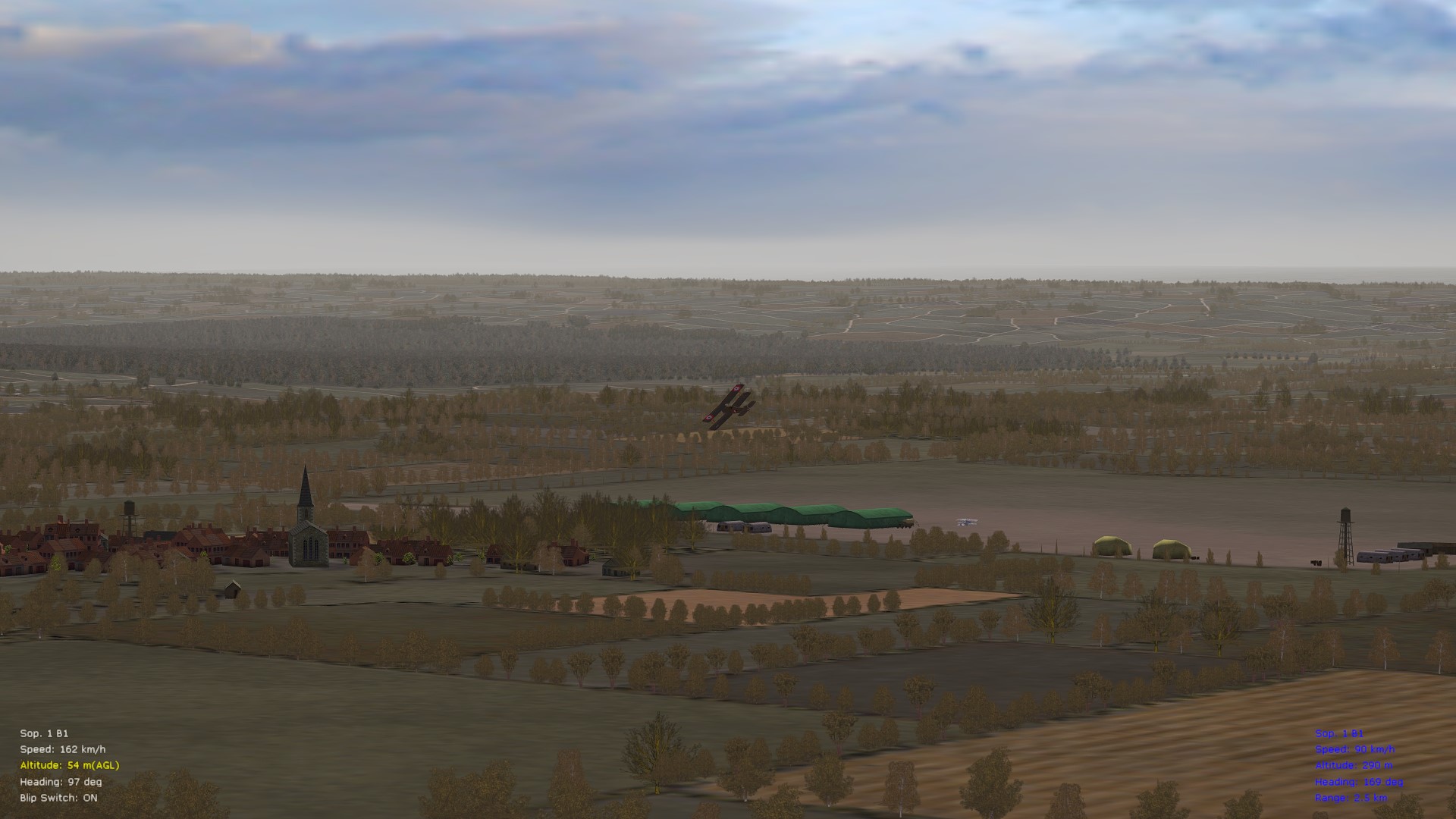
@kcoun, a) if you have the "historical weather" option enabled in the WoFF series you will often see lots of clouds/bad weather, as was the case frequently in WWI (the historical weather option can be turned off, of course); also possible is to load various ReShade profiles to spice up the colors and to improve spotting (see this link for various representative pics with customized visuals, particularly the three pics near the bottom of the page, located after my long post regarding a dual-CPU computer build) b) UE/PE refers to two previous versions of the WoFF series - UE is "Ultimate Edition" and came out around 2016; PE is "Platinum Edition" and was an add-on to UE that came out sometime around 2019 if I'm not mistaken; neither of those previous versions are available for sale anymore; the latest version is BH&H2 - "Between Heaven and Hell II" (take note that several of the pictures available under my various posts may be from the UE/PE-era or from one of my hybridized WoFF installs, although I also run BH&H2 - I usually indicate what version the pics are from, per post, to minimize confusion) Good flying to you, -
RoF United Ed. AI/DM & Other Mods. (Consolidated)
VonS replied to VonS's topic in File Announcements
@Sabre, Here's a brief extract from the "Read Me" file located in the "consolidated mods'" files/folders - regarding the various PWCG modulations files: ----- The modulations files are "a series of 'RoFCampaignSpecific' files that should be installed, ONLY ONE AT A TIME, into the 'Pilot's Name Folder' of your RoF Campaign folder that is generated by Pat Wilson's Campaign Generator (ver. 16.3.x); you will find a series of files there, organized by period of war and by theater (whether eastern or western front); those files [...] change a variety of settings, ranging from AA gun frequency, distance between M.G.'s available on the front, chance of aircraft encounters, size of flights, also changes in aircraft/engine reliability, availability/number of observation balloons, and so on, depending on period of war; there will be noticeably less encounters with the enemy with those modulation files loaded than in stock form, in turn with greater difficulty of racking up large kill tallies, as historical, particularly on the eastern front." ----- That description is for the "version 2" modulations files that are included in the larger "consolidated mods" files/folders, by the way. For an even more hard-core experience, suggested is to download the "version 3" modulations files that are located as a separate download in the first post of this thread. See also the "Important Note" in the top post of this thread, regarding differences between the version 2 and 3 modulations files. You might also wish to check over this link regarding other info. about the various modulations files. Happy flying, -
FE2 is still alive and well - more obscure than RoF and WoFF - although that may be a good thing. Let us know what kind of "augmentation" you are interested in - and perhaps some of the FE2 specialists will pitch in with good info. If interested in FM modifications/integrations of (and into) FE2 - suggested is to begin with this post, in particular the bottom link of that post that outlines what aircraft packages many of my FM tweaks correspond with. For terrain editing, placement of targets, modification and/or installation of airfield objects, and other misc. objects, I would recommend contacting Stephen1918 (he has developed many excellent aircraft models for FE2, as well as several, important airfield objects). Geezer is also an encyclopedia of FE2-related knowledge (terrain/airfield and aircraft modding and development) - but I don't think that he mods anymore for FE2 (or at least hasn't posted here in a couple of years). Cheers to you & good flying in the FE2 skies.
-
@toot, the general rule of thumb is that the physics/world model in SF2 (i.e., winds, atmosphere, flight dynamics, etc.) is best suited to jet aircraft and to some extent to fast(er) prop aircraft - let's say with a minimum speed of 400 kph or so. The simulated "world" in FE2 on the other hand caters much more effectively to slow(er) flying, and showcases better the flying (and fighting) characteristics of pre-WWI, WWI, and inter-war era aircraft of, for example, the 1920s (think "barnstorming"). To give an example of the different atmospherics and physics, an early 1950s (late model) F4U-5 Corsair has a historical top speed in the 750s kph in SF2, while, when dropped into FE2, it goes into the 880s kph. Recommended also is to check over this thread regarding swapping of aircraft from FE2 to SF2, and vice versa - sometimes such swapping works, but often it doesn't. Furthermore, FE2 has higher-quality terrains (smaller-sized terrain pieces, as far as I know) and more subtle fog effects, I think, than SF2 - such things help with immersion because most aircraft in FE2 fly fairly low - on the other hand, use of such terrains in SF2 would probably result in an FPS hit, and is not really needed for jet aircraft scenarios where everyone is usually flying high and at great speed. Cheers,
-
Indeed a shame - hardly any regular posts in the FE2 forums anymore. Hope everyone's doing well - haven't seen names like Geezer, Crawford, and others in these forums for years. Fully-modded FE2 is still my go-to sim for single missions with variety, and for tight-knuckle flying and dog-fighting - I'd say better than modded RoF, and also easier to set up and quicker to get into than the WoFF series (although the latter is definitely the gold standard for full-blown campaigning). Come to think of it, the WoFF forums on SimHQ have also largely dried up over the last couple of years. And DiD IV, the latest Dead is Dead campaign being run in WoFF (on their CombatAce forums) is pretty much literally DiD too (compared with DiDs II and III from several years back). Perhaps newer generations of simmers have mostly gravitated to multiplayer; or tablet/phone games have saturated the game market. I hope to return more regularly to FE2 in the future - there are a few aircraft that I haven't tweaked the FMs for, and I still want to try to introduce (if possible) realistic turbulence into the sim. Also, there's something wholesome and relaxing about tinkering with FE2 - the virtual equivalent of an old, wooden hangar or quaint WWI aircraft factory. Was busy for a while with AI mods for RoF (an exercise in frustration considering that RoF is so locked-down); and also re-discovered FlightGear in the meantime, a very nice, free sim for monoplane simulation and civilian flying - but be selective when choosing aircraft to fly in it. Some of the FMs are questionable, particularly for multi-wing aircraft. Recommended there is to stick to large airliners like the 707, 747, DC-10, also single-wing, small aircraft such as Pipers, Cessnas, Tecnams, gliders, and so on. (Thinking to myself: sure would be nice to introduce the live weather and advanced weather systems from FlightGear into FE2 - i.e., METAR system, also moisture formation, storms, and so on - although that would require some way of having an open connection to the internet, from within FE2, to siphon in live weather data per whatever location you're flying through in FE2 at any given moment, etc.) Cheers all,
-
Let me thank you for your stellar tales in DiDs II, III, and IV Raine. I often go back to re-read them and encourage you when convenient to compile a "best of" pdf collection of your pilots' exploits. I wish you good health and happiness, rest and recuperation, and hope that you will continue in some way to be connected with WoFF/WoTR in the future. All the very best to you.
-
Problems with Logitech Extreme 3d Pro Joystick
VonS replied to Hawkman's topic in FAQ / Technical Issues
@OP, something similar occasionally happens to me if moving the WOFFKeys.xca file from computer to computer, so that it is no longer recognized in WoFF. For the Logitech stick, it's important to double-check that its correct identification is always in place in the relevant xca file. The full path to the file is: C:\Users\YourName\AppData\Roaming\OBD_Games\OBDWW1 Over Flanders Fields\WOFFKeys.xca Once you open the WOFFKeys file, drill all the way down until you get almost to the bottom of the document, to the joystick section. Then search for the device type name indicated below and make sure that it is identical (or, if not identical, change to the info. below and then save the file) - the joystick should then be recognized in WoFF (i.e., all inputs will be registered, including programmed keys on the joystick and x/y/z axes). <Device Type="Logitech Extreme 3D Pro USB"> Cheers, -
Hi Tonci, I had a post from yrs. ago regarding that topic (I also think that Burning Beard, Buckeye Bob, and other BB's commented on the topic with excellent info.) - but I can't track down the post now since it was in some obscure thread on SimHQ that got buried by other posts and info. On that note, I'll just copy out from some of my "flight notes" that I have in front of me here, for the WoFF series. ----- Engine Types Management (Simplified) - very early rotaries on Bristol Scout, Fokk. E.I, Pfalz. A.I two-seater, Morane Parasol Type L (early variants before 1916) at 100% power, fine adjustment and blip for limited control - Gnome rotaries on Camel, DH.2 at 80 or 100% power, fine adjustment and blip for limited control - (somewhat) early rotaries such as on later series of Fokk. Eindeckers (the II and III), also the Pfalz E.III, Parasol Type L beginning with 1916, etc. at 60, 80 or 100% power, fine adjustment and blip for limited control - all other rotaries (mid-war, late-war, etc.) at 40, 60, 80 or 100% power, fine adjustment and blip for limited control - early inlines to about Alb. D.III and SE5, full throttle range but no fine adjustment (always full rich) - later inlines from about Alb. D.V and SE5a Hisso onwards, full throttle range and fine adjustment available Realistic Fuel Consumption Tips - either use the Orbyx "fuel mod" available with JJJ's MultiMod for WoFF, or, if you prefer a static solution, set fuel to about 40% for approx. two hrs. max. flight as mostly historical (avoid 50% since it sometimes crashes WoFF, or at least did crash it during the WoFFue era) - from Aug. 1918, for Germans, elites get 20% fuel supply since rations - less important German units from Aug. 1918 get only 10% fuel supply ----- Cheers,
-
Hi Tonci, for BH&H2-compatible mods, best is to check over Becker's excellent mods-compatibility post at this link. RJW's "Custom Consolidated Airfields and Facilities" mod(s) are must-haves and are compatible with BH&H2. Also worth checking out are BuckeyeBob's cloud/weather mods (those I think are listed under Becker's post, and available also on Sandbagger's website where RJW's facilities mods are hosted too). In terms of my FM mods, make sure to use with BH&H2 only the ones that are indicated to be BH&H2-compatible in that package (I've organized things by folders so it is easy to figure out what is compatible - for example, my older WoFF UE/PE FM mods are all in a separate folder and may be disregarded). The "FrankenBHAH Enhancement Package" is a terrain/FPS-tuner package tweaked to eradicate screen tearing and to improve FPS whenever possible, in BH&H2. There are also various realism tweaks included in that package. If you want to run the enhancement package, the recommended order in which to load it via JSGME is as follows: Step 1: Base Enhancement Package (ver. 1.1) Step 2 (optional): Hardcore Addon (ver. 1.15) Step 3 (optional, load only if not installing 1.15): Hardcore "Compensatory AI" Addon (ver. 1.16) Step 4 (optional, always load after 1.1, 1.15/1.16, etc.): FrankenMiniTuner ver. 1.2 If you are interested in the mods listed immediately above, recommended is first to install only the base package 1.1 and mini-tuner 1.2, for FPS improvements and smoothness - and to leave the addon 1.15 and/or addon 1.16 for later, once you become more familiar with WoFF (because addons 1.15 and 1.16 include some modifications to AI routines and chances of such routines in WoFF BH&H2; those addons also increase chances of engine breakdown, fire, etc., and further remove you from the stock WoFF experience). To find all of those various mods, simply scroll up/down through the posts in that support thread where I also posted info. about the dual-CPU X79 build. In terms of Bletchley's mods - I don't know if they are compatible with BH&H2. Hopefully someone will see this thread and comment on those other mods. The "Historically Populated Airfields" mod by JJJ (ver. 1.5) works for the most part, as far as I know, only if you are also using JJJ's Java-based "Mission Editor" for BH&H2. Standalone, I don't think it provides full results - namely, historical aircraft types (static models) at airfields, depending on period of war. Regarding those other terrain mods you've mentioned - largely a hit-and-miss situation - some may be compatible, others may not be - best is to experiment slowly with those (I think that most of those terrain mods were made for WoFF UE, possibly not even updated for WoFF PE). Cheers,
-
WOFF BH&H 2 Mods-Compatibility Lists, Mod FAQs, etc.
VonS replied to VonS's topic in FAQ / Technical Issues
Brief update to this thread - instead of opening a separate post, I thought that it would be best to bump this particular thread up with fresh(er) technical info. regarding WoFFing on AMD-vid cards. Those who are sometimes troubled by flashing and/or dark terrain tiles in WoFF on AMD video might wish to have a gander at this article located at the bottom of the WoFF FM and other mods. support thread, wherein I outline an X79 server build and a few tips/tricks that might help to resolve any oddities if WoFFing on AMD GPUs. Will also update regarding this under the relevant AMD thread on SimHQ if I have not already done so. EDIT: see top post of this thread for relevant download link(s), etc. Cheers all & good WoFFing to you, -
RoF United Ed. AI/DM & Other Mods. (Consolidated)
VonS replied to VonS's topic in File Announcements
Hi Alpenman, those files that begin with an underscore are Mac OS files that are sometimes arbitrarily generated in various folders of my mods packages as I work on them. I usually turn off the setting to view invisible files, in the Windows 10 partition on my Mac Pro, so I did not spot those files earlier (typically they show up as visible files so I delete them before uploading my mods packages; this time they remained invisible for some reason). Have now removed all Mac-related files and have re-uploaded the RoF mods package. While those Mac indexing files don't alter the way the AI/DM mods work - I recommend re-downloading the package (the link is in the first post of this thread) - for the sake of improved cosmetics. The PWCG "ModulationsVer3" file is fine by the way (doesn't contain any Mac-related files), so that one was not re-uploaded. Cheers, -
RoF United Ed. AI/DM & Other Mods. (Consolidated)
VonS replied to VonS's topic in File Announcements
Hi Alpenman, Recommended is to check over the following two posts on the IL2 forums, regarding AI takeoff fixes for RoF. As far as I know, the problem is present in PWCG 3.x.x but not in the older 16.3.1. I have included the takeoff fix tip in my AI mods, by the way. The only other thing that I can think of is that the AI doesn't like stronger winds so it might help to reduce wind speeds too in the PWCG menu, if all else fails to resolve that takeoff problem. https://forum.il2sturmovik.com/topic/83819-possible-fix-for-squadron-mates-not-taking-off-during-career-missions/ https://forum.il2sturmovik.com/topic/84205-ai-not-taking-off-and-acting-weird/ Cheers, -
Always stuck with the venerable SuMo/DuMo before they packed it in, unfortunately, sometime in 2023. Then I switched to UCheck_portable64 (not bad at all for a quick listing of updates but not as thorough as was SuMo). I thank thee for the WinGet suggestion; will most likely move to that one or at least note it down as a supplementary update tool. Happy New Year,
-
The rate of fire entry is the one labeled "ROF" in the various gun data ini files. So, for example, "Vickers_Mk1" has a rate of 400, "Vickers_Mk1_1mod" a rate of 500, "Vickers_Mk2" a rate of 600, and "Vickers_MK2boost" a rate of 850. The muzzle booster used on some of the Mk.II's noticeably increased rate of fire, but somewhat decreased reliability (i.e., more gun jams possibly). A good post on the topic is available over here, on The Aerodrome website. Cheers all & happy flying,
-
The stock Albatros D.III and D.V/Va are rather difficult to take down easily in FE2. I've toned down the "DefaultArmorThickness" and "MassFraction" nos. on those mid-war/late-war Alby. types (among many other FM changes) -- but they still require either a good hit on the engine, or pilot, most of the time -- to take down (or the occasional lucky flamer -- lucky for you; not for them). Recommended, for those who like to tweak manually, and if you are still vexed by late Alby. types -- is to change the DefaultArmorThickness value in the aircraft data ini file from 25 to 24 (or from 24 to 23, depending on the sub-variant of Alby.). The alternative is to increase "AmmoWT" and "Accuracy" values in the various gun data ini files -- or to use a different gun type such as "Mk2boost" instead of the standard "Mk2" Vickers, etc. (Accuracy varies among the different M.G. types and different interrupter gears used per M.G., in my FM/realism pack, by the way.) Cheers all,
-
@Rooster, As far as I know, for incendiary choices, the best one is the Le Prieur rocket option available for some of the Nieups., such as the 11, 16, 17 and 23. In terms of the Vickers, there is the Mark I, one or two improvements for the Mark I (designated "I_I"), also the Mk. II, and others, available in a stock install of FE2 under Saved Games/ThirdWire/FirstEagles2/Objects/Guns. If you are using the guns modifications available in my FM/realism pack for FE2, you will find other variants in there as well, such as a "Mk2boost" (Mk. II Vickers with booster on one of the guns, etc.). However, none of those are necessarily incendiary. The aircraft data inis, by the way, that are included in my FM mods pack(s), are linked to the modified gun variant data inis also included in the FM mod pack -- so there's no need to tinker with such details if my FM pack(s) are installed in full (aircraft mods, gun mods, etc.). To experiment further, regarding incendiary ammo, once you go into any aircraft data ini file of choice, search for the "Internal Guns" section. Once there, change the gun listed under the "GunTypeName=" to something other than what is currently listed. For example, in the late Albatros D.II data ini I've tweaked, the GunTypeName entry (for both the left and right M.G.s) is: 7.92MM_SPANDAU_LMG08/15 For Entente aircraft, on the other hand, there will be a Lewis or Vickers sub-type listed there. Then, change out the Vickers, or Lewis that is listed, for some other higher-caliber option that is by default included under Saved Games/ThirdWire/FirstEagles2/Objects/Guns. I recommend trying the "1PDR_VICKERS_MK3" or "11mm_VICKERS_BALLOON_GUN" option, without quotation marks, to see if one of those gives more satisfactory results. So, in short, while I don't think there are any incendiary options beyond the Le Prieur rockets available in FE2 (and while I haven't tweaked any higher-caliber options for my FM mods packages, beyond standard Spandau, Parebellum, Lewis, Hotchkiss, and Vickers variants, to change rate of fire and reliability across different periods of WWI, etc.) -- a higher-caliber option for any of the M.G.s might be worth trying out -- with results somewhat similar to those of incendiary rounds, I suppose. Have never used the gun editor program that Julio has kindly linked to above (I tweak the data ini files by opening them in text-edit programs) -- so I can't offer any comments on those various editors that are available. Happy flying (and flaming),
-
Permit me to recommend the “New in FE2” thread located here. You’ll find that it answers many questions relating to mod installation, as well as other issues and topics in the wonderful (but obscure) sim world of First Eagles 2. Good FE2 modding to you,
- 1 reply
-
- 1
-