

Viper63a
-
Posts
1,584 -
Joined
-
Last visited
Content Type
Profiles
Forums
Gallery
Downloads
Store
Everything posted by Viper63a
-

SF2 USAF Red Flag Nellis AFB Proving Grounds
Viper63a commented on Viper63a's file in User Made Missions
 Corrected installation instructions in version 2...Sorry about that... =V=
 -
View File SF2 USAF Red Flag Nellis AFB Proving Grounds SF2 USAF Red Flag Nellis AFB Proving Grounds Viper63a This is my mod install for testing new aircrafts, objects and weapons. Once installed, I backup/zip the whole mod folder so I can reset it after testing whatever mod I am testing. It's also a Red Flag simulator. So if you want to take your favorite plane to Red Flag, here you go! Red Flag Nellis AFB is a stripped down Strikefighter2 installation based in Nellis AFB with only a handful of flyable planes against the pre-loaded USAF F-15s/16s and Navy A-4s/F-5s/F-14s Aggressors (All AIs). There are no Campaigns, only Instant Action and Single Missions. I recommend setting the Enemy AI to "Hard" to get the most out of this install. I added, tweaked, adjusted and created new items for this mod, but the lions share of this mod was created by other faithful modders on CombatAce - ALL CREDITS TO THEM! Thank you! This mod is an expansion for "Hurc's Nellis Range Mod 2.0" mod, so you will need that mod as well... http://combatace.com/files/file/12573-hurcs-nellis-range-mod/ Enjoy! ******************************************************************************* Installation for fully merge installs only...Using SF2 Europe as an example. * Creating a new "StrikeFighters2 Nellis" Mod Folder: In the "C:\...\Thirdwire\" folder.. 1) Copy "StrikeFighters2 Europe.exe" to "StrikeFighters2 Nellis.exe" 2) Copy "StrikeFighters2 Europe.ini" to "StrikeFighters2 Nellis.ini" 3) Create a short cut of "StrikeFighters2 Nellis.exe" on your desktop. 4) Run the "StrikeFighters2 Nellis.exe" short cut. Once the game starts, Exit. 5) You have now created a new "StrikeFighters2 Nellis" mod folder in \user\...\Saved Games\... Mine looks like this...Yours may/will look different. C:\Users\<Your_Name>\Saved Games\ThirdWire\StrikeFighters2 Nellis\ * Download and install "Hurc's Nellis Range Mod 2.0": 1) If you haven't already - download, uncompress and install "Nellis Range 2.0" into your new SF2 Nellis Mod Folder. http://combatace.com/files/file/12573-hurcs-nellis-range-mod/ 2) Run the "StrikeFighters2 Nellis" short cut to start the game. 3) In the Single Missision Menu, Ensure\Select the F-15A and the Nellis Terrain. Exit Menu to Main. 4) Optional, set up the Pilot and Options menus to your liking or do this later. Exit Menu to Main. 5) Exit from Main. * Configure and install the "Red Flag Nellis" Mod: In the "C:\Users\<Your_Name>\Saved Games\ThirdWire\StrikeFighters2 Nellis\" folder... 1) Under the "Objects" folder, delete both "Aircraft" and "Decals" folders. 2) Uncompress "USAF RED FLAG..." zip file... 3) Copy the contents of "To_Mod_Folder" to your SF2 Nellis Mod Folder. Overwrite. * Last steps... 1) Copy the "INITNELLIS.BMP" file from the new "Red Flag Nellis" Mod folder to "C:\...\Thirdwire\Menu" folder... 2) Edit "C:\...\Thirdwire\StrikeFighters2 Nellis.ini"... a) Under [startup], change "LoadingScreen=" from "Menu\INITSCREEN.BMP" to "Menu\INITNELLIS.BMP". Save. 3) Edit "C:\Users\<Your_Name>\Saved Games\ThirdWire\StrikeFighters2 Nellis\Options.ini" file. a) Under [instantAction], change "MissionMap=" from "GermanyCE" to "NELLIS_RANGE". Save. * Now you have completed the install of the "USAF Red Flag Nellis AFB" and "Nellis Range" mod packs. * I recommend setting the Enemy AI to "Hard" to get the most of this pack. * Install any new or your favorite plane mods to test at the Nellis AFB. ******************************************************************************* ********* Credits ******** ******************************************************************************* Hurc's Nellis Range Mod 2.0 - Steve "Hurc" Crane http://combatace.com/files/file/12573-hurcs-nellis-range-mod/ Original Bombing Range/Mescalero Proving Grounds: - Deuces - Bunyap - Wrench - ChampionsVA56 Objects & Mods used for the Nellis Range Update: - Nellis Airbase, buildings/hangars and terrain mod: Me - Static and Target versions of several vehicles or A/C: Me - BANIDOS TEAM: Aircraft Weapon Loading Set (A-10 and F-16 static models) - Amokfloo: ControlTower, ForkLift, FireExtinguisher - Ravenclaw: Fire Trucks - Pureblue and Sundowner: FloodLight, SmallGenerator, ConcreteBlock, SunShelter, and most of the ground equipment - Factory and building Models: Wingwiner - Generic Hangars: CA_Stary - Hi-Res Desert tiles: JSF_Aggie - ChampionsVA56: Mockup AAA and radars, basic range target layout Drones and A/C included: (All downloaded from CombatAce.com) - QF-100D drone - A-4F Aggressor - F-5E Aggressor - F-16C Aggressor - F-16C Thunderbirds - QF-106A drone - BQM-34 Firebee drone ******************************************************************************* ******************************************************************************* SF2 Scooters! Vol.2 - Aggressors for TW A-4 and Fractures TA-4 Skyhawks 1.0 - Nyghtfall http://combatace.com/files/file/15560-sf2-scooters-vol2-aggressors-for-tw-a-4-and-fractures-ta-4-skyhawks/ Credits ======= - Thirdwire and TK for a great game, models and the cockpit-parts I used. - Fracture, Wrench for the original TA-4J Pack and Model. - dtmdragon for his A-4 Aggressor pack, on which this is based. - RAVEN - LAU-129 missile-rail - ravenclaw_007 - ACMI-Pod - 331Killerbee - CAP-9 from his Ordnance Shop II Pack - Alejandro - Escapac seat - FastCargo - FakePilot - ???? - TopGun pilot - ???? - J52-Sound - ???? - 150gal OV-10A-tank - Nyghtfall skins, decals, loadingscreens, ini-work, modified A-4E cockpit. ******************************************************************************* ******************************************************************************* F-16C Block 30/32 Aggressors by The Viper Team 1.2 http://combatace.com/files/file/12949-f-16c-block-3032-aggressors-by-the-viper-team/ Pit by ravenclaw. (Ok now he has gone too far.....) Models by bpao, modified highly by Jat and ravenclaw. Skins templates by Migbuster and EricJ MFD panel glass by Stary Units skins by Sony Tuckson, Jat, Migbuster and EricJ ACMIs, CATM-9's and ALQ-167 by ravenclaw Technical adviser, Sony Tuckson (If we got it wrong he cracked the whip!) Avionics by Jat and Crusader (You cant get anything past Crusader, the best MK1 eyeball in SF) Brain32, for FM, Avionics work. Crash test Dummy and screens, Dave CrazyhorseB34, the other dummy ******************************************************************************* ******************************************************************************* TMF F-14 Tomcat Superpack v1.21 Full - Spectre8750 http://combatace.com/files/file/12327-tmf-f-14-tomcat-superpack/ Credits: Model: Flying Toaster, Oli Cockpit: Chris (original), reworked and updated by Brain32 FM: ThirdWire, Column5, Spectre8750, Caesar Avionics: Crusader, ThirdWire, Sup Gen, Caesar, Dave, CrazyhorseB34 Pilots: Old_Diego, CrazyhorseB34 Skins: Dave, Spectre8750, Column5 NATOPS Textures: HomeFries Extra Hangar, Loading and Main Screens: Dave, Spectre8750 Ejection Mod: Stary Testing: Sup Gen, Caesar, Dave, EricJ, Spectre8750 TARPS: Bunyap and Spectre8750 Weapons: Ravenclaw, wpnssgt, Bunyap and others ******************************************************************************* ******************************************************************************* TMF F-14D_96 Aggressor flanker scheme V1.01 - Blackburn32 http://combatace.com/files/file/15733-tmf-f-14d-96-aggressor-flanker-scheme/ I think someone requested an F-14 aggressor/flanker style skin for the Tomcat, so here is my effort! Keep in mind this is the first time I've attempted to skin a bird so it's a not the best possible version of this yet! ******************************************************************************* ******************************************************************************* F-15 Super Pack (Version 2.4) - FastCargo http://combatace.com/files/file/10443-f-15-super-pack-version-24/ TK - For the ThirdWire series of sims. The Mirage Factory - For the nice F-15D MSIP aircraft...in particular Flying Toaster, wpnssgt, and Dave for making the F-15 MAX files available for me to play with. Kei Nagase - For the awesome skins for the F-15 ACTIVE. AleDucat - For the nice ACES II ejection seat models. Deuces - For the F-15 Afterburner and weapon effects. Diego - For the Modern USAF Pilot skins. Fubar512 - For the FM work. JimmyBib - For the F-15C cockpit flight control textures. MoonJumper - Avionics work. Sundowner - Textures. USAFMTL/Dave - Decals. Wpnssgt - Models, Textures. Kesselburt - Original F-15C cockpit. Kout - Loading and Hanger Screens. Kct - Textures and decals for the F-15SG. Brain32 - Improved/new textures for F-15C cockpit. Mago - F-15E Cockpit. 331KillerBee - SF2 Weapons Pack (basis for some of the weapons included). Lexx Luthor - Siberian Sky Experimental 3-D Rocket Exhaust JAT81500 - F-15E Cockpit avionics and HUD work. To my fellows at Combatace for helping me beta test and work out bugs. ******************************************************************************* ******************************************************************************* F-15C "Grim Reapers", 493rd TFS 48th TFW, RAF Lakenheath Version 1 - Viper63a http://combatace.com/files/file/15308-f-15c-grim-reapers-493rd-tfs-48th-tfw-raf-lakenheath/ Credits: Fastcargo, Sundowner, Dave. James Fox, Wrench et all for the EXCELLENT mods in CombatAce! ******************************************************************************* ******************************************************************************* Hollywood Explosions - Stary http://combatace.com/files/file/10391-hollywood-explosions/ What can I say...just love his effects!! ******************************************************************************* ******************************************************************************* SF2 TopGun F-14 Pilots: Maverick/Goose, Viper/Jester & Iceman/Slider! Version 2 - Viper63a http://combatace.com/files/file/15578-sf2-topgun-f-14-pilots-maverickgoose-viperjester-icemanslider/ Western Style Pilot Models (SF1/SF2) - Florian - "AmokFloo" http://combatace.com...e-pilot-models/ ******************************************************************************* ******************************************************************************* QF-16 Zombie Viper (SF1) - LeL http://combatace.com/files/file/15834-qf-16-zombie-viper/ DAVE for the F-16C Block 30 Version 1.0 RavenClaw and TEAM VIPER Original Model by Swede Additional Model Work by Wpnssgt Flight Model by Column5 Skins by Wpnssgt & USAFMTL F-16A Cockpit by ??? Briliant work Loading & Hangar Screens by LeL ******************************************************************************* ******************************************************************************* I think that about covers it. If I missed anyone, I am sincerely sorry...please let me know and I will update the Credits list... =Viper= Submitter viper63a Submitted 09/22/2015 Category User Made Missions
-
Version Version 3.5
589 downloads
SF2 USAF Red Flag Nellis AFB Proving Grounds Viper63a This is my mod install for testing new aircrafts, objects and weapons. Once installed, I backup/zip the whole mod folder so I can reset it after testing whatever mod I am testing. It's also a Red Flag simulator. So if you want to take your favorite plane to Red Flag, here you go! Red Flag Nellis AFB is a stripped down Strikefighter2 installation based in Nellis AFB with only a handful of flyable planes against the pre-loaded USAF F-15s/16s and Navy A-4s/F-5s/F-14s Aggressors (All AIs). There are no Campaigns, only Instant Action and Single Missions. I recommend setting the Enemy AI to "Hard" to get the most out of this install. I added, tweaked, adjusted and created new items for this mod, but the lions share of this mod was created by other faithful modders on CombatAce - ALL CREDITS TO THEM! Thank you! This mod is an expansion for "Hurc's Nellis Range Mod 2.0" mod, so you will need that mod as well... http://combatace.com/files/file/12573-hurcs-nellis-range-mod/ Enjoy! ******************************************************************************* Installation for fully merge installs only...Using SF2 Europe as an example. * Creating a new "StrikeFighters2 Nellis" Mod Folder: In the "C:\...\Thirdwire\" folder.. 1) Copy "StrikeFighters2 Europe.exe" to "StrikeFighters2 Nellis.exe" 2) Copy "StrikeFighters2 Europe.ini" to "StrikeFighters2 Nellis.ini" 3) Create a short cut of "StrikeFighters2 Nellis.exe" on your desktop. 4) Run the "StrikeFighters2 Nellis.exe" short cut. Once the game starts, Exit. 5) You have now created a new "StrikeFighters2 Nellis" mod folder in \user\...\Saved Games\... Mine looks like this...Yours may/will look different. C:\Users\<Your_Name>\Saved Games\ThirdWire\StrikeFighters2 Nellis\ * Download and install "Hurc's Nellis Range Mod 2.0": 1) If you haven't already - download, uncompress and install "Nellis Range 2.0" into your new SF2 Nellis Mod Folder. http://combatace.com/files/file/12573-hurcs-nellis-range-mod/ 2) Run the "StrikeFighters2 Nellis" short cut to start the game. 3) In the Single Missision Menu, Ensure\Select the F-15A and the Nellis Terrain. Exit Menu to Main. 4) Optional, set up the Pilot and Options menus to your liking or do this later. Exit Menu to Main. 5) Exit from Main. * Configure and install the "Red Flag Nellis" Mod: In the "C:\Users\<Your_Name>\Saved Games\ThirdWire\StrikeFighters2 Nellis\" folder... 1) Under the "Objects" folder, delete both "Aircraft" and "Decals" folders. 2) Uncompress "USAF RED FLAG..." zip file... 3) Copy the contents of "To_Mod_Folder" to your SF2 Nellis Mod Folder. Overwrite. * Last steps... 1) Copy the "INITNELLIS.BMP" file from the new "Red Flag Nellis" Mod folder to "C:\...\Thirdwire\Menu" folder... 2) Edit "C:\...\Thirdwire\StrikeFighters2 Nellis.ini"... a) Under [startup], change "LoadingScreen=" from "Menu\INITSCREEN.BMP" to "Menu\INITNELLIS.BMP". Save. 3) Edit "C:\Users\<Your_Name>\Saved Games\ThirdWire\StrikeFighters2 Nellis\Options.ini" file. a) Under [instantAction], change "MissionMap=" from "GermanyCE" to "NELLIS_RANGE". Save. * Now you have completed the install of the "USAF Red Flag Nellis AFB" and "Nellis Range" mod packs. * I recommend setting the Enemy AI to "Hard" to get the most of this pack. * Install any new or your favorite plane mods to test at the Nellis AFB. ******************************************************************************* ********* Credits ******** ******************************************************************************* Hurc's Nellis Range Mod 2.0 - Steve "Hurc" Crane http://combatace.com/files/file/12573-hurcs-nellis-range-mod/ Original Bombing Range/Mescalero Proving Grounds: - Deuces - Bunyap - Wrench - ChampionsVA56 Objects & Mods used for the Nellis Range Update: - Nellis Airbase, buildings/hangars and terrain mod: Me - Static and Target versions of several vehicles or A/C: Me - BANIDOS TEAM: Aircraft Weapon Loading Set (A-10 and F-16 static models) - Amokfloo: ControlTower, ForkLift, FireExtinguisher - Ravenclaw: Fire Trucks - Pureblue and Sundowner: FloodLight, SmallGenerator, ConcreteBlock, SunShelter, and most of the ground equipment - Factory and building Models: Wingwiner - Generic Hangars: CA_Stary - Hi-Res Desert tiles: JSF_Aggie - ChampionsVA56: Mockup AAA and radars, basic range target layout Drones and A/C included: (All downloaded from CombatAce.com) - QF-100D drone - A-4F Aggressor - F-5E Aggressor - F-16C Aggressor - F-16C Thunderbirds - QF-106A drone - BQM-34 Firebee drone ******************************************************************************* ******************************************************************************* SF2 Scooters! Vol.2 - Aggressors for TW A-4 and Fractures TA-4 Skyhawks 1.0 - Nyghtfall http://combatace.com/files/file/15560-sf2-scooters-vol2-aggressors-for-tw-a-4-and-fractures-ta-4-skyhawks/ Credits ======= - Thirdwire and TK for a great game, models and the cockpit-parts I used. - Fracture, Wrench for the original TA-4J Pack and Model. - dtmdragon for his A-4 Aggressor pack, on which this is based. - RAVEN - LAU-129 missile-rail - ravenclaw_007 - ACMI-Pod - 331Killerbee - CAP-9 from his Ordnance Shop II Pack - Alejandro - Escapac seat - FastCargo - FakePilot - ???? - TopGun pilot - ???? - J52-Sound - ???? - 150gal OV-10A-tank - Nyghtfall skins, decals, loadingscreens, ini-work, modified A-4E cockpit. ******************************************************************************* ******************************************************************************* F-16C Block 30/32 Aggressors by The Viper Team 1.2 http://combatace.com/files/file/12949-f-16c-block-3032-aggressors-by-the-viper-team/ Pit by ravenclaw. (Ok now he has gone too far.....) Models by bpao, modified highly by Jat and ravenclaw. Skins templates by Migbuster and EricJ MFD panel glass by Stary Units skins by Sony Tuckson, Jat, Migbuster and EricJ ACMIs, CATM-9's and ALQ-167 by ravenclaw Technical adviser, Sony Tuckson (If we got it wrong he cracked the whip!) Avionics by Jat and Crusader (You cant get anything past Crusader, the best MK1 eyeball in SF) Brain32, for FM, Avionics work. Crash test Dummy and screens, Dave CrazyhorseB34, the other dummy ******************************************************************************* ******************************************************************************* TMF F-14 Tomcat Superpack v1.21 Full - Spectre8750 http://combatace.com/files/file/12327-tmf-f-14-tomcat-superpack/ Credits: Model: Flying Toaster, Oli Cockpit: Chris (original), reworked and updated by Brain32 FM: ThirdWire, Column5, Spectre8750, Caesar Avionics: Crusader, ThirdWire, Sup Gen, Caesar, Dave, CrazyhorseB34 Pilots: Old_Diego, CrazyhorseB34 Skins: Dave, Spectre8750, Column5 NATOPS Textures: HomeFries Extra Hangar, Loading and Main Screens: Dave, Spectre8750 Ejection Mod: Stary Testing: Sup Gen, Caesar, Dave, EricJ, Spectre8750 TARPS: Bunyap and Spectre8750 Weapons: Ravenclaw, wpnssgt, Bunyap and others ******************************************************************************* ******************************************************************************* TMF F-14D_96 Aggressor flanker scheme V1.01 - Blackburn32 http://combatace.com/files/file/15733-tmf-f-14d-96-aggressor-flanker-scheme/ I think someone requested an F-14 aggressor/flanker style skin for the Tomcat, so here is my effort! Keep in mind this is the first time I've attempted to skin a bird so it's a not the best possible version of this yet! ******************************************************************************* ******************************************************************************* F-15 Super Pack (Version 2.4) - FastCargo http://combatace.com/files/file/10443-f-15-super-pack-version-24/ TK - For the ThirdWire series of sims. The Mirage Factory - For the nice F-15D MSIP aircraft...in particular Flying Toaster, wpnssgt, and Dave for making the F-15 MAX files available for me to play with. Kei Nagase - For the awesome skins for the F-15 ACTIVE. AleDucat - For the nice ACES II ejection seat models. Deuces - For the F-15 Afterburner and weapon effects. Diego - For the Modern USAF Pilot skins. Fubar512 - For the FM work. JimmyBib - For the F-15C cockpit flight control textures. MoonJumper - Avionics work. Sundowner - Textures. USAFMTL/Dave - Decals. Wpnssgt - Models, Textures. Kesselburt - Original F-15C cockpit. Kout - Loading and Hanger Screens. Kct - Textures and decals for the F-15SG. Brain32 - Improved/new textures for F-15C cockpit. Mago - F-15E Cockpit. 331KillerBee - SF2 Weapons Pack (basis for some of the weapons included). Lexx Luthor - Siberian Sky Experimental 3-D Rocket Exhaust JAT81500 - F-15E Cockpit avionics and HUD work. To my fellows at Combatace for helping me beta test and work out bugs. ******************************************************************************* ******************************************************************************* F-15C "Grim Reapers", 493rd TFS 48th TFW, RAF Lakenheath Version 1 - Viper63a http://combatace.com/files/file/15308-f-15c-grim-reapers-493rd-tfs-48th-tfw-raf-lakenheath/ Credits: Fastcargo, Sundowner, Dave. James Fox, Wrench et all for the EXCELLENT mods in CombatAce! ******************************************************************************* ******************************************************************************* Hollywood Explosions - Stary http://combatace.com/files/file/10391-hollywood-explosions/ What can I say...just love his effects!! ******************************************************************************* ******************************************************************************* SF2 TopGun F-14 Pilots: Maverick/Goose, Viper/Jester & Iceman/Slider! Version 2 - Viper63a http://combatace.com/files/file/15578-sf2-topgun-f-14-pilots-maverickgoose-viperjester-icemanslider/ Western Style Pilot Models (SF1/SF2) - Florian - "AmokFloo" http://combatace.com...e-pilot-models/ ******************************************************************************* ******************************************************************************* QF-16 Zombie Viper (SF1) - LeL http://combatace.com/files/file/15834-qf-16-zombie-viper/ DAVE for the F-16C Block 30 Version 1.0 RavenClaw and TEAM VIPER Original Model by Swede Additional Model Work by Wpnssgt Flight Model by Column5 Skins by Wpnssgt & USAFMTL F-16A Cockpit by ??? Briliant work Loading & Hangar Screens by LeL ******************************************************************************* ******************************************************************************* I think that about covers it. If I missed anyone, I am sincerely sorry...please let me know and I will update the Credits list... =Viper=- 5 comments
- 4 reviews
-
- 1
-

-
- a-4
- aggressors
- (and 4 more)
-
Anyone tried StrikeFighters 2 with Windows 10?
Viper63a replied to Viper63a's topic in General Discussion
Thanks Blaze, Yes, it's the strangest thing. I can only figure that the USB devices are read in some random manner or something. I will look for the driver installer...Also, the read only setting... =V= -
SF2 F-16C/D Block 60 Fictional USAF Squadrons.
Viper63a commented on Viper63a's file in What If Hangar
 LOL...I never said I was an expert. As I said in the readme, I just did the repaint...everything else is borrowed...It's a what if, It's not meant to be accurate. Maybe others better at this than me can make it more accurate to what "could be" the next generation of F-16s...I would be the first to down load it... Appreciate the info tho.
 -
SF2 F-16C/D Block 60 Fictional USAF Squadrons.
Viper63a replied to Viper63a's topic in File Announcements
I read somewhere that the Falcon was a worthy replacement for the Mustang. I think the comparison to a legend says it all. -
Anyone tried StrikeFighters 2 with Windows 10?
Viper63a replied to Viper63a's topic in General Discussion
So, I reinstalled Win10. Removed/uninstalled all the drivers and let Win10 rediscover them. No joy. Still screwing up my CH stick, throttle and pedals. I set them in the game, reboot a couple of times and the assignments are all scrambled again. Looks like Win10 has issues with multiple controllers? Or something like that? This doesn't happen in Win7...but it's a deal breaker for me. Maybe I will try again later, but for now, I am out of ideas and I don't want to reassignment game keys every time I have to reboot...real bummer. Anyone else having issues with multiple controllers like CH Products or Thrustmaster? =V= -
Anyone tried StrikeFighters 2 with Windows 10?
Viper63a replied to Viper63a's topic in General Discussion
I may have found a driver messing up my CH controllers...trying Win10 again...will see... -
Excellent! Must have! Thanks!
-
 Just installed it. What a beauty!! Excellent...Thank you!
 -
SF2 F-16C/D Block 60 Fictional USAF Squadrons.
Viper63a commented on Viper63a's file in What If Hangar
Thanks for checking my six! PS. Ditto on the F-35. -
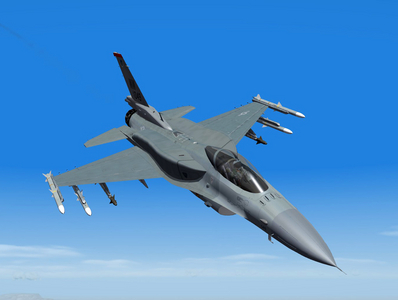 The U.S. Air Force plans to go forward with plans to upgrade and extend the life of 300 F-16s to protect the service in case the F-35 experiences more delays in the course of its development. Col Mark Mol, programme manager at the USAF’s F-16 System Programme Office, spoke to Dave Majumdar at Flight Global providing more details on the service life extension program (SLEP) and a combat avionics programmed extension suite (CAPES) upgrades the Air Force plans to make. Air Force officials have chosen Block 40, 42, 50 and 52 F-16C/Ds to receive the upgrades in the fleet. Engineers will upgrade the 300 Fighting Falcons’ avionics with new radars and advanced software. Each F-16 will receive a new active electronically scanned array (AESA) radar, a new Terma ALQ-213 electronic warfare system, an integrated broadcast system (IBS) and a center display unit (CDU), according to Majumdar’s report. F-16’s life expectancy tops out at 8,000 flight hours. A SLEP upgrade could extend those life spans an additional 2,000 to 4,000 flight hours. The Air Force plans to upgrade the first of the 300 F-16s in 2018. Lockheed Martin will receive a sole source contract to provide the upgrades. Other defense companies have taken notice of the need to upgrade the F-16 as international air force leaders expect the F-16 to fly for decades to come. Floyd McConnell, vice president for BAE Systems’ Integrated Avionics Solutions, said at the Farnborough Air Show that he forsees a multi-billion dollar market to upgrade F-16s — whether it’s in the U.S. or the international market. Twenty five countries fly the F-16 and McConnell says it’s about time Lockheed Martin had some competition when offering upgrades to these buyers. Some inside the Pentagon have argued the Air Force would be smart to invest more money extending the life spans of the F-16 fleet, rather than spending more on the F-35’s development. U.S. Air Force Maj. Joe “Buzz” Walter presented a brief that has made its rounds through the Pentagon and Congress that shows how many more planes the Air Force could keep if it shifted some of its F-35 investment dollars toward upgrades to F-16s. August 30th, 2012 | Air, Air Force, JSF Watch | Comments (155) Read more: http://defensetech.org/2012/08/30/pentagon-plans-2018-f-16-upgrades/#ixzz3lgTHVfEc Defense.org
© August 30th, 2012 | Air, Air Force, JSF Watch | Comments (155)
-
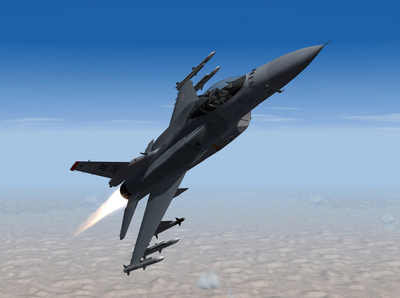 The U.S. Air Force plans to go forward with plans to upgrade and extend the life of 300 F-16s to protect the service in case the F-35 experiences more delays in the course of its development. Col Mark Mol, programme manager at the USAF’s F-16 System Programme Office, spoke to Dave Majumdar at Flight Global providing more details on the service life extension program (SLEP) and a combat avionics programmed extension suite (CAPES) upgrades the Air Force plans to make. Air Force officials have chosen Block 40, 42, 50 and 52 F-16C/Ds to receive the upgrades in the fleet. Engineers will upgrade the 300 Fighting Falcons’ avionics with new radars and advanced software. Each F-16 will receive a new active electronically scanned array (AESA) radar, a new Terma ALQ-213 electronic warfare system, an integrated broadcast system (IBS) and a center display unit (CDU), according to Majumdar’s report. F-16’s life expectancy tops out at 8,000 flight hours. A SLEP upgrade could extend those life spans an additional 2,000 to 4,000 flight hours. The Air Force plans to upgrade the first of the 300 F-16s in 2018. Lockheed Martin will receive a sole source contract to provide the upgrades. Other defense companies have taken notice of the need to upgrade the F-16 as international air force leaders expect the F-16 to fly for decades to come. Floyd McConnell, vice president for BAE Systems’ Integrated Avionics Solutions, said at the Farnborough Air Show that he forsees a multi-billion dollar market to upgrade F-16s — whether it’s in the U.S. or the international market. Twenty five countries fly the F-16 and McConnell says it’s about time Lockheed Martin had some competition when offering upgrades to these buyers. Some inside the Pentagon have argued the Air Force would be smart to invest more money extending the life spans of the F-16 fleet, rather than spending more on the F-35’s development. U.S. Air Force Maj. Joe “Buzz” Walter presented a brief that has made its rounds through the Pentagon and Congress that shows how many more planes the Air Force could keep if it shifted some of its F-35 investment dollars toward upgrades to F-16s. August 30th, 2012 | Air, Air Force, JSF Watch | Comments (155) Read more: http://defensetech.org/2012/08/30/pentagon-plans-2018-f-16-upgrades/#ixzz3lgTHVfEc Defense.org
© August 30th, 2012 | Air, Air Force, JSF Watch | Comments (155)
-
SF2 F-16C/D Block 60 Fictional USAF Squadrons.
Viper63a commented on Viper63a's file in What If Hangar
Hi wazalo68, Thanks for the interest....Version 2 Thanks 5tipe :) -
Korea visual update and enhancements pack
Viper63a commented on Stary's file in Tilesets for Terrains
 Looks great Stary! Thanks!
 -
SF2 F-16C/D Block 60 Fictional USAF Squadrons.
Viper63a commented on Viper63a's file in What If Hangar
Forgot to add...Copy to your mod folder and overwrite.... -
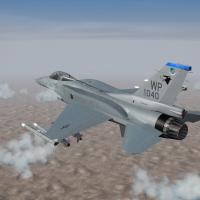
View File SF2 F-16C/D Block 60 Fictional USAF Squadrons. SF2 F-16C/D Block 60 Fictional USAF Squadrons. Viper63a There are rumors swirling around that the USAF will be upgrading their aging, but much needed F-16 Falcons. I knew about Spudknocker's UAE F16E/Fs and Dtmdragon's New Zealand F-16C/Ds with CFTs, but why should they have all the fun? Here are some USAF F-16C(E)/D(F) Falcon Avengers! Enjoy! ------------------------------------------ Please read this entire readme (at least the Installations section) before you attempt to install this mod! This mod is complete in it's own, but their are some options you need to be aware of. This mod was created using all, many or some elements from the following mods listed below. I just repainted and mixed some stuff around - ALL CREDIT GOES to these people and the faithful modders on CombatAce... * First and foremost - The Viper Team's F-16 Package. * Spudknocker's F-16E/F Block 60 Desert Falcon mod. * Dtmdragon's New Zealand F-16C/D Block 52+ mod. This mod includes... - USAF F-16C (E) Block 60 Squadrons: 13th FS "Panthers", 35th FW Misawa AFB 14th FS "Samurais", 35th FW Misawa AFB 16th WS "Tomahawks", 57th WG Nellis AFB 35th FS "Pantons", 8th FW Kusan AFB 36th FS "Fiends", 51st FW Osan AFB 80th FS "Headhunters", 8th FW Kusan AFB 480th FS "Warhawks", 52nd FW Spangdahlem AFB 510th FS "Buzzards", 31st FW Aviano AFB 555th FS "Triple Nickel", 31st FW Aviano AFB - USAF F-16D (F) Block 60 Squadrons: 17th WS "Hooters", 57th WG Nellis AFB 422nd TS "Green Bats", 53rd WG Nellis AFB ------------------------------------------ Note: This mod was tested only in a fully merged SF2 install... Main Mod in "To_Mod_Folder" folder. * All new skins created using the Viper Team's F-16 skin templates. * All new tail number decals 010 > 099 for years 2014 > 2018. * All new color squadron, wing and command patch shield decals. * All New Hangar, Loading and Load Out files. * Updated/Modified (minor tweaks) to the INI and some TGA files. * Includes a subset of (Viper Team) Weapons for use with this pack. * All jets sounds were reset to default to reduce conflicts. Optional (but not really) in "Optional_Effects" Folder. * Updated AB flame, exhaust smoke, missile emitters. ------------------------------------------ Note! BACKUP your EFFECTS, FLIGHT and OBJECTS folders! Saves a lot of heart-ache and time! Note! My Mod folder looks something like this...your may/will be different... C:\Users\<MyName>\Saved Games\ThirdWire\StrikeFighters <XXXXX> Installations: So here we go...there are 3 ways to install this mod... 1) Cowboy (also called the "Damn the torpedoes!") method... * You backed up, right? This method changes some common effects shared by all planes. * Unzip the new mod and copy the contents in the "To_Mod_Folder" and "Optional_Effects" to your SF2 mod folder. * Overwrite when prompted. * You're done, see if you like the new planes and effects. 2) Veteran Viper Pilot method...(You already have Viper Team F-16's installed)... * Even veterans know they need to backup...Right? * Unzip the new mod and >> COPY ONLY << the contents in the "To_Mod_Folder" to your SF2 mod folder. * Overwrite when prompted. * If you want to try out my new optional effects, copy the contents in the "Optional_Effects" folder to your SF2 mod folder. These are common effects that affects most planes in the game...this is why these are optional. * Overwrite when prompted. * You're done, see if you like the new mods. 3) Who is the "Viper Team" method...(WELCOME ABOARD!)... * BACKUP your EFFECTS, FLIGHT and OBJECTS folders in your SF2 mod folder! * Download and install the F-16C Block 50/52 by The Viper Team... http://combatace.com/topic/72842-f-16c-block-5052-by-the-viper-team/ * Unzip the new mod and >> COPY ONLY << the contents in the "To_Mod_Folder" to your SF2 mod folder. * Overwrite when prompted. * If you want to try out my new optional effects, copy the contents in the "Optional_Effects" folder to your SF2 mod folder. These are common effects that affects most planes in the game...this is why these are optional. * Overwrite when prompted. * You're done, see if you like the new mods. Restore your back ups if you want to go back to your original configuration... If you find any bugs or issues, please let me know via PM, Mod Review or Topic Discussion... Thanks! ------------------------------------------ ------------------------------------------ Credits!!! The Viper Team for their EXCELLENT F-16s! Ravenclaw_007 for his new weapon packs. Spudknocker's work that inspired me to make this pack. Dtmdragon's original work that made this pack possible. If I missed anyone...Please excuse and let me know, so I can give credit where it is due... ------------------------------------------ ------------------------------------------ DIsclaimer!!! I am NOT on the Viper Team. We just share the name...LOL =Viper63a= Submitter viper63a Submitted 09/12/2015 Category What If Hangar
-
Version Version 2
525 downloads
SF2 F-16C/D Block 60 Fictional USAF Squadrons. Viper63a There are rumors swirling around that the USAF will be upgrading their aging, but much needed F-16 Falcons. I knew about Spudknocker's UAE F16E/Fs and Dtmdragon's New Zealand F-16C/Ds with CFTs, but why should they have all the fun? Here are some USAF F-16C(E)/D(F) Falcon Avengers! Enjoy! ------------------------------------------ Please read this entire readme (at least the Installations section) before you attempt to install this mod! This mod is complete in it's own, but their are some options you need to be aware of. This mod was created using all, many or some elements from the following mods listed below. I just repainted and mixed some stuff around - ALL CREDIT GOES to these people and the faithful modders on CombatAce... * First and foremost - The Viper Team's F-16 Package. * Spudknocker's F-16E/F Block 60 Desert Falcon mod. * Dtmdragon's New Zealand F-16C/D Block 52+ mod. This mod includes... - USAF F-16C (E) Block 60 Squadrons: 13th FS "Panthers", 35th FW Misawa AFB 14th FS "Samurais", 35th FW Misawa AFB 16th WS "Tomahawks", 57th WG Nellis AFB 35th FS "Pantons", 8th FW Kusan AFB 36th FS "Fiends", 51st FW Osan AFB 80th FS "Headhunters", 8th FW Kusan AFB 480th FS "Warhawks", 52nd FW Spangdahlem AFB 510th FS "Buzzards", 31st FW Aviano AFB 555th FS "Triple Nickel", 31st FW Aviano AFB - USAF F-16D (F) Block 60 Squadrons: 17th WS "Hooters", 57th WG Nellis AFB 422nd TS "Green Bats", 53rd WG Nellis AFB ------------------------------------------ Note: This mod was tested only in a fully merged SF2 install... Main Mod in "To_Mod_Folder" folder. * All new skins created using the Viper Team's F-16 skin templates. * All new tail number decals 010 > 099 for years 2014 > 2018. * All new color squadron, wing and command patch shield decals. * All New Hangar, Loading and Load Out files. * Updated/Modified (minor tweaks) to the INI and some TGA files. * Includes a subset of (Viper Team) Weapons for use with this pack. * All jets sounds were reset to default to reduce conflicts. Optional (but not really) in "Optional_Effects" Folder. * Updated AB flame, exhaust smoke, missile emitters. ------------------------------------------ Note! BACKUP your EFFECTS, FLIGHT and OBJECTS folders! Saves a lot of heart-ache and time! Note! My Mod folder looks something like this...your may/will be different... C:\Users\<MyName>\Saved Games\ThirdWire\StrikeFighters <XXXXX> Installations: So here we go...there are 3 ways to install this mod... 1) Cowboy (also called the "Damn the torpedoes!") method... * You backed up, right? This method changes some common effects shared by all planes. * Unzip the new mod and copy the contents in the "To_Mod_Folder" and "Optional_Effects" to your SF2 mod folder. * Overwrite when prompted. * You're done, see if you like the new planes and effects. 2) Veteran Viper Pilot method...(You already have Viper Team F-16's installed)... * Even veterans know they need to backup...Right? * Unzip the new mod and >> COPY ONLY << the contents in the "To_Mod_Folder" to your SF2 mod folder. * Overwrite when prompted. * If you want to try out my new optional effects, copy the contents in the "Optional_Effects" folder to your SF2 mod folder. These are common effects that affects most planes in the game...this is why these are optional. * Overwrite when prompted. * You're done, see if you like the new mods. 3) Who is the "Viper Team" method...(WELCOME ABOARD!)... * BACKUP your EFFECTS, FLIGHT and OBJECTS folders in your SF2 mod folder! * Download and install the F-16C Block 50/52 by The Viper Team... http://combatace.com/topic/72842-f-16c-block-5052-by-the-viper-team/ * Unzip the new mod and >> COPY ONLY << the contents in the "To_Mod_Folder" to your SF2 mod folder. * Overwrite when prompted. * If you want to try out my new optional effects, copy the contents in the "Optional_Effects" folder to your SF2 mod folder. These are common effects that affects most planes in the game...this is why these are optional. * Overwrite when prompted. * You're done, see if you like the new mods. Restore your back ups if you want to go back to your original configuration... If you find any bugs or issues, please let me know via PM, Mod Review or Topic Discussion... Thanks! ------------------------------------------ ------------------------------------------ Credits!!! The Viper Team for their EXCELLENT F-16s! Ravenclaw_007 for his new weapon packs. Spudknocker's work that inspired me to make this pack. Dtmdragon's original work that made this pack possible. If I missed anyone...Please excuse and let me know, so I can give credit where it is due... ------------------------------------------ ------------------------------------------ DIsclaimer!!! I am NOT on the Viper Team. We just share the name...LOL =Viper63a= -
-
 You're kidding me!!!! Love it!!!
 -
View File SF2 Area 51 Test Pilot Hi-Res 1024x768 Menu Screens! SF2 Area 51 Test Pilot Hi-Res 1024x768 Menu Screens! By Viper So, I do a lot of mod testing, I hate testing a new mod on an existing install I play on, so I have a dedicated install using the Nellis Terrain pack for testing new mods. This is the menu screens I use for that install. However, you can use these screens for any SF2 series if you like. 1) Creating a new mod install...First, you need to create a new Tester Mod game and folder. You can use any SF2 Series Game as a base. In your install folder (the merged Thirdwire folder), copy and renamed "StrikeFighter2 Europe" (exe and ini file) to "StrikeFighter2 Area51" (I used "StrikeFighter2 Europe" for my tester base - you don't have to). Run it to create the "Saved Game" mod folder. 2) Unzip and copy the uncompressed FLIGHT, MENU and PILOTDATA folders from this package to your new StrikeFighter2 mod folder. My StrikeFighter2 mod folder on Win7 64-bit was..(yours may be different)... C:\Users\<your_id>\Saved Games\Thirdwire\StrikeFighter2 Area51\ 3) To remove the new mod folder, just delete it and you're done. If you want to reset your tester install, rerun "StrikeFighter2 Area51" and copy the menus back into the reset mod folder. 4) Test more mods in a new clean tester install... Enjoy! Submitter viper63a Submitted 08/27/2015 Category Menus
-
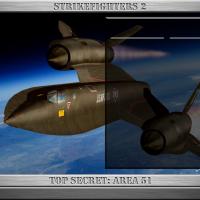
Version Version 1
36 downloads
SF2 Area 51 Test Pilot Hi-Res 1024x768 Menu Screens! By Viper So, I do a lot of mod testing, I hate testing a new mod on an existing install I play on, so I have a dedicated install using the Nellis Terrain pack for testing new mods. This is the menu screens I use for that install. However, you can use these screens for any SF2 series if you like. 1) Creating a new mod install...First, you need to create a new Tester Mod game and folder. You can use any SF2 Series Game as a base. In your install folder (the merged Thirdwire folder), copy and renamed "StrikeFighter2 Europe" (exe and ini file) to "StrikeFighter2 Area51" (I used "StrikeFighter2 Europe" for my tester base - you don't have to). Run it to create the "Saved Game" mod folder. 2) Unzip and copy the uncompressed FLIGHT, MENU and PILOTDATA folders from this package to your new StrikeFighter2 mod folder. My StrikeFighter2 mod folder on Win7 64-bit was..(yours may be different)... C:\Users\<your_id>\Saved Games\Thirdwire\StrikeFighter2 Area51\ 3) To remove the new mod folder, just delete it and you're done. If you want to reset your tester install, rerun "StrikeFighter2 Area51" and copy the menus back into the reset mod folder. 4) Test more mods in a new clean tester install... Enjoy! -
I Just loaded the Strike Config for year 1991. Selected GBU and Pavetack auto loaded....
-
OMG!!! FAN FREAKING FANTASTIC!!!! Looks like I have some changes to release in the F-111 packs!!!!! Thank you so much Lel!!! Did the F-111E have the hood? Don't remember.... =V=
-
Got feedback from FM... [PaveTack] SystemType=WEAPON_STATION StationID=11 StationGroupID=4 StationType=INTERNAL //LoadLimit=0.0 LoadLimit=630.0 <<<<<<< Change here ! SpecificStationCode=F111 AllowedWeaponClass=LP AttachmentType=NATO,USN,USAF NumWeapons=1 AttachmentPosition=0.0,-0.181,-0.868 AttachmentAngles=0.0,0.0,0.0 DiameterLimit=0.0 LengthLimit=0.0 ModelNodeName=PaveTackFairing DeploymentMethod=OPEN_BOMBBAY_DOOR BombBayAnimationID=8 BombBayOpenTime=3.0 BombBayCloseTime=3.0 MinExtentPosition=-0.50,1.226,-0.586 MaxExtentPosition= 0.50,1.226,-0.586 Raise LoadLimit= until it works...let me know how you make out and what you set it to... =V=
