bubu
-
Posts
185 -
Joined
-
Last visited
Content Type
Profiles
Forums
Gallery
Downloads
Store
Everything posted by bubu
-
Essex class (long-hull) aircraft carrier
bubu commented on WhiteBoySamurai's file in Aircraft Carriers
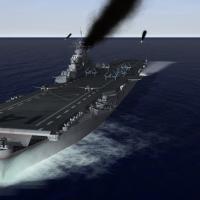 Ummm... wow... a work of art... the "GroundObject" standard has just been raised!
 -
wow that makes perfect sense, why let a "vintage" application control and new card. one last question, in the options.ini, are these settings OK or should they be changed? AntiAliasing=4 ForceDX9=FALSE ForceVSyncOff=FALSE Use32BitZBuffer=TRUE
-
I have 900-series NVIDIA as well... can you share the settings you found most effective saisran?
-
an interesting observation - graphics issues referenced above have ONLY happened with TK's default planes - all of the modders aircraft, whether from the A-team or Mirage Factory or Wrench - work fine on GTX 960/Win10. The game engine has not been updated since July 2013... so I guess I'm not really all that surprised this is happening.
-
Hey that works great! The Korea with visual update now rocks!
-
I recently upgraded my graphics card to an NVIDIA GTX 960 and was initially shocked that the terrains on certain sims looked horrible - they split apart in midflight revealing blank space in the middle - could not figure it out, went to the relevant terrain data.ini and checked all the polygon and mesh settings and they were all good... however I totally forgot about the graphics settings/ clip distances in the flightengine.ini - turned out by simply inactivating this file in the flight folder things returned back to normal. That being said are there more optimal graphics settings for the flightengine and scene clip distances for the newer cards?
-
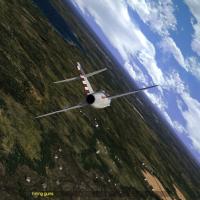 korea how I remember it! Love the exposed granite/rock everywhere, definitely a lot of that over there, esp in the mountains. if you made the bare soil areas bright red ochre, it may also work for Vietnam/tropical terrains...yep... the dirt was indeed that color.
- 9 comments
-
- 1
-

-
- enhancementpack
- hd
- (and 3 more)
-
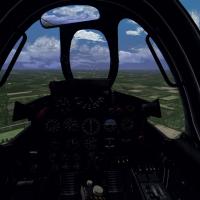 ok cockpit is nice but holy crap look at those fluffy puffy cumulus clouds in your pics... where did you get those? They are beautiful.
 -
Anyone tried StrikeFighters 2 with Windows 10?
bubu replied to Viper63a's topic in General Discussion
Ok this is related to Win 10 since DirectX12 is installed with it... but now my graphics don't work as well, getting tile breaks, slow frame rates when dropping bombs, etc. Since the software itself last had a TK update in July 2013 I wonder if THAT has something to do with it... mysterious since I am running a GTX NVida 900-series graphics card (brand new)... -
Smoking Craters for Battlefields
bubu commented on Stephen1918's file in Terrain and Environmental Mods
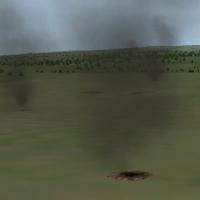 Works great! what I'd love to do is associate the new terrain objects with tiles, meaning that each time a moon-like tile in No-man's land loads it has 10 smoking craters on it. This would create a realistic "pall of smoke and destruction" each time the enemy trenches and lines are approached. Just and idea... but great job!
 -
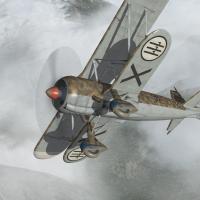 Works great in FE2, just out of curiousity I tried it in SF2, worked there too yet the instruments didn't show up, just the background drawing. Only reason SF2 may be a better option is that radios were installed in aircraft around the mid-1930's and became common in the SCW, and FE2 doesn't support radios of any sort.
 -
I would like the no-man's land area to be more "chaotic"... with random explosions, constant MG fire, and a pall of continuous smoke and haze above the trenches.
-
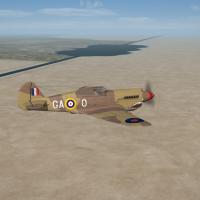 Looks great! Got it to work in DAT's all-inclusive by changing the NavalMap to FALSE...
 -
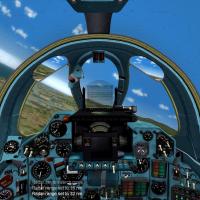 you are the Leonardo da Vinci of cockpits - bellisimo! good for all cold war soviet-era swing wings...
 -
 GREAT JOB AS USUAL! Hmmm... would'nt be all that much of a stretch to do a mid 90's Bosnia-Herzegovina/Kosovo air campaign with much of what we have here already...
 -
Israel 2 Terrain (ver 4.1) Upgrade/Update for SF2
bubu replied to Wrench's topic in File Announcements
curious as to why you didn't point it to the ISRAELME cat... that would have seemed to make sense. -
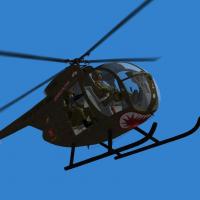 DUDE you are really putting me in love with helos... can't wait to see what you do with the Hueys...made some minor changes to the cockpit ini that would allow me to move my head around a bit more and inspect your work (with TrackIR of course): MaxYaw=180 MinYaw=-180 MaxPitch=90 MinPitchFront=-85 MinPitchRear=-60 MinMovementX=-0.40 MaxMovementX=0.40 MinMovementZ=-0.10 MaxMovementZ=0.20
 -
several installs - including a full merged - matched to whatever the mods files require.
-
search area is right near our vacation rental in Navarre Beach, FL...
-
Please indicate how you would install this and where you would install it...
-
I am curious how the airbrakes or arresting hook can be used to jump to different places in the cockpit. As an ex-WSO I would naturally like to jump to "my office" in the back of a two-place fighter...
-
despite the limited skins, the exterior/interior detailing and external model is quite impressive to look at. cockpits provided are just average, with the exception of their UH-1E, which is very well done
-
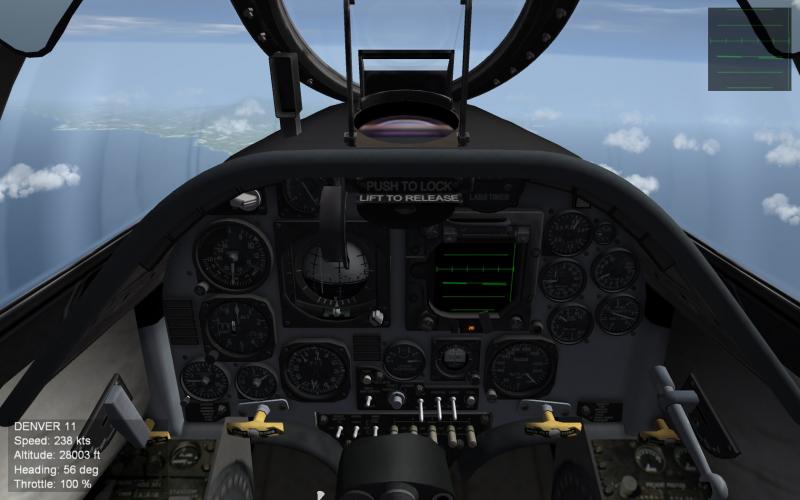
modified view on A-4E adjusting offsets. I can see my wings!
-
go into the relevant cockpit ini file, look for the line beginning with "offset". These three number series are always the same, the first number is the left and right, the second is the forward and back, and the last is up and down. To move your head "eyepoint" back you would adjust the middle number in that series, making it more negative, such as Offset=0.0,0.0,0.0 change as follows: Offset=0.0,-0.15,0.0. Being a pilot, one of my frustrations is the sims consistently give you the cockpit perspective of a six year old, with the panel looming large in front of you blocking most of your view forward. When I discovered this trick I was able to get a much more realistic view reflective of what I see in real life...
-
OK guess I'll go with plan B: freeze door gunner in place and set up similar to AC-130 or AC-47 with side-firing gun activated by joystick trigger... better than nothing!