Wrench
-
Posts
28,322 -
Joined
-
Last visited
-
Days Won
188
Content Type
Profiles
Forums
Gallery
Downloads
Store
Everything posted by Wrench
-
Looking for a performance comparison between several planes
Wrench replied to rogueranger1993's topic in General Discussion
Standard Aircraft Charictaristics http://www.alternatewars.com/SAC/SAC.htm -
that's quite interesting! which version of SF1 version of the Solomons did you use? (also, why are the Japanese bases blue?)
-
LOVE the sign!!! the jetways look pretty good too!! (I could have used them some year back...<gr>)
-
check the landing gear statements... example is from A-7A it's for when shit gets shot off the birds; mostly seems to be landing gear parts
-
Apparently, somebody hasn't been flying over some of our hyper-detailed terrains. It's all been done. I should know ...
-
Looking for a performance comparison between several planes
Wrench replied to rogueranger1993's topic in General Discussion
NASA/Dryden used to have performance charts -
Dude, seriously??? Marcfighters has been out of the business for over 6 years. Stop necro-threading. This shit is deader than dead
-
What Rene said about the number selection and randomization is pretty much it. from the last set of Sabre skins I did: [TextureSet007] Directory=71FS Name=71st FIS, 1st FG (49-54) Nation=USAF StartDefaultDate=1949 Specular=1.000000 Glossiness=0.500000 Reflection=1.000000 DecalNumberRandomize=TRUE DecalNumberBlockSize=26 DecalNumberStart=0 DecalNumberEnd=25 of course, each has a unique sequence of serials for each skin What TK did for the Migs, is just "Randomization=TRUE" (below) [TextureSet001] Directory=SovietSilver1 Name=Soviet Silver Nation=Soviet StartDefaultDate=1 Specular=1.000000 Glossiness=0.500000 Reflection=0.800000 DecalNumberRandomize=TRUE as he always had 100 decals (000 - 099) iirc, you CAN have a set of numbers (borts, serials, etc) and break them up, based on the number list. I guess like this: [TextureSet007] Directory=71FS Name=71st FIS, 1st FG (49-54) Nation=USAF StartDefaultDate=1949 Specular=1.000000 Glossiness=0.500000 Reflection=1.000000 DecalNumberRandomize=TRUE DecalNumberBlockSize=26 DecalNumberStart=26 DecalNumberEnd=50 I thinks TK's done something like that on the stock birds (Hunters??)
-
nope, it don't in SF2 (and the numbers would be 48 & 49)
-
Moved to the correct Forum. The Screen Shots section is ONLY for screenshots ====================================== Indeed, like Hans Topp, check the pathway in the options ini
-
Mission completed. Return to base question.
Wrench replied to WallysWorld's topic in General Discussion
usually, I try to find something of value to the enemy, and blast it. Things like POL storage, ships, warehouses, water buffalo, hospitals, orphanages. Things of that nature -
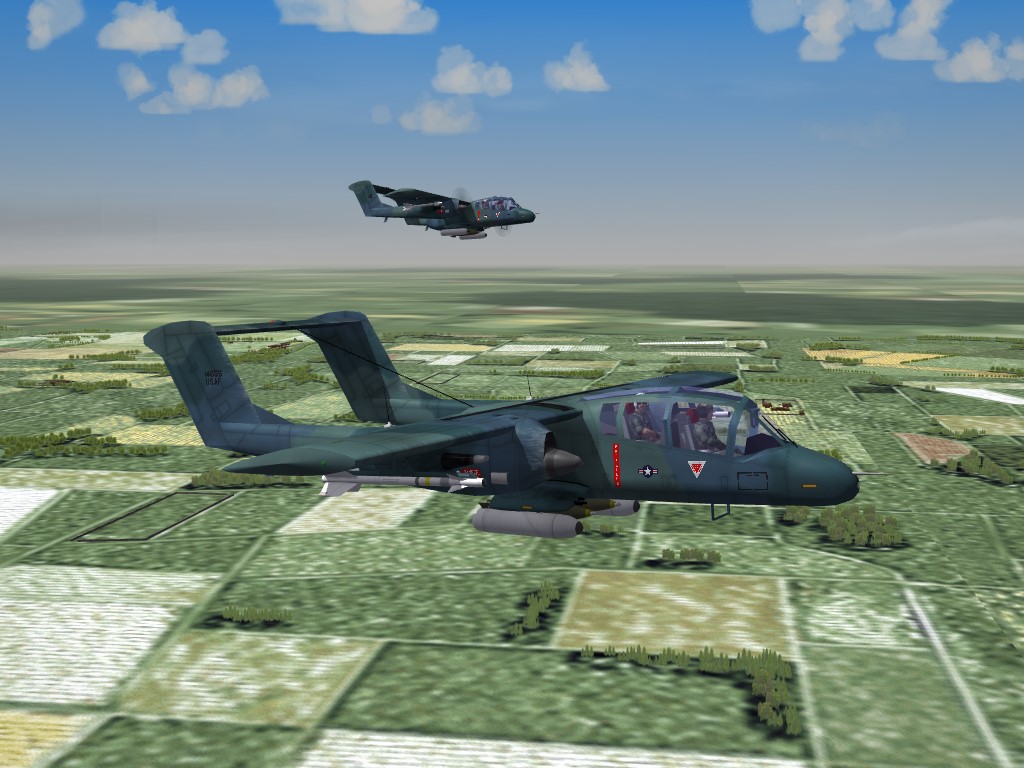
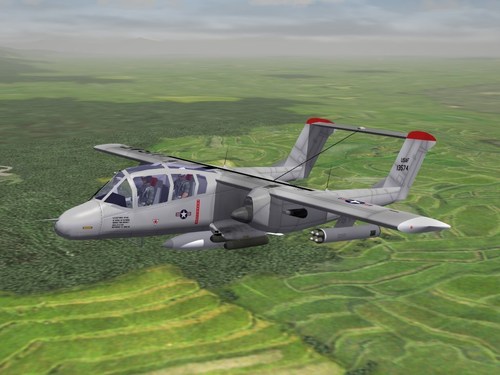
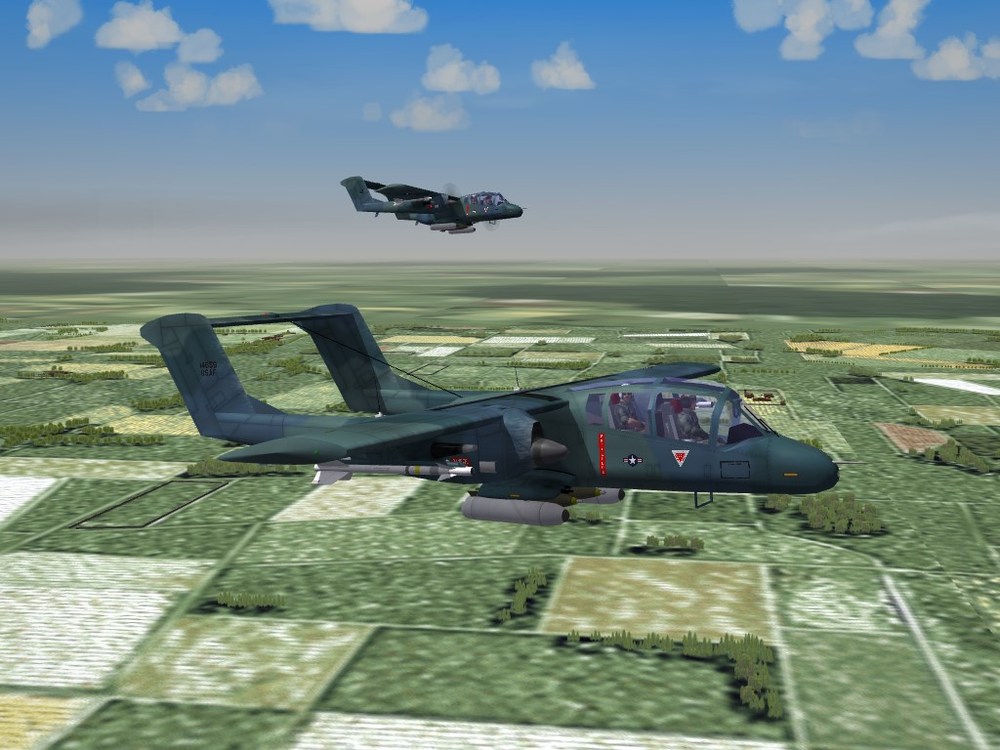
View File SF2 OV-10A Bronco, Remod Pack SF2 OV-1A Bronco, Remod Pack 7/27/2019 -For SF2, Any and All (Full Merged Reccomended) This is an remod of the North American OV-10A Bronco FAC and light attack aircraft, previously available. While there are still several issues (documented in "Notes"), it is in as good a shape as possible for SF2 without having someone build an entirely new LOD. If you have ANY previous versions, you are STRONGLY advised to back them up or delete them from you Mods folder(s). This includes the aircraft, decals, etc. There are 9 skin and decal sets in this package. Skins remain in their original bmp format. Many decals have been refreshed to remove any "ghosting" around their edges. The SF2 "date switch" =IS= active on several skins. Included are the pilot figures, the drop tank and sounds. All weapons used on the aircraft are STOCK 3W items. The skins included are: USAF: 20th TASS Overall Gray (1969<) 19th TASS (USAF Camo1) 19th TASS Euro 1 (3-tone Gray/Greens) USN: VAL-4 "Black Ponies" (1969-72 SEA) USMC: HMLA-267 (1968-71) VMO-2 (1968-1979) VMO-2 (Desert Camo)(1990<) VMO-6 (1968-77) USMC Camo1 (3-tone Gray) As is always reccommended, unzip to a temp folder or your desktop to give easy access to the rest of this readme for it's install instructions. Please read the notes section for more information and the change log. USAFMTL's original 2009 readme is included, in the main aircraft folder, for historical purposes. Good Hunting! Wrench Kevin Stein Submitter Wrench Submitted 08/02/2019 Category Other
- 1 reply
-
- 6
-

-

-
Version 1.0.0
789 downloads
SF2 OV-1A Bronco, Remod Pack 7/27/2019 -For SF2, Any and All (Full Merged Reccomended) This is an remod of the North American OV-10A Bronco FAC and light attack aircraft, previously available. While there are still several issues (documented in "Notes"), it is in as good a shape as possible for SF2 without having someone build an entirely new LOD. If you have ANY previous versions, you are STRONGLY advised to back them up or delete them from you Mods folder(s). This includes the aircraft, decals, etc. There are 9 skin and decal sets in this package. Skins remain in their original bmp format. Many decals have been refreshed to remove any "ghosting" around their edges. The SF2 "date switch" =IS= active on several skins. Included are the pilot figures, the drop tank and sounds. All weapons used on the aircraft are STOCK 3W items. The skins included are: USAF: 20th TASS Overall Gray (1969<) 19th TASS (USAF Camo1) 19th TASS Euro 1 (3-tone Gray/Greens) USN: VAL-4 "Black Ponies" (1969-72 SEA) USMC: HMLA-267 (1968-71) VMO-2 (1968-1979) VMO-2 (Desert Camo)(1990<) VMO-6 (1968-77) USMC Camo1 (3-tone Gray) As is always reccommended, unzip to a temp folder or your desktop to give easy access to the rest of this readme for it's install instructions. Please read the notes section for more information and the change log. USAFMTL's original 2009 readme is included, in the main aircraft folder, for historical purposes. Good Hunting! Wrench Kevin Stein- 3 comments
-
- 15
-
-
-
Control/L is the running lights. in all versions of 3W games Please don't tell us you're trying to fly these with a frakking game pad???
-
glad you got it sorted Russ!!
-
Maybe ask Gepard if he'll make one without the pylons??
-
I think that's the one, had to be the nvidia one thanks!!
-
This is the first and only time you're going to be told this: Write a proper read me. The next time, you file will not be approved, and deleted
-
why do you think I'm still using Photoshop 6!!! (btw, anybody got a spare copy of PS7, and dds patch??? )
-
I got a serious problem about the last 2008 patch PLEASE HELP
Wrench replied to JamesWilson's topic in General Discussion
There seems to be some difficulty in understanding in what I said above. So, let's try this. Go the the 3rd Wire Website go to the STORE (header at the top) go the "For Windows XP" link https://store.thirdwire.com/store_p2.htm find the game(s) you want there, (THE ENTIRE GAME -- NOT the patches) and purchase NEW copies. They are already patched to the 08 level Install games. Play for several weeks (or months depending on the depth of knowledge required), exploring and becoming intimate with the game system. Then, and ONLY then, start modding. -
I got a serious problem about the last 2008 patch PLEASE HELP
Wrench replied to JamesWilson's topic in General Discussion
ever consider just shit canning the version you have and buying the latest (08 patch level exes) straight from 3rd Wire?? -
Just cruising along
-
Changing enemy planes and how to use editor
Wrench replied to JamesWilson's topic in Mods/Skinning Discussion
1983 is the default 'end date' for all the 1stGens No, you cannot take off or land on carriers in single missions in ANY of them. To start with, carriers are only available in WoV (wings over vietnam), and only in campaigns. Another of the reasons that SF/Wo* are deader than a door nail -
Changing enemy planes and how to use editor
Wrench replied to JamesWilson's topic in Mods/Skinning Discussion
There is NO mission editor in ANY of the 1stGen games (SFp1/Wo*). What JosefK was referring to was SF2, which does. So, disregard that post completly. As I said in my post, all you can do is save the mission, and then edit it by hand in notepad. That is it. -
Changing enemy planes and how to use editor
Wrench replied to JamesWilson's topic in Mods/Skinning Discussion
There is no mission editor for 1stGens. You CAN save a mission for later replaying, but can't change anything within the game. You have to edit the .msn file with notepad.