Update v1.10
The SH-3 has been removed from this pack on request. To acquire the original model please contact Capun at capun1950@yahoo.com to request access to the model.
This pack provides a way to add more life into the otherwise sparsely populated airfields in SFP1 and WOV. I thought that I'd have a go at trying to use existing aircraft as the basis of complex static/parked aircraft. Here is the result. I hope you enjoy using them.
[Thanks]
Many thanks to all those folks who created the original aircraft I've used as the basis for my own editing. And also many thanks for the hints, tips and support over the past few weeks on the forums. Without you this work would not have been possible.
This posting consists of a set of complex static/parked aircraft, a mission (.msn) file that makes use of them, and an extract of the optional changes to the VIETNAMSEA_TARGETS.INI (or equivalent) file that you may want to apply to populate Airfield 1 further with support equipment. Installation instructions are provided in the enclosed README.TXT.
The mission is based at Da Nang, South Vietnam and consists of two squadrons of RAF complex static/parked aircraft and some AI aircraft on final approach.
On the ramp you'll find RAF 74 Sqn and RAF 56 Sqn.
At the North end of the runway are two QRA shelters containing two armed F4-Js and support equipment. All ready to go.
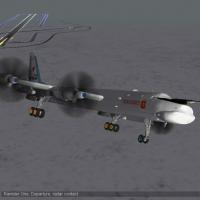
On final approach are a pair of Mk6 Lightnings from RAF 5 Sqn. Lined up behind the Lightnings is a RAAF C-130J transport aircraft on final approach. Behind the C-130J is a RAAF A310 MRTT on final approach.
Two jeeps are also driving around the airfield. The first one circuits the aircraft on the ramp. The second drives to and parks up at the North QRA complex.
More to follow in subsequent phases.
Regards, P.T.
Welcome to the Approach and Airfield Lighting pack for ALL friendly airfields for Wings Over Vietnam (WOV).
This pack puts approach lights at the end of each runway and anti-collision lights on all tall buildings and structures, for each type and layout of runway for all friendly airfields.
Updated for October 2008 Thirdwire Patch: Alternative airfield lighting definition files are now included that work with the October 2008 patched version of the game.
Acknowledgements, Disclaimer and Terms
Thank you to TK and all modders who have provided the platform and prerequisites I use in my packs. If there are any problems with this pack and my own modifications, then please contact me directly, not the authors of the prerequisites. Note that prerequisites have their own terms and conditions that may differ from those defined for this pack.
Released under Fair-Use terms, as defined at CombatAce
Prerequisites
There are no prerequisites for this pack.
More Info
See here for more detailed screen shots: http://bbs.thirdwire.com/phpBB/viewtopic.php?p=19180
and also here for additional screen shots of Airfield 4: http://bbs.thirdwire.com/phpBB/viewtopic.php?t=3293
Here is the list of additional lights introduced by this mod, found in the different types of layout:
Tower1 & Tower2
Fueltank1 & Fueltank2
Hangar1, Hangar2 & Hangar3
Bunker1 & Bunker2
Watertower
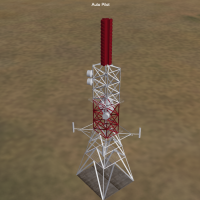
ASR (radar)
ShelterA (used for ramp and QRA sites)
I've also include a Heli-pad for each layout.
Each building or structure contains at least 1 anti-collision red light (in some cases up to 4 lights) and hangars also contain flood lights facing the ramp area.
Regards, comrpnt :-)
Rudimentary "Visual Approach Slope Indicator" mod by Ryder7 for WoV sfp1. beta version.
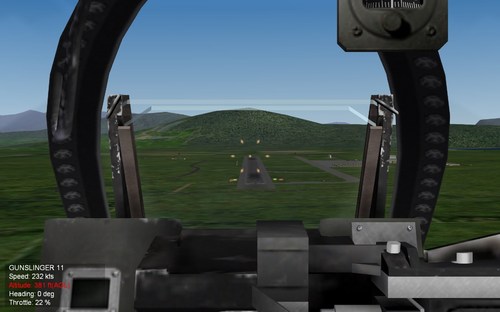
This mod adds a somewhat "VASI" light system to all WOV runways.
I wish I could rotate the lights verticaly so I might have been able to duplicate a proper VASI and/or PAPI light systems, meaning that some lights would only show up above glide slope whereas others would only show up below glide slope, but since I could only rotate lights horizontally, I had to try something less realistic, but somewhat working and very simple in fact:
In my system, you have two sets of lights, yellow ones are close to your estimated landing point, whereas red ones are located 400 meters before and 20.96 metres higher, so they look perfectly on line when you look at them from a 3 degres slope angle... Well, if my trigonometry is not wrong, school was a long time ago I'm affraid.
/////////////////////////////////////////////////////////////////////////////////
Plane
* Red light
o Yellow light
Runway _____________________________________________
/////////////////////////////////////////////////////////////////////////////////
If above glide slope, you 'll see yellow lights above red ones: °° °°
** **
If below glide slope, you 'll see yellow lights below red ones: ** **
°° °°
If ON a 3degres glide slope, you 'll see the lights on line : **° °**
/////////////////////////////////////////////////////////////////////////////////
Additionally, I put two sets of each lights, one left, one right on both runway headings, which provides you both alignment and glide slope visuals for low visibility situations, making it some sort of rudimentary not super accurate but better than nothing alternative for no ILS system in those games.
//
Limitations:
-On night landing, those lights may look blurry and somewhat mixed with already existing runway lights at certain distances.
-The closer you come to the runway, the less accurate this system becomes so you'll have to rely on your training for those last feet/meters before touchdown. This actually looks a bit like a real ILS antenna thing BTW.
-On some cockpits and/or some aircrafts it may be difficult to see the lights while maintaining proper AOA/attitude/descent rate. (internal views only)
-Also, depending on your display settigns, you may want to zoom the cockpit POV at its max level (F3 or F4 keys) in order to see those lights, but this makes it more difficult to watch your instruments in the same time.
Well, this is not perfect, but I hope you'll give this mod a try and have as much fun landing with it than I got from making and testing it. I wish again it was possible to rotate vertically those runway lights, and also I wasn't able to add light to the carrier, it would have been fun to add some sort of "meatball-OLS" for carrier ops. Hopefully, more talented modders than I may come with solutions.
Personal notes and thanks:
This was my first mod ever published for those games whereas i spent so much time playing and messing with mods years ago. I moved for Falcon BMS that is incredible, but having less spare time for flight sims and homepits, I found back my WOV copy for quick and dirty gameplay with the cheapest joystick, and found myself having just as much fun with it as I did before. I just love those Thirdwire early jets and cold war era atmosphere, and one can learn basics, or come back to these games and try to play with more "realistic" procedures. Well, thanks to thirdwire, CombatAce, and the whole community for years of fun, hope my humble contribution will add to the pack.
Cheers,
Ryder7 from France.
P.S.: Feel free to upgrade this mod at will, just give credits and no commercial use please. :)
Edit: Forgot to add proper installation instructions:
1.backup your Airfields.ini.
2.Drop the content of the zip onto your ...Wings Over Vietnam/ game directory.
3. That's it. To uninstall, just remove those files and you'll be back with vanilla packed .inis, or replace with your backup ones if already modded.
Hello and thank you for downloading my work.
https://gkabs.net
What's included:
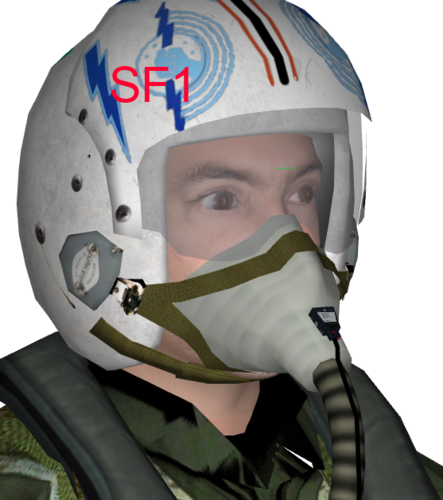
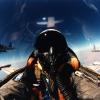
New Pilot model
All my files should include the Strike Fighters 1 Series game file (.LOD) and the texture required.
This is for Strike Fighters 1 Series ONLY.
Installation:
Copy the files to Objects\pilot folder
Add these lines to the _DATA.INI file to any jet you would like to add the new pilot to.
[Pilot]
PilotModelName=GK-Pilot <----
PilotHeadNodeName=GK-Head <----
if you have a two-seater add the Copilot as well.
[CoPilot]
PilotModelName=GK-Pilot1 <----
PilotHeadNodeName=GK-Head <----
If you need any further help please read the Knowledge Base at:
https://combatace.com/forums/forum/268-thirdwire-strike-fighters-2-series-knowledge-base/
LICENSE:
You are allowed to use this model and everything included with it for personal non-profit use for Strike fighters 1 and 2. For use outside of this scope, you need to contact me for permission.
gkabs@gkabs.net
Big thanks to Crawford for sending me the required MaxExporter_Max2009 and for testing the file in SF1.
Software used:
3d Max 2009
UVLayout v2 Pro
Substance Painter
Adobe Photoshop
Fuse
FaceGen
If you need any assistance please contact me at
gkabs@gkabs.net
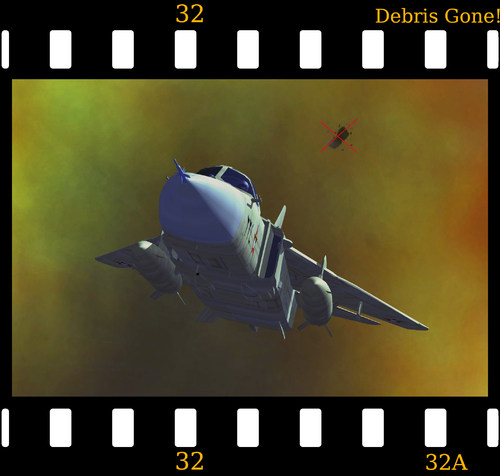
Are you fed up of debris flying up in the air and spoiling your screenshot, or not matching your paint scheme (or your navigator's eyes)?
Then use 'Debris Gone' and banish debris today!
OK. As an unexpected request, here is a simple replacement for the stock DEBRIS.tga which you can put into your Flight folder and remove flying debris. The original DEBRIS.tga will remain safe and snug in your CAT files so if you don't like you can just delete it and your game is back to normal. If you haven't got a flight folder then just put my Flight folder into your main folder (not in your Objects folder - go up one level).
Special thanks to Migbuster for giving me the idea.
Regards
Spinners
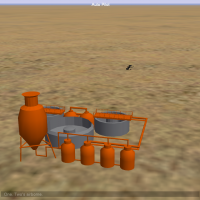
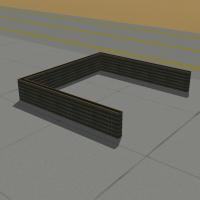
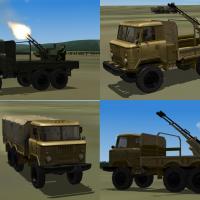
Algunos objetos terrestres, para enrriquecer las misiones mapas y campañas.
Instalacion: en el erchivo esta el ini_TYPE con los elementos, copiar los lod y las texturas dentro de la carpeta del mapa que cada uno desee; estan los lod del objeto y los lod de daño, luego agregar los TYPES en el mapa segun el orden que requieran.
Algunas texturas estan sacadas de trabajos de modders de la comunidad, para agradecer y dar credito a sus correspondientes creadores.
Espero que les guste
pueden reformarlos como deseen
Some land objects, to enrich the missions maps and campaigns.
Installation: in the erchivo this ini_TYPE with the elements, to copy the lod and the textures inside the folder of the map that each one wishes; Are the lod of the object and the lod of damage, then add the TYPES on the map in the order they require.
Some textures are taken from the work of community modders, to thank and credit their creators.
Hope you like
Can be reformed as you wish
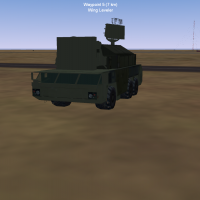
Kupol 9K332 Tor M2E totalmente funcional, los misiles estan puestos para que salgan de forma standar, si quieren reformrle el angulo de salida en el data.ini se puede hacer, se lo ha hecho de ese modo para que funcione mejor, no es exacto, esta hecho en base a fotos, de una de las varias versiones que encontre, pueden reformarlo como les parezca mejor esta testeado en spf1 y WoE
Kupol 9K332 Tor M2E fully functional, the missiles are set to come out in a standard way, if you want to reformrle the exit angle in the data.ini can be done, you have done it that way to work better, it is not accurate, Is made based on photos, one of several versions that I found, can reform it as it seems best is tested in spf1 and WoE
Algunos objetos terrestres, para enrriquecer las misiones mapas y campañas.
Instalacion: en el erchivo esta el ini_TYPE con los elementos, copiar los lod y las texturas dentro de la carpeta del mapa que cada uno desee; estan los lod del objeto y los lod de daño, luego agregar los TYPES en el mapa segun el orden que requieran.
Algunas texturas estan sacadas de trabajos de modders de la comunidad, para agradecer y dar credito a sus correspondientes creadores.
Espero que les guste
pueden reformarlos como deseen
Some land objects, to enrich the missions maps and campaigns.
Installation: in the erchivo this ini_TYPE with the elements, to copy the lod and the textures inside the folder of the map that each one wishes; Are the lod of the object and the lod of damage, then add the TYPES on the map in the order they require.
Some textures are taken from the work of community modders, to thank and credit their creators.
Hope you like
Can be reformed as you wish
Algunos objetos terrestres, para enrriquecer las misiones mapas y campañas.
Instalacion: en el erchivo esta el ini_TYPE con los elementos, copiar los lod y las texturas dentro de la carpeta del mapa que cada uno desee; estan los lod del objeto y los lod de daño, luego agregar los TYPES en el mapa segun el orden que requieran.
Algunas texturas estan sacadas de trabajos de modders de la comunidad, para agradecer y dar credito a sus correspondientes creadores.
Espero que les guste
Some land objects, to enrich the missions maps and campaigns.
Installation: in the erchivo this ini_TYPE with the elements, to copy the lod and the textures inside the folder of the map that each one wishes; Are the lod of the object and the lod of damage, then add the TYPES on the map in the order they require.
Some textures are taken from the work of community modders, to thank and credit their creators.
Hope you like
This is my version of airfield approach lights for SF1 series. I gathered already existing airfield approach lights from http://combatace.com/files/file/1866-runway-approach-lights/ uploaded by HrntFixr and from http://combatace.com/files/file/1866-false/uploaded by the same Submitter (no modifications were made with his work, just changing the time of lights on and off), and mixed them with German airbases, Soviet airbases, Desert airfields and VietnamSEA airfields. I made small edits with time the lights are on and off and now a compromise was found between the time the lights are switched on and off: now the lights are switched on after 4.00 PM and off after 8.00 AM, that was done for having the lights always on in the inclement weather, the lights are on 24 hours in the inclement weather so now it is not difficult to find the airfield and land in the inclement weather. The images show the airfield approach lights at their finest! I specially uploaded many screenshots with various aircrafts to show how these lights transform and make more realistic the overall picture of this fantastic game!
These are complete airfields inis - no need to change anything inside the same, just copy and paste into your terrains. Backup your airfield inis before you drop these ones if you do not like them and do not want to use anymore. Hope you will like it!
This is my first work I share with gamers of this fantastic game! J
Backup your airfield inis in your terrains before installation. Just drop these inis into your terrains. Be careful that each terrain has own specific airfield inis: German and Soviet airbases for GermanCE, Black Sea, Kamchatka terrains etc., Desert airfields for IsraelME, Libya terrains etc., VietnamSEA airfield for DRV. Probably it will be compatible with SF2 series terrains as well.
Please try yourselves.
Instructions.txt
19 July 2006
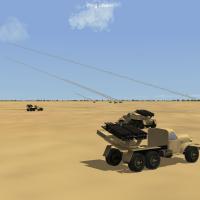
BM-14-16 Katyuscha Mod v1.0
3 files are included :
Add to weapondata ini.txt -> self explaining
BM-14-16_data.ini -> move into the Objects\GroundObject\BM-14-16 folder
BM-14-16.msn -> move into the Missions Folder
The Mod :
Arms the BM-14-16 Katyuscha Launcher with 16 rockets. They are TV guided due to limitations of the game AI, it cant handle unguided rockets launched from ground vehicles.
The Launcher has a minimum engagement range of 4 km and a max range of 20 km. Targets can be spottet out to 20 km.
The Mission :
Just a quick test mission. Hit autopilot , then use F7 key to find the BM-14's and watch them shooting.
This mod is far from perfect, feel free to fiddle around with it. Some explanations are added in the BM-14-16_data.ini regarding the main changes.
have fun
MoonJumper
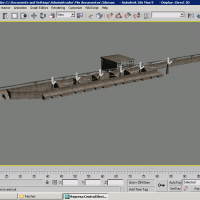
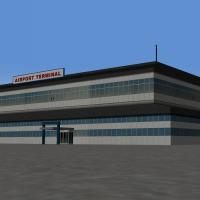
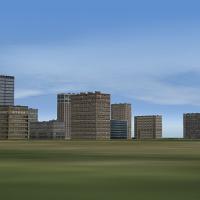
Two building models : airport terminal ( civil ) and high rise building with big logo "Amari". You can put them into your civil airport.
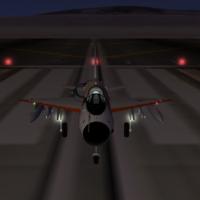
This little modification adds landing lights to the MiG-21 model.
------------------------------------------------------------------------
Tested with MiG-21MF but should work with any 21 version.
------------------------------------------------------------------------
Follow the instructions in the txt.file and have fun.
FLT
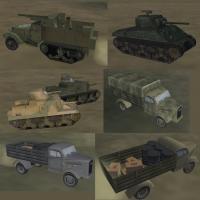
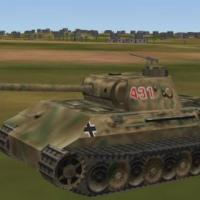
Various WWII ground vehicles
Various WWII vehicles